
If you want a compact system that can grow with your needs, a barebone computer with OCuLink is one of the smartest buys in 2026. It gives you a strong base for gaming, content creation, or everyday work, while leaving RAM, storage, and sometimes the operating system up to you.
That upgrade flexibility matters even more if you plan to use an external GPU, fast NVMe storage, or multiple displays. The 10 picks below focus on performance, expansion, and value for buyers who want a mini PC that is easier to customize than a typical prebuilt.
Best 10 Barebone Computer with OCuLink Picks for 2026
Flagship Barebone

- Ryzen 7 255 with Radeon 780M graphics
- OCuLink, Wi-Fi 7, and dual USB4
- Dual M.2 and dual SODIMM barebone build
Best For: Builders wanting a high-spec barebone mini PC with eGPU support
Touchscreen Pick
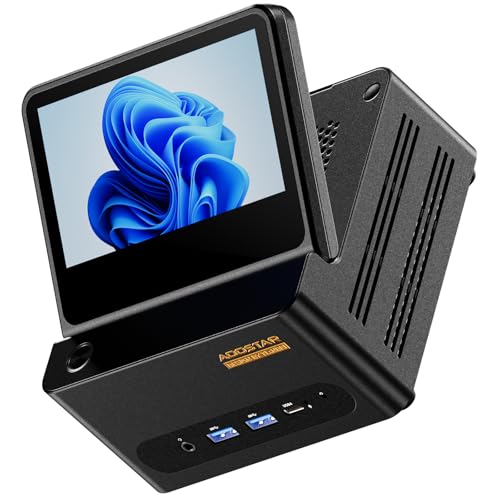
- 5-inch foldable touch secondary display
- Ryzen 7 H255 with Radeon 780M
- Dual USB4, dual 2.5GbE, rear OCuLink
Best For: Users who want a barebone mini PC with a built-in touch screen
Value Gaming Barebone

- Ryzen 7 PRO 8845HS with Radeon 780M
- Independent-channel OCuLink for eGPU use
- Dual USB4, dual 2.5G LAN, 4-display support
Best For: PC builders wanting a gaming-focused barebone mini PC
Premium AI option
Ryzen AI 9 HX370 OCuLink barebone mini PC
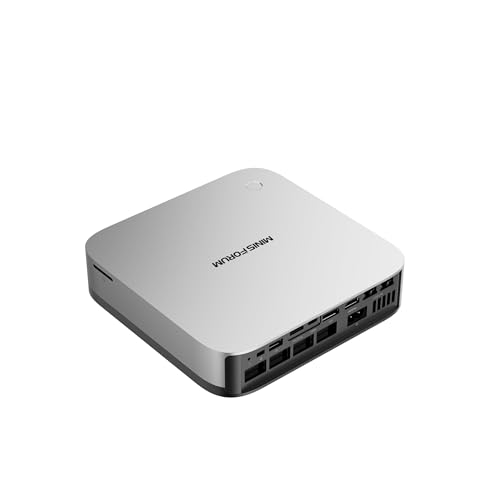
- Ryzen AI 9 HX370 with Radeon 890M
- OCuLink, dual USB4, and four-display output
- WiFi 7 and dual 2.5GbE networking
Best For: Power users who want AI features, eGPU support, and premium connectivity
DIY gaming pick
Ryzen 7 255 OCuLink barebone gaming mini PC

- Ryzen 7 255 with Radeon 780M graphics
- OCuLink and USB4 for expansion flexibility
- WiFi 7, Bluetooth 5.4, and 8K quad display
Best For: DIY gamers who want a customizable mini PC with modern wireless and display output
Performance Barebone
Ryzen 7 8845HS Mini PC with OCuLink

- Ryzen 7 8845HS with Radeon 780M graphics
- OCuLink for faster eGPU expansion
- Dual DDR5 and dual PCIe 4.0 SSD slots
Best For: Compact buyers who want strong performance and future GPU expandability
Gaming Barebone

- Ryzen 7 255 with Radeon 780M integrated graphics
- Includes M.2 to OCuLink adapter for eGPU use
- Wi‑Fi 7, Bluetooth 5.4, and 2.5Gbps LAN
Best For: Custom builders who want a gaming-focused mini PC with fast networking
Flagship Barebone – Ryzen 7 255 Oculink Mini PC
If you want a barebone computer with OCuLink that leans hard into performance and modern connectivity, the Reatan X7 is built around the Ryzen 7 255 and Radeon 780M. It is a no-OS, no-RAM, no-SSD mini PC, so it makes sense for buyers who want to choose their own memory and storage while still getting strong integrated graphics, Wi-Fi 7, USB4, and quad-display support.
Best For: Builders who want a high-spec barebone mini PC for gaming, multitasking, and 4-display setups.
Pros:
- Ryzen 7 255 with 8 cores/16 threads and Radeon 780M graphics
- OCuLink plus two USB4 ports for eGPU and fast peripherals
- Dual M.2 slots and dual SODIMM support for flexible upgrades
- Wi-Fi 7, 2.5G LAN, and support for four independent displays
Cons:
- Requires separate purchase of RAM, SSD, and operating system
- OCuLink is not hot-swappable and uses one M.2 SSD slot
- Best value only if you plan to build it out yourself
Overall, the X7 is a strong pick if you want a barebone platform with broad I/O, fast networking, and eGPU-friendly OCuLink support. It is especially appealing for users who want a compact desktop they can tailor around their own parts and workload.
Touchscreen Pick – H255 Foldable OCuLink Mini PC
The AOOSTAR G-FLIP stands out as a barebone computer with OCuLink because it adds a built-in 5-inch foldable touchscreen on top of the Ryzen 7 H255 and Radeon 780M platform. Since it ships without RAM, SSD, or OS, it is aimed at buyers who want a customizable mini PC with strong connectivity, including dual USB4, dual 2.5GbE, and a rear OCuLink port for an external GPU.
Best For: Users who want a compact barebone mini PC with a built-in secondary screen and flexible expansion.
Pros:
- Built-in 5-inch foldable touch display for monitoring and productivity
- Ryzen 7 H255 and Radeon 780M for everyday heavy workloads
- Rear OCuLink port plus dual USB4 for expansion options
- Dual 2.5GbE LAN and support for up to 3 external displays
Cons:
- No RAM, SSD, or pre-installed operating system included
- OCuLink is not hot-swappable and must be connected with power off
- Built-in screen adds niche appeal rather than universal usefulness
For buyers who value a standout feature set, the G-FLIP offers more than a typical barebone mini PC. Its secondary touchscreen and broad port selection make it especially interesting for multitaskers, but the barebone setup still means you need to finish the build yourself.
Balanced Performer – AI X1-255 Barebone Mini PC
If you are shopping for a barebone computer with OCuLink that keeps things practical, the MINISFORUM AI X1-255 focuses on strong fundamentals. It uses the Ryzen 7 255 and Radeon 780M, adds Wi-Fi 7, dual USB4, and 2.5G LAN, and supports eGPU use through OCuLink, making it a straightforward option for work, light gaming, and media editing.
Best For: Buyers who want a no-frills barebone mini PC with modern ports and eGPU support.
Pros:
- Ryzen 7 255 with 8 cores/16 threads and Radeon 780M graphics
- OCuLink support for external GPU expansion
- Dual USB4 ports with 40Gbps transfer speeds
- Wi-Fi 7, BT 5.4, 2.5G LAN, and 4-screen display support
Cons:
- Supports up to 64GB RAM, which is lower than some rivals
- OCuLink requires an M.2 2280 PCIe 4.0 SSD slot and does not support hot swapping
- Barebone model still needs RAM, SSD, and OS purchased separately
This model is a sensible choice if you want a compact platform with strong connectivity instead of flashy extras. Its mix of eGPU support, modern wireless, and dual USB4 makes it easy to build into a capable everyday desktop.
Value Gaming Barebone – GEM12+ OCuLink Mini PC
The AOOSTAR GEM12+ is a barebone computer with OCuLink that targets buyers who want strong gaming-oriented hardware without paying for bundled memory or storage. It pairs a Ryzen 7 PRO 8845HS with Radeon 780M graphics, includes dual USB4 and dual 2.5G LAN, and keeps the OCuLink port on an independent channel, which is ideal if you plan to add an external GPU later.
Best For: PC builders who want a barebone mini desktop for gaming, eGPU use, and multi-display setups.
Pros:
- Ryzen 7 PRO 8845HS with Radeon 780M and up to 5.1GHz boost
- OCuLink port uses an independent channel and supports eGPU setups
- Dual USB4, dual 2.5G LAN, and 4-screen display support
- Dual M.2 slots and dual DDR5 slots for flexible upgrades
Cons:
- No RAM, SSD, or operating system included in the barebone package
- OCuLink does not support hot swapping
- Performance modes and BIOS tuning may be more than casual users need
For buyers who want a serious barebone platform, the GEM12+ gives you the right blend of gaming-capable silicon, strong cooling, and broad expandability. It is especially attractive if you want to build around OCuLink and keep your upgrade path open.
Expansion-friendly pick – Ryzen 7 H 255 OCuLink barebone mini PC
If you want a barebone computer with OCuLink for gaming, creator work, or a clean multi-monitor desk setup, the GMKtec K12 is built to give you plenty of expansion headroom. It pairs Ryzen 7 H 255 with Radeon 780M graphics, adds OCuLink, USB4, and three M.2 2280 slots, and ships with no RAM, SSD, or OS so you can spec it your way.
Best For: Buyers who want a flexible barebone mini PC with strong display output, fast networking, and room for multiple drives.
Pros:
- Ryzen 7 H 255 with Radeon 780M for solid everyday gaming and productivity
- OCuLink plus PCIe 4.0 x4 expansion for eGPU or other high-bandwidth add-ons
- Three M.2 2280 PCIe 4.0 slots for up to 24TB total storage
- Dual 2.5GbE LAN, WiFi 6E, and Bluetooth 5.2 for strong connectivity
Cons:
- Barebones configuration means you must add RAM, SSD, and operating system
- No included memory or storage for out-of-the-box use
- More expansion-focused than a simple plug-and-play mini PC
The K12 stands out if you want a barebone computer with OCuLink and broad I/O, especially for multi-display setups or future eGPU plans. It is a practical pick for users who value customization and storage expansion over convenience.
Premium AI option – Ryzen AI 9 HX370 OCuLink barebone mini PC
The MINISFORUM AI X1 Pro is a high-end barebone computer with OCuLink aimed at users who want serious CPU and graphics performance in a compact footprint. Its Ryzen AI 9 HX370, Radeon 890M, dual USB4, WiFi 7, and four-display output make it a strong fit for demanding productivity and gaming builds, while the barebone design lets you choose your own memory and storage.
Best For: Power users who want an AI-focused mini PC platform with premium connectivity and eGPU support.
Pros:
- Ryzen AI 9 HX370 with up to 5.1GHz, 12 cores, and 24 threads
- Radeon 890M plus OCuLink support for strong gaming and eGPU flexibility
- Dual USB4, HDMI 2.1, and DP 2.0 for up to four 4K displays
- WiFi 7, Bluetooth 5.4, and dual 2.5GbE for fast modern networking
Cons:
- Requires separate RAM, SSD, and operating system purchases
- Premium feature set may be more than basic office users need
- Best value depends on whether you will use the AI and expansion features
This is one of the more feature-rich options in the barebone computer with OCuLink category. If you want a future-ready platform with fast I/O, strong display support, and room for a high-performance build, the AI X1 Pro is easy to justify.
DIY gaming pick – Ryzen 7 255 OCuLink barebone gaming mini PC
The Reatan AI Oculink Mini is a barebone computer with OCuLink for buyers who want a compact DIY gaming base without paying for bundled memory or storage. It uses a Ryzen 7 255 with Radeon 780M, supports DDR5 and PCIe 4.0 storage, and adds HDMI 2.1, USB4, and WiFi 7 for a modern all-around setup.
Best For: DIY buyers who want a barebones gaming mini PC with 8K multi-display support and strong wireless specs.
Pros:
- Ryzen 7 255 and Radeon 780M for capable gaming and multitasking
- OCuLink plus USB4 for flexible high-speed expansion
- 8K quad-display support via HDMI 2.1, USB4, and DP outputs
- WiFi 7 and Bluetooth 5.4 for up-to-date wireless connectivity
Cons:
- Ships without RAM, SSD, or OS, so setup is fully DIY
- Storage expansion depends on adding your own drives
- Focused on customization rather than convenience
If you want a barebone computer with OCuLink that is easy to tailor into a gaming or creator box, the Reatan X7BB is a strong candidate. Its mix of modern wireless, 8K display support, and AMD graphics makes it especially appealing for builders.
Performance Barebone – Ryzen 7 8845HS Mini PC with OCuLink
If you want a barebone computer with OCuLink that is ready for a serious upgrade path, the MINISFORUM UM880 Plus is built around the Ryzen 7 8845HS and Radeon 780M graphics. It is designed for multitasking, light gaming, editing, programming, and everyday productivity, while also giving you external GPU flexibility through its OCuLink port.
Best For: Users who want a compact barebone PC for work, media, and future eGPU expansion.
Pros:
- AMD Ryzen 7 8845HS with 8 cores and 16 threads for smooth multitasking.
- OCuLink support offers faster external GPU connectivity than Thunderbolt 4 and USB4.
- Triple-display output with HDMI, DisplayPort, and USB4, including up to 8K@60Hz on supported outputs.
- Dual DDR5 SODIMM slots and two PCIe 4.0 M.2 SSD slots for flexible expansion.
Cons:
- Sold as a barebone version, so RAM, SSD, and OS must be added separately.
- OCuLink requires a specific M.2 2280 PCIe 4.0 slot and is not hot-swappable.
This is a strong pick if you want a compact system with broad expansion potential and a fast path to external graphics. It balances daily usability with hardware flexibility, especially for buyers who plan to build it out over time.
Gaming Barebone – Ryzen 7 255 OCuLink Mini PC
This barebone computer with OCuLink is aimed at buyers who want a compact gaming-ready mini PC with room to customize. The Reatan X7 uses an AMD Ryzen 7 255, Radeon 780M graphics, and two USB4 ports, while the included M.2 to OCuLink adapter adds an external GPU upgrade path for heavier graphics needs.
Best For: Gamers and power users who want a customizable mini PC with modern networking and eGPU support.
Pros:
- AMD Ryzen 7 255 with 8 cores and 16 threads for demanding tasks and gaming.
- Includes an M.2 to OCuLink adapter for external GPU connection.
- Wi‑Fi 7, Bluetooth 5.4, and 2.5Gbps LAN provide fast connectivity options.
- Two USB4 ports and dual display outputs support flexible multi-monitor setups.
Cons:
- No RAM, storage, or operating system included in the barebone package.
- Uses integrated Radeon 780M graphics unless you add an external GPU.
The X7 is a practical choice if you want to build your own system around the hardware you prefer. Its mix of wireless speed, wired networking, and OCuLink expansion makes it especially appealing for a flexible desktop setup.
Expandable Barebone – Ryzen 7 8745HS OCuLink Mini PC
If you are shopping for a barebone computer with OCuLink and want strong all-around expandability, the AOOSTAR GEM12 MAX is a compelling option. It combines the Ryzen 7 8745HS, Radeon 780M graphics, dual USB4 ports, and a dedicated OCuLink port for external GPU support, making it a flexible base for gaming, content creation, or multi-tasking.
Best For: Users who want a high-performance barebone mini PC with strong storage, display, and eGPU expansion options.
Pros:
- Ryzen 7 8745HS delivers 8-core, 16-thread performance up to 5.1GHz.
- Dual DDR5 5600MHz support and dual PCIe 4.0 M.2 slots allow substantial expansion.
- OCuLink offers high-bandwidth external GPU support without using one SSD slot.
- Dual 2.5G LAN plus Wi‑Fi 6 provide flexible wired and wireless networking.
Cons:
- Sold with no RAM and no SSD, so you must supply your own components.
- Some BIOS power settings require manual adjustment if you want higher performance modes.
Overall, the GEM12 MAX stands out for buyers who want a small system that can scale up in multiple directions. Its combination of OCuLink, dual USB4, and strong internal expansion makes it a versatile foundation for a custom mini PC build.
How We Picked the Best Barebone Computer with OCuLink
For this roundup, we prioritized models that make sense as a Barebone Computer with OCuLink rather than just compact PCs with strong specs. That means looking at the CPU platform, the quality of the expansion options, and whether the system is well suited to real upgrades. We also weighed port selection, display support, networking, cooling potential, and how practical each machine is for gaming, AI workloads, and productivity.
Because buyers often use OCuLink for external graphics or bandwidth-heavy expansion, we gave extra attention to models with good I/O balance, dual LAN where available, and modern USB4 connectivity. Barebone pricing can be misleading, so we also considered the total cost once memory and storage are added.
Quick Comparison: Which Type of Buyer Fits Which Model?
Not every barebone mini PC is aimed at the same user. Some are better for gaming with an external GPU, while others are more appealing as compact workstations or home lab machines. High-end Ryzen AI systems usually make sense if you want more headroom for multitasking, AI features, or heavier creative apps. Ryzen 7-class systems tend to offer the best balance of price, efficiency, and everyday performance for most people.
If you care most about easy expansion, choose a model with OCuLink plus at least one or two extra upgrade-friendly features such as dual USB4, multiple M.2 slots, or dual 2.5GbE networking. If you want a simple desktop replacement, a less expensive barebone with solid 780M graphics and standard display outputs may be enough.
Key Buying Factors for a Barebone Computer with OCuLink
CPU and Integrated Graphics
The processor determines how well the mini PC handles multitasking, emulation, productivity, and light gaming without help from an external GPU. In this category, Ryzen 7 and Ryzen AI chips offer a strong blend of efficiency and performance, while integrated Radeon graphics can carry casual gaming and general use.
Expansion and Storage
Check how many M.2 slots, memory slots, and additional expansion paths are included. A Barebone Computer with OCuLink is most useful when it still leaves room for fast NVMe storage and enough RAM for your workload. More slots usually mean better long-term value.
Ports, Networking, and Displays
OCuLink is the headline feature, but the rest of the I/O matters just as much. USB4, HDMI 2.1, DisplayPort, and dual 2.5GbE can make a big difference for gaming setups, multi-monitor desks, and home servers. If you want a flexible workstation, make sure the port mix matches your monitor and accessory setup.
Cooling and Noise
Small systems run hot if cooling is not well designed. Look for mini PCs with decent thermal engineering, because sustained performance matters more than short bursts on paper. A better-cooled unit will usually stay quieter and hold boost clocks longer.
Who Should Buy Which Barebone Computer with OCuLink?
Buy a Ryzen 7-based barebone if you want the best all-around value for gaming, office work, and general desktop use. Choose a Ryzen AI model if you want more performance headroom for demanding multitasking, creative apps, or future-focused workloads. If you plan to add an external GPU, prioritize the most stable OCuLink implementation and the strongest port layout over flashy extras.
For budget-conscious buyers, the best choice is often the simplest model that still gives you OCuLink, good storage expansion, and reliable networking. For power users, the ideal pick is usually the one that balances CPU strength, thermals, and upgradability rather than the one with the highest headline specs.