
Choosing a workstation computer for Cinema 4D comes down to balancing CPU speed, GPU capability, memory, and storage for the way you actually work.
Whether you’re building scenes, previewing complex materials, or pushing final renders, the right hardware can save time and reduce workflow bottlenecks.
Best 6 Workstation Computer for Cinema 4D Picks for 2026
High-Performance Editing Rig
Ryzen 9 9950X 64GB RTX 2000ADA
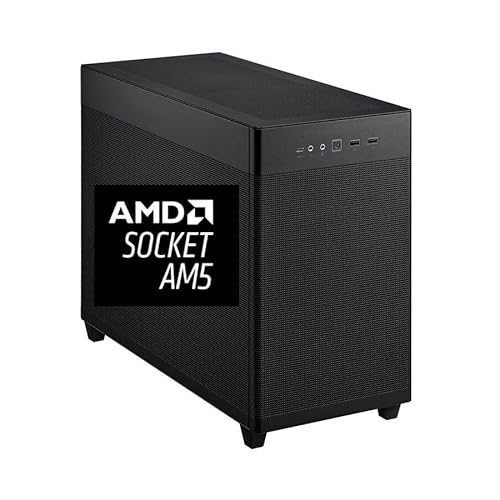
- 16-core Ryzen 9 9950X up to 5.7 GHz
- 64GB DDR5 RAM with 2TB NVMe SSD
- Quadro RTX 2000 ADA 16GB with pro drivers
Best For: Creators needing a fast, expandable workstation for Cinema 4D-adjacent editing work
Pro 3D Graphics Card Pick

- 32GB GDDR6 professional graphics card
- Supports Cinema 4D and other flagship apps
- Up to four 4K displays at 120Hz
Best For: Builders needing a pro GPU for Cinema 4D and other 3D workloads
Compact Budget Workstation
Ryzen 5 Mini PC with Triple 4K

- Ryzen 5 3500U with integrated Vega 8 graphics
- 16GB RAM, 512GB PCIe SSD, and 2.5GbE LAN
- Triple-display support including HDMI 2.1
Best For: Light 3D work and space-saving desktop setups on a budget
Flagship GPU Power
AMD Radeon Pro W7900 for 3D Rendering

- 48GB GDDR6 memory for large scenes
- 61 TFLOPS FP32 and 96 compute units
- Supports Cinema 4D and other pro apps
Best For: Artists needing a high-end pro GPU for Cinema 4D
Budget Certified Tower
HP Workstation PC for Creative Apps

- Intel Core i5 with 32GB DDR4 RAM
- Quadro K1200 4GB for creative software
- 1TB SSD plus 4TB HDD storage
Best For: Affordable Cinema 4D and design work
Compact AI Workhorse

- Ryzen AI Max+ 395 with 16 Zen 5 cores
- 128GB LPDDR5X and 2TB SSD
- Triple-screen 8K output with Wi-Fi 7
Best For: Compact, high-memory Cinema 4D workflows
High-Performance Editing Rig – Ryzen 9 9950X 64GB RTX 2000ADA
If you need a workstation computer for Cinema 4D that also handles video-heavy creative work, this mini tower brings together a Ryzen 9 9950X, 64GB of DDR5 RAM, and a Quadro RTX 2000 ADA 16GB. It is built for fast multitasking, large file handling, and professional graphics performance, with a clean Windows 11 Pro setup and expandable memory for future growth.
Best For: Motion designers and editors who want a powerful, pro-graphics workstation with room to scale.
Pros:
- Ryzen 9 9950X offers 16 cores, 32 threads, and up to 5.7 GHz boost for demanding workloads
- 64GB DDR5 RAM and 2TB NVMe SSD support fast multitasking and quick project access
- Quadro RTX 2000 ADA 16GB includes professional drivers and four Mini DisplayPort outputs
- Mini tower includes strong cooling, a 650W PSU, and a bloatware-free Windows 11 Pro install
Cons:
- Designed more as a video-editing workstation than a dedicated Cinema 4D turnkey package
- Mini tower format may be less convenient than larger workstations for some upgrade setups
This is a strong fit if your Cinema 4D workflow overlaps with editing, compositing, and multi-monitor use. The pro GPU and high-core-count CPU make it a practical choice for creators who value stability and throughput over flashy branding.
Pro 3D Graphics Card Pick – Radeon Pro W7800 32GB
If you are assembling a workstation computer for Cinema 4D and already have the rest of the system in place, the Radeon Pro W7800 is a strong professional graphics upgrade. It combines 32GB of GDDR6 memory, 45 TFLOPS FP32 performance, and broad support for creative and 3D applications, including Cinema 4D, making it well suited to demanding viewport and rendering workflows.
Best For: Builders who want a pro GPU for Cinema 4D, rendering, and multi-display creative work.
Pros:
- 32GB GDDR6 memory gives plenty of headroom for large scenes and creative workloads
- Supports Cinema 4D along with other flagship apps like Maya, Houdini, and DaVinci Resolve
- DisplayPort 2.1 support can drive up to four 4K displays at 120Hz
- Includes AV1 encoding and decoding plus broad API support
Cons:
- This is only a graphics card, not a complete workstation
- 260W TDP means you need a capable power and cooling setup
For users building around Cinema 4D, this card stands out for its large memory pool and pro-app support rather than general-purpose gaming focus. It makes the most sense in a well-matched desktop workstation built for serious 3D production.
Compact Budget Workstation – Ryzen 5 Mini PC with Triple 4K
If you want a compact workstation computer for Cinema 4D on a tighter budget, this GMKtec mini PC is best viewed as a light-duty option. Its Ryzen 5 3500U, 16GB of dual-channel RAM, and 512GB PCIe SSD are aimed at everyday multitasking, with integrated Radeon Vega 8 graphics that can handle 4K@60Hz display output and simple creative tasks.
Best For: Light 3D work, office productivity, and minimalist setups where space matters more than raw rendering power.
Pros:
- Compact mini PC design with low 25W power consumption
- 16GB dual-channel DDR4 memory and 512GB PCIe SSD for quick day-to-day responsiveness
- Supports triple-display output through HDMI 2.1, DisplayPort 1.4, and USB-C
- 2.5GbE LAN and upgradeable storage/memory add practical flexibility
Cons:
- Ryzen 5 3500U and integrated Vega 8 graphics are much less powerful than dedicated workstation hardware
- Better suited to light 4K editing and multitasking than demanding Cinema 4D scenes
This mini PC makes sense when your Cinema 4D needs are modest and your priorities are size, efficiency, and affordability. It is not a high-end 3D rendering machine, but it can work for lighter creative workflows and general productivity.
Flagship GPU Power – AMD Radeon Pro W7900 for 3D Rendering
If you’re building a workstation computer for Cinema 4D, the Radeon Pro W7900 is the kind of GPU aimed at heavy 3D and rendering work. Its 48GB of GDDR6 memory, 61 TFLOPS FP32 performance, and broad API support make it a strong fit for demanding creative pipelines that need lots of VRAM and display flexibility.
Best For: Artists and studios that want a high-end professional GPU for Cinema 4D, rendering, and multi-display work.
Pros:
- 48GB GDDR6 memory helps with large scenes and memory-heavy projects.
- 61 TFLOPS FP32 and 96 compute units target demanding 3D workloads.
- Supports Cinema 4D plus other flagship apps like Houdini, Maya, and Unreal Engine.
- Can drive up to four 4K displays at 120Hz or an 8K display setup.
Cons:
- This is only the graphics card, not a full workstation computer.
- 295W TDP means you need a system built to handle the power draw.
- Best suited to users who can take advantage of professional-class GPU resources.
For Cinema 4D users who need a workstation-grade graphics card with serious memory headroom, this is a powerful option. It makes the most sense in a custom or prebuilt tower that already has the CPU, cooling, and PSU to support it.
Budget Certified Tower – HP Workstation PC for Creative Apps
This HP workstation computer for Cinema 4D is a practical entry point for editing, design, and lighter 3D work. It combines an Intel Core i5, 32GB of DDR4 RAM, and a Quadro K1200 4GB card, plus a 1TB SSD and 4TB HDD for a mix of speed and storage.
Best For: Users who want an affordable workstation tower for Cinema 4D, design work, and general content creation.
Pros:
- 32GB DDR4 RAM and an Intel Core i5 provide a workable base for creative tasks.
- Quadro K1200 graphics is positioned for editing, 3D design, and ISV-certified software support.
- 1TB SSD + 4TB HDD gives both fast boot times and lots of storage.
- Windows 11 Pro and broad connectivity make it ready for a desk setup.
Cons:
- The Quadro K1200 is a modest 4GB GPU, so it is not aimed at demanding Cinema 4D scenes.
- Intel Core i5 is older 8th-gen hardware, not a cutting-edge platform.
- It is a renewed system, which may matter to buyers who want brand-new hardware.
This is a sensible workstation if your Cinema 4D work is more moderate than extreme. It offers useful memory and storage, but it is best viewed as a value-oriented tower rather than a top-tier rendering machine.
Compact AI Workhorse – GMKtec EVO-X2 Mini PC for 3D
If you want a compact workstation computer for Cinema 4D, the GMKtec EVO-X2 stands out for its modern Ryzen AI Max+ 395 platform and huge 128GB LPDDR5X memory pool. It is built as a fast mini PC for AI, multitasking, and content work, with strong integrated graphics and support for triple-screen 8K output.
Best For: Creators who want a compact, high-memory mini PC for Cinema 4D, multitasking, and modern creative workflows.
Pros:
- Ryzen AI Max+ 395 with 16 Zen 5 cores and up to 5.1GHz boost.
- 128GB LPDDR5X memory is unusually large for a mini PC and useful for demanding workflows.
- Integrated Radeon 8060S graphics are described as strong enough for gaming and content creation.
- Triple-screen 8K support, USB4, Wi-Fi 7, and 2.5GbE add strong connectivity.
Cons:
- As an integrated-graphics mini PC, it may not match a high-end discrete GPU workstation.
- Some performance claims are broad and focused on AI and gaming rather than Cinema 4D specifically.
- Small-form-factor design may limit internal upgrade flexibility compared with a tower.
This is a compelling option if you want a modern, space-saving system with lots of memory and current connectivity. For Cinema 4D, it makes the most sense when compact size and multitasking matter as much as raw expandability.
How We Picked the Best Workstation Computer for Cinema 4D
We focused on systems and components that make sense for Cinema 4D users: fast multi-core CPUs for general scene work and rendering, professional-grade GPUs for viewport performance and GPU-accelerated tasks, and enough RAM and SSD speed to handle larger projects without slowdowns. We also considered practical factors like expandability, cooling, and whether a machine is better suited to modeling, simulation, or rendering-heavy workflows.
Quick Comparison
For a Workstation Computer for Cinema 4D, the most important split is between balanced all-in-one systems and specialized components. Complete desktops are easier to deploy and are often the best choice for artists who want a ready-to-use setup. High-end professional GPUs are the strongest option if your scenes rely on heavy viewport loads or GPU rendering. Compact mini PCs can work for lighter motion design, administration, or secondary tasks, but they are not the first pick for demanding 3D production.
Key Buying Factors for a Workstation Computer for Cinema 4D
CPU Performance
Cinema 4D benefits from strong single-core speed for responsiveness and solid multi-core performance for rendering and simulation. A modern high-core-count processor is ideal if you frequently create complex scenes or render locally.
GPU Capability
Viewport fluidity and GPU rendering depend heavily on graphics horsepower and VRAM. Professional GPUs with larger memory pools are especially useful for high-resolution textures, heavy materials, and large scene files.
Memory and Storage
32GB is the practical minimum for serious work, while 64GB or more is better for larger projects. Pair that with a fast NVMe SSD so project files, caches, and application launches stay responsive.
Thermals and Expandability
A Workstation Computer for Cinema 4D should sustain performance under long sessions, not just brief bursts. Good cooling and upgrade options matter if you expect your projects to grow over time.
Who Should Buy Which Workstation Computer for Cinema 4D?
Choose a fully built workstation if you want the simplest path to production-ready performance. Pick a high-end professional GPU if your current system only needs a graphics upgrade for rendering and viewport work. Go with a mini PC only if you need a compact, lower-power machine for lighter Cinema 4D tasks, project management, or a second desktop. For most creators, the best overall value is a balanced desktop with a strong CPU, at least 32GB of RAM, and fast NVMe storage.