
Photogrammetry can punish a slow PC, especially when you’re aligning high-resolution photos, building dense point clouds, and exporting large meshes. The right workstation computer for photogrammetry keeps those steps moving without constant waiting or crashes.
Below, we focus on desktops that balance CPU speed, memory capacity, storage, and graphics performance so you can choose a system that fits your project size and budget.
Best 10 Workstation Computer for Photogrammetry Picks for 2026
Precision Tower
Lenovo ThinkStation P3 for Photogrammetry

- Core Ultra 9 285 vPro processor
- 64GB DDR5 and 1TB PCIe Gen4 SSD
- RTX 2000 Ada 16GB professional GPU
Best For: Balanced photogrammetry workflows with pro graphics
Creator Desktop
HP OmniDesk for Photogrammetry Work
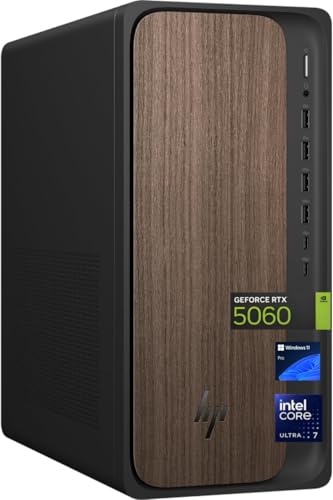
- Core Ultra 7 265 with 20 cores
- 2TB SSD and 32GB DDR5 RAM
- RTX 5060 dedicated graphics
Best For: Creators wanting modern specs and lots of storage
Dual-CPU Powerhouse

- Dual E5-2697v4 CPUs, 36 cores total
- 128GB DDR4 RAM and 5TB total storage
- RTX 5060 with 8GB GDDR7
Best For: Heavy multitasking and large photogrammetry datasets
Compact Pro Tower
Lenovo ThinkStation P3 Ultra for Photogrammetry

- Core i7-14700 vPro with 20 cores
- 64GB DDR5 and 2TB PCIe SSD
- Compact SFF design with T400 graphics
Best For: Compact setups needing strong CPU and storage
Performance-Focused Tower
Dell Tower Plus Workstation for Creators

- Intel Ultra 7-265 with 20 cores
- RTX 5060 8GB dedicated graphics
- 32GB DDR5 and 1TB PCIe NVMe SSD
Best For: Photogrammetry and creator workflows that benefit from a dedicated GPU and modern connectivity
Memory-Heavy Business Tower
Dell Pro Desktop for Large Projects
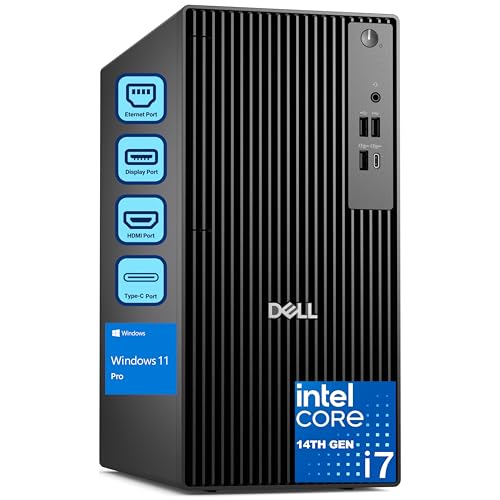
- 20-core i7-14700 processor
- 64GB DDR5 RAM and 2TB SSD
- Dual 4K display support
Best For: Large photogrammetry projects where RAM and storage capacity matter more than discrete graphics
AI-Ready Workstation
Lenovo ThinkStation P2 for Design Work

- Core Ultra 7 265K with 20 cores
- Integrated NPU for AI-assisted tasks
- 32GB DDR5, 1TB SSD, multi-display ports
Best For: Professional users who want AI-oriented processing and workstation connectivity for design or 3D work
Tiny Precision Workstation
Lenovo ThinkStation P3 Tiny for Compact Pro Workflows
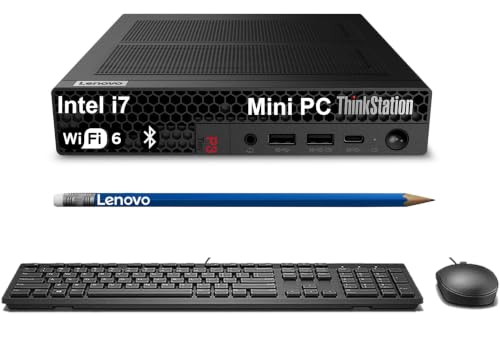
- Ultra-compact workstation with i7-14700 and DDR5 RAM options
- Up to 64GB memory and fast NVMe SSD storage
- Dual-display support with DisplayPort 1.4 and HDMI 2.1
Best For: Compact photogrammetry and CAD workflows where desk space is limited
Memory-Heavy Tower
Lenovo ThinkStation P2 Gen 2 for Big Datasets
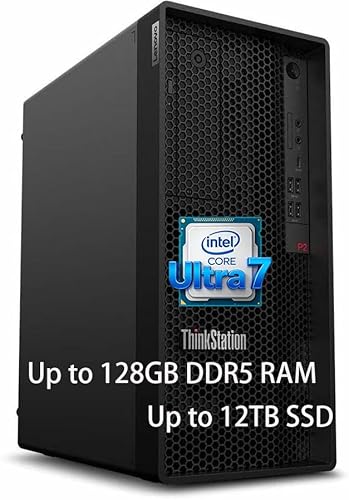
- 128GB DDR5 RAM for large datasets and heavy multitasking
- Intel Core Ultra 7 265K with strong compute performance
- 3TB included storage with SSD plus HDD
Best For: Large photogrammetry jobs, virtual machines, and memory-hungry software
AI Graphics Compact Workstation
Lenovo ThinkStation P3 Ultra SFF with RTX 4000 Ada

- Dedicated NVIDIA RTX 4000 SFF Ada graphics
- Core Ultra 9 285 vPro with integrated NPU
- Fast DDR5-6400 memory and PCIe Gen 4 SSD
Best For: Compact photogrammetry work that benefits from dedicated GPU acceleration
Precision Tower – Lenovo ThinkStation P3 for Photogrammetry
If you want a workstation computer for photogrammetry that leans toward dependable business-class performance, the Lenovo ThinkStation P3 Tower is built around a Core Ultra 9 285 vPro, 64GB of DDR5 memory, and an RTX 2000 Ada 16GB GPU. That combination gives you a strong foundation for multi-step reconstruction, texturing, and handling large project files without jumping into the most expensive tier.
Best For: Photogrammetry users who want a balanced tower workstation with pro graphics and room to grow.
Pros:
- Intel Core Ultra 9 285 vPro processor with up to 5.40 GHz boost
- 64GB DDR5 RAM and a 1TB PCIe Gen4 SSD for fast working storage
- NVIDIA RTX 2000 Ada 16GB for dedicated professional graphics
- Windows 11 Pro and Intel vPro security features
Cons:
- 1TB SSD may feel modest if you store many large captures locally
- Only 2 expansion slots listed
- Single-year warranty
This is a practical pick if you want a stable, professional workstation and don’t need the most extreme core counts. It should suit creators who value reliable components, 16GB of VRAM, and an upgrade-friendly tower design.
Creator Desktop – HP OmniDesk for Photogrammetry Work
The HP OmniDesk is a solid workstation computer for photogrammetry if you want modern CPU performance, a fast SSD, and a current RTX 5060 GPU in a straightforward tower. With an Intel Core Ultra 7 265, 32GB of DDR5 RAM, and 2TB of storage, it offers a good mix of speed and capacity for medium-to-large project sets.
Best For: Creators who want a newer desktop with generous storage and a capable RTX graphics card.
Pros:
- Intel Core Ultra 7 265 with 20 cores and up to 5.3 GHz turbo
- 2TB SSD provides plenty of room for captures and outputs
- NVIDIA GeForce RTX 5060 with 8GB VRAM
- Windows 11 Pro plus Wi-Fi 6 and Bluetooth 5.4
Cons:
- 32GB RAM is good, but not as roomy as higher-memory workstations
- 8GB GPU memory may be limiting for heavier scenes
- Power supply is listed at 400W
For photogrammetry buyers who value a newer platform and a larger built-in SSD, this HP hits a useful middle ground. It is best seen as a capable creator desktop rather than an extreme rendering machine.
Dual-CPU Powerhouse – RTX 5060 Workstation Combo
This workstation computer for photogrammetry is built for raw multitasking headroom, pairing dual E5-2697v4 processors with 128GB of DDR4 RAM and an RTX 5060. The huge memory pool and dual-CPU layout make it appealing for users juggling large datasets, editing, and long processing sessions.
Best For: Users who prioritize massive RAM and multi-core throughput over a modern platform.
Pros:
- Dual Intel E5-2697v4 CPUs for 36 cores and 72 threads total
- 128GB DDR4 RAM for heavy multitasking and large projects
- RTX 5060 graphics with 8GB GDDR7 memory
- 1TB SSD plus 4TB HDD for fast working storage and archive space
Cons:
- Older Xeon platform and DDR4 memory
- Windows 11 is listed, but the hardware base is not current-generation
- Warranty is only 30 days free return
If your photogrammetry workflow benefits from lots of threads and very large memory capacity, this combo is compelling. It is less about sleek modern efficiency and more about brute-force capacity for demanding workloads.
Compact Pro Tower – Lenovo ThinkStation P3 Ultra for Photogrammetry
If you need a workstation computer for photogrammetry but want a smaller chassis, the Lenovo ThinkStation P3 Ultra SFF pairs an Intel Core i7-14700 with 64GB of DDR5 RAM and a 2TB PCIe SSD. It is designed as a compact business workstation, with Intel vPro security and a professional NVIDIA T400 graphics card for stable day-to-day use.
Best For: Buyers who need a compact workstation with strong CPU/RAM capacity and professional-oriented graphics.
Pros:
- Intel Core i7-14700 vPro with 20 cores and 28 threads
- 64GB DDR5 RAM and 2TB PCIe SSD
- Compact SFF design for tighter spaces
- Includes USB keyboard, USB mouse, and mousepad
Cons:
- NVIDIA T400 with 4GB graphics memory is modest for graphics-heavy work
- SFF format may be less flexible than a full tower
- Not aimed at high-end GPU acceleration
This model stands out for buyers who need a smaller workstation without giving up serious CPU and memory resources. For photogrammetry, it makes most sense when your workflow values compute and storage more than high-VRAM graphics horsepower.
Performance-Focused Tower – Dell Tower Plus Workstation for Creators
If you need a workstation computer for photogrammetry, this Dell Tower Plus gives you a strong mix of CPU power, NVIDIA graphics, and fast storage. The Intel Ultra 7-265, RTX 5060, and 32GB DDR5 are a solid fit for processing dense image sets, keeping reconstructions responsive, and handling the rest of a creator workload.
Best For: Photogrammetry users who want a Windows 11 Pro tower with dedicated graphics, modern ports, and easy everyday setup.
Pros:
- Intel Ultra 7-265 with 20 cores and up to 5.3GHz boost for demanding processing tasks.
- GeForce RTX 5060 8GB GDDR7 adds dedicated graphics support for visual workloads.
- 32GB DDR5 memory and 1TB PCIe NVMe SSD support fast multitasking and project access.
- Includes WiFi 7, Bluetooth 5.4, Ethernet, keyboard, and mouse for quick setup.
Cons:
- Only 32GB RAM installed, with a listed maximum of 64GB.
- 460W power supply may be limiting for much heavier future upgrades.
- Graphics card is RTX 5060 8GB, which may be modest for very large 3D workloads.
This is the more balanced choice in the group if you want dedicated GPU acceleration and modern connectivity without moving into a full high-end workstation configuration.
Memory-Heavy Business Tower – Dell Pro Desktop for Large Projects
For buyers comparing a workstation computer for photogrammetry, this Dell Pro Tower stands out for raw memory capacity and storage speed. The 20-core i7-14700, 64GB DDR5 RAM, and 2TB SSD make it well suited to large datasets, multi-app workflows, and long sessions where responsiveness matters.
Best For: Users who prioritize high RAM, large SSD capacity, and business-class reliability for heavy project workloads.
Pros:
- Intel Core i7-14700 with 20 cores supports demanding multitasking and creative workloads.
- 64GB DDR5 RAM is ideal for memory-intensive projects and large file handling.
- 2TB PCIe SSD offers plenty of fast storage for active project libraries.
- Windows 11 Pro and dual 4K display support fit professional multi-monitor setups.
Cons:
- Uses integrated Intel UHD Graphics 770 rather than a dedicated GPU.
- No built-in Wi-Fi is listed.
- Displayed max resolution is listed at 1920×1080 in the notes, which is worth double-checking for your monitor needs.
This model makes the most sense when your workflow is memory-bound more than GPU-bound, especially if you value Dell business support and roomy storage over discrete graphics.
AI-Ready Workstation – Lenovo ThinkStation P2 for Design Work
If you’re shopping for a workstation computer for photogrammetry and related 3D tasks, the Lenovo ThinkStation P2 brings a workstation-first design with an Intel Core Ultra 7 265K, 32GB DDR5, and AI-oriented acceleration. It is built for professional workflows that need stable performance, flexible display output, and room for supported graphics upgrades.
Best For: Creators and engineers who want a modern workstation tower with AI features, fast storage, and multi-display connectivity.
Pros:
- Intel Core Ultra 7 265K with 20 cores and up to 5.5GHz boost for fast processing.
- Integrated NPU is designed to help speed AI tasks, simulation, modeling, and creative automation.
- 32GB DDR5 memory and 1TB SSD support responsive everyday project work.
- Multiple DisplayPort/HDMI outputs plus USB-C and USB-A make multi-monitor setups easy.
Cons:
- Graphics are integrated by default, so it depends on a supported NVIDIA RTX 5000 Ada upgrade for heavier visual workloads.
- RAM maximum is listed at 32GB, leaving little headroom for expansion.
- Warranty listed is only a 30-day seller’s warranty.
This is a strong fit if you want a professional tower with AI-oriented CPU features and flexible connectivity, but you should plan carefully if your photogrammetry work needs a dedicated GPU right away.
Tiny Precision Workstation – Lenovo ThinkStation P3 Tiny for Compact Pro Workflows
If you need a workstation computer for photogrammetry in a space-constrained setup, the Lenovo ThinkStation P3 Tiny is built to handle professional workloads without taking over your desk. It pairs an Intel Core i7-14700 with Intel UHD Graphics 770, supports up to 64GB DDR5 RAM, and offers fast PCIe NVMe SSD storage for responsive project loading and multitasking.
Best For: Photogrammetry users who want a compact workstation for CAD, 3D modeling, and multi-display office or lab setups.
Pros:
- Ultra-compact 3.01 lb design that saves a lot of desk space.
- Intel Core i7-14700 and DDR5 memory options support demanding professional tasks.
- Native dual-display support with DisplayPort 1.4 and HDMI 2.1, including up to 8K on DisplayPort.
- ISV-certified for tools like AutoCAD, SOLIDWORKS, ArcGIS, Creo, and MATLAB.
Cons:
- Uses integrated graphics rather than a dedicated GPU.
- Small form factor means less internal expansion than a full tower.
- Factory resealed for upgrades, with warranty provided by the seller.
The P3 Tiny makes the most sense when footprint matters as much as reliability. For photogrammetry workflows that lean on CPU, memory, and professional software compatibility more than heavy GPU rendering, it is a practical compact choice.
Memory-Heavy Tower – Lenovo ThinkStation P2 Gen 2 for Big Datasets
For a workstation computer for photogrammetry that needs to keep large datasets moving, the Lenovo ThinkStation P2 Gen 2 focuses on raw capacity and upgrade headroom. It combines an Intel Core Ultra 7 265K with a massive 128GB of DDR5 RAM and up to 3TB of included storage, giving you room for demanding projects, multitasking, and software that benefits from lots of memory.
Best For: Users who want a tower workstation for large photogrammetry projects, virtual machines, and memory-intensive professional software.
Pros:
- Huge 128GB DDR5 RAM is well suited to large datasets and heavy multitasking.
- Intel Core Ultra 7 265K delivers strong multi-core compute performance.
- 3TB of included storage combines an SSD and HDD for capacity plus speed.
- ISV certified for professional software such as AutoCAD, Revit, SOLIDWORKS, and Adobe apps.
Cons:
- Integrated graphics may not suit GPU-heavy 3D acceleration needs.
- Tower form factor takes up more room than compact workstations.
- High-end configuration may be more than casual users need.
This model is the strongest fit when photogrammetry work is limited more by memory and storage than by footprint. Its combination of a modern CPU, very large RAM capacity, and expandable tower design makes it a serious production machine.
AI Graphics Compact Workstation – Lenovo ThinkStation P3 Ultra SFF with RTX 4000 Ada
If your photogrammetry workflow can benefit from dedicated graphics acceleration, this Lenovo ThinkStation P3 Ultra SFF brings a much stronger GPU than the other compact options here. It pairs an Intel Core Ultra 9 285 vPro with NVIDIA RTX 4000 SFF Ada graphics, plus fast DDR5-6400 memory and a PCIe Gen 4 SSD, making it a capable compact workstation for advanced imaging and 3D work.
Best For: Photogrammetry users who want compact size but still need dedicated GPU power for 3D and imaging tasks.
Pros:
- NVIDIA RTX 4000 SFF Ada graphics provide dedicated GPU performance.
- Core Ultra 9 285 vPro and integrated NPU add strong modern compute capability.
- Fast 6400MHz DDR5 memory and Gen 4 SSD help keep workflows responsive.
- Small form factor with Wi-Fi 7 and broad front connectivity for modern workspaces.
Cons:
- Ships with only 16GB RAM, which may be limiting for very large projects.
- 512GB SSD is modest for storage-heavy photogrammetry libraries.
- Front USB-C ports are data transfer only.
Among compact systems, this one stands out for adding a professional discrete GPU without moving to a full tower. That makes it especially appealing if your photogrammetry workflow includes imaging, modeling, and AI-assisted tasks in a small footprint.
How We Picked the Best Workstation Computer for Photogrammetry
We prioritized desktop systems that make sense for a Workstation Computer for Photogrammetry: strong multi-core CPUs for alignment and meshing, enough RAM for large datasets, fast NVMe SSD storage for scratch files, and GPUs that can help with viewport work and accelerated tasks. We also looked for modern platforms, expandability, and Windows Pro support where available.
Quick Comparison
In general, choose 32GB RAM only for lighter projects, 64GB for serious multi-project workflows, and 128GB if you regularly process many high-resolution images or complex scenes. RTX-class graphics are the best fit for smoother handling of large models, while compact systems are better when desk space matters more than upgrade room.
Key Buying Factors for a Workstation Computer for Photogrammetry
CPU Performance
Photogrammetry is heavily CPU dependent during image alignment, feature detection, and dense reconstruction. Look for newer Intel Core Ultra or high-core-count i7-class chips with strong single-core boost and enough cores to handle long batch jobs.
Memory Capacity
RAM is one of the biggest differentiators. If your projects include hundreds of images, high megapixel files, or multiple software tools open at once, 64GB is a smart starting point. For larger surveys, archaeological documentation, or professional service work, 128GB can be a better long-term choice.
Storage Speed and Capacity
A fast SSD matters because photogrammetry workflows constantly read and write temporary files. A 1TB drive is workable for modest use, but 2TB or more is much more comfortable once you factor in source photos, cache files, and exported models. If you archive locally, secondary storage helps a lot.
GPU and Viewport Needs
While many reconstruction steps lean on the CPU, a capable GPU improves responsiveness when navigating large meshes and textured scenes. For most buyers, an RTX 5060-class card is a strong all-around choice, while workstation GPUs like Ada models are attractive for drivers, stability, and compact builds.
Form Factor and Upgrades
Tower systems usually offer the best cooling and upgrade flexibility. Small-form-factor or tiny workstations are great for tight spaces, but they may limit graphics size, cooling headroom, and future expansion.
Who Should Buy Which Workstation Computer for Photogrammetry?
If you’re a solo creator or student handling moderate projects, a 32GB to 64GB tower is usually enough. If you process large image sets professionally, aim for 64GB or 128GB RAM, a fast 2TB-plus SSD, and the strongest CPU you can reasonably afford. Compact workstations are ideal for field offices, minimalist desks, or shared environments where space and quiet operation matter.
For the best all-around experience, match your budget to your dataset size first, then choose the fastest CPU and most memory you can get. That approach will matter more than chasing a flashy spec that doesn’t fit your actual photogrammetry workflow.