
A dependable router can make the difference between smooth video meetings and frustrating interruptions. The best WiFi routers for home offices combine consistent coverage, low latency, strong security, and enough capacity for computers, phones, printers, and smart devices.
This roundup compares 10 current options, from affordable Wi-Fi 6 models to high-performance Wi-Fi 7 routers and whole-home mesh systems. Use the guide below to match speed, coverage, wired connectivity, and features to your workspace.
Best 10 Wifi Routers for Home Offices Picks for 2026
Best Value
TP-Link Archer AX21 Wi-Fi 6 Router

- Wi-Fi 6 dual-band performance
- Up to 1.8 Gbps total bandwidth
- VPN server and WPA3 support
Best For: Reliable everyday home-office networking
Best for VPN Power Users
GL.iNet Flint 3 Wi-Fi 7 Router

- Wi-Fi 7 tri-band connectivity
- VPN speeds up to 680Mbps
- Five 2.5Gbps ports
Best For: Advanced home offices and VPN-heavy workflows
Best for Large Homes

- Covers up to 6,500 square feet
- Supports up to 150 devices
- Ethernet backhaul and app management
Best For: Whole-home coverage for larger houses
Best Mainstream Wi-Fi 7
NETGEAR Nighthawk BE9300 Router

- Tri-band Wi-Fi 7 with 6 GHz
- Up to 9.3 Gbps aggregate speed
- Two 2.5Gbps wired ports
Best For: Modern home offices with compatible Wi-Fi 7 devices
Best All-Arounder
TP-Link Archer AX55 Wi-Fi 6 Router
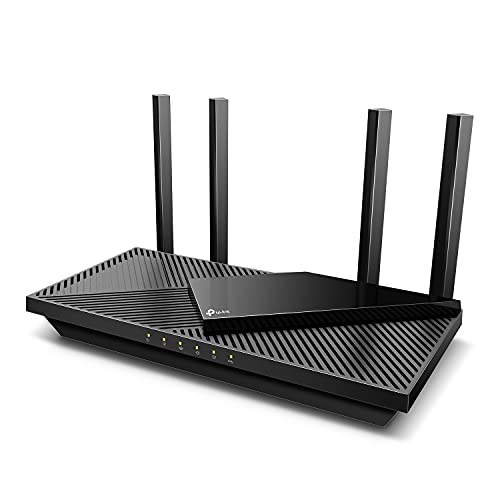
- Wi-Fi 6 speeds up to 2,402 Mbps on 5 GHz
- VPN server and client support with gigabit ports
- HomeShield security and EasyMesh compatibility
Best For: Home offices needing versatile performance and network controls
Best for Simple Coverage
Amazon eero 6 Mesh Wi-Fi Router
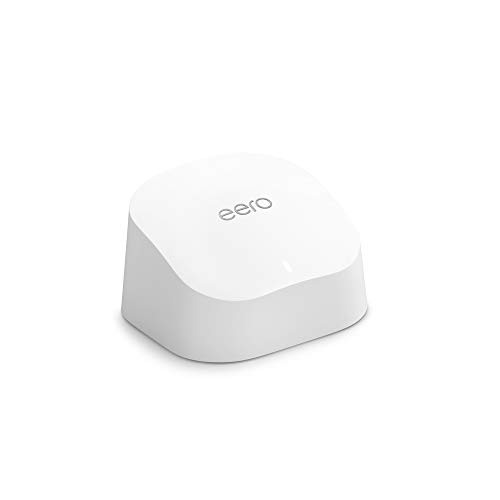
- Covers up to 1,500 square feet
- Supports 75+ connected devices
- Simple app setup with expandable mesh system
Best For: Small homes wanting easy setup and dependable coverage
Best for Future-Proofing
TP-Link Archer BE230 Wi-Fi 7 Router

- Wi-Fi 7 with Multi-Link Operation and 4K-QAM
- Two 2.5 Gbps ports plus three gigabit LAN ports
- Coverage up to 2,000 square feet for 60 devices
Best For: Home offices using multi-gigabit plans or newer Wi-Fi 7 devices
Best 6E Upgrade
TP-Link AXE5400 WiFi 6E Router

- Tri-band WiFi 6E with a dedicated 6 GHz band
- 2.5Gbps WAN port and VPN support
- EasyMesh-compatible for whole-home expansion
Best For: WiFi 6E-equipped home offices needing low-latency connections
Best WiFi 7 Value

- WiFi 7 with MLO, Multi-RUs, and 4K-QAM
- Two 2.5Gbps ports for multi-gig networking
- Up to 2,400 square feet and 90 devices
Best For: Home offices adopting WiFi 7 and multi-gig internet
Best Budget Pick

- Dual-band WiFi 5 with up to 1,900 Mbps
- Four Gigabit LAN ports for wired devices
- OneMesh, MU-MIMO, and Tether app support
Best For: Smaller home offices seeking affordable basic connectivity
Best Value – TP-Link Archer AX21 Wi-Fi 6 Router
For straightforward wifi routers for home offices, the TP-Link Archer AX21 offers Wi-Fi 6 performance, dual-band connectivity, and gigabit Ethernet at a practical price. It requires a separate modem, but its OFDMA support and beamforming are useful for busy households with several connected devices.
Best For: Home offices that need reliable dual-band Wi-Fi, stable video calls, and everyday streaming without moving to Wi-Fi 7.
Pros:
- Wi-Fi 6 supports more simultaneous devices through OFDMA.
- Up to 1.8 Gbps total dual-band bandwidth.
- Beamforming, four high-gain antennas, and an advanced FEM help extend coverage.
- Supports WPA3 security and OpenVPN or PPTP VPN server functions.
Cons:
- Dual-band design does not include the 6 GHz band.
- A separate modem is required for most internet services.
- Actual wireless performance varies with distance, walls, and other conditions.
The Archer AX21 is a sensible all-around choice for a home office using a typical cable, fiber, or DSL connection. Its feature set is practical rather than cutting-edge, making it a good fit when dependable Wi-Fi 6 matters more than maximum future-proofing.
Best for VPN Power Users – GL.iNet Flint 3 Wi-Fi 7 Router
The GL.iNet Flint 3 is a feature-rich option among wifi routers for home offices, combining tri-band Wi-Fi 7 with strong VPN performance and multiple 2.5Gbps ports. It is designed for demanding households, remote workers, and users who want more control over network services and connected devices.
Best For: VPN-heavy home offices, advanced users, and busy homes with more than 100 connected devices.
Pros:
- Wi-Fi 7 supports MLO, enhanced OFDMA, 4K QAM, and preamble puncturing.
- WireGuard and OpenVPN speeds are rated up to 680Mbps.
- Five 2.5Gbps ports provide substantial wired networking capacity.
- Includes AdGuard Home support, parental controls, and up to 2,000 square feet of stated coverage.
Cons:
- Requires firmware updating after initial setup for best performance.
- Advanced controls may be more than casual users need.
- Real-world speeds depend on the ISP, network environment, and VPN service.
Flint 3 stands out when a home office needs fast wired links, modern wireless features, and detailed network control. Its VPN and filtering tools make it especially appealing to users willing to spend time configuring a more capable router.
Best for Large Homes – TP-Link Deco X55 Mesh System
The TP-Link Deco X55 three-pack is a strong choice for wifi routers for home offices spread across a larger house. Its mesh design is rated to cover up to 6,500 square feet, helping reduce dead zones while supporting many devices and optional wired Ethernet backhaul.
Best For: Large or multi-room homes that need broad, seamless coverage for remote work, streaming, smart-home devices, and family use.
Pros:
- Three Wi-Fi 6 units provide coverage of up to 6,500 square feet.
- Supports up to 150 connected devices.
- Each unit includes three gigabit Ethernet ports, with Ethernet backhaul support.
- Deco app provides guided setup and network management, while HomeShield includes basic security and parental controls.
Cons:
- Dual-band Wi-Fi 6 does not provide a dedicated 6 GHz band.
- The system requires a modem for most internet providers.
- Three units may be unnecessary for smaller homes or apartments.
For a home office struggling with weak signals between rooms, the Deco X55’s three-node layout is more useful than a single high-powered router. It is a practical mesh upgrade when coverage and ease of management are higher priorities than Wi-Fi 7 speeds.
Best Mainstream Wi-Fi 7 – NETGEAR Nighthawk BE9300 Router
The NETGEAR Nighthawk BE9300 is a forward-looking pick among wifi routers for home offices, adding a 6 GHz band and Wi-Fi 7 support for compatible devices. Its tri-band design is rated for up to 9.3 Gbps and coverage of up to 2,500 square feet, with app-based setup and management.
Best For: Home offices with newer Wi-Fi 7 devices, fast internet service, and a need for a dedicated 6 GHz lane.
Pros:
- Tri-band Wi-Fi 7 includes 2.4 GHz, 5 GHz, and 6 GHz bands.
- Up to 9.3 Gbps aggregate wireless throughput is stated.
- Two 2.5Gbps ports and two gigabit ports support fast wired connections.
- Nighthawk app offers guided setup, speed tests, device controls, and guest networks.
Cons:
- Coverage is limited to a stated 2,500 square feet, and larger homes may need mesh equipment.
- Benefits of Wi-Fi 7 depend on having compatible devices and a suitable internet plan.
- It connects to an existing modem or gateway rather than replacing that equipment.
The BE9300 makes the most sense for a modern home office that can take advantage of 6 GHz and Wi-Fi 7. It offers more wireless headroom than Wi-Fi 6 models, while the two 2.5Gbps ports help accommodate fast broadband or high-speed local networking.
Best All-Arounder – TP-Link Archer AX55 Wi-Fi 6 Router
For many home offices, the TP-Link Archer AX55 is a practical choice among wifi routers for home offices. Its dual-band Wi-Fi 6 performance, gigabit Ethernet ports, VPN support, and network-management features are suited to video calls, streaming, downloads, and connected smart-home devices.
Best For: Home offices that need dependable dual-band performance, wired gigabit connectivity, and flexible security features.
Pros:
- Wi-Fi 6 speeds up to 2,402 Mbps on 5 GHz and 574 Mbps on 2.4 GHz.
- OFDMA, MU-MIMO, beamforming, and four high-gain antennas support multiple connected devices.
- Includes VPN server and client support, USB 3.0, WPA3 security, and EasyMesh compatibility.
- HomeShield offers network security, basic parental controls, QoS, and usage reports.
Cons:
- A separate modem is required for most internet providers.
- It is a dual-band Wi-Fi 6 router rather than a newer Wi-Fi 7 model.
The Archer AX55 balances strong everyday wireless performance with useful controls for work and home networking. It is especially appealing if you want VPN functionality and gigabit wired ports without moving to a mesh system.
Best for Simple Coverage – Amazon eero 6 Mesh Wi-Fi Router
The Amazon eero 6 is a straightforward option among wifi routers for home offices, particularly when easy setup and whole-home coverage matter more than advanced manual configuration. Its TrueMesh routing is designed to reduce drop-offs during video conferences, streaming, and everyday work.
Best For: Small homes and home offices that prioritize simple app-based setup, reliable coverage, and support for many devices.
Pros:
- Covers up to 1,500 square feet and supports internet plans up to 900 Mbps.
- Wi-Fi 6 supports more than 75 connected devices.
- TrueMesh technology intelligently routes traffic to help reduce buffering and drop-offs.
- Automatic updates, remote management through the eero app, and a built-in Zigbee smart-home hub add convenience.
Cons:
- This is a one-pack router, so additional eero hardware may be needed for larger homes.
- The supplied notes do not list advanced VPN, multi-gigabit, or detailed wired-port features.
Choose the eero 6 if you want a low-friction networking experience and may expand coverage later. Its app-led setup and cross-compatible ecosystem make it a convenient fit for less technical users.
Best for Future-Proofing – TP-Link Archer BE230 Wi-Fi 7 Router
The TP-Link Archer BE230 is a strong forward-looking pick among wifi routers for home offices. Wi-Fi 7 features, multi-gigabit ports, and coverage for up to 2,000 square feet make it suitable for fast internet plans, wired workstations, heavy file transfers, and multiple connected devices.
Best For: Home offices with multi-gigabit service or newer Wi-Fi 7 devices that want extra capacity and faster wired connections.
Pros:
- Wi-Fi 7 features include Multi-Link Operation, Multi-RUs, and 4K-QAM.
- Delivers up to 2,882 Mbps on 5 GHz and 688 Mbps on 2.4 GHz.
- Includes one 2.5 Gbps WAN/LAN port, one 2.5 Gbps LAN port, and three 1 Gbps LAN ports.
- Covers up to 2,000 square feet and supports up to 60 devices, with EasyMesh compatibility.
Cons:
- It is dual-band and does not support the 6 GHz band.
- A separate modem is required.
- Some Wi-Fi 7 benefits require compatible client devices and suitable internet speeds.
The Archer BE230 makes the most sense when your network can take advantage of its 2.5 Gbps ports or Wi-Fi 7 capabilities. For a typical basic connection, its extra capacity may be more than necessary, but it offers a useful upgrade path.
Best 6E Upgrade – TP-Link AXE5400 WiFi 6E Router
For home offices with newer WiFi 6E devices, the TP-Link Archer AXE75 adds a less-crowded 6 GHz band alongside 5 GHz and 2.4 GHz. Its tri-band design, 2.5Gbps WAN port, and VPN support make it a strong option among wifi routers for home offices that also handle streaming and gaming.
Best For: Households using WiFi 6E devices and needing responsive video calls, downloads, and multi-device connectivity.
Pros:
- Tri-band WiFi 6E with up to 5,400 Mbps theoretical combined speed
- 6 GHz band supports higher bandwidth and low-latency connections
- 2.5Gbps WAN port, VPN server/client support, and EasyMesh compatibility
- OFDMA and 512MB of memory support simultaneous device use
Cons:
- Most benefits require compatible WiFi 6E devices
- A separate modem is required for most internet services
The Archer AXE75 is a practical performance upgrade when your office includes newer laptops, phones, or other 6 GHz-capable devices. For older equipment, its 6 GHz advantages may be less noticeable.
Best WiFi 7 Value – TP-Link BE6500 WiFi 7 Router
The TP-Link Archer BE400 brings WiFi 7 features such as Multi-Link Operation, Multi-RUs, and 4K-QAM to a dual-band router. With 2.5Gbps ports, stated coverage of up to 2,400 square feet, and support for up to 90 devices, it is a forward-looking choice among wifi routers for home offices.
Best For: Remote workers with newer WiFi 7 devices, multi-gig internet, and many connected household devices.
Pros:
- WiFi 7 features can improve throughput, latency, and reliability on compatible devices
- Two 2.5Gbps ports plus three 1Gbps LAN ports
- Claimed coverage up to 2,400 square feet for up to 90 devices
- EasyMesh support, Tether app management, and VPN client functionality
Cons:
- Dual-band design does not include a 6 GHz band
- WiFi 7 features provide the greatest benefit with compatible devices
- Not compatible with Deco mesh systems
The Archer BE400 makes the most sense for an office planning to adopt WiFi 7 hardware or use a gig-plus connection. Its multi-gig ports also provide useful headroom for fast wired equipment.
Best Budget Pick – TP-Link AC1900 WiFi Router
The TP-Link Archer A8 is a straightforward WiFi 5 router for smaller or moderately connected workspaces. It offers dual-band speeds up to 1,900 Mbps, four Gigabit LAN ports, app-based setup, and OneMesh compatibility, making it a practical budget option among wifi routers for home offices.
Best For: Small to medium home offices with conventional broadband speeds and a limited number of demanding devices.
Pros:
- Dual-band speeds up to 600 Mbps on 2.4 GHz and 1,300 Mbps on 5 GHz
- Four Gigabit LAN ports for wired computers and other equipment
- MU-MIMO, beamforming, and OneMesh extender compatibility
- Simple Tether app setup with parental controls and guest WiFi support
Cons:
- Uses WiFi 5 and does not support the 6 GHz band
- Coverage is rated for up to 1,200 square feet
- No USB port
The Archer A8 is a sensible low-cost choice when dependable dual-band connectivity and wired Gigabit ports matter more than the newest wireless standard. Consider a newer model for crowded networks or WiFi 6E and WiFi 7 devices.
How We Picked the Best Wifi Routers for Home Offices
We focused on routers suited to real home-office demands: reliable coverage, stable performance during video calls, support for multiple connected devices, and useful wired ports for desktops, docking stations, NAS drives, or printers. The selection includes standalone routers and mesh systems across Wi-Fi 5, Wi-Fi 6, Wi-Fi 6E, and Wi-Fi 7, so you can compare practical upgrades rather than simply choosing the newest standard.
We also considered advertised throughput, coverage claims, multi-gigabit connectivity, VPN support, setup simplicity, and value. Actual results depend on your internet plan, building materials, device compatibility, and network congestion.
Quick Comparison
| Best For | Recommended Type | Why It Stands Out |
|---|---|---|
| Budget home office | Wi-Fi 6 dual-band router | Strong everyday performance at a lower cost |
| Large or multi-level homes | Mesh system | More consistent coverage across rooms |
| Multi-gig internet | Wi-Fi 7 router | Faster wireless and multi-gig wired options |
| Advanced networking | VPN-capable Wi-Fi 7 router | Greater control over privacy and routing |
| Older devices and mixed networks | Wi-Fi 6 or Wi-Fi 6E router | Broad compatibility with useful capacity gains |
Key Buying Factors for Wifi Routers for Home Offices
Coverage and Placement
Choose a mesh system if your office is far from the main router, separated by thick walls, or located on another floor. For a single-room office or smaller home, a well-placed standalone router may be faster and simpler. Keep the router elevated and away from enclosed cabinets, appliances, and dense obstructions.
Wi-Fi Standard and Device Support
Wi-Fi 6 is a sensible baseline for most offices, especially when several devices share the connection. Wi-Fi 6E adds access to the less-crowded 6 GHz band, while Wi-Fi 7 is most useful for newer compatible computers and phones, multi-gigabit internet, and buyers who want longer-term headroom.
Wired Ports and Speed
Ethernet remains the most dependable option for a work computer, desktop VoIP phone, or video conferencing setup. Check whether the router includes gigabit or 2.5Gbps ports and whether the port layout fits your equipment. A fast wireless rating cannot compensate for a slow wired uplink or internet plan.
Security, Management, and VPN Features
Look for automatic firmware updates, guest networking, WPA3 support, parental controls where relevant, and a clear management app. VPN support can be valuable for privacy or remote access, but check whether the router supports VPN client mode, server mode, or both.
Who Should Buy Which Wifi Routers for Home Offices?
Choose an affordable Wi-Fi 6 router if you need dependable service for one home office and have a standard broadband plan. Select a mesh kit when coverage is the main problem or several rooms need consistent performance. A Wi-Fi 6E model is a strong middle ground for newer devices and crowded wireless environments.
Choose Wi-Fi 7 if you have compatible devices, a multi-gigabit plan, or want the latest wireless features for future upgrades. Advanced users who prioritize VPN routing and configuration flexibility should favor a model with robust networking controls. Before buying, confirm your internet speed, required coverage area, device compatibility, and available Ethernet connections.