
A dependable router can make a bigger difference than a faster internet plan when your home has dead zones, buffering, or too many connected devices. The best WiFi routers under $100 balance wireless speed, coverage, security, and easy setup without stretching your budget.
This roundup includes affordable WiFi 5 and WiFi 6 options, plus a compact mesh system for homes that need broader coverage. Use the guide below to match features and performance with your internet plan, floor plan, and household demands.
Best 10 Wifi Routers Under 100 Picks for 2026
Best Wi-Fi 6 Value

- Wi-Fi 6 speeds up to 1.8 Gbps total
- OFDMA supports multiple connected devices
- Gigabit ports and four high-gain antennas
Best For: Busy homes seeking affordable Wi-Fi 6 coverage
Best Budget Multi-Mode Router
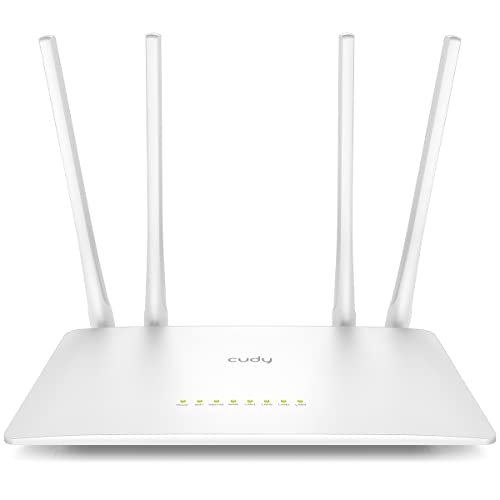
- AC1200 dual-band Wi-Fi 5 performance
- Five operating modes for flexible setups
- Five 100 Mbps Ethernet ports and WPA3
Best For: Small homes needing flexible, affordable networking
Best Easy Mesh Starter
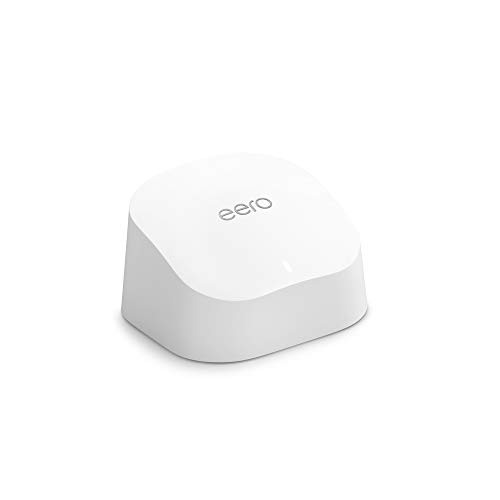
- Wi-Fi 6 coverage up to 1,500 square feet
- Supports 75-plus connected devices
- App setup, TrueMesh, and Zigbee hub
Best For: Homes wanting simple mesh-ready Wi-Fi management
Best Renewed Wi-Fi 6 Deal

- AX1800 dual-band Wi-Fi 6 performance
- Gigabit LAN bandwidth and four antennas
- WPA3 support with a 90-day warranty
Best For: Budget shoppers comfortable buying a renewed Wi-Fi 6 router
Best Compact WiFi 6 Pick

- WiFi 6 speeds up to 1.8 Gbps
- Covers up to 1,500 square feet
- Four Gigabit LAN ports
Best For: Apartments and small homes
Best High-Capacity Renewed Option
TP-Link AX4400 Mesh Dual Band 6-Stream Router

- Advertised speeds up to 4,400 Mbps
- Supports more than 200 devices
- Includes USB 3.0 media sharing
Best For: Busy connected homes
Best for Larger Homes
NETGEAR Nighthawk RAX50 AX5400
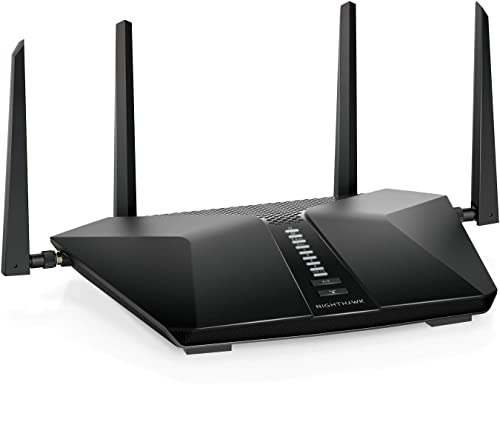
- AX5400 WiFi 6 performance
- Coverage up to 2,500 square feet
- Includes parental controls and remote access
Best For: Larger homes and gaming setups
Best Budget Wi-Fi 5 Pick
TP-Link Archer A54 AC1200 Router

- AC1200 dual-band Wi-Fi 5
- Up to 1,000 sq. ft. stated coverage
- WPA3, parental controls, and EasyMesh
Best For: Small homes wanting simple, affordable Wi-Fi
Best Renewed Wi-Fi 6 Value
TP-Link Archer AX10 AX1500 Router
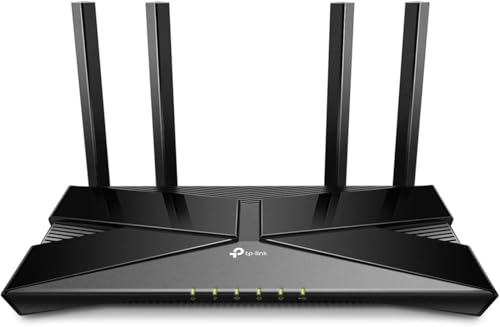
- Wi-Fi 6 with up to 1,500 Mbps combined
- OFDMA, MU-MIMO, and tri-core processing
- Gigabit LAN and parental controls
Best For: Connected households needing affordable Wi-Fi 6
Best Feature-Packed AC1200

- Dual-band AC1200 Wi-Fi 5
- Four gigabit Ethernet ports
- Repeater, bridge, EasyMesh, and parental controls
Best For: Homes and small offices needing flexible networking
Best Wi-Fi 6 Value – TP-Link Archer AX21
The TP-Link Archer AX21 is a strong all-around choice for shoppers comparing wifi routers under 100. Its Wi-Fi 6 connection, gigabit ports, four high-gain antennas, and OFDMA support are suited to busy homes with streaming, gaming, and multiple connected devices.
Best For: Families and home users who want affordable Wi-Fi 6 performance, broad coverage, and gigabit wired connections.
Pros:
- Wi-Fi 6 supports up to 1.8 Gbps total dual-band bandwidth.
- OFDMA helps communicate with multiple devices simultaneously.
- Beamforming, four antennas, and an advanced FEM support reliable coverage.
- Includes OpenVPN and PPTP VPN server support, WPA3, and Alexa compatibility.
Cons:
- It requires a separate modem for internet access.
- It is dual-band and does not support the 6 GHz band.
With gigabit Ethernet, mesh capability, and Wi-Fi 6 features, the Archer AX21 offers a well-rounded feature set for a growing household network.
Best Budget Multi-Mode Router – Cudy WR1200
The Cudy WR1200 is a practical pick among wifi routers under 100 when you need flexible setup options and basic wired connectivity. It combines dual-band Wi-Fi 5, five Fast Ethernet ports, MU-MIMO, and five operating modes for home or small-network use.
Best For: Budget-conscious users who need a simple router, access point, range extender, or client device for coverage up to about 1,100 square feet.
Pros:
- Dual-band AC1200 performance reaches 867 Mbps on 5 GHz and 300 Mbps on 2.4 GHz.
- Five Ethernet ports provide one WAN and four LAN connections.
- MU-MIMO, beamforming, and four high-gain antennas support multiple devices.
- Offers router, access point, range extender, WISP, and client modes with WPA3 security.
Cons:
- Fast Ethernet ports are limited to 100 Mbps.
- It uses Wi-Fi 5 rather than Wi-Fi 6.
The WR1200 stands out for versatility and port count, though its 100 Mbps wired limits make it less suitable for faster internet plans or high-speed local transfers.
Best Easy Mesh Starter – Amazon eero 6
The Amazon eero 6 is a convenient option among wifi routers under 100 for users who prioritize straightforward setup and whole-home coverage. This single unit covers up to 1,500 square feet, supports 75-plus devices, and uses TrueMesh technology to help route traffic around dead spots.
Best For: Households that want an app-guided Wi-Fi 6 mesh starting point with simple management and smart-home integration.
Pros:
- Wi-Fi 6 supports speeds up to 900 Mbps and more than 75 connected devices.
- Coverage reaches up to 1,500 square feet from the one-pack unit.
- TrueMesh technology is designed to reduce drop-offs and buffering.
- Built-in Zigbee smart-home hub and automatic updates add convenience.
Cons:
- This is a single-node system, so larger homes may need additional eero hardware.
- The supplied notes do not list wired port specifications.
For buyers who value a guided app experience over detailed hardware controls, eero 6 is an accessible way to begin a scalable Wi-Fi 6 network.
Best Renewed Wi-Fi 6 Deal – TP-Link Archer AX20
The renewed TP-Link Archer AX20 is worth considering when shopping for wifi routers under 100 and looking for a lower-cost Wi-Fi 6 upgrade. It offers AX1800 dual-band performance, gigabit LAN bandwidth, four antennas, and support for WPA3 security.
Best For: Value-focused home users who want Wi-Fi 6 features and gigabit networking in a renewed router.
Pros:
- Dual-band Wi-Fi 6 provides up to 1.8 Gbps listed data transfer rate.
- Gigabit LAN bandwidth supports faster wired devices.
- Four fixed antennas and home-wide coverage are designed for household use.
- Supports WPA, WPA2, WPA3, app control, and Alexa compatibility.
Cons:
- It is a renewed product with a 90-day limited warranty.
- The supplied details list only two ports.
The Archer AX20 delivers useful Wi-Fi 6 and gigabit capabilities at a value-oriented price, but the renewed condition and shorter warranty deserve consideration before buying.
Best Compact WiFi 6 Pick – NETGEAR Nighthawk R6700AX
The NETGEAR Nighthawk R6700AX is a practical choice for shoppers comparing wifi routers under 100 for an apartment or small home. Its dual-band WiFi 6 connection supports speeds up to 1.8 Gbps, while the Nighthawk app simplifies setup and network management.
Best For: Apartments and small homes with up to about 20 connected devices.
Pros:
- WiFi 6 speeds up to 1.8 Gbps across the 2.4 GHz and 5 GHz bands.
- App-based setup, speed tests, guest networks, and device pausing.
- Four Gigabit LAN ports support wired gaming, streaming, and computer connections.
- WPA3, automatic firmware updates, and a guest network are included without a required subscription.
Cons:
- Coverage is limited to about 1,500 square feet and can vary with walls and interference.
- It requires an existing modem or gateway and an active internet connection for app setup.
- NETGEAR Armor protection requires a subscription after the 30-day trial.
Choose this model when easy management, current WiFi 6 compatibility, and wired ports matter more than whole-home or multi-story coverage.
Best High-Capacity Renewed Option – TP-Link AX4400 Mesh Dual Band 6-Stream Router
The renewed TP-Link AX4400 stands out among wifi routers under 100 for households with many connected devices. It combines dual-band WiFi 6, a stated capacity of more than 200 devices, six antennas, and a USB 3.0 port for media sharing.
Best For: Busy connected homes that need high device capacity and broad wireless coverage.
Pros:
- Up to 4,400 Mbps of advertised WiFi throughput for browsing, streaming, and downloads.
- Supports more than 200 devices with MU-MIMO and OFDMA to help reduce congestion.
- Six antennas and beamforming are designed for wide-ranging coverage.
- USB 3.0 supports media sharing and private-cloud functionality.
Cons:
- This is a renewed product with a listed 90-day limited warranty.
- HomeShield premium security services may involve additional service terms or costs.
- The supplied listing describes it as a router only, so a modem is not included.
The AX4400 is appealing if your priority is handling many devices and sharing files over USB, but confirm the renewed condition and warranty before buying.
Best for Larger Homes – NETGEAR Nighthawk RAX50 AX5400
Netgear NETGEAR RAX50-100NAR Nighthawk 6-Stream AX5400 WiFi 6 Router, Black (Renewed)
Check Price On AmazonThe renewed NETGEAR Nighthawk RAX50 is a strong contender among wifi routers under 100 when you want more coverage and higher advertised throughput. This WiFi 6, six-stream router is rated for up to 2,500 square feet and includes features such as beamforming, parental controls, and remote access.
Best For: Larger homes and gaming-focused setups that need extended standalone-router coverage.
Pros:
- AX5400 WiFi 6 performance with an advertised data rate of 5.4 Gbps.
- Coverage is listed at up to 2,500 square feet.
- Includes beamforming, internet security, remote access, and parental controls.
- Four external antennas and Ethernet connectivity support a flexible home network setup.
Cons:
- It is a renewed product with a listed 90-day limited warranty.
- The supplied security details specify WPA2-PSK rather than WPA3.
- The product is a standalone router, so an existing modem or gateway is needed.
Consider the RAX50 if its larger stated coverage area and AX5400 class better match your home than a compact router; just weigh the renewed status and WPA2-only security listing.
Best Budget Wi-Fi 5 Pick – TP-Link Archer A54 AC1200 Router
If you need a dependable option among wifi routers under 100, the TP-Link Archer A54 delivers dual-band Wi-Fi 5, straightforward app management, and coverage rated for up to 1,000 square feet. It requires a separate modem and uses Fast Ethernet ports, so it is best suited to modest home internet plans.
Best For: Small homes seeking affordable dual-band coverage, parental controls, and simple setup.
Pros:
- Dual-band speeds up to 1,200 Mbps combined, with up to 867 Mbps on 5 GHz.
- Four external antennas and stated coverage of up to 1,000 square feet.
- Includes WPA3 security, parental controls, Access Point mode, and EasyMesh compatibility.
- TP-Link Tether app supports setup and firmware updates.
Cons:
- Does not support the newer 6 GHz band.
- Its four LAN ports are limited to 10/100 Mbps Fast Ethernet.
- A separate modem is required for most internet providers.
The Archer A54 is a practical low-cost choice when basic Wi-Fi 5 performance and easy management matter more than gigabit wired networking. Its EasyMesh support also leaves room for future coverage expansion.
Best Renewed Wi-Fi 6 Value – TP-Link Archer AX10 AX1500 Router
For shoppers comparing wifi routers under 100, the renewed TP-Link Archer AX10 stands out with Wi-Fi 6 features, a tri-core processor, and gigabit LAN connectivity. OFDMA and MU-MIMO are designed to help the router communicate with more connected devices efficiently.
Best For: Busy households that want affordable Wi-Fi 6 performance and gigabit wired networking.
Pros:
- Wi-Fi 6 dual-band speeds up to 1,500 Mbps combined.
- OFDMA and MU-MIMO support simultaneous data handling for multiple devices.
- 1.5 GHz tri-core processor and beamforming support smooth, focused connections.
- Gigabit LAN bandwidth, parental controls, Alexa compatibility, and TP-Link Tether setup.
Cons:
- This is a renewed product with a listed 90-day limited warranty.
- It does not support the 6 GHz band.
- A cable or DSL modem is required.
The Archer AX10 is the strongest performance-oriented option here for households with many devices or gigabit wired equipment. Its renewed status and shorter warranty are the main trade-offs for its Wi-Fi 6 feature set.
Best Feature-Packed AC1200 – U-SPEED AC1200 Gigabit Router
The U-SPEED AC1200 is a flexible choice among wifi routers under 100, combining dual-band Wi-Fi 5 with four gigabit Ethernet ports and several operating modes. Router, bridge, and repeater modes make it useful for adapting an existing home network, while guest Wi-Fi and parental controls add everyday convenience.
Best For: Homes or small offices that need gigabit ports, flexible network modes, and basic access controls.
Pros:
- AC1200 dual-band wireless speeds with up to 867 Mbps on 5 GHz.
- Four gigabit Ethernet ports, including three LAN ports and one WAN port.
- Four 5 dBi antennas with beamforming and MU-MIMO support.
- Includes repeater, bridge, EasyMesh, IPTV, IPv6, guest Wi-Fi, and parental-control features.
Cons:
- Uses Wi-Fi 5 rather than Wi-Fi 6 and does not offer 6 GHz.
- Security is listed as basic and includes WPA-PSK/WPA2-PSK protocols.
- A modem may be required depending on the internet provider.
With gigabit wired connectivity and more configuration options than a basic router, the U-SPEED offers strong feature value for its category. It is best for buyers comfortable with a lesser-known brand and Wi-Fi 5 performance.
How We Picked the Best Wifi Routers Under 100
We focused on routers that offer strong value for typical apartments, small houses, and connected households. Our comparison considers wireless standard, advertised throughput, Ethernet connectivity, coverage claims, security features, setup experience, and compatibility with common internet plans. WiFi 6 models generally receive extra consideration because they can handle busy networks more efficiently, while proven WiFi 5 routers remain worthwhile for basic browsing and smaller homes.
Renewed models can provide higher-tier hardware at a lower price, but buyers should confirm the seller’s condition rating, warranty, return policy, and included accessories before ordering.
Quick Comparison
For the best all-around value, look for an AX1800 or AX1500 WiFi 6 router. These models are well suited to streaming, video calls, smart-home devices, and moderate gaming. AX5400 and AX4400 options offer more capacity for busy homes, although their real-world benefits depend on your internet speed and client devices. The eero 6 is the most coverage-focused choice here because it can serve as the starting point for a mesh network. AC1200 routers are typically the budget-friendly picks for smaller spaces and less demanding connections.
Key Buying Factors for Wifi Routers Under 100
WiFi Standard and Speed
WiFi 6, also called 802.11ax, is usually the best choice for new purchases. It improves efficiency on congested networks and works with older devices. WiFi 5 remains adequate when your plan is modest or most devices are older. Remember that advertised wireless speeds are theoretical; walls, interference, distance, and device limitations reduce actual performance.
Coverage and Home Layout
Router placement matters as much as the model. Position the unit in a central, elevated location rather than inside a cabinet or near large appliances. A single router is often enough for an apartment or compact home, while a mesh system is better for multiple floors, long layouts, or persistent dead zones.
Ports, Security, and Controls
Gigabit Ethernet ports are useful for wired desktops, game consoles, streaming boxes, and access points. Look for WPA3 support when available, automatic firmware updates, guest networking, and parental controls. Check whether advanced controls require a subscription or account.
Internet Plan and Device Count
Choose a router that comfortably exceeds your subscribed speed and can manage your household’s simultaneous connections. Extra wireless capacity is most valuable when several people stream, work remotely, game, or use smart-home devices at once.
Who Should Buy Which Wifi Routers Under 100?
Choose an affordable WiFi 6 AX1500 or AX1800 model for most apartments and small-to-medium homes. Pick a higher-capacity AX4400 or AX5400 router for busy households with many devices, faster broadband, or demanding local transfers. Select eero 6 if simple setup and expandable coverage matter more than detailed network customization. AC1200 models make sense for basic browsing, smaller spaces, and slower plans. Finally, consider renewed premium hardware only if the discount is meaningful and the return and warranty terms are clear.