
Choosing the right processor for CAD workstation use can make a major difference in modeling speed, viewport responsiveness, and how well your system handles large assemblies or complex drawings.
Below, we focus on practical, work-ready options that balance single-core performance, core count, platform longevity, and real-world workstation value.
Best 10 Processor for CAD Workstation Picks for 2026
HP Z2 G9 Workstation
Core i9 Tower for CAD Multitaskers

- 24-core Intel Core i9-13900
- 32GB DDR5 and 1TB SSD included
- Dedicated NVIDIA T1000 graphics
Best For: CAD users wanting a ready-made tower with strong CPU performance
AMD Threadripper 1900X
8-Core CPU for Custom CAD Builds
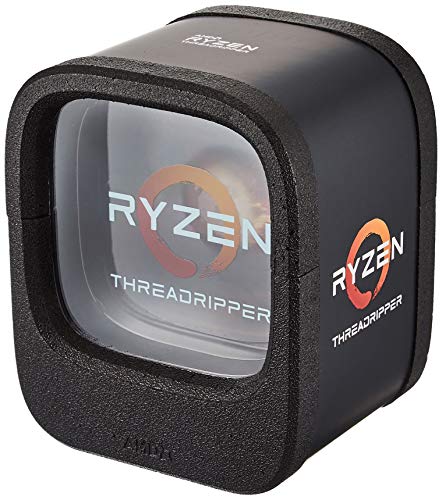
- 8 cores and 16 threads
- Up to 4.2 GHz boost speed
- 64 PCIe Gen3 lanes
Best For: Custom CAD workstation builders who need expansion and threading
Dell Precision 5820

- Xeon W-2133 6-core CPU
- 64GB RAM and 1TB NVMe SSD
- NVIDIA Quadro P4000 graphics
Best For: CAD professionals who want a renewed, fully equipped workstation tower
MINISFORUM MS-A2
Compact Ryzen 9 Mini Workstation

- Ryzen 9 9955HX with 16 cores
- Up to 5.4 GHz boost speed
- Barebones mini PC with 8K display support
Best For: Compact CAD users who want to customize memory, storage, and OS
Enterprise SFF Business Pick
Dell OptiPlex 7000 i5-14500 SFF

- 14-core i5-14500 vPro CPU
- 32GB DDR5 + 1TB PCIe SSD
- Up to four 4K displays
Best For: Compact CAD and multitasking in a business desktop
Dual-Xeon Legacy Workstation
Dell Precision 7910 T7910 Tower

- Dual Xeon E5-2690 v3 CPUs
- Quadro K2000 dedicated graphics
- 6.24TB total storage
Best For: Legacy workstation buyers who want high core count and big storage
Compact ISV-Certified Pick

- i5-14500 vPro workstation CPU
- ISV-certified for major CAD apps
- Up to 64GB DDR5 and 2TB SSD
Best For: Tiny CAD workstation setups with certified software support
Dual Xeon Legacy Power
Dell Precision 7910 with 96GB RAM
- 20 total Xeon cores for threaded workloads
- 96GB DDR4 memory for large CAD projects
- 8.48TB storage with SSD and SAS drives
Best For: CAD users needing a budget-friendly dual-Xeon workstation
Modern i9 Workhorse
Dell Precision 3660 with Core i9-13900

- 24-core Core i9-13900 with up to 5.6GHz boost
- 64GB DDR5 memory at 4800MHz
- 1TB NVMe SSD for fast loading and saves
Best For: CAD users wanting a newer, fast CPU and DDR5 platform
High-Core Threaded Build
Dell Precision 7910 with 128GB RAM
- 28 total Xeon cores for parallel workloads
- 128GB DDR4 memory for big CAD projects
- 5.92TB storage with SSD and SAS drives
Best For: Workstation buyers prioritizing core count and RAM
HP Z2 G9 Workstation – Core i9 Tower for CAD Multitaskers
If you’re shopping for a processor for CAD workstation use, this HP Z2 G9 pairs a 24-core Intel Core i9-13900 with workstation-focused hardware for responsive day-to-day drafting, modeling, and multitasking. It also adds 32GB DDR5 memory, 1TB SSD storage, and a dedicated NVIDIA T1000 GPU, which helps round out a balanced professional tower.
Best For: CAD users who want a ready-to-run tower with strong CPU headroom, fast storage, and workstation graphics.
Pros:
- 24-core Intel Core i9-13900 is well suited to demanding professional workloads.
- 32GB DDR5 RAM and 1TB SSD support smooth multitasking and quick loading.
- Dedicated NVIDIA T1000 graphics add workstation-oriented support for visual tasks.
- Windows 11 Pro and built-in security/remote management features suit business use.
Cons:
- At 450W, power capacity is more modest than some larger workstation builds.
- Graphics are professional-focused, not a high-end gaming-class card.
This is a practical option if you want a CAD workstation with a very strong CPU and a complete tower configuration rather than a barebones platform.
AMD Threadripper 1900X – 8-Core CPU for Custom CAD Builds
AMD YD190XA8AEWOF Ryzen Threadripper 1900X (8-core/16-thread) Desktop Processor
Check Price On AmazonIf you’re choosing a processor for CAD workstation assembly, the AMD Ryzen Threadripper 1900X is a straightforward desktop CPU built around 8 cores and 16 threads. It targets custom high-end platforms with Quad-Channel DDR4 support, 64 PCIe Gen3 lanes, and a Socket TR4 design for builders who want a flexible workstation foundation.
Best For: Custom workstation builders who want a Threadripper CPU with lots of PCIe lanes for expansion.
Pros:
- 8 cores and 16 threads provide solid multi-threaded compute capacity.
- 4.0 GHz Precision Boost, up to 4.2 GHz with XFR, supports strong burst performance.
- 64 PCIe Gen3 lanes are useful for expansion-heavy workstation builds.
- Quad-channel DDR4 support fits a serious desktop platform.
Cons:
- Requires a compatible Socket TR4 motherboard, so it is not a drop-in upgrade for every system.
- No operating system is included, so it is aimed at builders rather than turnkey buyers.
This CPU makes sense if your CAD workstation plan centers on a custom build and you care about expansion, platform flexibility, and thread count.
Dell Precision 5820 – Renewed Xeon CAD Tower
Dell Precision Tower 5820 Workstation W-2133 6C 3.6Ghz 64GB 1TB NVMe P4000 Win 11 (Renewed)
Check Price On AmazonFor buyers looking at a processor for CAD workstation reliability, this renewed Dell Precision Tower 5820 combines an Intel Xeon W-2133 6-core CPU with 64GB RAM, a 1TB NVMe SSD, and NVIDIA Quadro P4000 graphics. It is built as a professional tower for demanding applications, with the kind of hardware mix that supports large files, multiple tools, and steady workstation use.
Best For: CAD professionals who want a renewed tower with Xeon stability and Quadro graphics.
Pros:
- Intel Xeon W-2133 at 3.6GHz is geared toward professional workloads.
- 64GB RAM and 1TB NVMe storage support heavy multitasking and fast workflows.
- NVIDIA Quadro P4000 is optimized for CAD and 3D modeling tasks.
- Windows 11 Pro adds a current business-ready operating system.
Cons:
- It is a renewed system, so condition will depend on the refurbishing process.
- Six CPU cores may be limiting for users prioritizing high thread counts.
This is a solid pick if you want a proven workstation formula centered on Xeon processing, professional graphics, and plenty of memory.
MINISFORUM MS-A2 – Compact Ryzen 9 Mini Workstation
If you need a processor for CAD workstation use in a smaller footprint, the MINISFORUM MS-A2 brings an AMD Ryzen 9 9955HX with 16 cores, 32 threads, and boost speeds up to 5.4 GHz. It is sold as a bare mini workstation without RAM, SSD, or OS, so it suits buyers who want to choose their own memory and storage while still getting strong CPU performance and broad display support.
Best For: Compact CAD setups where you want a powerful CPU and plan to customize RAM, storage, and operating system.
Pros:
- AMD Ryzen 9 9955HX offers 16 cores and 32 threads for demanding workloads.
- Up to 5.4 GHz max speed supports responsive performance.
- Triple-display support with HDMI and two USB-C outputs, including 8K@60Hz capability.
- Dual 10G SFP+ ports and two 2.5G LAN ports provide very fast networking.
Cons:
- RAM, SSD, and OS are not included, so extra setup is required.
- Integrated Radeon 610M graphics are more limited than dedicated workstation GPUs.
This mini workstation is a good fit if you want strong CPU performance in a compact system and are comfortable building out the rest of the configuration yourself.
Enterprise SFF Business Pick – Dell OptiPlex 7000 i5-14500 SFF
If you’re looking for a processor for CAD workstation tasks in a compact business desktop, the Dell OptiPlex 7000 pairs a 14-core Intel Core i5-14500 vPro CPU with 32GB DDR5 memory and a 1TB PCIe SSD. It is built for multitasking, data-heavy work, and practical office use, with integrated graphics and support for up to four displays.
Best For: Engineers, analysts, and office users who want a compact workstation-style desktop for CAD, multitasking, and multi-monitor setups.
Pros:
- 14-core Intel Core i5-14500 vPro processor with 20 threads and up to 5.0GHz boost
- 32GB DDR5 RAM and 1TB PCIe NVMe SSD for fast loading and responsive multitasking
- Supports up to four 4K displays for expanded workspace and CAD workflows
- Compact small-form-factor design with Windows 11 Pro and business security features
Cons:
- Uses integrated Intel UHD 770 graphics rather than a dedicated GPU
- Small-form-factor design may be less flexible than a full tower for future expansion
This is a sensible choice if you need a reliable business desktop with strong CPU performance and plenty of memory, but don’t need a discrete graphics card for advanced 3D work.
Dual-Xeon Legacy Workstation – Dell Precision 7910 T7910 Tower
The Dell Precision 7910 is a heavy-duty tower built around dual Intel Xeon E5-2690 v3 processors, giving it workstation-class CPU resources for demanding professional workloads. With 16GB DDR4 registered memory, a 240GB SSD, and additional SAS storage, it fits users who want a large, older-format CAD workstation with lots of core count and storage capacity.
Best For: Users who need a renewed tower workstation with dual Xeon processing and large storage capacity for legacy professional software.
Pros:
- Dual Intel Xeon E5-2690 v3 processors for substantial multi-core workstation performance
- Includes a dedicated NVIDIA Quadro K2000 graphics card
- Large 6.24TB total storage setup with SSD and SAS drives
- 1300W power supply supports a full tower workstation platform
Cons:
- Older-generation platform with Windows 10 rather than Windows 11 Pro
- Only 16GB RAM installed, which is modest for heavier CAD workloads
- Renewed unit with a 90-day warranty
This model makes sense when raw legacy workstation hardware and storage matter more than compact size or current-generation efficiency.
Compact ISV-Certified Pick – Lenovo ThinkStation P3 Tiny
If you want a processor for CAD workstation use in a very small footprint, the Lenovo ThinkStation P3 Tiny is built around the Intel Core i5-14500 vPro and ISV-certified support for AutoCAD, SOLIDWORKS, ArcGIS, Creo, and MATLAB. It combines workstation-focused compatibility with Intel UHD 770 graphics, configurable DDR5 memory, and fast PCIe NVMe SSD storage.
Best For: Engineers, architects, and designers who need a tiny workstation with CAD software certification and strong everyday responsiveness.
Pros:
- Intel Core i5-14500 vPro processor with workstation-oriented performance
- ISV-certified for AutoCAD, SOLIDWORKS, ArcGIS, Creo, and MATLAB
- Supports up to 64GB DDR5 RAM and up to 2TB PCIe NVMe SSD storage
- Very compact 3-pound design with dual-display support and modern ports
Cons:
- Uses integrated Intel UHD 770 graphics instead of a discrete GPU
- Mini PC form factor limits the room for internal upgrades compared with larger towers
This is a strong fit if you want CAD software compatibility and a tiny machine that still feels workstation-ready for professional office and design tasks.
Dual Xeon Legacy Power – Dell Precision 7910 with 96GB RAM
If you need a processor for CAD workstation tasks and want plenty of multi-threaded headroom on a budget, this renewed Dell Precision 7910 is built around dual Intel Xeon E5-2630L v4 CPUs. The setup pairs 20 total cores with 96GB of DDR4 memory, making it a practical choice for heavier projects, multitasking, and workstation workloads that benefit from lots of threads.
Best For: CAD users who want a capable dual-Xeon tower with lots of memory and storage.
Pros:
- Dual Xeon E5-2630L v4 processors provide 20 total cores.
- 96GB DDR4 RAM supports large projects and multitasking.
- Includes 8.48TB total storage with SSD and SAS drives.
- Dedicated Nvidia Quadro K2000 graphics are included.
Cons:
- Older 1.8GHz Xeon CPUs are not geared for the fastest single-core performance.
- Quadro K2000 is an older 2GB workstation GPU.
- Renewed unit comes with a 90-day warranty.
Overall, this Precision 7910 is a strong value if your CAD workflow benefits more from core count, memory, and storage than from cutting-edge processor speed. It fits best as a workhorse tower for demanding but cost-conscious workstation use.
Modern i9 Workhorse – Dell Precision 3660 with Core i9-13900
For buyers looking for a processor for CAD workstation use with strong everyday responsiveness, this Dell Precision 3660 centers on the Intel Core i9-13900. With 24 cores and boost speeds up to 5.6GHz, it is a good fit for CAD work that needs both high single-thread performance and solid multitasking support.
Best For: CAD professionals who want a newer, fast, general-purpose workstation CPU.
Pros:
- Intel Core i9-13900 offers 24 cores and up to 5.6GHz boost.
- 64GB DDR5 RAM at 4800MHz supports multitasking.
- 1TB PCIe NVMe SSD provides fast storage access.
- Integrated graphics are built into the processor.
Cons:
- No Wi-Fi or Bluetooth card is included in this configuration.
- Uses integrated graphics instead of a dedicated workstation GPU.
- Renewed system includes a 90-day limited warranty.
This Precision 3660 is the most modern CPU option in the group and is the best fit when you want a newer platform with strong core speed and current DDR5 memory. It is especially appealing for CAD users who also want a balanced business workstation.
High-Core Threaded Build – Dell Precision 7910 with 128GB RAM
If your CAD workstation priorities lean toward heavy multitasking and large project handling, this renewed Dell Precision 7910 brings dual Intel Xeon E5-2650L v4 processors and 128GB of DDR4 memory. The CPU pair delivers 28 total cores at 1.7GHz, making it a strong fit for workloads that value parallel processing over raw clock speed.
Best For: Users who want maximum core count and memory in a refurbished tower.
Pros:
- Dual Xeon E5-2650L v4 CPUs provide 28 total cores.
- 128GB DDR4 RAM is well suited for large CAD files and multitasking.
- Includes 5.92TB of storage across SSD and SAS drives.
- Dedicated Nvidia Quadro K2000 graphics are included.
Cons:
- 1.7GHz base processor speed is relatively low for single-threaded work.
- Quadro K2000 is an older 2GB graphics card.
- Renewed system is backed by a 90-day warranty.
This Precision 7910 is the strongest option here for high-thread-count workloads, especially when memory capacity matters as much as CPU cores. It is a solid choice for users who want a workstation processor setup built to juggle large projects.
How We Picked the Best Processor for CAD Workstation
We prioritized CPU performance that matters in CAD environments: strong single-threaded speed for sketching and interactive modeling, enough cores for rendering and simulation, and workstation-friendly platforms that can support reliable memory and storage configurations. We also considered age of platform, upgrade flexibility, and whether each option fits a budget, compact, or heavy-duty build.
Quick Comparison
For most users, newer high-clock Intel Core and modern Ryzen chips are best for fast day-to-day CAD work. Threadripper and dual-Xeon systems make more sense when your workflow leans heavily on parallel tasks, very large datasets, or multitasking across rendering, virtualization, and design tools. Compact systems are attractive for smaller desks, but towers usually offer better cooling and expansion for sustained loads.
Key Buying Factors for a Processor for CAD Workstation
Single-Core Speed Vs. Core Count
Many CAD tasks still depend on fast single-core performance, so high boost clocks matter more than raw core count for drafting and modeling. If you frequently render, simulate, or batch export, extra cores become more valuable.
Memory Support and Platform Stability
A good Processor for CAD Workstation use should pair with ample RAM capacity and a stable chipset or workstation platform. ECC support can be useful in professional environments, especially for long sessions and mission-critical projects.
Thermals, Power, and Upgrade Path
Fast CPUs can throttle if cooling is undersized, so match the processor to a chassis and cooler that can sustain load. Also think about whether you want a modern platform with room to grow, or a value-oriented renewed workstation that already includes professional components.
Integrated Graphics or Discrete GPU Pairing
Some CAD workflows can start with integrated graphics, but many professional users will still want a discrete GPU for smoother 3D navigation and certified application compatibility. The CPU and GPU should be balanced to avoid bottlenecks.
Who Should Buy Which Processor for CAD Workstation?
If you want the best all-around responsiveness, choose a modern high-clock desktop CPU in a workstation tower. If you need maximum multitasking or heavy rendering throughput, a higher-core workstation-class chip or Threadripper-style platform is the better fit. For space-limited offices, a tiny workstation can still be a smart Processor for CAD Workstation choice if your projects are moderate and your cooling needs are modest. For the best value, renewed dual-Xeon towers can deliver lots of RAM and storage capacity, but they are more appropriate for users who care more about expansion than cutting-edge speed.
In short, the best choice depends on whether your CAD work is mostly interactive design, compute-heavy production, or a mix of both. Match the CPU to your workflow first, then confirm the rest of the system can support stable, sustained performance.