
Choosing the right workstation computer for virtualization means balancing core count, memory capacity, storage speed, and platform stability. For VM-heavy workflows, the best systems are the ones that stay responsive under load and leave room to grow.
Below, you’ll find a focused roundup of 10 workstations and business desktops suited to different virtualization needs, from compact modern towers to high-core-count dual-CPU machines.
Best 10 Workstation Computer for Virtualization Picks for 2026
Memory-first workstation
Lenovo ThinkStation P2 Gen 2 for heavy VM workloads
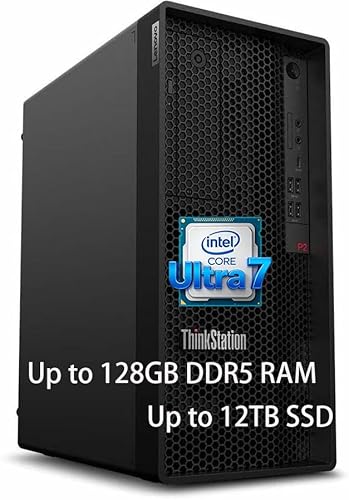
- 128GB DDR5 supports multiple virtual machines
- 20-core Core Ultra 7 targets demanding multitasking
- Tool-less tower design helps future upgrades
Best For: Users building a virtualization-focused workstation with lots of RAM
Value renewed tower
Dell Precision T5810 with 64GB RAM
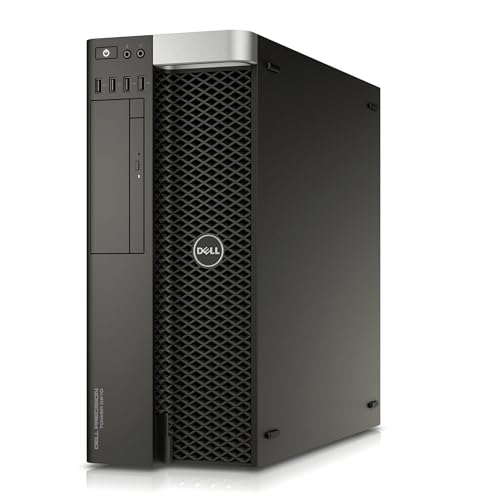
- 12-core Xeon supports multi-threaded workloads
- 64GB DDR4 handles moderate virtualization
- 480GB SSD improves responsiveness
Best For: Value shoppers who want a refurbished workstation for lighter VM use
Balanced modern workstation
Dell Tower Plus EBT2250 with RTX 5060

- 20-core Ultra 7-265 handles modern workloads
- 32GB DDR5 and 1TB SSD keep it responsive
- RTX 5060 plus Wi-Fi 7 add versatility
Best For: Users wanting a modern workstation with graphics support and fast connectivity
Dual-CPU workstation server
PCSP ThinkStation P920 for serious VM hosting
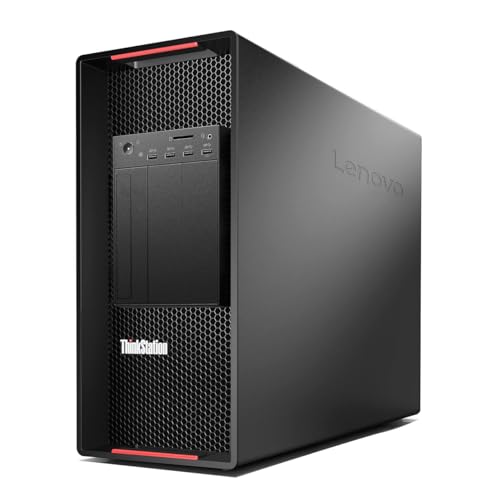
- Dual Xeon CPUs deliver 40 cores and 80 threads
- 128GB DDR4 supports dense virtual machine use
- No-drive chassis lets you customize storage
Best For: Advanced virtualization, server tasks, and heavy parallel workloads
Business Tower Workhorse
Dell Pro Tower for Professional Workstation

- 14-core i5-14500 vPro with 32GB DDR5
- 1TB PCIe SSD for fast loading and boot times
- Dual 4K display support via Intel UHD 770
Best For: Business users needing secure multitasking and light virtualization
Enterprise-Class Rebuild

- 12-core Xeon Gold 4214R built for performance computing
- RTX A4000 with 16GB VRAM for dedicated graphics work
- 32GB RAM, 512GB SSD, and Windows 11 Pro
Best For: Power users needing a renewed workstation for demanding professional tasks
Dual-CPU Multitasker
Workstation Gaming Desktop Combo

- Dual E5-2697V4 CPUs with 36 cores/72 threads
- Massive 128GB DDR4 RAM for parallel workloads
- 1TB SSD plus 4TB HDD for speed and capacity
Best For: Users who need extreme multitasking headroom and large storage
Renewed Enterprise Tower

- 6-core Xeon W-2133 processor
- 64GB DDR4 plus 512GB NVMe SSD
- 2TB HDD for extra storage
Best For: Virtualization users who want a renewed workstation with lots of RAM and dual-drive storage
Business Multitasker
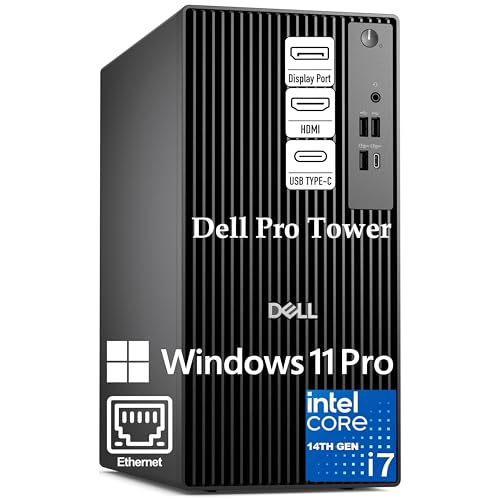
- 20-core Intel Core i7-14700
- 32GB DDR5 and 1TB PCIe SSD
- Supports dual 4K monitors
Best For: Developers and professionals running VMs, containers, and multitasking workloads
Dual-CPU Powerhouse

- Dual Xeon Platinum 8160 CPUs
- 48 cores, 96 threads, 128GB RAM
- 1TB NVMe SSD and Quadro P2000
Best For: Heavy virtualization and other parallel workloads that benefit from maximum CPU threads
Memory-first workstation – Lenovo ThinkStation P2 Gen 2 for heavy VM workloads
If you need a workstation computer for virtualization, the Lenovo ThinkStation P2 Gen 2 is built around capacity first. Its Intel Core Ultra 7 265K processor and massive 128GB DDR5 RAM make it a strong fit for running multiple virtual machines, large datasets, and other memory-hungry business tasks, while the 3TB storage mix gives you room for projects and fast access to key files.
Best For: Power users who want a high-memory workstation for multiple VMs, professional apps, and future expansion.
Pros:
- 128GB DDR5 RAM is well suited to virtualization and multitasking.
- Core Ultra 7 265K offers 20 cores and up to 5.5 GHz boost for demanding workloads.
- Tool-less design makes upgrading and servicing easier.
- ISV certification adds confidence for professional software use.
Cons:
- Integrated graphics only, so it is not aimed at graphics-heavy workloads.
- Only 3TB of listed storage included compared with the higher max expansion potential.
- Premium specs may be more than casual users need.
This is a serious desktop for users who care more about VM density and memory headroom than gaming features. If your priority is stable virtualization performance in a professional tower, it stands out immediately.
Value renewed tower – Dell Precision T5810 with 64GB RAM
For buyers looking for a workstation computer for virtualization on a tighter budget, the Dell Precision T5810 offers proven workstation hardware in a renewed tower. Its 12-core Xeon processor, 64GB of DDR4 memory, and SSD storage provide a practical baseline for running several virtual machines and keeping everyday workstation tasks responsive.
Best For: Budget-minded buyers who want a refurbished tower for lab work, light virtualization, and pro software compatibility.
Pros:
- 12-core Xeon CPU gives it solid multi-threaded capability.
- 64GB DDR4 RAM is enough for moderate VM use and multitasking.
- 480GB SSD helps with faster boot and app loading.
- Quadro NVS graphics are aimed at professional display use.
Cons:
- Older platform and model year may limit long-term appeal.
- No modern operating system is included as shipped in the notes.
- Graphics and storage are modest for heavier workstation demands.
This model makes sense when you want dependable workstation basics without paying for a brand-new system. It is best treated as a value pick for virtualization labs or general business workloads rather than a top-end VM host.
Balanced modern workstation – Dell Tower Plus EBT2250 with RTX 5060
The Dell Tower Plus EBT2250 is a modern workstation computer for virtualization if you also want strong graphics and connectivity. With an Intel Ultra 7-265 processor, 32GB of DDR5 memory, a 1TB PCIe NVMe SSD, and Wi-Fi 7 support, it is set up for fast everyday computing, while the RTX 5060 adds extra capability for graphics-heavy work.
Best For: Buyers who want a current-generation workstation with fast storage, strong connectivity, and dedicated graphics.
Pros:
- Ultra 7-265 CPU brings 20 cores and up to 5.3 GHz boost.
- RTX 5060 8GB gives it dedicated graphics support.
- 1TB PCIe NVMe SSD and 32GB DDR5 support smooth daily performance.
- Wi-Fi 7, Thunderbolt 4, and multiple display outputs improve flexibility.
Cons:
- 32GB RAM is respectable but lower than memory-heavy virtualization builds.
- Maximum memory listed at 64GB, which may cap future expansion sooner.
- Not as focused on raw VM density as the highest-RAM towers.
This is a balanced pick for users who want a contemporary tower that can do more than pure virtualization. It suits mixed workloads well, especially when display support and connectivity matter alongside workstation performance.
Dual-CPU workstation server – PCSP ThinkStation P920 for serious VM hosting
If your priority is a workstation computer for virtualization, the PCSP ThinkStation P920 is the most server-like option here. Dual Intel Xeon Gold 6148 processors deliver 40 cores and 80 threads total, and the 128GB DDR4 memory gives you the kind of headroom that virtual machines, simulation, and 24/7 workstation-server use demand.
Best For: Advanced users who need a dual-CPU tower for virtualization, server tasks, and heavy parallel workloads.
Pros:
- Dual Xeon Gold 6148 CPUs provide 40 cores and 80 threads total.
- 128GB DDR4 RAM is ideal for memory-intensive workloads.
- No-drive design lets you add the storage setup you want.
- Server-grade features include 1400W PSU and dual Ethernet ports.
Cons:
- No storage or operating system is included.
- Large, high-power chassis may be excessive for simple desktop use.
- Quadro K620 graphics are basic for a system of this size.
This is the strongest fit when virtualization is the main event and you want maximum expandability. It is best for buyers comfortable building out storage and software around a very capable hardware base.
Business Tower Workhorse – Dell Pro Tower for Professional Workstation
If you want a workstation computer for virtualization that also handles everyday business work well, this Dell Pro Tower is a practical fit. Its 14th Gen Intel Core i5-14500 vPro, 32GB of DDR5 memory, and 1TB PCIe SSD give it the kind of balanced performance that helps with multitasking, data-heavy office apps, and quick app launches.
Best For: Professionals who need a secure, upgrade-friendly tower for business productivity, multitasking, and dual-monitor setups.
Pros:
- 14-core, 20-thread Intel Core i5-14500 vPro is built for demanding professional workflows.
- 32GB DDR5 RAM and 1TB PCIe SSD support fast boot times and smooth multitasking.
- Intel UHD 770 can drive two 4K displays through HDMI 2.1 and DisplayPort 1.4a.
- Windows 11 Pro, BitLocker, and vPro platform security add enterprise-friendly protections.
Cons:
- Uses integrated graphics rather than a dedicated GPU.
- The focus is business productivity, not heavy graphics or rendering workloads.
- Compact tower design may be less flexible than larger expansion-oriented workstations.
Overall, this Dell is a solid choice if your virtualization needs are moderate and you also want a dependable office desktop. It stands out for security, memory capacity, and multi-monitor support rather than raw workstation graphics power.
Enterprise-Class Rebuild – HP Z8 G4 Xeon Workstation
For a workstation computer for virtualization, this renewed HP Z8 G4 brings the kind of hardware usually associated with serious performance computing. The 12-core Intel Xeon Gold 4214R, 32GB of DDR4 memory, and NVIDIA RTX A4000 give it a more workstation-focused profile than a standard business tower.
Best For: Users who want a heavy-duty tower for performance computing, workstation tasks, and GPU-accelerated workflows.
Pros:
- 12-core Xeon Gold processor is aimed at responsive performance and multitasking.
- NVIDIA RTX A4000 with 16GB VRAM supports dedicated graphics workloads.
- 32GB RAM and a 512GB SSD provide a strong base for work files and applications.
- Windows 11 Pro plus built-in security and remote management features suit business use.
Cons:
- Renewed unit, so condition and long-term wear can vary.
- 512GB storage is modest for a workstation-class desktop.
- Large, 55-pound tower is not ideal if you need a compact setup.
This HP is the most clearly workstation-oriented option here thanks to its Xeon platform and dedicated RTX A4000 graphics. If virtualization is part of a broader professional workload mix, it offers a stronger enterprise-style foundation than a typical business desktop.
Dual-CPU Multitasker – Workstation Gaming Desktop Combo
This workstation computer for virtualization is built around raw multitasking capacity. With dual E5-2697V4 processors, 128GB of DDR4 RAM, and a 1TB SSD plus 4TB HDD, it is designed to keep many workloads active at once while still giving you plenty of storage for large projects and media.
Best For: Buyers who want maximum CPU threads, huge memory capacity, and a mixed-use desktop for work and gaming.
Pros:
- Dual CPUs deliver 36 cores and 72 threads for heavy multitasking.
- 128GB DDR4 RAM is ideal for demanding software and large parallel workloads.
- 1TB SSD and 4TB HDD combine fast startup with lots of storage space.
- RTX 5060, Wi-Fi 6, Bluetooth 5.4, and Windows 11 Pro add modern convenience.
Cons:
- The dual-CPU platform is specialized and may be more than casual users need.
- Storage is split across SSD and HDD, so not everything sits on the faster drive.
- Gaming-first styling may not suit every office or enterprise environment.
Among these options, this build leans hardest into sheer parallel processing and memory headroom. That makes it appealing if your virtualization workload benefits from lots of threads and RAM, though it is less of a classic business workstation than the HP or Dell.
Renewed Enterprise Tower – HP Z4 G4 Xeon Workstation
If you need a workstation computer for virtualization, the HP Z4 G4 is built around a 6-core Intel Xeon W-2133 and 64GB of DDR4 memory, giving it the kind of headroom that helps keep multiple virtual machines and background tasks moving smoothly. The 512GB NVMe M.2 SSD handles the operating system and active workloads, while the 2TB HDD adds plenty of room for VM images and storage.
Best For: Users who want a renewed tower with strong memory capacity, dual-drive storage, and a workstation-class Xeon platform for everyday virtualization work.
Pros:
- 64GB DDR4 memory provides solid capacity for running multiple workloads.
- 512GB NVMe boot drive supports fast startup and responsive system access.
- 2TB HDD offers additional space for virtual disks and files.
- Windows 11 Pro adds business-focused features for professional use.
Cons:
- The Xeon W-2133 is a 6-core CPU, so it is not the highest-core-count option here.
- Quadro P400 graphics are basic and not aimed at graphics-heavy workloads.
- As a renewed system, condition and accessory package may vary.
Overall, this HP Z4 G4 makes sense if your virtualization needs value memory capacity, reliable workstation hardware, and practical storage more than raw CPU core count. It is a balanced refurbished option for business users who want a proven tower platform.
Business Multitasker – Dell Pro Tower i7-14700
For buyers seeking a workstation computer for virtualization, this Dell Pro tower stands out with an Intel Core i7-14700, 32GB of DDR5 RAM, and a 1TB PCIe SSD. The notes specifically call out support for virtual machines, Docker containers, and heavy multitasking, making it a practical fit for developers and business users who need a fast, modern desktop platform.
Best For: Developers and business professionals who want a modern tower for virtual machines, containers, and demanding day-to-day multitasking.
Pros:
- Intel Core i7-14700 with 20 cores is well suited to multitasking and VM workloads.
- 32GB DDR5 memory and 1TB PCIe SSD support responsive performance.
- Dual 4K monitor support helps keep multiple tools and consoles visible at once.
- Windows 11 Pro adds enterprise security and remote desktop features.
Cons:
- Built-in Wi-Fi is not included.
- Integrated Intel UHD Graphics 770 is fine for office use, but not for heavy graphics work.
- It ships with 32GB RAM, so very large VM setups may eventually need an upgrade.
This Dell is the most modern CPU option in the group and a strong match for users who need a virtualization-capable tower without moving into a full heavy-duty workstation. Its balanced specs make it appealing for development, remote work, and general business productivity.
Dual-CPU Powerhouse – ThinkStation P920 Dual Xeon
If your priority is a workstation computer for virtualization at the high end, the ThinkStation P920 brings serious core count with dual Intel Xeon Platinum 8160 processors for 48 cores and 96 threads total. Pair that with 128GB of DDR4 memory and a 1TB NVMe SSD, and you get a tower designed for heavy multitasking, large datasets, and demanding professional workloads.
Best For: Users who need maximum CPU parallelism and memory capacity for heavy virtualization, simulation, or workstation-class multitasking.
Pros:
- Dual Xeon Platinum 8160 CPUs deliver 48 cores and 96 threads total.
- 128GB DDR4 RAM provides substantial room for large VM stacks and datasets.
- 1TB NVMe SSD supports fast boot and quick access to active projects.
- Quadro P2000 5GB includes four DisplayPort outputs for multi-monitor setups.
Cons:
- The 1400W PSU and dual-socket design point to a large, power-hungry tower.
- It is refurbished, so buyers should be comfortable with a renewed system.
- Keyboard and mouse are not included.
This is the strongest virtualization-oriented choice in the roundup if raw parallel performance matters most. It is best for buyers who want a serious workstation platform with lots of cores, high memory, and room to expand.
How We Picked the Best Workstation Computer for Virtualization
For a Workstation Computer for Virtualization, the most important priorities are CPU resources, RAM headroom, fast SSD storage, and reliable expansion options. We favored systems with enough processing power to run multiple virtual machines smoothly, plus configurations that can handle future memory or storage upgrades.
We also considered platform age and practicality. Newer systems are usually better for efficiency, driver support, and everyday responsiveness, while older dual-CPU workstations can still be excellent value when raw core count matters more than modern features.
Quick Comparison
If you want the simplest shortcut: modern single-CPU towers are usually best for mixed use, the highest-core-count dual-socket systems are best for dense VM labs, and renewed professional workstations can be the best value if you need lots of RAM and storage for less money.
Key Buying Factors for a Workstation Computer for Virtualization
CPU Cores and Threads
Virtual machines scale well with more cores and threads, especially when you run several guests at once or keep a host OS active alongside them. Higher clock speed also helps with snappier day-to-day performance, so the best choice is often a balance between core count and per-core speed.
Memory Capacity
RAM is often the first bottleneck in virtualization. A 32GB system may be fine for light testing, but 64GB is a much safer baseline for serious workloads, and 128GB or more is ideal for multiple VMs, nested virtualization, or lab environments.
Storage Speed and Capacity
Fast NVMe SSD storage improves boot times, VM launches, snapshot operations, and overall responsiveness. Larger capacity matters too, because multiple virtual disks can consume space quickly. Systems with extra drive bays or secondary storage are especially useful.
Platform and Upgrade Room
Look for enough DIMM slots, PCIe expansion, and cooling headroom to support future upgrades. A Workstation Computer for Virtualization should not just perform well today; it should also give you room to add memory, storage, or a better network adapter later.
Who Should Buy What
If you’re running a few VMs for development, training, or homelab use, a modern Intel Core or Xeon W-based tower with 32GB to 64GB of RAM is often the sweet spot. If you need to host many concurrent guests, run lab clusters, or test enterprise scenarios, a dual-CPU workstation with 128GB of memory is the better fit. Budget-focused buyers can look at renewed professional towers for strong value, while business users who need a fast general-purpose desktop with light virtualization should prioritize newer CPUs, DDR5, and NVMe storage.
In short, choose the machine that matches your VM count, memory needs, and upgrade plans rather than chasing specs alone. For virtualization, balanced hardware usually wins over flashy extras.