
If you run virtual machines, storage speed and consistency matter as much as CPU and RAM. A strong NVMe SSD can reduce boot times, speed up snapshots, and keep multiple guests responsive under load.
Below, we focus on drives that make sense for real VM use: fast PCIe Gen4 options, solid-value Gen3 picks, and capacities that fit both lighter labs and heavier multitasking.
Best 10 NVMe SSD for Virtual Machines Picks for 2026
Elite Gen4 Performance

- Up to 7,450 MB/s read speed
- Strong random performance gains
- High efficiency for heavy workloads
Best For: Demanding virtual machines and heavy computing
Budget Gen4 Starter

- Up to 6,000 MB/s read speed
- Low power storage design
- Capacities available up to 4TB
Best For: Budget-friendly everyday VM storage
High-Speed Workstation Pick

- Up to 7,300 MB/s read speed
- Dashboard adds health and tuning tools
- Optional heatsink version available
Best For: Fast VM storage and demanding workstation use
Entry-Level Gen3 Value

- PCIe Gen 3x4 NVMe drive
- Up to 2,200 MB/s read speed
- TBW rating of 600
Best For: Light VM setups on a budget
Fast Gen4 Option

- Up to 7,250 MB/s read speed
- PCIe Gen4 NVMe with TLC 3D NAND
- Up to 2TB capacity and better power efficiency
Best For: Fast laptop or compact-PC storage with lots of headroom
Budget Capacity Pick
Silicon Power 2TB P34A60 NVMe SSD

- 2TB capacity for storage-heavy setups
- PCIe Gen3x4 with up to 2,200 MB/s read
- 1200 TBW endurance rating
Best For: Affordable storage and lighter VM workloads
Fast Compact Pick

- Up to 7,250 MB/s read speed
- PCIe Gen4 NVMe with TLC 3D NAND
- M.2 2280 form factor for compact systems
Best For: Fast 1TB storage for smaller VM setups
Everyday Gen4 Value

- 7,100 MB/s read speed
- Broad laptop and desktop compatibility
- Gen3 backward compatibility
Best For: Home lab users and everyday PC owners who want a fast, flexible Gen4 drive.
Power-Efficient Performer
- Up to 7,250 MB/s read on larger models
- High random IOPS for responsive workloads
- Power-efficient architecture with bundled software
Best For: Users who want a power-efficient Gen4 SSD with fast random performance.
High-Heat Control Pick
- 7,400 MB/s read and 6,500 MB/s write
- HMB and SLC cache for faster access
- Thermal throttling and power management
Best For: Enthusiasts and power users who want fast Gen4 storage with thermal control.
Elite Gen4 Performance – Samsung 990 PRO 2TB
If you want an NVMe SSD for virtual machines with top-end Gen4 speed, the Samsung 990 PRO is built for heavy computing and fast load times. Its PCIe 4.0 performance, strong random performance improvement over the 980 PRO, and high power efficiency make it a compelling pick for demanding workstation-style use.
Best For: Users running demanding virtual machines, heavy computing, and fast storage workflows.
Pros:
- Up to 7,450 MB/s read and 6,900 MB/s write speeds
- More than 55% improvement in random performance versus the 980 PRO
- Up to 50% improved performance per watt over the 980 PRO
- 2TB capacity gives solid room for VM images and active projects
Cons:
- Premium-performance drive may be more than basic VM users need
- Best value depends on whether you can use PCIe Gen4 speeds
For a VM host or workstation that benefits from fast storage response, this model stands out for speed and efficiency. It is a strong option when you want premium Gen4 performance in a mainstream 2TB M.2 2280 drive.
Budget Gen4 Starter – Kingston NV3 1TB
Kingston NV3 1TB M.2 2280 NVMe SSD | PCIe 4.0 Gen 4x4 | Up to 6000 MB/s | SNV3S/1000G
Check Price On AmazonThe Kingston NV3 is a straightforward NVMe SSD for virtual machines if you want Gen4 PCIe 4.0 performance without chasing flagship speeds. With up to 6,000 MB/s read speed, low power storage, and capacities that scale up to 4TB, it fits basic VM storage needs and general-purpose builds.
Best For: Budget-minded users needing a simple Gen4 SSD for everyday VM storage.
Pros:
- PCIe 4.0 x4 NVMe interface for modern systems
- Up to 6,000 MB/s read speed
- Low power storage design
- Available in capacities up to 4TB
Cons:
- 1TB version is the focus here, so VM space is more limited
- Not positioned as a top-tier performance drive
This is a practical pick when you need solid Gen4 basics for lightweight virtualization or secondary storage. It offers the simple mix of speed, efficiency, and capacity flexibility that many budget-conscious buyers look for.
High-Speed Workstation Pick – WD_BLACK SN850X 2TB
The WD_BLACK SN850X is a high-performance NVMe SSD for virtual machines when speed and responsiveness matter. Its up to 7,300 MB/s read speed, workstation-friendly positioning, and tools like WD_BLACK Dashboard make it a strong fit for power users who want fast storage with added drive management features.
Best For: Power users who want a fast Gen4 drive for VMs, workstations, and demanding installs.
Pros:
- Up to 7,300 MB/s read speed and 6,300 MB/s write speed
- WD_BLACK Dashboard monitors drive health and enables Game Mode 2.0
- Optional heatsink version is available for 1TB and 2TB drives
- Supports capacities up to 8TB
Cons:
- Gaming-first branding may be more than some VM buyers need
- Heatsink version is optional, not included by default
If you need a fast internal SSD for virtual machines and other heavy tasks, this drive delivers the kind of performance headroom that helps keep storage from becoming a bottleneck. It is especially attractive if you want a mix of speed, capacity, and utility software.
Entry-Level Gen3 Value – Silicon Power A60 1TB
The Silicon Power A60 is a Gen3 NVMe SSD for virtual machines if you want a basic, lower-cost internal drive for lighter workloads. With PCIe Gen 3×4 speeds up to 2,200 MB/s read and 1,600 MB/s write, it is more modest than Gen4 options but still fits everyday business, personal, and multimedia use.
Best For: Light VM setups and users who need a simple Gen3 NVMe drive.
Pros:
- PCIe Gen 3×4 interface
- Up to 2,200 MB/s read speed and 1,600 MB/s write speed
- TBW rating of 600 for the 1TB model
- Backward compatible and suitable for desktop or laptop use
Cons:
- Much slower than the Gen4 drives in this roundup
- Requires an M-key M.2 connector
- Not ideal for heavier VM workloads or speed-sensitive hosts
This drive makes sense when virtualization is only part of the picture and cost or compatibility matters more than peak throughput. It is a workable entry point, but serious VM users will likely prefer a faster Gen4 model.
Fast Gen4 Option – WD_Black SN7100 2TB NVMe SSD
If you want an NVMe SSD for virtual machines that also delivers strong general-purpose performance, the WD_Black SN7100 2TB is a fast PCIe Gen4 option with up to 7,250 MB/s read and 6,900 MB/s write speeds. Its TLC 3D NAND and power-efficient design make it a solid fit for laptops and compact systems where you want quick boot times, responsive storage, and plenty of headroom.
Best For: Users who want a high-speed Gen4 SSD with large capacity for a laptop or compact PC setup.
Pros:
- Up to 7,250 MB/s read and 6,900 MB/s write speeds for fast storage performance.
- PCIe Gen4 NVMe interface with next-gen TLC 3D NAND.
- Up to 2TB capacity for larger VM files, apps, and game libraries.
- Designed with up to 100% more power efficiency than the previous generation.
Cons:
- Built primarily for laptops and handheld gaming devices rather than workstation-focused use.
- Requires a Gen4-capable system to fully benefit from its top speeds.
This drive makes sense if you want fast storage with efficient power use and a roomy 2TB capacity. For VM workloads, it offers the kind of speed that helps with launches, file movement, and day-to-day responsiveness.
Budget Capacity Pick – Silicon Power 2TB P34A60 NVMe SSD
Silicon Power 2TB NVMe M.2 PCIe Gen3x4 2280 SSD Solid State Drive (SP002TBP34A60M28)
Check Price On AmazonThe Silicon Power 2TB P34A60 is a straightforward NVMe SSD for virtual machines when you need usable capacity and basic PCIe Gen3 performance without chasing premium speeds. With read speeds up to 2,200 MB/s and write speeds up to 1,600 MB/s, it is a practical internal drive for everyday storage and lighter VM use on a compatible M-key M.2 system.
Best For: Budget-minded buyers who need a 2TB NVMe drive for storage and lighter virtualization tasks.
Pros:
- 2TB capacity gives you room for VM images, files, and general storage.
- PCIe Gen3x4 NVMe interface for standard M.2 storage upgrades.
- Up to 2,200 MB/s read and 1,600 MB/s write speeds.
- 1200 TBW rating for endurance-focused buying decisions.
Cons:
- Slower than PCIe Gen4 alternatives.
- Requires an M.2 connector with only an M key.
- Not ideal if you are trying to maximize VM performance.
This model is best viewed as a capacity-first NVMe drive rather than a speed leader. It fits buyers who want dependable 2TB storage and are comfortable with Gen3 performance for less demanding VM workloads.
Fast Compact Pick – WD_Black SN7100 1TB NVMe SSD
If you are looking for an NVMe SSD for virtual machines and want fast Gen4 performance in a smaller capacity, the WD_Black SN7100 1TB is built for speed and efficiency. It offers up to 7,250 MB/s read and 6,900 MB/s write performance, plus a compact M.2 2280 form factor that suits laptops and handheld gaming devices.
Best For: Users who want a fast 1TB Gen4 SSD for a laptop or compact system.
Pros:
- Up to 7,250 MB/s read and 6,900 MB/s write speeds.
- PCIe Gen4 NVMe interface with next-gen TLC 3D NAND.
- Compact M.2 2280 form factor for supported systems.
- Designed with better power efficiency than the previous generation.
Cons:
- 1TB capacity may feel limited for larger VM libraries.
- Best speed results depend on a Gen4-capable device.
- Positioned more toward portable devices than workstation builds.
This is a strong pick when speed matters more than raw capacity. For virtualization, it is a good fit for a smaller VM collection, fast system storage, or a portable machine that needs responsive performance.
Everyday Gen4 Value – Crucial P310 1TB NVMe SSD
If you want an NVMe SSD for virtual machines that also handles everyday app and system workloads well, the Crucial P310 offers strong Gen4 speeds in a simple 1TB package. Its 7,100 MB/s read rating and backward compatibility with PCIe Gen3 systems make it a flexible upgrade for desktops and laptops that need faster boot times and smoother multitasking.
Best For: Home lab users and everyday PC owners who want a fast, broadly compatible Gen4 drive.
Pros:
- Up to 7,100 MB/s read and 6,000 MB/s write speeds for quick loading and responsive multitasking
- Works with laptops, desktops, and select handheld gaming consoles
- Backward compatible with PCIe Gen3 systems for easier upgrades
- Built with Micron G8 NAND and thermal control for reliable performance
Cons:
- 1TB capacity may be limiting for larger VM libraries or heavy storage needs
- Positioned for casual gamers and home users rather than workstation-class sustained loads
The P310 is a practical pick if you need fast Gen4 storage without overcomplicating the upgrade. It is best viewed as a solid all-around SSD for lighter virtualization use, general productivity, and mixed home setups.
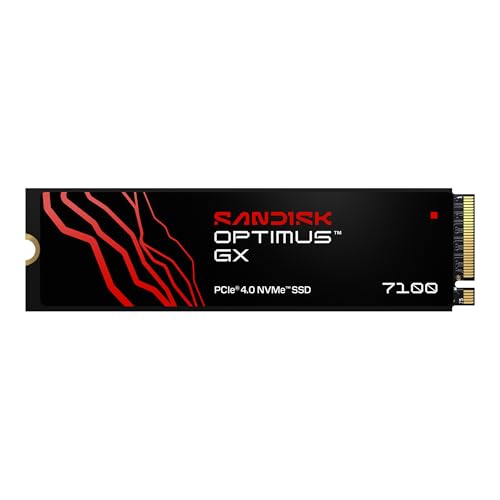
Power-Efficient Performer – SanDisk Optimus GX 7100
The SanDisk Optimus GX 7100 is a strong NVMe SSD for virtual machines when you want high responsiveness in a compact M.2 2280 drive. With PCIe Gen 4.0 speeds up to 7,250 MB/s read and 6,900 MB/s write on the 1TB and 2TB models, plus random performance rated up to 1M/1.4M IOPS on those larger capacities, it is built for quick application loading and snappy system behavior.
Best For: Users who want a power-efficient Gen4 SSD with fast random performance for demanding desktop workloads.
Pros:
- Up to 7,250 MB/s read and 6,900 MB/s write on 1TB and 2TB models
- High random read/write performance with integrated nCache technology
- Power-efficient architecture can help on laptops and project work away from the charger
- Includes Sandisk Dashboard and Acronis True Image software
Cons:
- The supplied 500GB model does not match the top speed figures quoted for 1TB and 2TB versions
- Less capacity than the 1TB and 2TB alternatives if you plan to store multiple VMs
This drive makes sense if your priority is responsive storage with efficient power use. For VM-heavy setups, the faster larger-capacity versions are the more relevant comparison point, while the 500GB model is better suited to lighter usage.
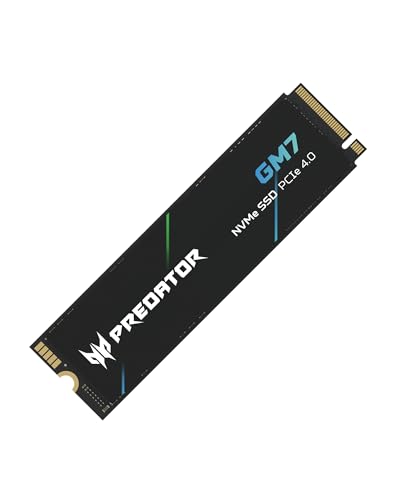
High-Heat Control Pick – Acer Predator GM7 1TB
If you need an NVMe SSD for virtual machines and other heavier workloads, the Acer Predator GM7 brings 7,400 MB/s read and 6,500 MB/s write speeds in a PCIe Gen 4 x4, NVMe 2.0 package. It also adds HMB, SLC cache, thermal throttling, and power management, which can help keep performance steadier when the drive is under sustained pressure.
Best For: Enthusiasts and power users who want fast Gen4 storage with thermal management features.
Pros:
- Up to 7,400 MB/s read and 6,500 MB/s write speeds
- HMB and SLC cache help support fast loads and file transfers
- Thermal throttling and power management are built in for temperature control
- Includes Biwin Intelligence software for testing, migration, and cloning
Cons:
- The product details list 1TB capacity, but this is still a single-drive option for storage-heavy VM setups
- Best suited to PCIe 4.0 systems, so older platforms won’t fully benefit
The GM7 stands out when you want strong sequential performance plus tools that help manage heat and maintenance. That combination makes it a sensible option for users who value consistent responsiveness during demanding workloads.
How We Picked the Best NVMe SSD for Virtual Machines
We prioritized drives that offer strong sustained performance, sensible capacity options, and a good balance of price and reliability for VM workloads. For a home lab or workstation, the best NVMe SSD for Virtual Machines is not just the fastest on paper; it also needs consistent write behavior, enough space for multiple guest images, and a form factor that fits standard M.2 2280 systems.
We also favored models with wider availability and mainstream controller/NAND designs, since those are easier to recommend for everyday virtualization use.
Quick Comparison
For high-performance setups, PCIe Gen4 drives like the Samsung 990 PRO, WD_BLACK SN850X, WD_Black SN7100, Acer Predator GM7, and Crucial P310 are the strongest choices. If you want better value and your workloads are lighter, Gen3 models from Silicon Power can still work well for lab machines, secondary VMs, or budget builds. Capacity matters too: 2TB is the safer starting point if you plan to run several virtual machines at once.
Key Buying Factors for NVMe SSD for Virtual Machines
Capacity
Virtual machines consume space quickly. OS images, checkpoints, logs, and test environments add up fast, so 1TB is a minimum for most users and 2TB is preferable if you expect growth.
Sustained Write Performance
Short burst speeds help with booting, but VM storage often involves long writes during installs, updates, cloning, and snapshots. Look for drives with strong sustained performance, not just headline read speeds.
Endurance and Reliability
VMs generate frequent writes, especially in development, testing, and server-like workloads. Choose a drive with solid endurance ratings and a proven track record if the SSD will host active guests.
Interface and Compatibility
PCIe Gen4 offers the best performance for modern systems, while Gen3 remains perfectly usable for less demanding use cases. Confirm that your motherboard, laptop, or workstation supports M.2 2280 NVMe and has adequate thermal headroom.
Thermals
Fast NVMe drives can throttle under sustained VM activity. A heatsink, airflow, or motherboard thermal pad can help maintain consistent performance during heavier workloads.
Who Should Buy Which NVMe SSD for Virtual Machines?
If you want top-tier speed for a primary VM drive, choose a premium Gen4 model. If you’re building a budget home lab, a value-focused Gen3 or lower-cost Gen4 drive can still perform well. For developers, power users, and anyone juggling several active guests, prioritize 2TB capacity first, then compare endurance and sustained write behavior. In short, the best NVMe SSD for Virtual Machines is the one that matches your workload intensity, storage footprint, and platform compatibility.