
If you want faster-feeling inputs and a more tactile click than standard membrane pads, a controller with mechanical buttons can make a real difference. For PC gaming, that extra responsiveness is especially useful in action, fighting, racing, and competitive titles.
Below, we’ve rounded up 10 standout options for 2026, focusing on latency, stick and trigger tech, wireless performance, and cross-platform value so you can choose the right fit for your setup.
Best 10 PC Controller with Mechanical Buttons Picks for 2026
Pro-Grade Multi-Platform Pick
EasySMX D10 Wireless Controller

- Mechanical buttons with 1.0mm actuation
- 1000Hz wired and 2.4G polling
- Includes charging dock and TMR sticks
Best For: PC gamers who want tactile buttons, low latency, and docked wireless charging
Feature-Rich Customization Pick
- Mechanical keys with 0.7 mm stroke
- Hall Effect sticks and triggers
- Macro buttons with software remapping
Best For: Players who want adjustable controls and cross-platform support
Switch-Centric Tactile Pick
EasySMX S10 Mechanical Controller
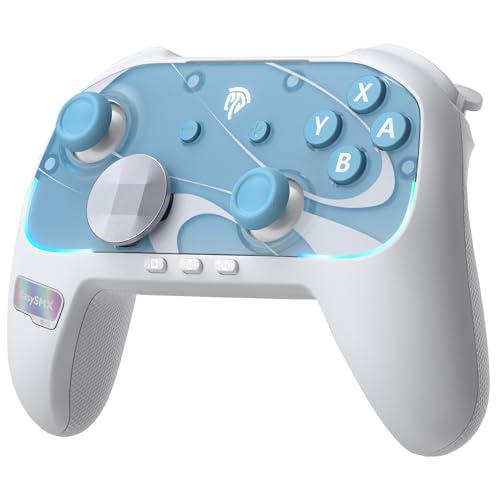
- 0.3mm mechanical buttons with 5M+ lifespan
- One-tap wake-up for Switch 2
- Swappable D-pad and removable faceplates
Best For: Switch 2, Switch, and PC players who want tactile buttons and easy wake-up
Competitive Wireless Pick
GameSir Cyclone 2 PC Controller

- Microswitch ABXY buttons with 5 million click rating
- 1000Hz polling in wired and 2.4G wireless modes
- TMR sticks, Hall Effect triggers, and charging dock
Best For: Competitive players who want fast input and tactile buttons
Feature-Rich Switch/PC Choice

- Mechanical micro-switch buttons with 0.7mm actuation
- TMR Glide joysticks with zero-drift design
- Smart RGB dock, macros, and dual back buttons
Best For: Multi-platform players who want tactile buttons and dock charging
Screen-Setup Pick
ManbaOne Interactive Screen Wireless Gaming Controller

- Built-in 2-inch screen for direct controller setup
- Micro switch buttons and remappable back keys
- Hall effect stick and trigger design with charging dock
Best For: Gamers who want quick on-controller customization across multiple platforms
Mechanical-Button Value
OLCLSS Wireless Gaming Controller
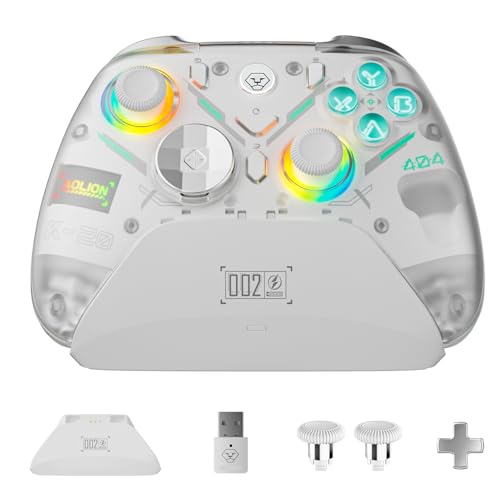
- PT mechanical buttons with 5M+ lifespan
- Hall effect joysticks with adjustable dead zone
- Triple-mode triggers and macro back buttons
Best For: Multi-platform players who want mechanical buttons and flexible tuning
Pro-Grade Multi-Platform Pick – EasySMX D10 Wireless Controller
If you want a PC controller with mechanical buttons that still works across several platforms, the EasySMX D10 is built for fast, competitive input. It combines 1000Hz wired and 2.4G polling with TMR anti-drift joysticks, dual-mode triggers, and a mechanical face-button layout for a more tactile feel than standard gamepads.
Best For: PC players who want mechanical buttons, low-latency input, and a docked wireless setup.
Pros:
- Full mechanical buttons with 1.0mm actuation and 5M+ click life
- 1000Hz polling in wired and 2.4G modes for faster response
- TMR joysticks, EasyPos D-pad, and dual-mode triggers for varied game types
- Includes a magnetic charging dock with auto-reconnect and dongle storage
Cons:
- Not compatible with Xbox, PlayStation, Amazon Luna, or GeForce Now
- Gyroscope support is Switch-only, so PC use does not get that feature
- Best feature set is geared more toward PC and supported mobile/Switch play than console ecosystems
The D10 is a strong fit if your priority is crisp button feel and pro-style responsiveness. Its feature mix is especially appealing for players who want a PC controller with mechanical buttons and a convenient charging dock in one package.
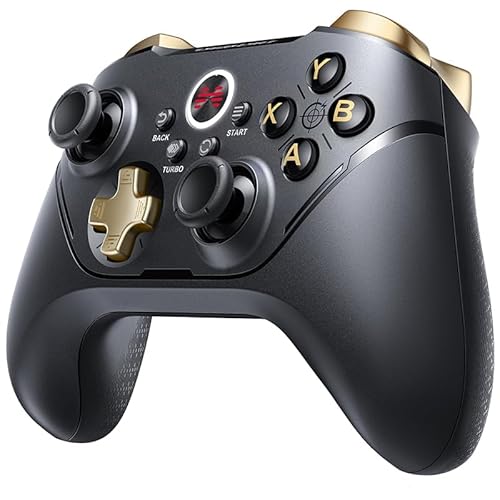
Feature-Rich Customization Pick – BEITONG Asura 2 Pro Plus
The BEITONG Asura 2 Pro+ is a practical choice if you want a PC controller with mechanical buttons plus strong customization options. It pairs Hall Effect joysticks and triggers with mechanical keys, 600Hz polling in overclocking mode, and remappable macro buttons for players who like to fine-tune their setup.
Best For: PC and Switch players who want anti-drift sticks, mechanical buttons, and deep remapping.
Pros:
- Mechanical keys with a short 0.7 mm trigger stroke
- Hall Effect joysticks and triggers for anti-drift control
- 2 macro buttons can be remapped through BEITONG software
- Supports wireless, Bluetooth, and USB connections on PC, Switch, Android, and iOS
Cons:
- Does not support Mac, Xbox consoles, PS4, or PS5
- Battery is rated for 12-17 hours, which is solid but not class-leading
- Some advanced settings depend on the companion software
Asura 2 Pro+ stands out for players who want more control over triggers, dead zones, turbo, vibration, and lighting. If you value customization as much as button feel, it is one of the more capable mechanical-button options here.
Competitive Tuning Pick – FLYDIGI Vader 5 Pro Controller
For a PC controller with mechanical buttons and a highly tunable feel, the FLYDIGI Vader 5 Pro is built around fast response and control customization. It combines hall effect joysticks, switchable trigger modes, and a large set of remappable buttons with low-latency wired and wireless play.
Best For: Competitive players who want adjustable sticks, fast triggers, and extra programmable controls.
Pros:
- 3ms wired and 4ms wireless response for quick input
- FORCESWITCH triggers switch between Micro Mode and Hall Effect Linear Mode
- 8 extra buttons, including rear buttons and mini shoulder buttons
- Hall effect sticks with adjustable tension from 40gf to 100gf
Cons:
- Does not support Xbox or PlayStation
- Charging dock is sold separately
- Feature set may be more than casual players need
The Vader 5 Pro is aimed at users who want to tune nearly every part of the feel, from stick tension to trigger behavior. It is a smart pick when you want a PC-first controller that prioritizes response speed and customization depth.
Switch-Centric Tactile Pick – EasySMX S10 Mechanical Controller
If you want a PC controller with mechanical buttons that also fits Switch 2 and mobile play, the EasySMX S10 is designed around quick setup and tactile control. It uses TMR anti-drift sticks, fully mechanical micro-switch buttons, and a swappable D-pad to give you a more premium button feel in a cross-platform gamepad.
Best For: Switch 2, Switch, and PC players who want mechanical buttons, wake-up support, and customizable controls.
Pros:
- Full mechanical buttons with 0.3mm actuation and 5M+ lifespan
- One-tap wake-up support for Switch 2
- Interchangeable disc and cross-style D-pad plus removable faceplates
- Includes TMR joystick tech, HD rumble, RGB lighting, and two back buttons
Cons:
- Bluetooth-only connectivity in the supplied specs may be less flexible than multi-mode rivals
- Most standout features are centered on Switch 1/2 usage
- Setup for Switch 2 pairing requires a few steps the first time
The S10 is a good match if you value tactile buttons and Switch-style convenience alongside PC use. Its wake-up support and swappable parts make it especially attractive for players who want a controller that feels customizable right out of the box.
Competitive Wireless Pick – GameSir Cyclone 2 PC Controller
If you want a PC controller with mechanical buttons that still feels built for serious play, the GameSir Cyclone 2 is easy to narrow in on. It combines 1000Hz polling, TMR joysticks, Hall Effect triggers, and microswitch face buttons, so it is aimed at players who want fast response and long-term precision across PC, Switch, and other supported platforms.
Best For: Competitive players who want a low-latency PC controller with tactile microswitch buttons and flexible trigger modes.
Pros:
- Microswitch ABXY buttons rated for 5 million clicks for crisp, tactile presses
- 1000Hz polling in both wired and 2.4G wireless modes for responsive input
- TMR joysticks and Hall Effect triggers for drift-resistant control and genre switching
- Includes a premium aluminum charging dock with dongle storage
Cons:
- Not compatible with Xbox consoles
- Best features are focused on PC, Switch, Android, and iOS-style use cases rather than Xbox ownership
Overall, the Cyclone 2 stands out if your priority is a PC gamepad with mechanical-style button feedback, high polling rate, and a flexible trigger setup. It is a feature-heavy pick for players who want one controller that can handle shooters, racing games, and general PC gaming.
Feature-Rich Switch/PC Choice – Mobapad Chitu2 HD Controller
The Mobapad Chitu2 HD is a strong option if you want a PC controller with mechanical buttons and also plan to use it on Switch hardware. It pairs TMR Glide joysticks with premium mechanical micro-switches, adding a clicky feel, low actuation distance, and drift-resistant control for players who care about precision and tactile response.
Best For: Players who want a mechanical-button controller for PC and Switch with charging dock convenience and extra customization.
Pros:
- Mechanical micro-switch buttons with a short 0.7mm actuation distance
- TMR Glide joysticks designed for smooth, zero-drift control
- Includes dual programmable back buttons for remapping and macros
- Smart RGB charging dock and wired play support for flexible charging
Cons:
- Features are spread across many systems, so it may be more controller than some PC-only buyers need
- Some extras, like NFC and motion control, are more relevant to Switch users than PC-only setups
As a PC controller with mechanical buttons, the Chitu2 HD is especially appealing if you also play on Switch 2 or want dock-based convenience. Its tactile button feel, programmable inputs, and included accessories make it a practical all-rounder for multi-platform gaming.
Fast-Input Budget Pick – EasySMX X20 Mechanical PC Controller
The EasySMX X20 is built for players looking for a PC controller with mechanical buttons, high polling speed, and broad platform support. It combines mecha-tactile ABXY buttons and D-pad controls with a 1000Hz polling rate, dual-stage Hall Effect sticks, and adjustable trigger lock positions for a responsive, customizable feel.
Best For: PC and Switch players who want sharp button feedback, fast input, and adjustable controls.
Pros:
- Mecha-tactile ABXY buttons and D-pad for sharp, clicky feedback
- True 1000Hz polling rate in both 2.4G wireless and wired modes
- Dual-stage Hall Effect sticks for drift-resistant precision
- Adjustable trigger locks plus 6-axis gyro motion control
Cons:
- Not compatible with Xbox, Play-Station, Luna, or GeForce Now
- Primary compatibility is centered on PC and supported handheld/platform use rather than every ecosystem
If you want tactile buttons without giving up low-latency performance, the X20 covers the essentials well. It is a sensible choice for PC gaming, especially if you like mechanical-style inputs, motion controls, and trigger customization in one controller.
Competitive Beast – BIGBIG WON Storm(Gale2) Wireless PC Controller
If you want a PC controller with mechanical buttons that feels built for fast competitive play, the BIGBIG WON Storm(Gale2) is packed with speed-focused hardware. It combines 16 mechanical buttons, micro-switch ABXY keys, dual-stage triggers, and high polling-rate wired performance for players who care about crisp input and low latency.
Best For: FPS and competitive players who want a highly tactile, highly customizable controller for PC and cross-platform use.
Pros:
- 16 mechanical buttons plus 4 customizable back paddles for broad remapping options
- TMR sticks are designed for zero drift and 4096-level resolution
- Supports wired, 2.4GHz, and Bluetooth connections with up to 2000Hz polling rate on PC via wired mode
- Dual-stage triggers and 1000Hz motion sensing add flexibility for different genres
Cons:
- Full 2000Hz performance is tied to wired PC use
- Feature-heavy design may be more than casual players need
- Some advanced customization depends on the MOJHON app
This is a strong pick if tactile buttons, drift-resistant sticks, and extensive remapping are top priorities. It is especially appealing for players who split time between PC, Switch, and mobile gaming but want a serious controller feel on all of them.
Screen-Setup Pick – ManbaOne Interactive Screen Wireless Gaming Controller
The ManbaOne is a practical choice if you want a PC controller with mechanical buttons and easy on-controller setup. Its standout feature is the built-in 2-inch interactive screen, which lets you adjust settings directly on the controller without needing an app or software for basic customization.
Best For: Players who want a customizable controller with a built-in screen for quick setup and multi-platform play.
Pros:
- 2-inch interactive screen allows visual setup without app-based configuration
- Micro switch button design and remappable back keys support custom play styles
- Hall effect stick and Hall effect trigger design help reduce drift and improve response
- Supports wired, Bluetooth, and wireless dongle connections, plus a charging dock
Cons:
- Bluetooth on PC is not the recommended connection method
- Not compatible with Xbox, PlayStation, or GeForce Now
- Some features are handled through the screen, which may feel different from standard controller setups
If you like tuning a controller quickly and directly, this model stands out from typical PC gamepads. The screen-based controls, remapping options, and Hall effect parts make it a flexible option for PC, Switch, and mobile gaming.
Mechanical-Button Value – OLCLSS Wireless Gaming Controller
If you want a PC controller with mechanical buttons and a more traditional layout, the OLCLSS controller focuses on precision, durability, and customization. It pairs PT mechanical buttons with Hall effect joysticks, adjustable triggers, and a 1000Hz polling rate for a balanced feature set aimed at multi-genre play.
Best For: Players who want a customizable, multi-platform controller with mechanical buttons and Hall effect sticks.
Pros:
- PT mechanical buttons are tuned for a smooth, responsive feel with 5M+ lifespan
- Hall effect joysticks offer adjustable dead zone and a square/circle input switch
- Triple-mode adjustable triggers suit FPS, action, and racing games
- Includes macro back buttons, app support, RGB, and a smart charging dock
Cons:
- Button count is lower than some feature-heavy rivals
- Not compatible with Xbox, PlayStation, or GeForce Now
- Some customization depends on the companion app
This controller is a solid middle-ground option if you want mechanical buttons without giving up drift-resistant sticks or trigger flexibility. It is especially attractive for players who want a controller that can move between PC, Switch, Android, and iOS with minimal fuss.
How We Picked These PC Controller with Mechanical Buttons Options
We looked for controllers that combine mechanical face buttons with the features PC players care about most: low latency, reliable wireless or wired performance, modern stick tech such as Hall Effect or TMR, and useful extras like remappable buttons, trigger customization, and multi-platform support. Build quality and software support also mattered, especially for players who want a controller that feels good today and holds up over time.
Quick Comparison: What Stands Out at a Glance
Some models here lean toward competitive performance with very high polling rates and fast response times, while others prioritize comfort, versatility, or broader platform compatibility. If you want the snappiest feel, focus on models with higher polling rates and low-latency wireless. If you want the most flexible everyday controller, look for strong stick tech, adjustable triggers, and support for multiple devices.
Key Buying Factors for a PC Controller with Mechanical Buttons
Button Feel and Layout
Mechanical buttons should feel crisp and consistent without being fatiguing. Check whether the controller’s d-pad, face buttons, and shoulder inputs use the same clicky style you want for your genres.
Sticks, Triggers, and Drift Resistance
Mechanical buttons are only part of the story. A good PC Controller with Mechanical Buttons should also have Hall Effect or TMR sticks to help reduce drift, plus triggers that suit your games. Racing players may prefer deeper analog travel, while shooters and action games may benefit from quicker trigger response.
Latency and Polling Rate
For competitive play, lower latency matters. Higher polling rates can help inputs feel more immediate, especially on PC, but only if the wireless connection is stable and the controller’s software is solid.
Customization and Compatibility
Remappable buttons, back controls, profile switching, gyro support, and broad platform compatibility can make a controller far more useful. If you play across PC, Switch, mobile, or cloud platforms, pick a model that fits that mix without extra hassle.
Who Should Buy Which PC Controller with Mechanical Buttons?
Competitive players should prioritize low-latency models with high polling rates, strong sticks, and remappable inputs. Multi-platform gamers should look for a controller that works cleanly across PC and consoles or mobile devices. If comfort and versatility matter more than pure speed, choose a balanced option with good ergonomics, strong battery life, and dependable software. In short, the best choice depends on whether you want the fastest possible response, the widest compatibility, or the most comfortable daily driver.