
Finding the right laptop for coding comes down to more than just CPU specs. Developers need fast responsiveness, enough memory for IDEs and containers, reliable battery life, and a display that’s comfortable for long sessions.
Below, we’ve narrowed the field to the best laptops for programming in 2026, with options for students, full-stack developers, power users, and professionals who need serious multitasking performance.
Best 10 Laptops for Programming Picks for 2026
Performance Pick
HP 255 G10 15.6" Ryzen 7 Business Laptop

- 32GB RAM for smoother multitasking
- 1TB PCIe SSD for fast boot and storage
- Ryzen 7 7730U with Windows 11 Pro
Best For: Developers who want a roomy, high-memory Windows 11 Pro machine
Value Business Choice

- Ryzen 5 7430U for everyday productivity
- 15.6-inch FHD IPS anti-glare display
- USB-C, HDMI, ethernet, and privacy shutter
Best For: Beginners or budget-conscious users needing a reliable everyday coding laptop
Workstation-Class Power

- Core i9-13950HX with 32GB DDR5 CAMM
- 16-inch FHD+ anti-glare display
- Thunderbolt 4, HDMI, Ethernet, and USB-A
Best For: Developers needing workstation power and lots of connectivity
Balanced Business Pick
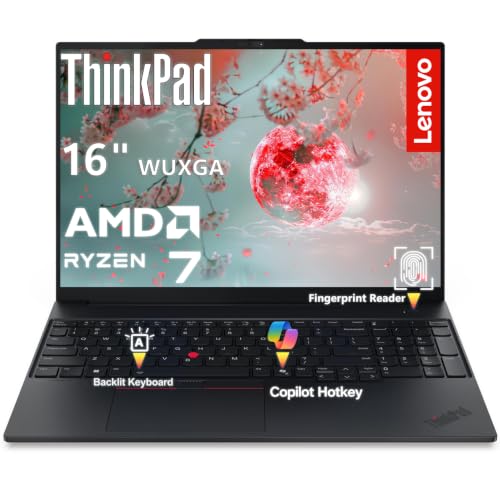
- Ryzen 7 7735HS with 16GB DDR5
- 16-inch WUXGA 16:10 display
- Fingerprint reader, TPM 2.0, and backlit keyboard
Best For: Programm ers wanting a reliable business laptop with a good keyboard
Portable Budget Performer
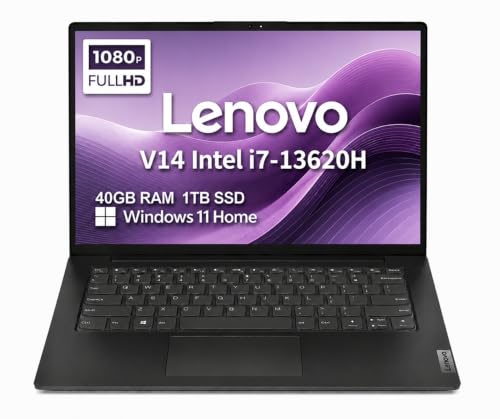
- Core i7-13620H with 40GB RAM
- 1TB SSD and 14-inch FHD anti-glare display
- Lightweight business laptop with MIL-STD-810H durability
Best For: Students and budget buyers who need a portable coding laptop
Flexible 2-in-1
Lenovo IdeaPad 16" Ryzen 7 Touch

- Ryzen 7 8845HS with up to 5.1GHz speeds
- 16" 1920 x 1200 touch display adds vertical space
- 16GB DDR5 RAM, 1TB SSD, and Windows 11 Pro
Best For: Developers and multitaskers who want a touch-enabled 2-in-1
High-Performance Pick

- Core i9-13900H for intensive multitasking
- 32GB RAM and 1TB SSD for speed and storage
- Backlit keyboard, fingerprint reader, and Wi-Fi 6
Best For: Power users and developers who want maximum everyday performance
Performance Pick – HP 255 G10 15.6" Ryzen 7 Business Laptop
If you want a practical laptop for programming that can handle heavy multitasking, the HP 255 G10 is built around an AMD Ryzen 7 7730U, 32GB of RAM, and a 1TB PCIe SSD. That combination makes it a strong fit for running IDEs, browser tabs, local tools, and everyday business apps without feeling cramped.
Best For: Developers who want a roomy, high-memory Windows 11 Pro machine for coding and multitasking.
Pros:
- 32GB RAM and a 1TB PCIe SSD support smooth multitasking and fast boot times.
- Ryzen 7 7730U with 8 cores and 16 threads offers strong everyday performance for coding work.
- 15.6" FHD IPS anti-glare display is practical for long work sessions.
- Windows 11 Pro adds business-focused features like remote desktop and enhanced security.
Cons:
- Integrated Radeon graphics are fine for coding but not aimed at graphics-heavy workloads.
- 250-nit display brightness is modest for very bright environments.
Overall, this is a well-balanced choice if your programming setup values memory, storage, and a reliable business-class feature set over premium display specs or dedicated graphics.
Budget Creator – NIMO 15.6 AI Creator Laptop
The NIMO 15.6 AI Creator Laptop is a sensible pick for laptops for programming when you want solid day-to-day speed without going overboard. Its Ryzen 5 6600H, 16GB of DDR5 memory, and 512GB PCIe SSD are aimed at coding, office multitasking, and other sustained workloads.
Best For: Students, remote workers, and entry-level developers who want a balanced budget-friendly coding laptop.
Pros:
- Ryzen 5 6600H provides 6 cores, 12 threads, and up to 4.5GHz boost performance.
- 16GB DDR5 RAM and 512GB SSD are a strong baseline for programming and multitasking.
- Backlit keyboard is useful for late-night coding and low-light work.
- Dual SO-DIMM slots and M.2 design leave upgrade room for future needs.
Cons:
- Integrated Radeon 660M graphics are suited to light visual work, not demanding graphics tasks.
- Storage starts at 512GB, which may fill up sooner for larger project libraries.
For programming users who want responsive performance, upgrade flexibility, and a backlit keyboard at a practical spec level, this NIMO model checks the important boxes.
Premium Workhorse – Lenovo ThinkBook 16 Gen 8 Core Ultra 7
If you’re comparing laptops for programming and want a larger, more premium business option, the Lenovo ThinkBook 16 Gen 8 stands out with an Intel Core Ultra 7 255H, 32GB of DDR5 memory, and a 1TB SSD. Its 16-inch 16:10 WUXGA display gives you a bit more vertical workspace, which is handy for code, documentation, and split-screen workflows.
Best For: Power users, developers, and professionals who want a fast 16-inch productivity laptop with strong connectivity.
Pros:
- Core Ultra 7 255H and Intel AI Boost NPU support demanding multitasking and AI-assisted workflows.
- 32GB DDR5 RAM and 1TB PCIe NVMe SSD provide plenty of headroom for projects and files.
- 16" WUXGA 16:10 display offers more vertical space for coding and documents.
- Thunderbolt 4, HDMI 2.1, WiFi 6E, and Ethernet add flexible connectivity.
Cons:
- It is a premium configuration, so it may be more machine than casual coders need.
- Integrated graphics are capable for productivity but not meant for heavy gaming or GPU work.
This ThinkBook is best when you want a polished developer laptop with generous memory, modern ports, and a display size that supports serious productivity.
Value Business Choice – Lenovo V15 Gen 4 Ryzen 5
The Lenovo V15 Gen 4 is a straightforward option for laptops for programming if you want dependable basics at a lower spec level. Its Ryzen 5 7430U, 8GB of RAM, and 512GB SSD cover everyday coding, web work, and general productivity, while the 15.6-inch FHD IPS panel keeps the layout comfortable for spreadsheets and split windows.
Best For: Beginners or budget-conscious users who need a reliable everyday coding and office laptop.
Pros:
- Ryzen 5 7430U offers quiet, capable performance for routine multitasking.
- 15.6" FHD IPS anti-glare display with 300 nits is practical for daily work.
- Includes useful business features like a webcam privacy shutter and TPM 2.0 encryption.
- Wide port selection includes USB-A, USB-C, HDMI, audio jack, and ethernet.
Cons:
- 8GB RAM is modest for heavier development setups or many open tools.
- 512GB storage is functional but less spacious than higher-end programming laptops.
This Lenovo makes sense if your programming needs are light to moderate and you want a practical business laptop with solid connectivity and security features.
Workstation-Class Power – Dell Precision 7680
If you want laptops for programming that can also handle heavier creative or engineering work, the Dell Precision 7680 is built like a mobile workstation. Its Core i9-13950HX, 32GB of DDR5 CAMM memory, and 1TB SSD give it the headroom for demanding multitasking, virtual machines, and large project files.
Best For: Developers and technical users who need workstation-level performance, strong expandability, and a 16-inch screen for long coding sessions.
Pros:
- Intel Core i9-13950HX and 32GB DDR5 CAMM support demanding workloads and fast multitasking.
- 16-inch FHD+ anti-glare display and backlit keyboard make it practical for long work sessions.
- Two Thunderbolt 4 ports, USB-C, USB-A, HDMI, and Ethernet offer excellent connectivity.
- Supports up to three external monitors for a productive multi-screen setup.
Cons:
- It is a large 16-inch workstation, so portability is not its main strength.
- Integrated Intel UHD Graphics is fine for efficiency, but not for graphics-heavy gaming or rendering.
This is the most capable option in the group if your programming work regularly stretches beyond ordinary office tasks. For developers who value performance, ports, and a true workstation design, the Precision 7680 is the strongest fit.
Balanced Business Pick – Lenovo ThinkPad E16
For buyers comparing laptops for programming, the Lenovo ThinkPad E16 lands in a practical sweet spot: strong Ryzen 7 performance, a productive 16:10 display, and classic ThinkPad business features. It is designed for multitasking, coding, and day-to-day professional use without stepping into workstation territory.
Best For: Developers and business users who want a reliable 16-inch laptop with solid performance, good security, and a comfortable typing experience.
Pros:
- Ryzen 7 7735HS and 16GB DDR5 provide strong performance for multitasking and development work.
- 16-inch WUXGA 16:10 IPS display gives more vertical workspace for code and documents.
- ThinkPad security features include a fingerprint reader, TPM 2.0, and Windows Hello support.
- Backlit keyboard, Wi-Fi 6E, USB-C, HDMI 2.1, and Ethernet make it well-equipped for work.
Cons:
- 512GB storage is adequate, but smaller than some competing 1TB options.
- Integrated Radeon 680M is capable for productivity, but not meant for serious graphics work.
The ThinkPad E16 is a smart middle-ground choice if you want dependable performance and business-friendly features without paying for a full workstation. It is especially appealing for programmers who care about typing comfort, security, and a larger coding display.
Portable Budget Performer – Lenovo V14 14-inch
If you need laptops for programming on a tighter budget, the Lenovo V14 is a compact 14-inch business model with strong everyday specs. The Intel Core i7-13620H, 40GB of RAM, and 1TB SSD should be plenty for coding, coursework, remote work, and general multitasking.
Best For: Students, home users, and small business buyers who want a lightweight, practical laptop for coding and daily productivity.
Pros:
- Intel Core i7-13620H and 40GB RAM deliver more than enough headroom for everyday programming tasks.
- 1TB SSD provides fast storage and generous space for projects and files.
- 14-inch FHD anti-glare screen and low blue light certification support comfortable daily use.
- Lightweight 3.2-pound design and MIL-STD-810H durability help it suit mobile work.
Cons:
- 14-inch display is less spacious than the 16-inch options for code-heavy workflows.
- Windows 11 Home is less business-focused than the Pro editions on some alternatives.
The V14 is the most portable and budget-friendly of these three, while still offering specs that are strong enough for programming and multitasking. It makes the most sense if you want a straightforward work laptop rather than a premium developer machine.
Balanced Workhorse – Dell Inspiron 15.6" i7 32GB 1TB
For laptops for programming, this Dell Inspiron focuses on the practical basics that matter day to day: a Core i7-1255U, 32GB of RAM, and a 1TB SSD. The 15.6-inch FHD IPS 120Hz display gives you a roomy workspace, while Windows 11 Pro and the numeric keypad make it a straightforward fit for coding, office work, and multitasking.
Best For: Programmers, students, and office users who want a fast everyday laptop with lots of memory and storage.
Pros:
- Intel Core i7-1255U with 10 cores and 12 threads for responsive multitasking
- 32GB RAM and 1TB SSD help keep apps, tabs, and projects moving smoothly
- 15.6″ FHD IPS 120Hz anti-glare display offers a comfortable working view
- Windows 11 Pro, numeric keypad, and multiple USB-A ports suit productivity setups
Cons:
- Wi-Fi 5 is included rather than newer Wi-Fi 6
- 250 nits brightness may be modest in very bright rooms
This Inspiron is a sensible pick if you want strong everyday coding performance without chasing premium extras. Its memory and storage make it especially practical for juggling development tools, browser tabs, and files.
Flexible 2-in-1 – Lenovo IdeaPad 16" Ryzen 7 Touch
If you want laptops for programming with a little more flexibility, this Lenovo IdeaPad 2-in-1 stands out with its 16-inch touch display and Ryzen 7 8845HS processor. The taller 1920 x 1200 panel shows more code and documents at once, and the mix of 16GB DDR5 RAM, 1TB SSD, and Windows 11 Pro keeps it geared toward smooth productivity.
Best For: Developers and multitaskers who like a touch-friendly 2-in-1 design and a taller screen for coding.
Pros:
- Ryzen 7 8845HS offers eight cores, 16 threads, and up to 5.1GHz speeds
- 16″ 1920 x 1200 touch display gives extra vertical space for code and documents
- 16GB LPDDR5 RAM and 1TB SSD support fast, efficient multitasking
- Fingerprint reader, backlit keyboard, and numeric keypad add convenience
Cons:
- 16GB RAM is solid, but less headroom than 32GB systems for heavier workloads
- 2-in-1 features may matter more to some buyers than others
This IdeaPad is a good fit if you value screen space and input flexibility as much as raw specs. It looks particularly practical for coding, web work, and handling multiple windows on the go.
High-Performance Pick – ASUS Vivobook 15 i9 32GB
For laptops for programming that lean toward top-end performance, this ASUS Vivobook 15 is built around an Intel Core i9-13900H, 32GB of RAM, and a 1TB SSD. The 15.6-inch FHD display, backlit keyboard, fingerprint reader, and Wi-Fi 6 round it out as a strong option for demanding multitasking and heavier productivity use.
Best For: Power users and developers who want a fast, well-equipped Windows laptop for demanding workloads.
Pros:
- Intel Core i9-13900H delivers 14-core performance for intensive multitasking
- 32GB RAM and 1TB SSD provide plenty of speed and storage space
- Backlit keyboard, fingerprint reader, and webcam privacy shield add convenience and security
- Wi-Fi 6 and a broad port selection support modern work setups
Cons:
- High-performance parts may be more than casual coding workloads require
- Non-touch 15.6″ FHD display is practical, but not especially specialized
This Vivobook is the most performance-forward option in the group and makes sense if you want extra headroom. It is especially appealing for users who run heavier tools, keep many tasks open, or simply want a no-compromise Windows productivity machine.
How We Picked These Laptops for Programming
We focused on the specs that matter most for development work: processor performance, RAM capacity, SSD speed, display size and sharpness, portability, and business-friendly features like Windows 11 Pro, webcams, and keyboards that are comfortable for long typing sessions. We also looked for machines that can handle common programming workloads such as IDEs, local servers, browser tabs, virtual machines, Docker, and light creative work.
Quick Comparison
If you want a simple rule of thumb, choose 16GB RAM as the minimum for most developers, 32GB if you run multiple tools at once, and 1TB SSD if you store projects, datasets, or VMs locally. Thin-and-light models are better for portability, while H-series and HX-class CPUs are better for heavy compiling and multitasking.
Key Buying Factors for Laptops for Programming
Processor
For everyday coding, modern Intel Core Ultra, Core i7, and AMD Ryzen 5/7 chips are plenty fast. If you build large projects, run emulators, or multitask heavily, look for higher-power CPUs such as Ryzen HS-series, Core i7 H-series, or Core i9 chips.
Memory and Storage
RAM affects how many apps and tabs you can keep open without slowdowns. 16GB is a solid baseline, 32GB is ideal for serious developers, and 40GB is useful for workstation-style multitasking. An SSD is essential, and 1TB gives you more room for toolchains, repositories, and virtual environments.
Display and Keyboard
A 15- to 16-inch FHD or FHD+ screen is a practical sweet spot for coding because it balances workspace and portability. If you’ll spend hours typing, prioritize a comfortable keyboard, good key travel, and features like a backlight. A numeric keypad can also help if you work with data or spreadsheets.
Ports, Webcam, and Platform
Developers often benefit from HDMI, USB-A, USB-C, Wi-Fi 6, and a decent webcam for meetings and remote collaboration. Windows 11 Pro is useful if you need BitLocker, remote desktop, or business management features, though many programming workflows can also adapt to standard Windows setups.
Who Should Buy Which Laptops for Programming?
Choose a slim midrange laptop if you’re a student or casual coder, especially if portability matters more than raw power. Pick a 16GB to 32GB business laptop if you’re a professional developer or power user who wants dependable performance for daily work. Go for a high-end workstation-class model if you compile large codebases, use virtual machines, or run demanding workloads that can fully use stronger CPUs and more memory.
In short, the best Laptops for Programming are the ones that stay fast under pressure, give you enough memory headroom, and make long coding sessions comfortable. Match the spec level to your workflow, and you’ll get far better value than simply choosing the newest processor alone.