
The best audio interface for iPhone makes mobile recording more dependable, whether you are tracking guitar, recording vocals, streaming, or producing a podcast. The right model can improve sound quality while adding useful monitoring and input controls.
These 10 options cover simple plug-and-play guitar interfaces, portable USB-C models, and more capable two-channel interfaces for musicians and creators who want room to grow.
Best 10 Audio Interface for Iphone Picks for 2026
Best for Guitarists
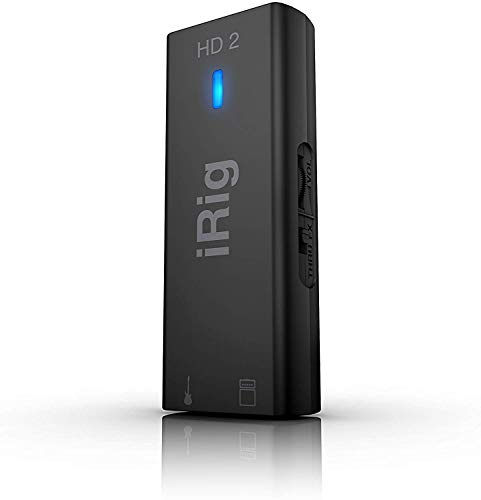
- 24-bit/96 kHz recording
- Amp, headphone, and instrument connections
- Includes Lightning, USB-C, and USB cables
Best For: Portable guitar recording and silent practice
Best Portable Value

- 24-bit/192 kHz audio
- Independent input and output controls
- USB-C charging while streaming
Best For: Mobile recording, instrument practice, and live broadcasting
Best for Two-Input Recording

- Two XLR/TRS combo inputs
- 24-bit/192 kHz recording
- 48V phantom power and direct monitoring
Best For: Home recording with microphones and instruments
Best Budget Guitar Adapter
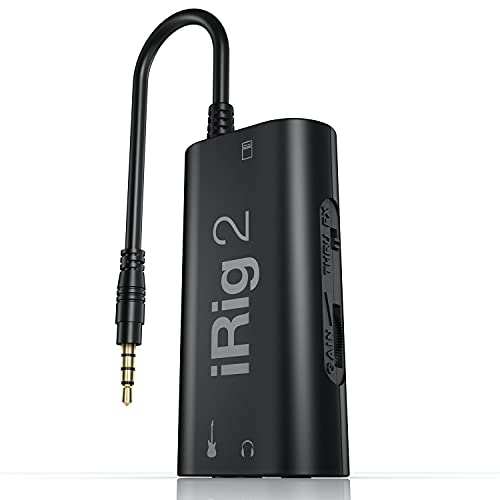
- Compact analog guitar interface
- Headphone and amplifier outputs
- FX/Thru switch for processed or clean signal
Best For: Affordable mobile guitar practice and effects
Flexible 2x2 Pick

- 24-bit/48kHz recording
- Three monitoring modes
- Portable XLR/6.35mm design
Best For: Mobile recording, streaming, and podcasting with iPhone
Guitarist’s Mobile Pick
Synido A20 Portable USB-C Interface

- 24-bit/96kHz instrument recording
- Adaptive gain control
- Phone charging during live streams
Best For: Mobile guitar recording, practice, and instrument streaming
Versatile Studio Pick
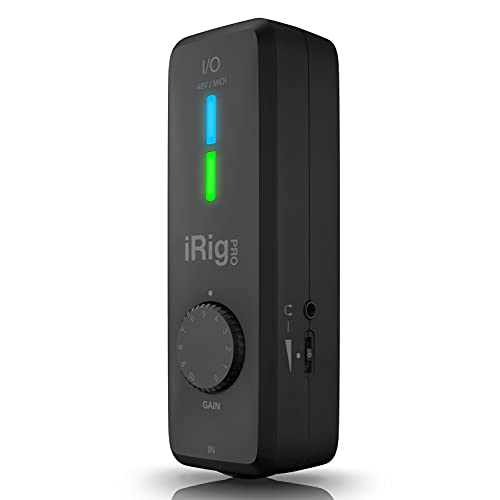
- 24-bit/96 kHz recording
- XLR/Hi-Z input with phantom power
- Lightning, USB-C, USB-A, and MIDI support
Best For: Multi-device recording with instruments, microphones, and MIDI gear
Best Pocket Guitar Option

- Pocket-sized 20 g design
- Zero-latency direct monitoring
- USB-C and Lightning phone support
Best For: Portable dry-guitar recording, practice, and streaming
Best for USB-C Guitar Rigs

- 24-bit/48 kHz guitar recording
- Headphone monitoring and amp output
- Includes USB-C cable and software bundle
Best For: USB-C guitar recording with amp or pedal-rig integration
Best for Guitarists – iRig HD 2
The IK Multimedia iRig HD 2 is a strong audio interface for iPhone users who want to record guitar or bass with high-resolution digital sound. It includes Lightning, USB-C, and USB cables, plus connections for headphones and an amplifier.
Best For: Guitarists and bassists who want a portable interface for practicing, recording, and using AmpliTube or TONEX software.
Pros:
- Supports recording at up to 24-bit/96 kHz.
- Includes instrument-level 1/4-inch input, headphone output, and amp output.
- Works with iPhone, iPad, Mac, and PC and includes multiple connection cables.
- Compact 8-ounce design fits easily in a gig bag or laptop bag.
Cons:
- Its single channel is primarily suited to one instrument at a time.
- The feature set is focused on guitar and instrument recording rather than microphone-heavy setups.
With its high sample rate, direct amplifier connection, and headphone level control, the iRig HD 2 is a practical choice for mobile guitar recording and silent practice.
Best Portable Value – G42 Stereo Audio Interface
This compact stereo audio interface for iPhone combines 24-bit/192 kHz audio with separate input and output controls. Its USB-C charging port also lets you keep a connected phone powered during live streaming or extended recording sessions.
Best For: Mobile creators, musicians, and streamers who need a small interface for instruments, monitoring, and phone-based broadcasting.
Pros:
- Offers 24-bit/192 kHz ADC and DAC performance.
- Provides independent input and output volume controls for monitoring.
- Supports iOS, Android, Windows, macOS, and ChromeOS.
- USB-C charging helps prevent a phone from running out of power during a broadcast.
Cons:
- Its listed frequency response is 20 kHz.
- Connectivity is described as AUX, so buyers should confirm the required cables for their setup.
The G42 emphasizes portability and flexible device compatibility, making it a useful audio interface for iPhone users who record instruments or stream on the go.
Best for Two-Input Recording – PIYONE Q2 2×2 Interface
The PIYONE Q2 is a 2×2 audio interface for iPhone, Mac, and PC recording. Its two XLR/TRS combo inputs, 48V phantom power, direct monitoring, and loopback function give mobile creators more flexibility than a single-instrument adapter.
Best For: Home recordists, singers, podcasters, and musicians who need two inputs for microphones or instruments.
Pros:
- Records at up to 24-bit/192 kHz.
- Two combo inputs accept microphones, line-level sources, and Hi-Z instruments.
- Includes 48V phantom power for compatible condenser microphones.
- Direct monitoring and a 3.5mm headphone jack support low-latency tracking.
Cons:
- At 0.74 kg, it is less pocket-friendly than the smaller interfaces in this roundup.
- The supplied details specifically list Windows under operating-system compatibility, so iPhone users should verify mobile-device requirements before buying.
For buyers who need two simultaneous inputs and more conventional studio connections, the Q2 offers a fuller recording setup in a portable USB-C format.
Best Budget Guitar Adapter – iRig 2
The IK Multimedia iRig 2 is a simple analog guitar audio interface for iPhone and iPad. It offers an instrument input, adjustable gain, headphone monitoring, and a 1/4-inch amplifier output, with adapters available for newer Apple devices.
Best For: Guitarists and bassists who want an affordable, lightweight way to practice with mobile effects apps or connect to an amplifier.
Pros:
- Lightweight plug-and-play design with an adjustable gain dial.
- Includes both headphone and 1/4-inch amplifier outputs.
- FX/Thru switch supports processed monitoring or a clean analog signal path.
- Works with AmpliTube CS and a broad range of listed iPhone and iPad models when used with the appropriate adapter.
Cons:
- Newer iPhones may require a Lightning-to-3.5mm or USB-C-to-3.5mm adapter.
- It uses an analog connection and does not list a digital high-resolution sample-rate specification.
The iRig 2 is a straightforward choice for mobile guitar effects and practice, especially when amplifier connectivity matters more than studio-style digital recording specifications.
Flexible 2×2 Pick – Synido USB-C Audio Interface
If you need an audio interface for iPhone recording, streaming, or podcasting, this compact Synido model offers a straightforward two-channel setup with XLR/6.35mm inputs and USB-C connectivity. Its three monitoring modes and LED level indicators make it easier to manage audio while recording or broadcasting.
Best For: iPhone users who want a portable interface for microphones, instruments, live broadcasts, and basic music production.
Pros:
- Supports 24-bit/48kHz recording with a high-quality independent audio chip.
- Three monitoring modes cover input monitoring, mixed computer audio, and computer-only playback.
- Includes 48V phantom power, XLR/6.35mm connectivity, and visible level indicators.
- Compact 300g design includes a USB-C to USB-A cable and 3.5mm-to-6.35mm adapter.
Cons:
- Maximum sample rate is 48kHz, which is lower than some music-focused interfaces.
- A third-party universal ASIO driver may be useful for improved computer DAW compatibility.
Overall, this is a practical audio interface for iPhone users who value portability, flexible monitoring, and support for both microphones and instruments. It is especially suited to mobile creators who do not need high-resolution recording beyond 48kHz.
Creator Workflow Pick – MAONO P2 Hybrid USB Audio Interface
For creators seeking an audio interface for iPhone and computer use, the MAONO P2 stands out with dual USB connections that can link a computer and phone or iPad at the same time. Its dual XLR inputs, loopback features, and creator-focused controls make it well suited to recording, streaming, and podcast workflows.
Best For: Podcasters, streamers, musicians, and vocal creators who need simultaneous computer-and-phone connectivity.
Pros:
- Dual USB ports support MFi-certified connections to a computer and phone or iPad simultaneously.
- Dual XLR inputs provide up to 56dB of gain and support 24-bit/192kHz recording.
- Loopback and Stream Mode can combine voice, instruments, backing tracks, and desktop audio.
- Independent mute and headphone/monitor controls simplify live recording and streaming.
Cons:
- The broader routing and software features may be more than needed for simple one-microphone recording.
- Its desk-oriented aluminum design is less pocket-friendly than a mini mobile interface.
The MAONO P2 is the most workflow-focused option in this group. Choose it if your iPhone is part of a larger recording or streaming setup and you want more routing control, higher-resolution recording, and dual-device connectivity.
Guitarist’s Mobile Pick – Synido A20 Portable USB-C Interface
This Synido A20 is a compact audio interface for iPhone designed around guitar, instruments, and mobile content creation. Its adaptive gain control, 24-bit/96kHz recording, wireless accompaniment feature, and phone-charging pass-through make it especially useful for practice sessions and mobile live streams.
Best For: Guitarists, instrumentalists, and mobile creators recording performances or streaming directly from an iPhone.
Pros:
- Supports 24-bit/96kHz recording for capturing detailed instrument performances.
- Adaptive gain control helps accommodate guitars, keyboards, bass, electronic drums, and other instruments.
- Built-in wire storage and pocket-sized construction make it convenient for mobile use.
- Can connect a charging cable during phone-based live broadcasts and supports wireless backing tracks.
Cons:
- The supplied notes emphasize instrument recording rather than dual-XLR microphone recording.
- USB-C audio compatibility should be confirmed for the specific phone or camera used.
With its instrument-oriented controls and compact docking-style design, the A20 is a strong fit for musicians who want to record or stream from an iPhone without carrying a larger desktop interface. It also suits creators who want audio embedded directly into compatible video recordings.
Versatile Studio Pick – iRig Pro I/O
The IK Multimedia iRig Pro I/O is a flexible audio interface for iPhone users who want to record guitar, bass, microphones, or MIDI gear. It supports 24-bit/96 kHz recording, includes Lightning, USB-C, and USB-A cables, and works across iOS, macOS, Windows, and Android.
Best For: Musicians and creators who need one compact interface for instruments, microphones, MIDI controllers, and multiple devices.
Pros:
- Supports 24-bit/96 kHz recording.
- Combo XLR/Hi-Z input includes +48V phantom power for condenser microphones.
- Includes MIDI In/Out and cables for Lightning, USB-C, and USB-A connections.
- Direct headphone monitoring helps avoid latency and echo.
Cons:
- Its broad feature set may be more than needed for simple guitar recording.
- Compatibility depends on the audio app and device being used.
Choose this model if flexibility matters more than having the smallest possible setup. Its multiple inputs, MIDI connectivity, and broad cable support make it a strong all-around audio interface for iPhone and other recording devices.
Best Pocket Guitar Option – JOYO MOMIX CAB
The JOYO MOMIX CAB is a pocket-sized audio interface for iPhone guitar recording, practice, and streaming. It connects through USB-C or Lightning, offers direct zero-latency monitoring, and requires no battery, charging, drivers, or software installation.
Best For: Guitarists who want a simple, highly portable interface for recording dry guitar while monitoring phone audio and the direct guitar signal.
Pros:
- Compact 20 g design includes a clip for pockets, belts, or guitar straps.
- Direct monitoring provides zero-latency guitar playback.
- Plug-and-play operation requires no charging or drivers.
- Includes USB-C connectivity and a Lightning adapter for broad phone compatibility.
Cons:
- The dry guitar signal cannot be muted, so it is not designed for real-time software amp-sim or effects processing.
- Maximum sample rate is 48 kHz.
- Third-party USB-C cables may not work, and Android compatibility can vary.
This is a practical choice for mobile guitarists who prioritize convenience and direct monitoring. Before buying, confirm that your phone is compatible and that you are comfortable hearing the unprocessed guitar signal alongside app audio.
Best for USB-C Guitar Rigs – iRig USB
The IK Multimedia iRig USB is a focused audio interface for guitarists using USB-C devices, including newer iPhones, iPads, Macs, and PCs. It records at 24-bit/48 kHz and adds headphone monitoring plus an amp output with selectable processed or direct signal routing.
Best For: Guitarists with USB-C devices who want to connect recording apps, headphones, an amplifier, or a pedal rig.
Pros:
- Captures guitar at 24-bit/48 kHz resolution.
- Offers direct monitoring for silent practice.
- Dedicated amp output supports FX processed or THRU direct settings.
- Includes a USB-C cable and bundled recording software and plug-ins.
Cons:
- It requires USB-C; the supplied notes state it will not work properly with a Lightning cable.
- It is designed around a 1/4-inch instrument input rather than XLR microphones or MIDI gear.
- Maximum sample rate is 48 kHz.
For a USB-C iPhone or iPad guitar setup, this interface offers useful routing flexibility without unnecessary complexity. It is less suitable if you need microphone recording, MIDI connectivity, or Lightning-only compatibility.
How We Picked the Best Audio Interface for Iphone
We focused on compatibility, connection options, recording specifications, input flexibility, monitoring, portability, and practical ease of use. The selection includes interfaces with Lightning and USB-C support, as well as models suited to guitarists, vocalists, podcasters, streamers, and home-recording setups.
Specifications such as 24-bit recording and sample rates up to 192 kHz can indicate technical capability, but they are not the only measures of performance. Reliable iPhone connectivity, suitable inputs, low-latency monitoring, and a convenient design often matter more in everyday use.
Quick Comparison
- Best for guitarists: Compact iRig, JOYO, and Synido-style interfaces with instrument inputs and simple monitoring.
- Best for mobile flexibility: Interfaces supplied with both USB-C and Lightning cables.
- Best for vocals and instruments: 2×2 interfaces with XLR/TRS combo inputs and gain controls.
- Best for podcasting or streaming: Models offering dual XLR inputs, direct monitoring, and straightforward phone connectivity.
- Best for high-resolution recording: Interfaces supporting 24-bit audio and sample rates of 96 or 192 kHz.
Key Buying Factors for an Audio Interface for Iphone
Connector and IPhone Compatibility
Check whether your iPhone uses a Lightning or USB-C port, then confirm that the interface includes the required cable or adapter. A USB-C model may also connect directly to newer iPads, Macs, and PCs, making it more useful beyond the phone.
Inputs and Intended Use
A dedicated instrument input is usually enough for electric guitar or bass. Choose an XLR input for microphones, and consider a 2×2 interface if you need to record two sources at once. Combo inputs offer flexibility for microphones, instruments, and line-level equipment.
Monitoring and Power
Direct monitoring can help you hear your performance without distracting delay. Also check for a headphone output, monitor control, phantom power for condenser microphones, and whether the interface draws power from the phone or needs external power. Power demands can affect battery life and accessory compatibility.
Portability and Controls
Small guitar adapters are convenient for practice and quick demos, while larger interfaces generally provide better control and expandability. Look for clearly labeled gain, volume, and mix controls if you plan to record regularly.
Who Should Buy Which Audio Interface for Iphone?
Choose a compact guitar interface if you mainly want to practice, record riffs, or use amp-simulation apps. Choose a 2×2 interface if you record vocals and instruments or want stereo inputs for more involved projects. Choose a dual-XLR model for interviews, co-hosted podcasts, or two-microphone streaming. Choose a high-resolution USB-C interface if you also work with an iPad, Mac, or PC and want one device for mobile and desktop recording.
Before buying, verify app compatibility, cable requirements, phantom-power support, and the microphone or instrument connections you already own. Matching those details to your workflow is more important than choosing the interface with the highest advertised sample rate.