
Finding dependable WiFi adapters for Linux can be harder than choosing a Windows-only dongle. Driver support, kernel compatibility, chipset behavior, and wireless standards all affect whether an adapter works smoothly.
We selected 10 options spanning compact nano adapters, affordable dual-band models, high-speed WiFi 6 and 6E devices, and Linux-focused products for Ubuntu, Mint, Kali, Raspberry Pi OS, and other distributions.
Best 10 Wifi Adapters for Linux Picks for 2026
Best Linux WiFi 6E Upgrade

- Linux plug-and-play with kernel 5.18+
- Tri-band WiFi 6E with 6 GHz support
- Dual antennas and USB 3.0
Best For: Newer Linux systems needing high-speed 6E connectivity
Best High-Gain Windows Alternative

- Dual-band AC600 wireless performance
- Adjustable 5 dBi high-gain antenna
- Supplied compatibility focuses on Windows
Best For: Windows PCs needing flexible antenna positioning
Best Plug-and-Play AC1200 Pick
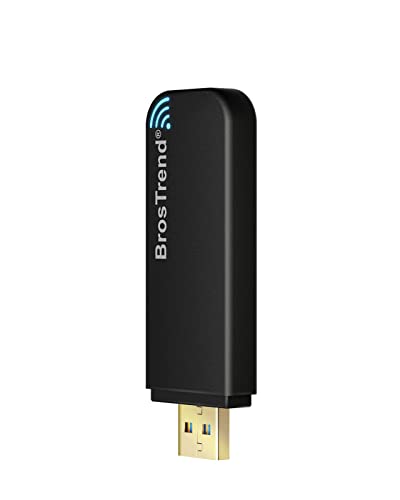
- Built-in Linux support on kernel 6.2+
- Up to 867 Mbps on 5 GHz
- Supports PCs, Raspberry Pi, and more
Best For: Modern Linux systems needing reliable dual-band WiFi
Best Compact Legacy-Kernel Option
TP-Link TL-WN725N Nano Adapter

- Nano-size design for unobtrusive use
- Supports listed Linux kernels 2.6.18–4.4.3
- 2.4 GHz Wireless N up to 150 Mbps
Best For: Older Linux systems needing basic 2.4 GHz WiFi
Best Plug-and-Play Pick

- Built-in driver support for Linux kernel 6.2+
- Broad distribution and Raspberry Pi compatibility
- Dual-band WiFi with adjustable 5 dBi antenna
Best For: Affordable, broad-compatibility Linux wireless upgrades
Best WiFi 6E Option

- Tri-band support includes the 6 GHz WiFi 6E band
- Dual adjustable antennas for positioning flexibility
- USB 3.0 with WPA3 support
Best For: Linux users with compatible WiFi 6E routers
Best High-Speed Pick

- Up to 1,201 Mbps on 5 GHz and 574 Mbps on 2.4 GHz
- Two antennas plus a 3.3-foot USB 3.0 extension cable
- Broad Debian-based OS support with WPA3
Best For: Supported Debian-based systems needing faster WiFi 6 performance
Best Linux Plug-and-Play Pick

- Native Linux support for kernel 4.2 and newer
- Compatible with Tails, Raspberry Pi, Windows, and Android OTG
- 2.4 GHz performance up to 150 Mbps
Best For: Simple Linux and Tails connectivity
Best Dual-Band Linux Upgrade
BrosTrend AX900 Mini WiFi 6 Adapter

- Wi-Fi 6 speeds up to 600 Mbps on 5 GHz
- Supports many Debian-based Linux distributions and Raspberry Pi OS
- Compact design with beamforming and MU-MIMO
Best For: Supported Debian-based Linux systems
Best Budget Dual-Band Option
BUBUCAM AC600 USB WiFi Adapter

- Dual-band AC600 connectivity with 433 Mbps on 5 GHz
- Supports Linux, Windows, and macOS 10.9–10.13
- Includes antenna and soft AP hotspot functionality
Best For: Affordable dual-band everyday use
Best Linux WiFi 6E Upgrade – BrosTrend AXE3000 AX9L
For shoppers seeking wifi adapters for linux with modern wireless performance, the BrosTrend AXE3000 AX9L is a strong option when the computer runs Linux kernel 5.18 or newer. It adds tri-band WiFi 6E, dual adjustable antennas, and USB 3.0 connectivity, with support for both traditional PCs and several ARM-based devices.
Best For: Linux users with newer kernels who want 6 GHz access, high throughput, and AP mode support.
Pros:
- Plug-and-play support across Linux distributions with kernel 5.18 or newer.
- Tri-band speeds of up to 1201 Mbps on 6 GHz and 5 GHz, plus 574 Mbps on 2.4 GHz.
- Dual adjustable antennas and Beamforming are designed to improve coverage.
- Supports x86 systems, Raspberry Pi 2+, Odroid devices, and Linux AP mode.
Cons:
- Linux systems with kernels older than 5.18 are not supported.
- 6 GHz availability depends on the Linux distribution or Windows 11.
- Requires a USB 3.0 port for optimal performance.
This is the most forward-looking choice in the group, but its kernel requirement makes compatibility checking essential. If your Linux installation qualifies, the 6 GHz band and AXE3000-class performance provide substantial headroom for demanding transfers and remote work.
Best High-Gain Windows Alternative – TP-Link AC600 Archer T2U Plus
The TP-Link Archer T2U Plus is a practical dual-band USB adapter for shoppers comparing wifi adapters for linux, but its supplied compatibility information lists Windows and macOS rather than Linux. Its standout feature is the adjustable 5 dBi high-gain antenna, which can help users position the adapter toward a router for improved reception.
Best For: Windows users who need an affordable dual-band adapter with a directional, adjustable antenna.
Pros:
- Dual-band connectivity with up to 433 Mbps on 5 GHz and 200 Mbps on 2.4 GHz.
- Adjustable 5 dBi antenna can be rotated toward the router.
- Supports Windows 11, 10, 8.1, 8, 7, and XP.
- Compact USB design with a two-year manufacturer warranty.
Cons:
- The supplied notes do not list Linux compatibility.
- Requires driver installation from TP-Link.
- Real-world performance varies with distance, walls, and other conditions.
Although it is not the safest pick for a Linux-focused roundup, the Archer T2U Plus makes sense for Windows machines where antenna positioning and dual-band access matter more than cutting-edge WiFi standards. Linux buyers should verify current driver support before purchasing.
Best Plug-and-Play AC1200 Pick – BrosTrend AC1200 AC1L
The BrosTrend AC1200 AC1L is one of the more straightforward wifi adapters for linux when the system uses kernel 6.2 or newer. It provides dual-band connectivity through USB 3.0, supports common Linux distributions and Raspberry Pi-class hardware, and offers a manual installer for certain Debian-based systems using older kernels.
Best For: Linux desktop, laptop, and compatible ARM-device users seeking plug-and-play AC1200 connectivity.
Pros:
- Works out of the box on Linux distributions running kernel 6.2 or newer.
- Supports Ubuntu, Mint, Debian, Raspberry Pi OS, Kali, Fedora, Arch, Manjaro, and more.
- Offers up to 867 Mbps on 5 GHz and 300 Mbps on 2.4 GHz.
- USB 3.0, dual internal antennas, and independent power amplifiers support stable 5 GHz connections.
Cons:
- Plug-and-play support requires Linux kernel 6.2 or newer.
- Older-kernel support is limited to a manual installer for Debian-based distributions.
- Bluetooth is not supported.
This adapter balances broad Linux coverage with useful AC1200 speeds and is a sensible middle ground for streaming, browsing, and everyday work. Check the kernel requirement first, especially on older distributions or embedded installations.
Best Compact Legacy-Kernel Option – TP-Link TL-WN725N Nano Adapter
The TP-Link TL-WN725N is a tiny, budget-oriented choice among wifi adapters for linux, particularly for older Linux installations listed with kernel versions 2.6.18 through 4.4.3. It is limited to 2.4 GHz and Wireless N speeds, but its nano-size design is convenient for desktops and other setups where a nearly hidden adapter is preferred.
Best For: Users with compatible legacy Linux kernels who need a basic, unobtrusive 2.4 GHz connection.
Pros:
- Nano-size USB design can remain plugged in without protruding much.
- Supports speeds up to 150 Mbps on the 2.4 GHz band.
- Listed Linux kernel compatibility includes versions 2.6.18 through 4.4.3.
- Includes two-year support and wireless security options such as WPA/WPA2.
Cons:
- 2.4 GHz only; it does not support 5 GHz.
- Driver installation may be required.
- Its 150 Mbps Wireless N performance is behind newer dual-band adapters.
This is best treated as a simple compatibility-focused adapter rather than a high-performance upgrade. It can suit older Linux systems and basic internet access, but users with modern routers or demanding workloads should choose a newer dual-band model.
Best Plug-and-Play Pick – AC650 Linux WiFi Adapter
The BrosTrend AC650 is a practical choice among wifi adapters for linux, especially if you want broad distribution support and simple setup. Linux kernels 6.2 and newer can use the built-in driver, while a manual installer is available for certain older Debian-based systems.
Best For: Linux users who want an affordable dual-band adapter with an external antenna and broad compatibility.
Pros:
- Plug-and-play support on Linux distributions using kernel 6.2 or newer.
- Works with Ubuntu, Mint, Debian, Raspberry Pi OS, Kali, Fedora, Arch, Manjaro, and more.
- Dual-band AC650 connectivity with speeds up to 433 Mbps on 5 GHz and 200 Mbps on 2.4 GHz.
- Adjustable 5 dBi external antenna helps improve signal stability.
Cons:
- Older Linux kernels may require manual driver installation.
- Uses a USB 2.0 interface, so it is not the fastest option for high-throughput setups.
Choose this model when compatibility and straightforward everyday connectivity matter more than maximum WiFi speed. Its antenna and dual-band support also make it a flexible upgrade for desktops, laptops, and supported Raspberry Pi systems.
Best WiFi 6E Option – Panda PAU0F AXE3000 Adapter
The Panda Wireless PAU0F stands out among wifi adapters for linux by adding tri-band WiFi 6E support, including the dedicated 6 GHz band. It is designed for Linux and Windows 11 systems and pairs well with a WiFi 6E router when low latency and high throughput are priorities.
Best For: Linux users with a WiFi 6E router who want access to the 6 GHz band and adjustable antennas.
Pros:
- Supports 2.4 GHz, 5 GHz, and 6 GHz WiFi 6E connections.
- Dual adjustable antennas help with signal positioning and range.
- Supports WEP, WPA, WPA2, and WPA3 security standards.
- USB 3.0 interface and compatibility with listed Linux distributions, Raspberry Pi, and other devices.
Cons:
- The 6 GHz band requires a compatible WiFi 6E router.
- Windows 11 is supported, but Windows 10 is not listed as compatible.
- Virtual-machine guest OS use may require contacting Panda Wireless for more information.
This adapter is the most forward-looking choice in the group if your network already supports WiFi 6E. For older routers or users focused on simple installation, its extra 6 GHz capability may be unnecessary.
Best High-Speed Pick – AX1800 Linux WiFi 6 Adapter
The BrosTrend AX1800 is built for users who want higher performance from wifi adapters for linux. It supports up to 1,201 Mbps on 5 GHz and 574 Mbps on 2.4 GHz, but setup requires installing the Linux driver before plugging in the adapter and checking distribution compatibility carefully.
Best For: Debian-based Linux users who need faster dual-band performance for streaming, gaming, and large downloads.
Pros:
- WiFi 6 dual-band speeds up to 1,800 Mbps combined.
- Supports many Debian-based systems, including Ubuntu, Debian, Mint, Zorin, MX Linux, and Raspberry Pi OS.
- Two external high-gain antennas and a 3.3-foot USB 3.0 extension cable help with positioning.
- Supports WPA3 encryption and beamforming technology.
Cons:
- Requires an internet connection and driver installation before initial Linux setup.
- Not currently compatible with Arch, Fedora Workstation, Kali, Manjaro, openSUSE Leap, and several other listed distributions.
- Performance depends on using a compatible WiFi 6 router and supported system.
This is the strongest performance-oriented option here, provided your distribution is supported and you are comfortable following the installation steps. Confirm compatibility before buying, particularly if you use a non-Debian-based Linux distribution.
Best Linux Plug-and-Play Pick – MT7601U USB WiFi Adapter
If you want one of the simpler wifi adapters for Linux, this 2.4 GHz USB dongle is designed around the MediaTek MT7601U chipset and supports native drivers in Linux kernels 4.2 and newer. It also supports Tails, Windows, older macOS versions, Android devices through OTG, and Raspberry Pi boards.
Best For: Linux users who prioritize straightforward setup, Tails compatibility, and dependable everyday 2.4 GHz connectivity.
Pros:
- Native Linux driver support for kernels 4.2 and newer
- Compatible with Ubuntu, Debian, Fedora, Mint, Arch, and other Linux distributions
- Supports Tails OS, Android via OTG, Raspberry Pi, Windows, and older macOS versions
- Includes an antenna and supports up to 150 Mbps on 2.4 GHz networks
Cons:
- Limited to 2.4 GHz Wi-Fi and up to 150 Mbps
- Older macOS versions may require drivers
- Uses USB 2.0 rather than a faster USB interface
This adapter is a practical choice for Linux desktops and privacy-focused Tails setups. Its broad compatibility and antenna make it convenient, though users needing dual-band performance should consider another option.
Best Dual-Band Linux Upgrade – BrosTrend AX900 Mini WiFi 6 Adapter
For users wanting faster wifi adapters for Linux, the BrosTrend AX900 adds dual-band Wi-Fi 6 support in a compact USB design. It reaches up to 600 Mbps on 5 GHz and 286 Mbps on 2.4 GHz, with support for a broad range of Debian-based distributions and kernels up to 7.0.
Best For: Debian-based Linux users who want compact Wi-Fi 6 performance for browsing, video calls, coding, and mobile setups.
Pros:
- Dual-band Wi-Fi 6 with up to 600 Mbps on 5 GHz and 286 Mbps on 2.4 GHz
- Supports many Debian-based distributions, Raspberry Pi OS, and kernels up to 7.0
- Compact 1.4 × 0.7 × 0.3-inch design helps avoid blocking nearby ports
- Includes MU-MIMO, BSS Color, 1024-QAM, and beamforming support
Cons:
- Not currently compatible with Arch, Fedora Workstation, Kali, Tails, and several other listed distributions
- Internet access is required during driver installation
- Uses USB 2.0, although it is backward compatible with USB 3.0 ports
This is the stronger performance pick when your distribution is supported. Check the compatibility list carefully before buying, since its Linux support is broad but not universal.
Best Budget Dual-Band Option – BUBUCAM AC600 USB WiFi Adapter
This BUBUCAM AC600 is a straightforward choice among wifi adapters for Linux when you want both 2.4 GHz and 5 GHz connectivity. It supports up to 433 Mbps on 5 GHz and 150 Mbps on 2.4 GHz, plus soft AP functionality for using the adapter as a hotspot.
Best For: Linux, Mac, and Windows users seeking an affordable dual-band adapter for streaming, gaming, and everyday wireless access.
Pros:
- Dual-band 802.11ac support with up to 433 Mbps on 5 GHz
- 2.4 GHz mode supports up to 150 Mbps for routine browsing
- Compatible with Linux, Windows versions from XP through 11, and macOS 10.9–10.13
- Includes an antenna and supports soft AP hotspot functionality
Cons:
- Listed macOS compatibility only reaches version 10.13
- Linux distribution and kernel support details are not specified
- Uses older 802.11ac technology rather than Wi-Fi 6
The BUBUCAM offers useful dual-band flexibility and broad platform support, but its unspecified Linux details make it wise to verify compatibility with your particular distribution before purchasing.
How We Picked the Best Wifi Adapters for Linux
We focused on adapters with clear Linux compatibility claims, useful documentation, practical wireless speeds, and support for common distributions or kernel versions. We also considered whether each model suits desktop PCs, laptops, Raspberry Pi systems, privacy-focused distributions, or long-range connections.
Because Linux support can depend on the chipset, kernel, firmware, and distribution, compatibility claims should be treated as a starting point rather than a guarantee. Before buying, check the manufacturer’s current driver notes and community reports for your exact setup.
Quick Comparison
| Type | Best For | What to Look For |
|---|---|---|
| Compact nano adapter | Travel, laptops, basic browsing | Small size and stable 2.4GHz or dual-band support |
| Dual-band WiFi 5 | Affordable everyday use | 5GHz support and dependable Linux drivers |
| WiFi 6 or 6E | Fast networks and busy homes | Kernel support, chipset compatibility, and USB 3.0 |
| Long-range adapter | Weak-signal areas and desktops | External antennas, placement flexibility, and cable length |
Key Buying Factors for Wifi Adapters for Linux
Chipset and Driver Support
The chipset matters more than the advertised speed. Some adapters work immediately with newer kernels, while others require third-party drivers or manual installation. Prioritize models that identify supported Linux distributions and kernel versions clearly.
Wireless Standard and Frequency Bands
Dual-band adapters can use less congested 5GHz networks as well as widely compatible 2.4GHz networks. WiFi 6 can improve performance on busy networks, while WiFi 6E adds the 6GHz band—but only when your router, region, kernel, and drivers support it.
USB Connection and Antenna Design
USB 3.0 is preferable for higher-throughput adapters, although placement near noisy USB devices can affect 2.4GHz performance. A small nano adapter is convenient, while an external antenna or extension cable can provide better reception for a desktop.
Distribution and Kernel Compatibility
Ubuntu-based systems, Mint, Kali, Raspberry Pi OS, Tails, and rolling distributions may handle the same adapter differently. Confirm support for your distribution and kernel before purchase, especially if you need plug-and-play installation.
Who Should Buy Which Wifi Adapters for Linux?
Choose a nano adapter if portability, low cost, and basic connectivity matter most. An affordable dual-band WiFi 5 model is a sensible choice for general browsing, streaming, and office work. Choose a WiFi 6 or AX1800 adapter for newer routers, multiple users, and faster local transfers, provided its Linux support matches your kernel.
For compatible 6GHz networks, a WiFi 6E adapter offers the most forward-looking option, but it is not automatically the best value. Desktop users dealing with weak signals should favor an adapter with external antennas or a flexible USB cable. Raspberry Pi and specialized Linux users should prioritize explicitly listed board and distribution support over headline speed.