
The best powered KVM extenders let you control a computer from a remote workstation while sending video, keyboard, mouse, and other USB signals over standard Cat5e or better cabling. They are useful for offices, control rooms, classrooms, studios, and industrial installations where the computer needs to stay elsewhere.
This roundup compares 10 options across 4K and 1080p resolutions, USB features, transmission distances, connector types, and installation requirements. Use the buying guide below to narrow the list based on your display, cable run, peripherals, and budget.
Best 10 Powered Kvm Extenders Picks for 2026
Best Balanced 4K KVM
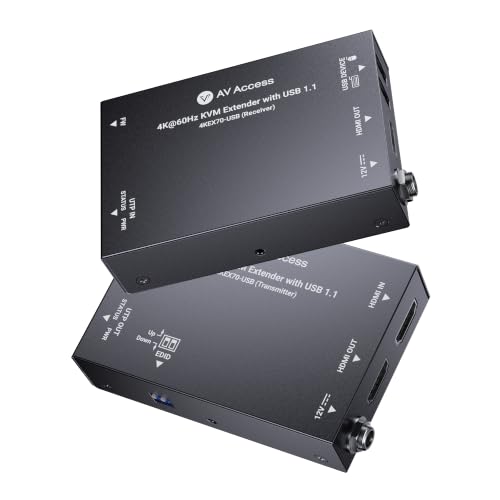
AV Access 4K HDMI & USB Extender

- 4K@30Hz video up to 230 feet
- USB keyboard-and-mouse extension
- Bi-directional PoC and HDMI loop-out
Best For: Workstations, control rooms, and professional AV installations
Best Long-Range VGA KVM

- Extends VGA and USB up to 500 feet
- Dual local and remote consoles
- Includes power adapters and rack kit
Best For: Legacy VGA server rooms and long-distance console access
Best 4K60 HDMI Value
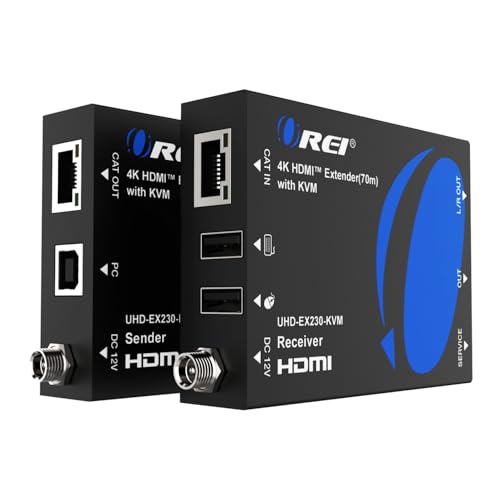
- 4K@60Hz transmission up to 230 feet
- HDR, Dolby Vision, and HDCP 2.2 support
- HDMI loop-out and receiver audio output
Best For: Gaming, home theater, and 4K presentation systems
Best Feature-Rich 4K60 KVM
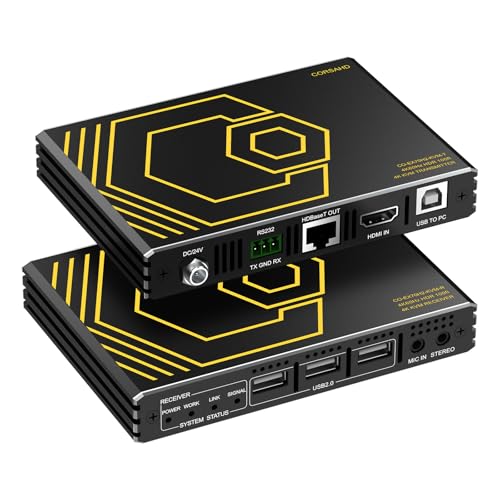
- Uncompressed 4K@60Hz up to 300 feet
- Three USB 2.0 ports plus RS232
- PoE, EDID, CEC, HDR, and multichannel audio
Best For: Interactive displays, gaming, and advanced remote PC control
Best 8K Performance
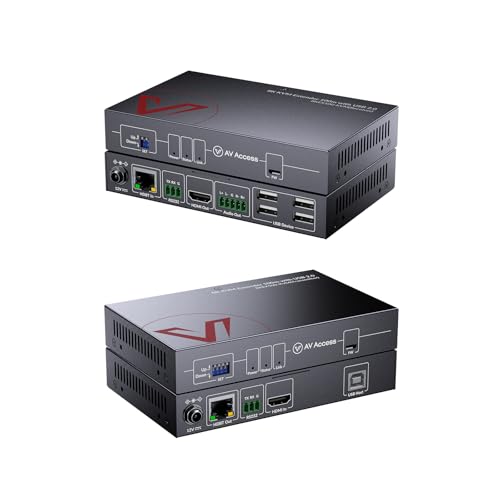
- 8K@60Hz and 4K@120Hz video
- Four-port USB 2.0 remote KVM
- 328-foot range with one-way PoC
Best For: High-resolution gaming, broadcasting, and control-room systems
Best Long-Range Value

- 394-foot transmission distance
- HDMI loop-out for two displays
- Plug-and-play 1080p extension
Best For: Long-distance conference rooms, classrooms, and surveillance setups
Best 4K Workstation Control

- 4K@60Hz extension up to 330 feet
- Four USB ports for remote peripherals
- RS232, audio, EDID, and PoH support
Best For: Remote offices, server rooms, CCTV, and industrial control
Best Budget 1080p Pick
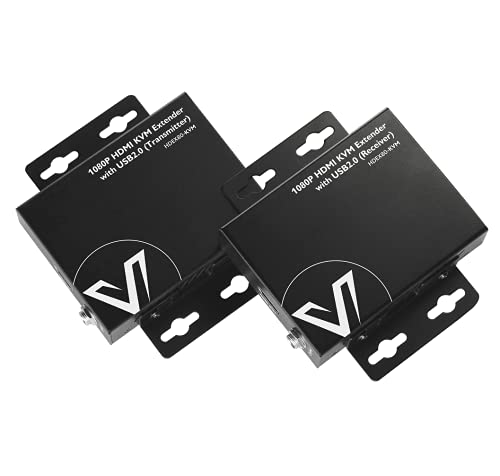
- 1080p at 60Hz up to 260 feet
- USB 2.0 extension with two ports
- Two-way PoE and sturdy metal housing
Best For: Remote 1080p computer, NVR, or DVR control
Best 4K60 Installation Pick
- 4K60 video with 4:4:4 color
- 230-foot extension over Cat6
- PoC plus multichannel audio support
Best For: Professional 4K AV and presentation installations
Best Feature-Rich 4K Pick

- Uncompressed 4K60 up to 100 meters
- USB 2.0, RS-232, audio, and power support
- 48V PoC with locking power connection
Best For: Demanding professional AV and control systems
Best Balanced 4K KVM – AV Access 4K HDMI & USB Extender
For buyers comparing powered kvm extenders for a workstation, control room, or office, this AV Access model combines 4K video, USB keyboard-and-mouse control, and flexible power delivery over a single Cat6/6A/7 connection.
Best For: Mission-critical workstations and professional AV or IT setups needing local monitoring and straightforward installation.
Pros:
- Extends 4K@30Hz video and USB control up to 230 feet.
- HDMI loop-out supports a local display alongside the remote screen.
- Bi-directional PoC can power both units from an adapter on either side.
- Supports multichannel formats including Dolby Atmos and DTS:X.
Cons:
- Video output is limited to 4K@30Hz rather than 4K@60Hz.
- USB extension is specified as USB 1.1.
Its EDID management, plug-and-play design, and broad operating-system compatibility make it a practical all-around choice when stable remote control matters more than higher 4K refresh rates.
Best Long-Range VGA KVM – ATEN CE700A Console Extender
If your setup still uses VGA, the ATEN CE700A is one of the powered kvm extenders built for long-distance console access, carrying USB keyboard, mouse, and monitor control up to 500 feet over CAT5.
Best For: Legacy VGA systems, server rooms, and installations that need both local and remote console operation.
Pros:
- Supports remote access up to 150 meters or 500 feet.
- Dual-console operation allows control from local and remote stations.
- Includes two power adapters, KVM cables, and a rack-mount kit.
- Built-in ESD and surge protection helps protect connected equipment.
Cons:
- Uses VGA video rather than HDMI.
- Maximum listed resolution is up to 1920 x 1200.
- Its USB KVM design is intended for keyboard and mouse control rather than newer high-speed USB peripherals.
Choose this model when compatibility with existing VGA infrastructure and long cable runs are the priorities; newer HDMI displays will require a separate conversion solution.
Best 4K60 HDMI Value – OREI 4K KVM Ethernet Extender
The OREI EX-230PRO-KVM is a strong option among powered kvm extenders for buyers who want 4K@60Hz video, HDR compatibility, and remote USB control over a Cat6/7 cable run up to 230 feet.
Best For: Home theaters, gaming setups, presentation systems, and workstations requiring smooth 4K video with a remote keyboard and mouse.
Pros:
- Supports 4K@60Hz over up to 230 feet.
- Works with HDR, HDR10+, Dolby Vision, and HLG formats.
- HDMI loop-out enables local monitoring while extending to a remote display.
- Includes EDID pass-through and a 3.5mm stereo audio output at the receiver.
Cons:
- USB KVM extension is specified as USB 1.1.
- The package includes one power adapter, so installation may require planning around power placement.
Its combination of 4K60 support, extensive HDR compatibility, and analog audio extraction makes it a versatile pick when smoother video is more important than additional USB connectivity.
Best Feature-Rich 4K60 KVM – CORSAHD HDMI KVM Extender
For demanding powered kvm extenders installations, this CORSAHD model adds uncompressed 4K@60Hz video, HDR, USB 2.0 expansion, RS232, EDID management, and audio support over a Cat6a run up to 300 feet.
Best For: Interactive displays, remote PC operation, gaming, and installations needing USB peripherals and serial control at the receiver.
Pros:
- Extends uncompressed 4K@60Hz video up to 300 feet over Cat6a.
- Provides three USB 2.0 ports for remote peripherals.
- Includes bidirectional PoE, RS232, EDID management, and CEC pass-through.
- Supports HDR and multichannel formats including Dolby TrueHD and DTS:X.
Cons:
- The supplied notes do not specify a detailed warranty length beyond “1.”
- Performance depends on suitable Cat6a cabling for the stated 300-foot distance.
This is the most connectivity-focused option in the group, making it a good fit for installations that need more than basic keyboard-and-mouse extension and can take advantage of its USB, serial, and control features.
Best 8K Performance – 8K HDBaseT KVM Extender
For demanding powered kvm extenders installations, the AV Access 8KEX100-KVM combines HDMI 2.1 video with remote USB control over Cat6/7 cable. It supports 8K at 60Hz, 4K at 120Hz, and transmission up to 328 feet, making it suited to latency-sensitive professional setups.
Best For: Gaming, broadcasting, live editing, control rooms, and other installations that need high-resolution video with responsive remote KVM control.
Pros:
- Supports 8K@60Hz and 4K@120Hz with 40Gbps bandwidth and zero-latency performance.
- Provides a four-port USB 2.0 hub for keyboard, mouse, touchscreen, camera, and other peripherals.
- Includes EDID and HDCP 2.3 management, RS-232 pass-through, and balanced audio extraction.
- One-way PoC powers both units from the receiver side for simpler cabling.
Cons:
- Its advanced 8K capabilities may be more than needed for basic 1080p installations.
- USB connectivity is limited to USB 2.0 speeds.
This is the strongest choice of the three for maximum resolution and real-time performance. Its 100-meter range, system-management controls, and receiver-side power design also fit continuous-use professional environments.
Best Long-Range Value – 1080p HDMI KVM Extender
This powered kvm extender sends 1080p HDMI video and USB data up to 394 feet over Cat5e/6/7 cable. It is a practical option for remote keyboard-and-mouse control, especially where a loop-out connection is useful for showing the same content on two displays.
Best For: Conference rooms, classrooms, surveillance systems, IT management, and other indoor setups requiring affordable long-distance 1080p extension.
Pros:
- Extends HDMI and USB signals up to 394 feet, or 120 meters.
- Loop-out HDMI supports separate transmitter and receiver display connections.
- Plug-and-play operation requires no additional software or drivers.
- Supports broad compatibility with laptops, monitors, keyboards, mice, and other USB devices.
Cons:
- Video output is limited to 1080p rather than 4K or 8K.
- Both the transmitter and receiver require separate power supplies.
- The network cable must comply with IEEE-568B wiring.
Choose this model when distance and straightforward installation matter more than ultra-high resolution. Its loop-out feature adds useful flexibility for rooms that need the source displayed locally and remotely.
Best 4K Workstation Control – 4K USB 2.0 KVM Extender
The AV Access 4KEX100-KVM is a powered kvm extender for remotely operating a computer up to 330 feet away. It combines 4K video extension with four USB device ports, RS232, audio pass-through, EDID controls, and one-way PoH for a cleaner professional installation.
Best For: Server rooms, offices, CCTV systems, industrial control, and remote workstations that need 4K video and multiple connected peripherals.
Pros:
- Transmits 4K@60Hz 4:2:0 or 1080p@120Hz over a single Cat6/6a/7 cable up to 330 feet.
- Four USB 2.0 ports support keyboards, mice, storage, cameras, touchscreens, and printers.
- Includes bidirectional RS232, analog stereo audio pass-through, and independent EDID control.
- One-way PoH powers both units and reduces installation cable clutter.
Cons:
- 4K support is specified at 4:2:0 rather than full 4:4:4 color sampling.
- USB performance is capped at 480Mbps through USB 2.0.
This model offers a well-rounded balance of 4K video, remote peripheral access, and AV integration features. It is a particularly practical fit for professional workstations where reliable long-distance control is more important than 8K output.
Best Budget 1080p Pick – Compact HDMI KVM Extender
For buyers who need practical powered kvm extenders without paying for 4K, this AV Access model sends 1080p video and USB control up to 260 feet over one Cat5e or better cable. Its plug-and-play setup, two-way PoE, and metal housing suit remote computer, NVR, and DVR operation.
Best For: Remote keyboard-and-mouse control of 1080p computers, NVRs, and DVRs across long cable runs.
Pros:
- Extends 1080p at 60Hz and USB signals up to 260 feet.
- Two USB 2.0 ports support speeds up to 480Mbps.
- Two-way PoE can power both ends from one adapter.
- Compact metal casing helps with durability, cooling, and interference reduction.
Cons:
- Video support is limited to 1080p rather than 4K.
- Requires a compatible Cat5e/6/6a/7 cable run.
This is a sensible value choice when reliable Full HD extension matters more than ultra-high-resolution video. Broad operating-system compatibility and built-in surge and ESD protection add practical appeal for everyday installations.
Best 4K60 Installation Pick – HDMI and USB KVM Extender
This powered kvm extender is designed for modern 4K environments, carrying 4K video at 60Hz plus USB keyboard-and-mouse control up to 230 feet over Cat6, Cat6A, or Cat7 cable. HDR10 support, multichannel audio passthrough, and a compact installer-friendly chassis make it suitable for professional AV spaces.
Best For: Classrooms, kiosks, conference rooms, worship spaces, signage systems, and other 4K installations.
Pros:
- Supports 4K at 60Hz with 4:4:4 color and HDCP 2.3.
- Extends video and USB control up to 230 feet over a single Cat6 cable.
- Bi-directional PoC allows one power adapter to run both units.
- Passes Dolby Atmos, DTS:X, and PCM 7.1 audio.
Cons:
- USB support is specified for keyboard and mouse control rather than high-speed USB 2.0 data.
- Its 4K-focused feature set may be unnecessary for basic 1080p setups.
Choose this model when smooth 4K60 playback and clean installation are priorities. Included mounting brackets and broad AV compatibility make it a strong fit for fixed professional or presentation-oriented deployments.
Best Feature-Rich 4K Pick – Black Box KVM Extender
Among powered kvm extenders, this Black Box unit stands out for combining uncompressed 4K60 video with USB 2.0, analog stereo, RS-232, and power transmission. It reaches up to 100 meters over Cat6 or Cat6A, while integrated 48V PoC simplifies power delivery between the transmitter and receiver.
Best For: Professional AV and control installations needing 4K video alongside USB, serial, and analog-audio connectivity.
Pros:
- Extends uncompressed 4K at 60Hz up to 100 meters over Cat6 or Cat6A.
- Also supports 1080p at 60Hz and USB 2.0 signals.
- Transmits analog stereo, RS-232, and power in addition to video.
- Integrated 48V PoC powers both units from one supply, with a locking power connector.
Cons:
- Cat5 cable distance is reduced to up to 90 meters.
- No warranty is listed in the supplied product details.
- The larger listed dimensions may be less convenient for very tight spaces.
This is the most connectivity-focused option of the three. Its uncompressed 4K60 performance and additional signal support make it well suited to more demanding installations where a basic HDMI-and-USB extender would be limiting.
How We Picked the Best Powered Kvm Extenders
We selected these Powered Kvm Extenders by comparing their supported resolution and refresh rate, maximum transmission distance, USB functionality, cable compatibility, and installation features. We also considered practical extras such as HDR support, HDCP compatibility, loop-out connections, RS-232, stereo audio, EDID management, and power-over-cable designs.
Because specifications vary widely, the stated distance should be treated as a best-case figure. Cable quality, wall plates, patch panels, electrical interference, and the number of intermediate connections can all affect real-world performance.
Quick Comparison
| What to Compare | Best Fit |
|---|---|
| 4K at 60Hz | Modern desktops, design work, video, and detailed dashboards |
| 1080p transmission | Basic office, monitoring, signage, and longer budget installations |
| USB 2.0 or hub ports | Remote keyboard, mouse, storage, touchscreens, or other peripherals |
| HDBaseT or dedicated extender design | Stable point-to-point installations over structured cabling |
| POC or PoE-style power | Cleaner installations with fewer power connections, when supported |
| Loop out, RS-232, or audio | Control rooms and setups requiring additional displays or device control |
Key Buying Factors for Powered Kvm Extenders
Resolution, Refresh Rate, and Video Standards
Choose an extender that matches the source and monitor rather than relying only on a maximum resolution label. For smooth desktop motion and modern displays, look for 4K at 60Hz. Check whether HDR10, HDCP 2.2, HDMI version, and chroma or color-depth limitations are supported if you use protected content or professional video equipment.
Distance and Cabling
Confirm the required cable length before buying. Cat5e may work for some lower-bandwidth links, while Cat6, Cat6a, or Cat7 is often preferable for longer 4K runs. Point-to-point connections are usually more predictable than routes passing through network switches, unless the product specifically supports networked operation.
USB and Peripheral Support
A basic KVM extender may support only keyboard and mouse, while models with USB 2.0 hubs can handle additional peripherals. Check the number and type of USB ports, device compatibility, and whether remote USB operation is shared, transparent, or limited to low-bandwidth devices.
Power, Audio, and Control Features
Powered units need dependable power at the transmitter, receiver, or both. Look for included adapters or POC support, and verify that the power method suits your installation. Audio, RS-232, EDID controls, and HDMI loop-out are valuable when extending more than a simple monitor-and-keyboard setup.
Who Should Buy Which Powered Kvm Extenders?
Choose a 4K 60Hz model if image clarity and smooth motion matter for design, editing, data visualization, or newer office systems. A 1080p extender is often the better value for basic productivity, surveillance, and long-distance monitoring. Select a model with multiple USB ports when the remote station needs peripherals beyond a keyboard and mouse.
For the longest runs, prioritize the distance rating, recommended cable category, and installation environment over headline resolution alone. Buyers setting up a professional control room should favor models with EDID, audio, RS-232, loop-out, or HDBaseT features as needed. If you want the simplest installation, consider a powered option with included adapters or compatible power-over-cable support, then verify the source, display, and cable requirements before ordering.