
Choosing the right NAS hard drive for video editing can make a real difference in timeline responsiveness, project sharing, and long-term media safety.
Below, we focus on drives and NAS systems that balance speed, capacity, reliability, and value for creative workflows in 2026.
Best 10 NAS Hard Drive for Video Editing Picks for 2026
Pro-Performance 4-Bay Pick
UGREEN NAS DXP4800 Pro for Video Editing

- Intel Core i3-1315U and 8GB DDR5 for heavy workflows
- 10GbE + 2.5GbE networking for fast transfers
- Dual M.2 NVMe slots and RAID options add flexibility
Best For: Editors and power users who want fast, expandable shared storage
Capacity Storage Pick
Seagate Exos 26TB for NAS Video Archives

- 26TB capacity helps store huge footage libraries
- 7200 RPM CMR design supports sustained workloads
- 512MB cache and SATA 6Gb/s improve compatibility
Best For: Editors who need maximum archive capacity in a NAS
Fast Collaboration Pick
UGREEN NAS DXP4800 Plus for Video Projects

- 10GbE and 2.5GbE support quick file movement
- Pentium Gold 8505 with 8GB DDR5 for smooth NAS use
- Dual M.2 NVMe slots and RAID support add flexibility
Best For: Small studios and creators sharing video files across devices
Budget NAS Drive Pick
MDD 14TB NAS HDD for Editing Storage

- 14TB capacity suits projects and backup storage
- 7200 RPM with 256MB cache supports steady access
- Works with NAS, RAID, desktop PCs, and Macs
Best For: Editors wanting a practical 14TB NAS drive for storage and backups
Beginner-Friendly Private Storage

- Up to 64TB capacity
- 4GB RAM with 1GbE and 4K HDMI
- Easy backup and remote access
Best For: Creators and home users who need simple, private storage
Premium 14TB NAS Pick
Seagate IronWolf Pro 14TB CMR Drive
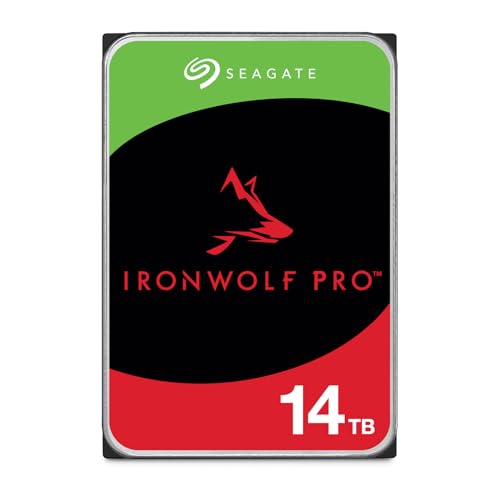
- 14TB capacity for large video libraries
- Up to 250MB/s read speed
- Includes 5-year warranty and recovery services
Best For: High-capacity NAS setups for editors and multi-user teams
Reliable Mid-Range NAS Drive
WD Red Plus 12TB 7200RPM NAS Drive

- 12TB CMR drive for editing libraries
- NASware firmware and compatibility testing
- Up to 180 TB/yr workload rating
Best For: Small to medium NAS setups with 24x7 media storage needs
Entry-Level NAS Option
Seagate IronWolf 8TB NAS Drive

- 8TB NAS-optimized storage
- 7200 RPM with 256MB cache
- 5-year warranty plus data recovery
Best For: Smaller NAS builds and solo editors needing dependable storage
Pro-Performance 4-Bay Pick – UGREEN NAS DXP4800 Pro for Video Editing
If you need a NAS hard drive for video editing workflows that can keep up with large project files, the UGREEN NAS DXP4800 Pro is built for serious speed and expansion. With an Intel Core i3-1315U, 10GbE networking, dual M.2 NVMe slots, and 4K HDMI output, it is aimed at editors who want a fast, centralized storage box with room for Docker, virtual machines, and media management.
Best For: Editors, small teams, and power users who want a high-performance 4-bay NAS with fast networking and SSD cache options.
Pros:
- Intel Core i3-1315U with 8GB DDR5 RAM for demanding multitasking
- 10GbE plus 2.5GbE ports support very fast transfers, up to 1.25GB/s
- Dual M.2 NVMe slots can be used as cache or storage to reduce HDD bottlenecks
- Supports RAID 0, 1, 5, and 10 for flexible capacity and protection
Cons:
- Diskless model, so drives must be purchased separately
- Higher-end hardware may be more than casual home users need
- Maximum speed depends on your network and drive setup
This is a strong fit if you want NAS storage that can handle editing, media serving, and advanced workflows in one box. Its mix of fast networking, SSD expansion, and enterprise-style features makes it especially attractive for shared project storage.
Capacity Storage Pick – Seagate Exos 26TB for NAS Video Archives
For a NAS hard drive for video editing where archive space matters more than built-in NAS features, the Seagate Exos 26TB is a straightforward high-capacity option. It uses a 7200 RPM CMR design with SATA 6Gb/s, a 512MB cache, and enterprise-class reliability, making it a practical choice for storing large raw footage libraries, completed projects, and backups.
Best For: Editors building a large-capacity NAS pool for footage archives, backup copies, and sustained storage use.
Pros:
- Huge 26TB capacity for large media libraries and archives
- 7200 RPM CMR drive designed for sustained enterprise workloads
- 512MB cache and SATA 6Gb/s interface for broad compatibility
- Enterprise-class reliability with a high workload rating
Cons:
- Renewed drive, so it is not a brand-new retail unit
- Mechanical HDD performance is slower than SSD-based storage
- Best suited for capacity and archiving rather than scratch-disk speed
If your priority is maximum storage per drive bay, this Exos model makes a lot of sense. It is better suited to keeping large video libraries safe and accessible than to replacing high-speed edit media.
Fast Collaboration Pick – UGREEN NAS DXP4800 Plus for Video Projects
The UGREEN NAS DXP4800 Plus is a strong NAS hard drive for video editing setups that need centralized storage, fast transfers, and room to grow. It combines a Pentium Gold 8505 processor, 8GB DDR5 RAM, a 10GbE port, a 2.5GbE port, and dual M.2 NVMe slots, so it is aimed at teams and creators moving large files across multiple devices.
Best For: Small studios and creators who want a fast, easy-to-share NAS for video projects and backups.
Pros:
- 10GbE networking supports very fast file transfers
- Intel Pentium Gold 8505 and 8GB DDR5 handle everyday NAS tasks smoothly
- Dual M.2 NVMe slots add cache or extra storage flexibility
- Supports Docker, virtual machines, and RAID for broader workflows
Cons:
- Diskless design means you must supply your own drives
- Actual speed depends on your network and hardware environment
- Wireless is not supported on this model
This model is a practical pick if you want a shared storage hub for editing, syncing, and backup without moving up to a more complex server. It offers a good balance of speed, flexibility, and user-friendly file access.
Budget NAS Drive Pick – MDD 14TB NAS HDD for Editing Storage
If you want a NAS hard drive for video editing storage without jumping to the very largest enterprise capacities, the MDD 14TB NAS HDD is a sensible middle-ground option. It offers 7200 RPM performance, a 256MB cache, and SATA 6.0Gb/s connectivity, making it suitable for NAS systems, RAID arrays, and general media storage where dependable capacity matters.
Best For: Editors who want a 14TB internal NAS drive for projects, backups, and shared storage.
Pros:
- 14TB capacity is a useful balance of space and cost efficiency
- 7200 RPM and 256MB cache support responsive file access
- Designed for NAS systems, RAID, desktop PCs, and Macs
- Includes a 5-year warranty from the reseller
Cons:
- Bare drive only, with no screws, cables, or accessories included
- Requires formatting before the system will detect it
- Single-drive mechanical storage is not as fast as SSD-based options
For editors who need dependable NAS storage and reasonable capacity, this drive covers the essentials well. It is best viewed as a workhorse archive or project drive rather than a performance-first editing scratch disk.
Beginner-Friendly Private Storage – UGREEN DH2300 2-Bay NAS
If you want a NAS hard drive for video editing workflows that starts simple, the UGREEN NAS DH2300 is a beginner-friendly 2-bay enclosure built for personal storage, backups, and media library organization. It supports up to 64TB, includes 4GB RAM, 1GbE networking, and 4K HDMI, so it works well as a central place to store project footage and move files off scattered devices.
Best For: Creators and home users who want an easy, private NAS for storing video files, photos, and backups without cloud subscriptions.
Pros:
- Supports up to 64TB of storage in a 2-bay design.
- Includes 4GB RAM, 1GbE, and 4K HDMI for basic media and file management.
- Offers remote access, automatic backups, and AI photo organization.
- Designed for beginners moving from cloud storage or external drives.
Cons:
- Does not support Docker or virtual machines.
- Uses 1GbE, so it is not built for high-speed professional editing pipelines.
- Wi-Fi is not included and requires an external USB adapter.
This is a practical entry-level choice if your priority is simple, private storage for video files rather than advanced server features. For light editing libraries, backups, and family media archives, it provides a straightforward upgrade path.
Reliable 24/7 NAS Drive – WD Red Plus 8TB NAS HDD
The Western Digital WD Red Plus 8TB is a solid NAS hard drive for video editing when you need dependable, always-on storage inside a small or medium NAS. It uses CMR recording, NASware firmware, and is rated for 24×7 environments, making it a practical fit for storing active project media and shared editing files.
Best For: Small teams and creators who want a dependable NAS drive for always-on storage and project libraries.
Pros:
- CMR design is better suited for NAS use than SMR alternatives.
- NASware firmware is built for compatibility in NAS systems.
- Rated for up to 180 TB/yr workload in 24×7 environments.
- 8TB capacity gives plenty of room for media and backups.
Cons:
- Runs at 5640 RPM, so it is not a speed-focused editing drive.
- Designed for small or medium NAS systems, not heavy enterprise use.
- Single-drive capacity may be limiting for large footage archives.
If you need a reliable storage disk rather than a high-performance scratch solution, this drive is a sensible NAS hard drive for video editing libraries. It is especially useful when the goal is stable file access, RAID use, and long-term project storage.
High-Speed NAS Storage – WD Red Pro 8TB NAS HDD
The WD Red Pro 8TB is a stronger NAS hard drive for video editing if you want faster mechanical storage inside a NAS array. With 7200 RPM spinning speed, 256MB cache, and SATA 6 Gb/s connectivity, it is aimed at users who want more responsive file handling for shared media storage and larger projects.
Best For: Editors and power users who want a faster NAS drive for shared project storage and larger media libraries.
Pros:
- 7200 RPM speed offers more responsiveness than slower NAS drives.
- 256MB cache helps with larger file transfers and frequent access.
- SATA 6 Gb/s interface supports standard NAS installations.
- 8TB capacity is useful for project footage and archive storage.
Cons:
- It is still a mechanical drive, not an SSD.
- Notes do not specify NAS-specific firmware or workload rating.
- Listed warranty is 2 years, shorter than some competing NAS drives.
For video editors who want faster spinning-disk storage in a NAS, this Red Pro model is the most performance-oriented option in this group. It is a practical choice for shared storage where speed and capacity matter more than silent operation or advanced smart features.
Premium 14TB NAS Pick – Seagate IronWolf Pro 14TB CMR Drive
If you need a NAS hard drive for video editing, the Seagate IronWolf Pro 14TB is built for heavy multi-user workflows, large media libraries, and RAID-based storage. Its 7200 RPM design, 256MB cache, and up to 250MB/s speeds make it a strong fit when you want fast access to footage and dependable write performance.
Best For: Editors, small teams, and NAS setups with up to 24 bays that need high-capacity, RAID-ready storage.
Pros:
- 14TB capacity gives you lots of room for raw video, project files, and backups.
- CMR design and RAID/NAS focus suit sustained editing workflows.
- Up to 250MB/s read speed helps with moving large media files.
- Includes IronWolf Health Management, 5-year limited warranty, and 3-year Rescue Data Recovery Services.
Cons:
- It is an internal 3.5-inch drive, so it needs a compatible NAS or enclosure.
- Higher-capacity pro drives can be more than casual users need.
This is the most storage-rich option in the group and the most clearly positioned for demanding NAS use. For video editors who value capacity, RAID support, and extra recovery coverage, it is a very practical premium choice.
Reliable Mid-Range NAS Drive – WD Red Plus 12TB 7200RPM NAS Drive
For a NAS hard drive for video editing, the WD Red Plus 12TB is a balanced option when you want solid capacity without jumping all the way to a flagship pro model. It uses CMR, runs at 7200 RPM, and includes NASware firmware plus compatibility testing for NAS systems, which makes it a sensible fit for 24×7 storage and shared media access.
Best For: Small or medium business NAS setups and editors who want reliable 24×7 storage with strong compatibility.
Pros:
- 12TB capacity is a useful middle ground for media projects and archives.
- CMR plus 7200 RPM supports consistent NAS performance.
- NASware firmware and NAS compatibility testing add peace of mind.
- Rated for up to 180 TB/yr workload and backed by a 3-year limited warranty.
Cons:
- Not the highest-capacity drive in the list.
- Designed for up to 8 bays, so it is less suited to very large NAS arrays.
This drive stands out as the practical choice if your editing workflow needs dependable NAS storage rather than the biggest possible capacity. It offers a good mix of speed, compatibility, and workload rating for everyday production use.
Entry-Level NAS Option – Seagate IronWolf 8TB NAS Drive
If you are building a NAS hard drive for video editing on a tighter budget or smaller array, the Seagate IronWolf 8TB is a straightforward NAS-optimized option. It is built for up to 8-bay, multi-user environments, uses a 7200 RPM mechanism, and includes a 256MB cache to help keep media access responsive.
Best For: Smaller NAS setups, solo editors, or shared storage systems that do not need massive capacity.
Pros:
- 8TB capacity works well for a starter media archive or project drive.
- NAS-optimized design helps reduce wear, noise, and vibration.
- 7200 RPM and 256MB cache support solid everyday performance.
- Includes IronWolf Health Management, 5-year limited warranty, and 3-year Rescue Data Recovery Services.
Cons:
- Smaller capacity than the 12TB and 14TB options.
- Best suited to up to 8-bay NAS environments, not larger arrays.
This is the most approachable option here for users who want NAS-specific reliability without paying for extra capacity they may not need. For smaller editing teams or home NAS builds, it offers a sensible blend of features and support.
How We Picked the Best NAS Hard Drive for Video Editing
We prioritized storage options that make sense for editors working with large source files, proxy workflows, shared team libraries, and RAID protection. That means looking at CMR recording, sustained performance, cache size, workload ratings, warranty support, and whether the NAS platform or drive is better suited to a single-editor setup or a multi-user studio.
For a NAS Hard Drive for Video Editing, consistency matters more than headline speed alone. We favored products that are better positioned for continuous access, rebuilds, and large sequential transfers.
Quick Comparison
The 10 selections split into two main groups: complete NAS units and internal NAS drives. If you need a ready-to-build workflow, a 2-bay or 4-bay NAS chassis is the foundation. If you already have a NAS, the hard drives themselves are the key performance decision.
In general, 8TB drives suit solo editors and smaller libraries, while 12TB to 26TB options are better for 4K/6K footage, long-form projects, and shared archives. Pro-class drives are usually the safer choice for heavier write loads and RAID environments.
Key Buying Factors for a NAS Hard Drive for Video Editing
CMR Vs. SMR
Choose CMR drives for video editing. They handle sustained writes and RAID rebuilds far better than SMR, which can slow down under heavy media workloads.
Capacity and Workflow Size
Match drive size to your footage type and retention habits. Smaller capacities can work for proxy-heavy or solo workflows, but larger capacities reduce the need for frequent offloading and disk juggling.
RPM, Cache, and Real-World Throughput
Higher RPM and larger cache can help with responsiveness, but the biggest gains usually come from a well-configured NAS with enough network bandwidth. A 10GbE-capable NAS is especially useful if multiple editors need access at once.
Reliability and Warranty
Look for long warranties, high MTBF, and NAS-specific endurance features. Video libraries often stay online for years, so reliability is just as important as performance.
NAS Chassis Features
If you are buying the full system, check for expandable RAM, NVMe cache, and fast network ports. These features can improve project browsing, thumbnail generation, and shared playback more than a drive upgrade alone.
Who Should Buy Which NAS Hard Drive for Video Editing?
Solo editors and smaller studios should focus on 8TB to 12TB NAS drives or a compact 2-bay NAS if budget and simplicity matter most. Teams handling multi-camera projects, high-bitrate codecs, or active shared libraries should lean toward 14TB to 26TB drives and a 4-bay NAS with faster networking.
If you are building a reliable archive plus edit workspace, choose a NAS Hard Drive for Video Editing that supports RAID and has a strong track record under continuous use. If you need an all-in-one setup, pick the NAS enclosure first, then match it with CMR drives from a reputable NAS line.