
When it comes to setting up a home server, choosing the right mini PC can make all the difference. You want something compact yet powerful, capable of handling media streaming and virtualization without a hitch. From the KAMRUI Pinova P2 to the GMKtec M5 Plus, there are several options that stand out. Each offers unique features that cater to diverse needs. Let’s explore what makes these mini PCs the top contenders for your digital infrastructure.
KAMRUI Pinova P2 Mini PC with AMD Ryzen 4300U, 16GB RAM, 512GB SSD

If you’re seeking a powerful yet compact solution for your home server needs, the KAMRUI Pinova P2 Mini PC stands out with its AMD Ryzen 4300U processor. This 4-core processor can reach speeds up to 3.7 GHz, making it perfect for multitasking, HD video editing, and casual gaming. With 16GB of RAM and a 512GB SSD, you’ll enjoy quick startups and smooth performance. Plus, it supports up to 64GB RAM and 4TB storage for future expansion. Its compact design fits anywhere, ensuring you have a versatile powerhouse ready for any digital task, backed by lifetime technical support.
Best For: Those seeking a compact, high-performance mini PC for multitasking, HD video editing, and casual gaming.
Pros:
- Powerful Performance: Equipped with an AMD Ryzen 4300U processor, it handles demanding applications with ease.
- Expandable Memory and Storage: Supports up to 64GB RAM and 4TB storage, allowing for future upgrades.
- Versatile Connectivity: Offers multiple ports including USB3.2 Gen2 Type-C, HDMI, and Gigabit LAN for enhanced connectivity options.
Cons:
- Integrated Graphics Limitations: While suitable for casual gaming, it may not be powerful enough for high-end gaming or graphic-intensive tasks.
- No Pre-installed Operating System: Users need to install their own operating system, which may require additional setup time.
- Cooling Noise: Although designed for improved heat dissipation, there may still be noticeable fan noise during heavy usage.
GMKtec M5 Plus Gaming Mini PC (Ryzen 7 5825U)

The GMKtec M5 Plus Gaming Mini PC, powered by the AMD Ryzen 7 5825U processor, stands out as an exceptional choice for gamers and professionals alike, offering robust performance with its 8 cores and 16 threads. With a base speed of 2.00GHz and a turbo boost of up to 4.50GHz, you’ll experience a 35% performance increase over previous models. It comes with 32GB DDR4 RAM, expandable to 64GB, and a 1TB SSD that can be upgraded to 4TB. Dual NIC LAN and WiFi 6E guarantee lightning-fast connectivity, while triple 4K display support enhances your visual experience.
Best For: The GMKtec M5 Plus Gaming Mini PC is best for gamers and professionals seeking high-performance computing for gaming, productivity, and complex design tasks.
Pros:
- Powerful Performance: Equipped with an AMD Ryzen 7 5825U processor, offering 35% more performance than previous models.
- Expandable Memory and Storage: Comes with 32GB RAM and a 1TB SSD, both of which can be upgraded for enhanced performance.
- Triple 4K Display Support: Ideal for multitasking, video editing, and immersive gaming experiences.
Cons:
- Limited Upgrades Included: Upgrading storage to 4TB and RAM to 64GB requires additional purchases.
- Compact Design May Restrict Cooling: Mini PC form factor could potentially lead to thermal constraints under heavy workloads.
- Warranty Coverage is Limited: Only a 1-year warranty, which may not be sufficient for heavy users.
GMKtec Mini PC Workstation with Intel Core i9 13900HK

For power users seeking a compact yet robust solution, the GMKtec K10 Mini PC Workstation with the Intel Core i9-13900HK offers exceptional performance in a small package. With 14 cores and 20 threads, it reaches speeds up to 5.4GHz, ensuring smooth multitasking. You’ll benefit from 32GB of DDR5 RAM and a 1TB PCIe NVMe SSD, expandable to a massive 12TB. Its Intel Iris Xe Graphics supports stunning 8K resolutions, perfect for creative tasks. With multiple connectivity options, including USB 3.2 and WiFi6, this mini PC is designed to meet all your digital needs efficiently.
Best For: Power users and professionals seeking a high-performance, compact workstation for demanding tasks and multitasking.
Pros:
- Exceptional Performance: Equipped with an Intel Core i9-13900HK processor, providing high processing power for intensive applications.
- Expandable Storage: Comes with a 1TB SSD, expandable up to 12TB, allowing for ample storage space for large files and projects.
- High-Quality Graphics: Supports 8K resolution with Intel Iris Xe Graphics, ideal for creative professionals working with high-resolution content.
Cons:
- Price Point: As a high-performance mini PC, it may be pricier than entry-level alternatives.
- Limited Warranty: The 1-year limited warranty may not be sufficient for heavy users who rely on the device for professional work.
- Heat Management: The compact design may lead to heat accumulation during intensive use, potentially affecting performance over prolonged periods.
Beelink EQ14 Mini PC with Intel Twin Lake N150, 16GB RAM, 500GB SSD
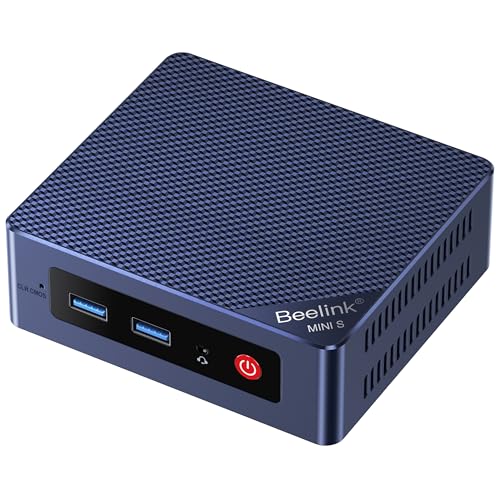
Looking for a powerful yet compact solution for your home server needs? The Beelink EQ14 Mini PC packs an Intel Twin Lake N150 processor, delivering impressive performance with 16GB RAM and a speedy 500GB SSD. This setup enhances your productivity and entertainment experiences, while the dual M.2 slots allow for expandable storage up to 4TB. With Intel UHD Graphics and efficient cooling, it handles multimedia tasks effortlessly. Plus, 2.5G Dual LAN and WiFi 6 guarantee fast connectivity. Compatible with Linux and featuring Intel Unison for seamless device integration, it’s perfect for home entertainment, light gaming, and office tasks.
Best For: The Beelink EQ14 Mini PC is best for users seeking a compact and powerful solution for home entertainment, office tasks, and light gaming.
Pros:
- High performance: Features Intel Twin Lake N150 processor with 16GB RAM for smooth multitasking.
- Expandable storage: Dual M.2 slots allow for storage expansion up to 4TB, accommodating large files and applications.
- Fast connectivity: Equipped with 2.5G Dual LAN and WiFi 6 for enhanced internet speed and lower latency.
Cons:
- Limited gaming capabilities: While suitable for light gaming, it may not handle more demanding games effectively.
- No dedicated graphics card: Relies on integrated Intel UHD Graphics, which may not meet the needs of graphic-intensive applications.
- Compact design may limit upgrade options: The small form factor may restrict certain hardware upgrades compared to larger PCs.
KAMRUI Pinova P1 Mini PC Computer

If you’re seeking a compact yet powerful solution for home server tasks, the KAMRUI Pinova P1 Mini PC stands out with its robust AMD Ryzen 4300U processor. With 16GB of DDR4 RAM and a 256GB M.2 SSD, it’s perfect for multitasking and light video editing. You can upgrade the RAM to 64GB and expand storage up to 4TB, making it versatile for future needs. Its support for triple 4K displays enhances productivity, while multiple USB and networking options guarantee seamless connectivity. Built for 24/7 operation, it’s reliable for home NAS or media center duties, earning a solid 4.4-star rating.
Best For: The KAMRUI Pinova P1 Mini PC is best for users seeking a compact and powerful solution for home server tasks, light video editing, and multitasking.
Pros:
- Supports triple 4K displays for enhanced productivity.
- Upgradeable RAM up to 64GB and storage capacity up to 4TB for future-proofing.
- Designed for 24/7 operation, making it reliable for home NAS or media center duties.
Cons:
- Single-channel 16GB RAM may limit performance compared to dual-channel configurations.
- Integrated graphics may not be sufficient for intensive gaming or high-end 3D rendering.
- Limited initial storage of 256GB may require immediate expansion for heavy users.
GMKtec Mini PC Intel Core i9 13900HK

The GMKtec Mini PC with the Intel Core i9-13900HK is an exceptional choice for power users and gamers who demand top-tier performance in a compact form factor. With 14 cores and 20 threads, it reaches a max frequency of 5.4 GHz, ensuring lightning-fast processing. You’ll appreciate the 32GB DDR5 RAM and 2TB NVMe SSD, expandable to 12TB, allowing for extensive multitasking and storage. Plus, it supports quad-screen 8K display, making it perfect for immersive visuals. With WiFi6, Bluetooth 5.2, and versatile I/O options, this mini PC covers all your connectivity needs, backed by a 1-year warranty for peace of mind.
Best For: Power users and gamers seeking high-performance computing in a compact design.
Pros:
- Exceptional Performance: Features a high-end Intel Core i9-13900HK CPU with 14 cores and 20 threads for superior processing power.
- Expandable Storage: Comes with a 2TB SSD and supports expansion up to 12TB, perfect for users with extensive storage needs.
- Advanced Connectivity: Equipped with WiFi6, Bluetooth 5.2, and multiple I/O options for versatile connectivity.
Cons:
- Limited Warranty: The 1-year warranty may not be sufficient for users seeking long-term protection.
- Heat Management: Higher performance could lead to increased heat output, requiring effective cooling solutions.
- Price Point: As a premium mini PC, it may be more expensive compared to lower-spec models.
Beelink Ser5 Pro Mini PC
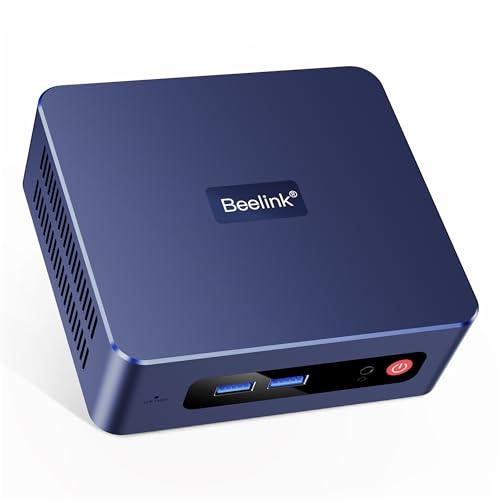
For those seeking a powerful yet compact solution for multitasking, the Beelink Ser5 Pro Mini PC stands out as an ideal choice. With an AMD Ryzen 5 5500U processor and Radeon 7 Graphics, it effortlessly handles demanding tasks. You’ll appreciate the 16GB RAM and 500GB SSD, which can be upgraded to 4TB for enhanced performance. The mini PC supports 4K triple display, making it perfect for video playback and graphic work. Plus, with WiFi 6 and Bluetooth 5.2, connectivity is fast and reliable. Enjoy excellent technical support for features like auto power on and Wake on LAN.
Best For: Those who require a compact yet powerful mini PC for multitasking, graphic work, and 4K video playback.
Pros:
- High performance: Equipped with an AMD Ryzen 5 5500U processor and Radeon 7 Graphics for demanding tasks.
- Expandable storage: Comes with a 500GB SSD that can be upgraded to 4TB, accommodating large files and applications.
- Versatile connectivity: Offers WiFi 6, Bluetooth 5.2, and multiple ports for fast data transmission and device connectivity.
Cons:
- Limited pre-installed storage: Starts with 500GB SSD, which may not be sufficient for all users without an upgrade.
- Potential noise: Compact design may lead to increased fan noise under heavy load.
- Technical support dependency: Access to certain features like auto power on requires providing a barcode for tutorials.
GMKtec Mini PC (Intel Twin Lake N150, 16GB RAM, 512GB SSD)

With a robust Intel Twin Lake N150 processor and 16GB of DDR4 RAM, the GMKtec Mini PC excels as an ideal choice for those seeking a compact yet powerful home server solution. This mini PC offers a 512GB PCIe NVMe SSD that guarantees quick boot times and smooth multitasking. Featuring dual HDMI ports supporting 4K@60Hz, you can easily set up dual displays for enhanced productivity. Its WiFi 6 connectivity and multiple USB 3.2 ports keep you connected at high speeds. With a compact size and effective cooling system, it fits seamlessly into any home setup, backed by a 1-year warranty.
Best For: Those looking for a compact and powerful solution for home office work and entertainment.
Pros:
- High Performance: Equipped with the Intel Twin Lake N150 processor, offering improved speed and efficiency for multitasking.
- Dual 4K Display Support: Two HDMI ports allow for seamless dual-screen setups, enhancing productivity and entertainment experiences.
- Fast Connectivity: WiFi 6 and multiple USB 3.2 ports ensure high-speed internet access and quick data transfer capabilities.
Cons:
- Limited Gaming Capability: Integrated graphics may not support high-end gaming experiences.
- Size Constraints: While compact, the small form factor may limit upgrade options compared to larger desktops.
- Warranty Duration: The 1-year limited warranty may not be sufficient for some users seeking long-term assurance.
Beelink Mini PC with AMD Ryzen 7 6800U, 24GB RAM, 500GB SSD

Powerful and compact, the Beelink Mini PC featuring the AMD Ryzen 7 6800U is perfect for users seeking a robust home server solution. With 24GB of LPDDR5 RAM and a speedy 500GB NVMe SSD, it handles multitasking effortlessly. The Ryzen 7’s 8 cores and 16 threads, coupled with a Radeon 680M GPU, guarantee smooth 4K video playback and light gaming. You’ll appreciate the dual HDMI ports for extended displays and fast connectivity via WiFi 6 and dual Ethernet. Plus, the lifetime support and solid warranty offer peace of mind for all your digital needs.
Best For: Users seeking a powerful and compact home server solution with high performance for multitasking, 4K video playback, and light gaming.
Pros:
- High-performance hardware with AMD Ryzen 7 6800U and 24GB RAM for seamless multitasking.
- Versatile connectivity options including dual HDMI ports, WiFi 6, and multiple USB ports for easy integration with other devices.
- Lifetime technical support and a 1-year warranty provide peace of mind for users.
Cons:
- Limited storage capacity of 500GB may require upgrades for users with extensive data needs.
- Potentially noisy under heavy load due to the fan, which may not be ideal for quiet environments.
- Light gaming capabilities may not satisfy hardcore gamers looking for top-tier graphics performance.
ZimaBoard 2 Home Server

The ZimaBoard 2 Home Server stands out as an ideal choice for tech enthusiasts seeking a compact yet robust solution for managing multiple tasks at home. With a powerful 3.6 GHz Intel N150 quad-core processor and 16GB DDR5 RAM, it efficiently handles 24/7 workloads. Its dual SATA ports and 64GB eMMC storage offer excellent flexibility for your data needs. Preinstalled with ZimaOS, it supports numerous applications like Plex and Docker, making it incredibly versatile. Plus, its fanless design guarantees energy efficiency. With a 2-year warranty and 24/7 support, ZimaBoard 2 truly simplifies your digital life.
Best For: Tech enthusiasts and home users looking for a compact, versatile server solution that can manage multiple applications efficiently.
Pros:
- High-performance quad-core processor and ample 16GB RAM for seamless multitasking.
- Supports a wide range of operating systems and applications, enhancing its versatility.
- Energy-efficient, fanless design, making it ideal for 24/7 use without excessive power consumption.
Cons:
- Limited built-in storage capacity of 64GB may require additional HDD/SSD for extensive data needs.
- Some users may find the learning curve for setting up and configuring advanced features challenging.
- Compact size may limit upgrade options compared to larger server solutions.
Factors to Consider When Choosing a Mini PC for Home Server
When you’re choosing a mini PC for your home server, there are several key factors to keep in mind. You’ll want to assess processing power, memory capacity, and storage options to guarantee it meets your needs. Don’t forget to evaluate network connectivity and cooling features to maintain peak performance and quiet operation.
Processing Power Requirements
Choosing the right processing power for your mini PC home server is essential, especially since the demands of your intended applications can vary greatly. If you’re planning on media streaming or virtualization, aim for a higher-performance processor with at least 4 cores and 8 threads. This configuration guarantees smooth operation for multiple tasks running simultaneously. Look for CPUs with a higher base and turbo frequency to handle heavy computational workloads effectively. Additionally, consider processors with a higher TDP, as they typically provide better performance for sustained workloads. While integrated graphics may work for basic tasks, if you need advanced graphical processing or support for multiple 4K displays, opt for mini PCs with dedicated graphics capabilities.
Memory Capacity Considerations
Balancing processing power with adequate memory capacity is key for a mini PC home server. Aim for at least 16GB of RAM to tackle multitasking and multiple applications without slowing down. Expandability is essential; choose models that support dual-channel configurations and can be upgraded to 32GB or even 64GB to meet future demands. The type of RAM matters, too—DDR5 offers higher bandwidth and efficiency compared to DDR4, making it a better option for server tasks. Look for adequate memory bandwidth to support data-intensive applications, especially if you plan to run virtual machines. Finally, opt for RAM with higher speeds, around 3200 MHz for DDR4 or 5600 MHz for DDR5, to guarantee ideal data transfer rates.
Storage Expansion Options
Storage expansion options are crucial for a mini PC home server, especially if you plan to handle large volumes of data. Look for models that support multiple M.2 PCIe slots, allowing you to expand your storage capacity up to 4TB or more. Systems with dual SATA ports are also beneficial, enabling you to add traditional HDDs or SSDs for greater flexibility. Evaluate the maximum supported storage size, as some mini PCs can handle up to 12TB with expansions. Confirm compatibility with advanced storage technologies like NVMe to boost data transfer speeds substantially. Finally, consider the ability to upgrade RAM alongside storage, as this can enhance overall performance when managing large datasets or multiple applications.
Network Connectivity Features
When setting up a mini PC for your home server, network connectivity features play an essential role in ensuring ideal performance. Look for models with dual NIC LAN capabilities, like 2.5GbE Ethernet, to boost data transmission speeds for demanding applications. Supporting WiFi 6 (802.11ax) is critical, offering faster wireless connectivity and lower latency in multi-device environments. Multiple USB 3.2 ports (up to 10 Gbps) allow efficient data transfer for external storage and peripherals. Also, consider Bluetooth 5.2 support for seamless connections to printers and other devices. Finally, evaluate advanced networking features or compatibility with server-specific software, enabling your mini PC to effectively function in roles like firewalls, NAS, or media servers.
Cooling and Noise Levels
Effective cooling and noise levels are essential factors to take into account as you select a mini PC for your home server. Look for systems with effective cooling solutions, like heat pipes and quality fans, to maintain ideal temperatures during demanding tasks. This helps prevent thermal throttling and extends the lifespan of your device. If you prefer a quieter environment, consider fanless designs or mini PCs with efficient cooling systems. Pay attention to the thermal design power (TDP) of the CPU, as lower TDP processors usually produce less heat and noise. Finally, verify the mini PC has good airflow and ventilation, as this enhances cooling effectiveness while minimizing noise levels, creating a more enjoyable home server experience.
Operating System Compatibility
Cooling and noise levels are just part of the equation in choosing a mini PC for your home server. You’ll want to verify it supports various operating systems like TrueNAS, Proxmox, Debian, and Ubuntu Server for maximum flexibility. Compatibility with Linux-based systems is essential for running server-centric applications, including Docker and NAS functionalities. Some mini PCs even come preinstalled with specialized server OS, simplifying setup and integration. Don’t forget to check for driver support to guarantee all hardware components work efficiently with your chosen operating system. Finally, opt for mini PCs that offer regular updates and community support, as these can greatly enhance security and performance over time, making sure your home server runs smoothly.
Warranty and Support Services
A solid warranty and reliable support services can make a significant difference in your experience with a mini PC for your home server. Look for warranties ranging from one to two years that cover defects in design and workmanship, giving you peace of mind. Some brands even offer lifetime technical support, which is invaluable for troubleshooting and maintenance. Don’t forget to check return policies; many manufacturers allow returns within 30 days for defective items, protecting your investment. Customer reviews can also shed light on the reliability of warranty and support services. Finally, verify that extensive support is available, including online resources and responsive customer service, to help you configure or manage your mini PC effectively.