
Concrete walls can crush Wi-Fi signal, create dead zones, and make even a strong router feel weak. A well-designed mesh system helps move coverage where standard single-router setups fail.
Below, we focus on systems that are better suited to hard-to-penetrate layouts, with options for large homes, multi-floor spaces, and homes where wired or wall-mount placement can make a real difference.
Best 10 Mesh Wi-Fi System for Concrete Walls Picks for 2026
Outdoor Flex Pick
TP-Link Deco X50 Outdoor AX3000

- Outdoor/indoor Wi‑Fi 6 mesh unit
- AX3000 dual-band with Ethernet support
- WPA3 security and app control
Best For: Flexible placement around concrete walls and mixed indoor/outdoor coverage
Multi-Node Coverage Pick
TP-Link Deco XM73 Wi‑Fi 6 4-Pack

- Four mesh units for flexible placement
- Wi‑Fi 6 with 5400 Mbps throughput
- Unified roaming plus parental controls
Best For: Larger homes needing multiple nodes around thick walls
Largest-Coverage Pick
DBIT D-MAX6 AX3000 Mesh 3-Pack

- Covers up to 6,500 sq. ft.
- Supports 150+ devices with Wi‑Fi 6
- Gigabit ports with Ethernet backhaul
Best For: Large, device-heavy homes with concrete walls
Tri-Band Whole-Home Coverage
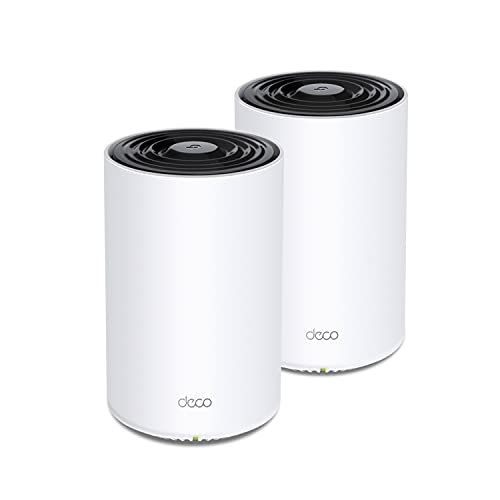
- Wi‑Fi 6 tri-band mesh with AX3600 speeds
- Covers up to 5,500 sq. ft. and 150 devices
- AI-driven mesh and 2 Gigabit Ethernet ports per unit
Best For: Large homes needing stronger whole-home coverage through difficult walls
Wall-Mountable PoE Flexibility

- Wi‑Fi 6 AX3000 mesh with up to 6,500 sq. ft. coverage
- PoE+ or plug-in power for ceiling and wall placement
- Two 2.5G ports per unit and support for 150 devices
Best For: Layouts where flexible mounting can improve coverage around dense barriers
6GHz Backhaul Performance

- Wi‑Fi 6E tri-band mesh with a 6 GHz band
- Up to 7,200 sq. ft. coverage and 200 devices
- 6 GHz backhaul helps keep node links stable
Best For: Large, interference-prone homes that can benefit from Wi‑Fi 6E and stronger backhaul
Top Pick for Dense-Home Coverage
TP-Link Deco X20 WiFi 6 Mesh System

- Covers up to 5,800 sq. ft. with Wi-Fi 6
- Supports wired backhaul and 6 Ethernet ports total
- Manages up to 150 devices with HomeShield
Best For: Large homes with concrete walls that need strong whole-home coverage and wired backhaul support
Best Value Security Bundle
TP-Link Deco M5 Mesh WiFi System

- Covers up to 5,500 sq. ft. with a 3-pack
- Supports wired backhaul and 6 Gigabit ports total
- Includes lifetime HomeCare antivirus and parental controls
Best For: Homes with thick walls that need simple setup and built-in security tools
Best for Maximum Coverage
TP-Link Deco X55 AX3000 Mesh System

- Covers up to 6,500 sq. ft., the most here
- Wi-Fi 6 AX3000 supports up to 150 devices
- 3 Gigabit ports per unit with wired backhaul
Best For: Large concrete-heavy homes that need the widest coverage and strongest expansion headroom
Outdoor Flex Pick – TP-Link Deco X50 Outdoor AX3000
TP-LINK Deco X50-Outdoor(1-pack) AX3000 Outdoor / Indoor Whole Home Mesh WiFi 6 Unit
Check Price On AmazonIf you need a mesh Wi-Fi system for concrete walls, the Deco X50-Outdoor is built to help extend coverage beyond the usual indoor-only setup. This Wi‑Fi 6 unit supports outdoor and indoor use, with Ethernet connectivity, dual-band operation, and app-based control for flexible placement in tricky homes.
Best For: Homes that need a single mesh node for indoor/outdoor placement and broader signal reach around tough wall layouts.
Pros:
- Wi‑Fi 6 AX3000 performance with up to 2402 Mbps data transfer rate
- Outdoor/indoor design adds placement flexibility for hard-to-cover areas
- WPA, WPA2, and WPA3 security support
- App control and Ethernet connectivity for simpler setup
Cons:
- Single-pack unit, so whole-home coverage may require additional Deco nodes
- Dual-band design may be less ideal than tri-band systems in very dense networks
For concrete-wall homes, the main value here is flexibility: you can position the unit where a standard indoor router might struggle. It is a practical add-on or starting point if you want to build a mesh network around difficult signal barriers.
Easy Setup Choice – Amazon eero 6 Mesh Wi‑Fi 3-Pack
For a mesh Wi-Fi system for concrete walls, the eero 6 is appealing because it focuses on whole-home coverage and dead-spot reduction. This 3-pack is designed to cover up to 4,500 sq. ft. and supports Wi‑Fi 6 with speeds up to 500 Mbps, making it a straightforward choice for mixed-use homes.
Best For: Families that want easy setup, broad coverage, and reliable everyday performance in a challenging home layout.
Pros:
- 3-pack covers up to 4,500 sq. ft.
- Supports Wi‑Fi 6 and internet plans up to 500 Mbps
- App-guided setup with remote management
- Supports 75+ connected devices and Alexa/Zigbee integration
Cons:
- Speed support tops out at 500 Mbps
- Less configurable than some more advanced mesh systems
The eero 6 is best when you want a low-friction mesh system that spreads coverage across a home with signal-blocking walls. If your internet plan and device count are moderate, it offers an easy path to fewer dead zones.
Multi-Node Coverage Pick – TP-Link Deco XM73 Wi‑Fi 6 4-Pack
If you need a mesh Wi-Fi system for concrete walls and want plenty of node flexibility, this renewed Deco XM73 4-pack gives you four units to work with. It uses Wi‑Fi 6 and TP-Link’s unified Deco network approach, which helps devices move to the fastest node automatically as you roam through the home.
Best For: Larger homes that need multiple mesh points to work through thick walls and spread coverage more evenly.
Pros:
- Four-pack layout gives you more placement options
- Wi‑Fi 6 with 5400 Mbps data transfer rate
- Unified mesh network with seamless device roaming
- Parental control included
Cons:
- Renewed unit with a 90-day limited warranty
- Product details don’t list the exact square-foot coverage
This is a strong pick when coverage planning matters more than a one-box solution. With four units, you have more opportunities to place nodes around difficult concrete barriers and keep the network experience consistent from room to room.
Largest-Coverage Pick – DBIT D-MAX6 AX3000 Mesh 3-Pack
For a mesh Wi-Fi system for concrete walls, the DBIT D-MAX6 is built around wide coverage and strong wired options. This AX3000 3-pack covers up to 6,500 sq. ft., supports Ethernet backhaul, and is designed to handle a large number of devices without losing momentum.
Best For: Large homes or busy networks that need strong coverage, wired backhaul, and room to grow.
Pros:
- Covers up to 6,500 sq. ft. and supports 150+ devices
- AX3000 Wi‑Fi 6 dual-band performance
- Gigabit ports and Ethernet backhaul support
- App control, parental controls, guest mode, and WPA3 security
Cons:
- Dual-band design may not match higher-end tri-band systems for crowded homes
- No dedicated outdoor rating listed
If your concrete walls make coverage unpredictable, the D-MAX6 stands out for scale and wiring flexibility. Its mix of mesh nodes, Gigabit ports, and backhaul support makes it a practical choice when you want more dependable links across a tough layout.
Tri-Band Whole-Home Coverage – TP-Link Deco X68 2-Pack
If you need a mesh Wi-Fi system for concrete walls, the Deco X68 is built to help push a stronger signal across a large home. Its tri-band Wi‑Fi 6 design, AI-driven mesh, and 5,500 sq. ft. coverage make it a practical pick for reducing dead zones and keeping connections stable as you move room to room.
Best For: Larger homes that need reliable whole-home Wi‑Fi, especially when signal has to move through challenging interior barriers.
Pros:
- Tri-band Wi‑Fi 6 with AX3600 speeds for demanding streaming and gaming
- Covers up to 5,500 sq. ft. and supports up to 150 devices
- AI-driven mesh automatically chooses the best connection as you move
- Each unit includes 2 Gigabit Ethernet ports for wired devices
Cons:
- Only a 2-pack, so very large or heavily blocked layouts may need more units
- Does not include the added 6 GHz band found on Wi‑Fi 6E systems
The Deco X68 is a strong all-around mesh option if you want broad coverage, solid performance, and easy management from the app. For homes where concrete walls make coverage harder, its tri-band design and unified mesh network can help deliver a more consistent result.
Wall-Mountable PoE Flexibility – TP-Link Deco X50-PoE 3-Pack
The Deco X50-PoE is a smart choice if you want a mesh Wi-Fi system for concrete walls and need more flexible placement. Because it can be powered by PoE+ or a standard plug, you can install units in more locations, including ceilings, while using the mesh to extend coverage through tricky interior spaces.
Best For: Homes or small business-style layouts where wall or ceiling placement can help improve coverage around dense barriers.
Pros:
- Wi‑Fi 6 AX3000 mesh with up to 6,500 sq. ft. coverage
- PoE+ support allows installation in more places, including ceilings
- Two 2.5 Gigabit Ethernet ports per unit for multi-gig performance
- Supports up to 150 devices with AI-driven mesh optimization
Cons:
- PoE+ switch is not included
- Dual-band design may be less ideal than tri-band systems for heavier mesh backhaul needs
If your layout makes it hard to place routers in open areas, the X50-PoE’s mounting and power options add useful flexibility. It combines that with strong Wi‑Fi 6 coverage and fast wired ports, making it a practical mesh system for challenging homes.
6GHz Backhaul Performance – TP-Link Deco XE75 3-Pack
The Deco XE75 is the most advanced option here if you want a mesh Wi-Fi system for concrete walls and also want extra protection from wireless congestion. Its tri-band Wi‑Fi 6E design adds a 6 GHz band that can serve as backhaul between nodes by default, which can help keep the mesh connection stable in busy homes.
Best For: Users who want the newest Wi‑Fi 6E features and strong mesh performance across large, interference-prone homes.
Pros:
- Tri-band Wi‑Fi 6E with a dedicated 6 GHz band
- Up to 7,200 sq. ft. coverage and support for up to 200 devices
- 6 GHz can work as backhaul between nodes by default
- True tri-band speed up to 5,400 Mbps
Cons:
- Wi‑Fi 6E benefits are best realized with compatible devices
- Overkill if you only need basic coverage and not 6 GHz support
For homes with concrete walls, the XE75’s extra band can be especially useful because it helps separate node-to-node traffic from regular device traffic. If you want the best mix of range, modern features, and mesh stability, this is the strongest pick in the group.
Top Pick for Dense-Home Coverage – TP-Link Deco X20 WiFi 6 Mesh System
If you need a mesh Wi-Fi system for concrete walls, the TP-Link Deco X20 is built to reduce weak spots with Wi-Fi 6 coverage across large homes. Its 3-pack design supports up to 5,800 sq. ft., and the wired backhaul option can help maintain stronger links when thick walls interfere with wireless signals.
Best For: Large homes that need broad coverage, support for many devices, and the option to use Ethernet backhaul through a concrete-heavy layout.
Pros:
- Wi-Fi 6 AX1800 mesh system covers up to 5,800 sq. ft.
- Supports wired backhaul and includes 6 Ethernet ports total.
- Handles up to 150 devices with app-based setup and management.
- Includes HomeShield security and parental controls.
Cons:
- Dual-band design, not tri-band.
- Modem required for most internet providers.
- Best performance in tough homes may depend on placing nodes carefully.
The X20 is a practical choice if your priority is reliable whole-home coverage rather than premium extras. For concrete walls, the combination of Wi-Fi 6, mesh roaming, and wired backhaul support makes it a solid fit for challenging layouts.
Best Value Security Bundle – TP-Link Deco M5 Mesh WiFi System
The TP-Link Deco M5 is a straightforward mesh Wi-Fi system for concrete walls when you want dependable whole-home coverage without overcomplicating setup. Its 3-pack covers up to 5,500 sq. ft., uses a single network name for smooth roaming, and supports wired backhaul if you can run Ethernet between rooms.
Best For: Buyers who want an easy mesh upgrade with built-in security features and good coverage for homes with thick interior walls.
Pros:
- Whole-home coverage up to 5,500 sq. ft.
- Seamless roaming with one Wi-Fi name and password.
- Supports wired backhaul and includes 6 Gigabit Ethernet ports total.
- Includes free lifetime HomeCare with antivirus, parental controls, and QoS.
Cons:
- Older Wi-Fi generation than Wi-Fi 6 models.
- Dual-band design may be less flexible in dense environments.
- Coverage is slightly lower than the newer Deco X20 and X55 kits.
For many homes, the M5 is the easiest way to improve coverage through thick walls while keeping setup simple. It stands out if built-in security and straightforward app management matter as much as the mesh hardware itself.
Best for Maximum Coverage – TP-Link Deco X55 AX3000 Mesh System
If your goal is to get a mesh Wi-Fi system for concrete walls with as much coverage as possible, the TP-Link Deco X55 is the strongest fit here. It uses Wi-Fi 6 AX3000 hardware, covers up to 6,500 sq. ft., and supports wired Ethernet backhaul to help keep performance steady in difficult multi-wall layouts.
Best For: Larger homes with thick concrete walls, lots of connected devices, and a need for the broadest coverage in this group.
Pros:
- Largest coverage in this roundup at up to 6,500 sq. ft.
- Wi-Fi 6 AX3000 with support for up to 150 devices.
- Each unit includes 3 Gigabit Ethernet ports and wired backhaul support.
- AI-driven mesh and app setup simplify optimization and management.
Cons:
- Dual-band design instead of tri-band.
- Modem required for most ISP setups.
- More coverage may still depend on thoughtful node placement around concrete barriers.
The X55 is the most coverage-focused option in this list, making it the best starting point for homes where thick walls are the main obstacle. If you want higher headroom for devices and the widest mesh footprint, this is the most capable choice.
How We Picked the Best Mesh Wi-Fi System for Concrete Walls
We prioritized mesh systems that are practical for a Mesh Wi-Fi System for Concrete Walls: strong coverage claims, flexible node placement, solid wireless performance, and Ethernet support for wired backhaul when possible. We also favored models with Wi-Fi 6 or newer, because they tend to handle dense environments and many connected devices more efficiently.
Quick Comparison
For tough concrete layouts, the best choice is usually the system that lets you place nodes closest to open doorways, hallways, and stairwells. Outdoor/indoor or ceiling/wall-mountable units can be especially helpful when thick walls block line of sight. Tri-band and Wi-Fi 6E models may also reduce congestion in busy homes, while dual-band systems can still work well if your home is smaller or you can use Ethernet between nodes.
Key Buying Factors for Mesh Wi-Fi System for Concrete Walls
Placement Flexibility
Concrete absorbs and reflects signal, so placement matters more than raw speed. Look for nodes that can be wall-mounted, ceiling-mounted, or installed near open pathways instead of behind furniture or inside cabinets.
Backhaul Options
If you can run Ethernet between nodes, do it. Wired backhaul is one of the best ways to stabilize performance in homes with heavy concrete or reinforced walls. If wiring is not possible, tri-band systems may hold up better by reserving capacity for node-to-node communication.
Coverage Versus Layout
Large square-foot ratings are useful, but they do not account for thick concrete, metal rebar, or unusual floor plans. Choose a system with more range than you think you need, especially for multi-story homes or long, narrow layouts.
Device Load and Speed Tier
If your household streams, games, or works from multiple rooms at once, prioritize higher-capacity systems with support for many devices. Faster plans and heavier usage benefit from Wi-Fi 6, Wi-Fi 6E, or better port configurations.
Who Should Buy Which Mesh Wi-Fi System for Concrete Walls?
Buyers with a small or medium concrete-block home can usually start with a simpler Wi-Fi 6 mesh kit and good node placement. Larger homes, thicker walls, or more demanding internet plans should look toward tri-band or Wi-Fi 6E options with Ethernet backhaul support. If you need flexible mounting or indoor/outdoor placement, choose models built for those installation scenarios. For the most difficult layouts, the best Mesh Wi-Fi System for Concrete Walls is the one that combines strong coverage with the easiest possible placement and wired expansion.