
If you want fast portable storage, better SSD access, or an easy way to add M.2 drives to a desktop, the right enclosure makes a big difference.
This roundup of the best external M.2 expansion chassis options for 2026 focuses on speed, drive compatibility, build quality, and practical value.
Best 10 External M.2 Expansion Chassis Picks for 2026
Thunderbolt PCIe Expansion Box
StarTech TB31PCIEX16 Thunderbolt 3 PCIe Enclosure

- One external PCIe 3.0 x16 slot
- Up to 40Gbps Thunderbolt bandwidth
- No GPU support, single-width cards only
Best For: Thunderbolt users adding one PCIe card to a laptop or desktop
Pi 5 M.2 Expansion Case
waveshare Pi5 Module BOX-C Raspberry Pi 5 Case

- PCIe extending to M.2 interface
- Dual HDMI with 2x 4K output support
- Fits Pi 5 builds with extra HAT space
Best For: Raspberry Pi 5 builds that need M.2 support and dual HDMI
20Gbps Dual-Protocol SSD Case
UGREEN 20Gbps M.2 NVMe and SATA Enclosure

- Supports NVMe and SATA M.2 SSDs
- Up to 20Gbps on compatible USB 3.2 Gen 2x2 ports
- Aluminum case with UASP/TRIM support
Best For: Portable storage buyers who want NVMe and SATA compatibility
40Gbps NVMe Performance Enclosure
UGREEN 40Gbps M.2 NVMe Enclosure

- Up to 3600MB/s with compatible host hardware
- Quiet double-sided fin cooling design
- NVMe only, supports drives up to 8TB
Best For: Thunderbolt 4/3 and USB4 users who want fast NVMe storage
Rugged Dual-Mode Pick
ASUS TUF Gaming A2 20Gbps M.2 Enclosure

- Supports NVMe PCIe and SATA M.2 SSDs
- USB-C 3.2 Gen 2x2 up to 20 Gbps
- MIL-STD-810H and IP68 durability
Best For: Rugged storage expansion with broad SSD compatibility
Speed-First Thunderbolt Choice

- Up to 80Gbps and 7000 MB/s claims
- Thunderbolt 5/4/3 and USB4 support
- Dual-sided aluminum fins for cooling
Best For: Maximum-speed NVMe storage on newer USB4/Thunderbolt systems
Durable Budget-Friendly Pick
ASUS TUF Gaming A1 10Gbps Enclosure
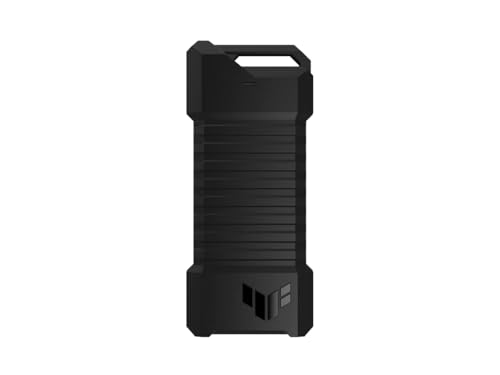
- Supports NVMe PCIe and SATA M.2 drives
- USB-C 3.2 Gen 2x1 up to 10 Gbps
- MIL-STD-810H and IP68 protection
Best For: Durable everyday storage and console-friendly use
Portable Dual-Protocol Pick
SSK M.2 to USB NVMe/SATA 10Gbps Enclosure

- Works with NVMe and SATA M.2 SSDs
- USB 3.2 Gen 2 10Gbps with UASP/TRIM
- Includes USB-C, USB-A, screwdriver, and pads
Best For: People who want one compact enclosure for both NVMe and SATA drives
Fastest Swap Choice
SABRENT Tool-Free NVMe & SATA Enclosure

- 100% tool-free SSD installation and removal
- Supports NVMe and SATA M.2 drives
- USB 3.2 10Gbps, bus powered, plug-and-play
Best For: Users who swap M.2 SSDs often and want the easiest install process
NVMe-Only Speed Pick
ORICO M.2 NVMe 10Gbps External Case

- Built for PCIe NVMe M.2 SSDs only
- USB 3.1 Gen 2 10Gbps with UASP
- Includes USB-C to C and USB-C to A cables
Best For: NVMe-only users who want a compact, performance-focused enclosure
Thunderbolt PCIe Expansion Box – StarTech TB31PCIEX16 Thunderbolt 3 PCIe Enclosure
If you need an external M.2 expansion chassis-style solution for adding real PCIe capability to a laptop or desktop, this StarTech enclosure is built for single-slot expansion over Thunderbolt 3. It’s a practical way to connect compatible add-in cards such as capture, fiber, ethernet, or NVMe cards without opening your computer, and it supports up to 40Gbps bandwidth.
Best For: Users who want Thunderbolt 3/4 PCIe expansion for a single add-in card, especially for connectivity, capture, or storage workflows.
Pros:
- One external PCIe 3.0 x16 slot for compatible expansion cards
- Supports Thunderbolt 3/4 systems with up to 40Gbps bandwidth
- Includes a Thunderbolt cable and universal power adapter
- Toolless aluminum design with active fan cooling
Cons:
- Does not support GPU graphics cards
- Only fits single-width cards up to 8 inches long
- Requires a Thunderbolt-capable host system
Overall, this is a strong external expansion box when you need PCIe flexibility rather than a simple SSD enclosure. Its driverless compatibility with macOS and Windows, plus broad card support, makes it useful for workstation-style upgrades.
Pi 5 M.2 Expansion Case – waveshare Pi5 Module BOX-C Raspberry Pi 5 Case
This external M.2 expansion chassis is designed around the Raspberry Pi 5 and adds a PCIe-to-M.2 path inside a compact enclosure. It also includes dual HDMI female ports, a Type-C adapter, and extra internal room for cable management and compatible HATs, making it a handy case for a more organized Pi setup.
Best For: Raspberry Pi 5 users who want an enclosure with M.2 support, dual HDMI output, and room for peripherals or HATs.
Pros:
- Supports PCIe extending to an M.2 interface
- Dual HDMI ports for 2x 4K video output support
- Larger internal space for cable management and some HATs
- Aluminum alloy case with efficient cooling focus
Cons:
- Raspberry Pi 5 is not included
- Cooling is based on a heatsink, not a fan
- Built specifically for Pi 5, not a general-purpose external enclosure
For a Pi-based build, this case does more than protect the board: it helps turn the Raspberry Pi 5 into a more flexible workstation-style setup. The combination of M.2 support, display outputs, and internal space makes it useful for organized projects and desktop use.
20Gbps Dual-Protocol SSD Case – UGREEN 20Gbps M.2 NVMe and SATA Enclosure
If you want a straightforward external M.2 expansion chassis for portable SSD use, this UGREEN enclosure is built for both NVMe and SATA M.2 drives. It supports 2230 through 2280 sizes, works across major operating systems, and aims for fast transfers over USB 3.2 Gen 2×2 when your host supports it.
Best For: Users who need a compact dual-protocol M.2 enclosure for everyday file transfers and backup storage.
Pros:
- Supports both PCIe NVMe and SATA M.2 SSDs
- Up to 20Gbps transfer rate with USB 3.2 Gen 2×2
- Includes UASP, TRIM, and protection features
- Aluminum body with thermal pad for heat management
Cons:
- mSATA is not supported
- MacBook Thunderbolt 3/4 ports top out at 10Gbps here
- Maximum speed depends on your USB interface support
This is a solid pick if compatibility matters as much as speed. The dual NVMe/SATA support gives it more flexibility than many basic enclosures, while the cooling and stability features make it a practical everyday drive case.
40Gbps NVMe Performance Enclosure – UGREEN 40Gbps M.2 NVMe Enclosure
For buyers looking for a high-speed external M.2 expansion chassis focused on NVMe performance, this UGREEN enclosure is built around Thunderbolt 3/4 and USB4 support. It uses an ASM2464PD chip and is rated up to 3600MB/s, making it a strong option when you want fast external storage without moving to a full dock.
Best For: Users who want maximum-speed NVMe external storage over Thunderbolt 4/3 or USB4.
Pros:
- Up to 3600MB/s with compatible Thunderbolt 4/USB4 setups
- Compatible with 2230, 2242, 2260, and 2280 NVMe drives
- Silent fanless design with a double-sided fin cooling system
- Supports drives up to 8TB
Cons:
- NVMe only; SATA NGFF and mSATA are not supported
- Needs the right cable and host device to reach top speed
- Some thicker SSDs may require thinner thermal pads
This enclosure is best viewed as a performance-first storage upgrade. If your workflow depends on fast transfers and you already have Thunderbolt 4 or USB4 hardware, it offers a polished, quiet, and portable way to house a high-capacity NVMe drive.
Rugged Dual-Mode Pick – ASUS TUF Gaming A2 20Gbps M.2 Enclosure
If you want an external M.2 expansion chassis that can handle both NVMe PCIe and SATA drives, the ASUS TUF Gaming A2 is built for practical everyday use with extra toughness. Its USB-C 3.2 Gen 2×2 connection supports up to 20 Gbps, while the aluminum body, thermal pad, and silicone-rubber exterior are aimed at keeping drives cool and protected.
Best For: Users who want a rugged, fast external SSD enclosure for gaming, desktop, or laptop storage expansion.
Pros:
- Supports both M.2 NVMe PCIe and SATA SSDs in 2242/2260/2280 sizes
- USB-C 3.2 Gen 2×2 interface delivers up to 20 Gbps transfer speeds
- MIL-STD-810H and IP68 testing add strong drop, water, and dust resistance
- Q-Latch design makes SSD swaps screw-free and straightforward
Cons:
- Requires a compatible USB-C 3.2 Gen 2×2 host to reach top speed
- Heavier than ultra-basic enclosures at 279 g
- Only a 1-year warranty is included
Overall, this is a strong choice if durability matters as much as speed. It stands out for broad SSD support and a thermal design that helps the drive perform more consistently during longer transfers.
Speed-First Thunderbolt Choice – UGREEN 80Gbps NVMe Enclosure
This external M.2 expansion chassis is aimed at buyers who care most about speed and thermal management. The UGREEN enclosure uses a dual-chip design with Intel JHL9480 and JMicron JMS583 support, and it is rated for up to 80 Gbps with claimed transfer speeds up to 7000 MB/s for compatible systems.
Best For: Power users on Thunderbolt 5/4/3 or USB4 systems who want a high-speed NVMe enclosure for large file transfers.
Pros:
- Dual-chip design supports up to 7000 MB/s performance
- Works with Thunderbolt 5/4/3, USB4, USB 3.2, and USB 3.0 systems
- Dual-sided aluminum fins and 3D cooling are designed to improve heat dissipation
- Supports M.2 2230/2242/2260/2280 NVMe drives up to 8TB
Cons:
- Not compatible with SATA (NGFF) or mSATA SSDs
- Pre-installed heatsink SSDs are not supported
- Some thicker SSDs may need a thinner thermal pad to fit properly
If you already have the right port and a compatible NVMe drive, this enclosure is built to move data quickly and stay compact. It is less flexible than dual-protocol options, but the speed and cooling focus make it a compelling premium pick.
Durable Budget-Friendly Pick – ASUS TUF Gaming A1 10Gbps Enclosure
The ASUS TUF Gaming A1 is an external M.2 expansion chassis for users who want a durable enclosure without stepping into higher-speed premium territory. It supports M.2 NVMe PCIe or SATA SSDs, connects over USB-C 3.2 Gen 2×1 at up to 10 Gbps, and adds a rugged build with MIL-STD-810H drop resistance and IP68 water and dust resistance.
Best For: Buyers who want a sturdy, easy-to-use M.2 enclosure for gaming, general storage, and console compatibility.
Pros:
- Supports NVMe PCIe and SATA SSDs in 2242/2260/2280 sizes
- USB-C 3.2 Gen 2×1 delivers up to 10 Gbps transfer speeds
- Q-Latch system simplifies SSD installation
- MIL-STD-810H and IP68 ratings add strong physical protection
Cons:
- Slower than 20Gbps and 80Gbps enclosure options
- Construction uses metal and plastic rather than full aluminum
- Only a 1-year warranty is included
This is a sensible pick if you need a dependable enclosure more than top-end transfer rates. It offers broad drive support and ruggedness in a straightforward package that should fit well for consoles and everyday external storage.
Portable Dual-Protocol Pick – SSK M.2 to USB NVMe/SATA 10Gbps Enclosure
If you want an external M.2 expansion chassis that can handle both NVMe and SATA drives, this SSK enclosure is a flexible plug-and-play option. It supports M-Key and B+M Key SSDs in 2242, 2260, and 2280 sizes, and pairs a 10Gbps USB 3.2 Gen 2 connection with UASP and TRIM support for better performance and drive longevity.
Best For: Users who need one compact enclosure for both NVMe and SATA M.2 SSDs.
Pros:
- Supports both NVMe PCIe and SATA M.2 SSDs in common 2242/2260/2280 sizes
- Includes USB-C and USB-A cables, plus a screwdriver and thermal pads
- Aluminum shell helps with heat dissipation in a slim portable body
- Bus powered with no extra driver requirement on supported systems
Cons:
- Does not support M.2 PCIe AHCI SSDs, WiFi/capture cards, or mSATA drives
- NVMe speed is best with USB-C Gen 2 or Thunderbolt 3 hosts
For buyers who want broad drive compatibility in a lightweight enclosure, this model is practical and easy to carry. Its main strength is versatility, while the speed and cooling features stay aligned with a straightforward external storage setup.
Fastest Swap Choice – SABRENT Tool-Free NVMe & SATA Enclosure
This external M.2 expansion chassis focuses on convenience, with a fully tool-free design that makes SSD installation and removal quick. It supports both SATA and NVMe M.2 drives in 2242, 2260, and 2280 sizes, while USB 3.2 and bus-powered operation keep the setup simple for portable use.
Best For: Buyers who want the easiest possible SSD swapping without using tools.
Pros:
- 100% tool-free design for fast SSD swaps
- Supports both NVMe and SATA M.2 SSDs in common sizes
- USB 3.2 supports up to 10Gbps transfer speeds
- Bus powered and plug-and-play with no driver installation
Cons:
- Listed supported devices and platform details are narrower than some competitors
- Only one SSD fits at a time
If your priority is speed of setup rather than extra features, this SABRENT model is a strong fit. The slim aluminum-and-ABS build and tool-free access make it especially useful when you move drives often.
NVMe-Only Speed Pick – ORICO M.2 NVMe 10Gbps External Case
For a focused external M.2 expansion chassis built specifically for NVMe drives, this ORICO enclosure keeps the design simple and performance-oriented. It supports PCIe NVMe M-Key SSDs in 2230, 2242, 2260, and 2280 sizes, uses a Realtek RTL9210 controller, and includes both USB-C to USB-C and USB-C to USB-A cables for flexible host compatibility.
Best For: NVMe-only users who want a compact 10Gbps enclosure with broad host cable support.
Pros:
- Dedicated NVMe support with up to 8TB capacity
- USB 3.1 Gen 2 10Gbps interface with UASP support
- Includes USB-C to C and USB-C to A cables
- Aluminum top helps with portability and heat dissipation
Cons:
- Does not support SATA-based M.2 SSDs
- Does not support M.2 PCIe AHCI SSDs
- Notes indicate it is not for use with SSDs from Mac
This is the cleanest choice if you only plan to use NVMe media and want a straightforward external drive case. Its main appeal is that it concentrates on the essentials: speed, portability, and included cables.
How We Picked the Best External M.2 Expansion Chassis
We focused on enclosure type, supported drive formats, interface speed, cooling, durability, and ease of setup. For an External M.2 Expansion Chassis, the most important question is not just raw throughput, but whether it matches your SSD type and your computer’s port speed.
Quick Comparison
Higher-speed models are best when you need maximum transfer rates for large files, creative work, or sustained workloads. More affordable 10Gbps options are often the smarter choice for backups, everyday portable storage, and broad compatibility. Tool-free and rugged designs can also matter if you swap drives often or travel with the enclosure.
Key Buying Factors for an External M.2 Expansion Chassis
SSD Compatibility
Check whether the enclosure supports NVMe, SATA, or both, and confirm the keying and size support you need. Some models are limited to M-Key NVMe drives, while others accept B+M Key SATA or mixed-format SSDs.
Connection Speed
Match the enclosure’s interface to your host device. A 20Gbps, 40Gbps, or 80Gbps enclosure can only deliver its full potential if your laptop or desktop port supports that standard. Otherwise, the drive will run at the slower port speed.
Thermal Design
Good heat dissipation helps maintain performance during long transfers. Look for aluminum housings, thermal pads, fins, and designs that keep the SSD from throttling under load.
Portability and Protection
If you carry drives frequently, prioritize drop resistance, dust and water protection, and a secure latch or tool-free design. These features are especially useful for field work, travel, or frequent swapping.
Who Should Buy Which External M.2 Expansion Chassis?
Choose a faster External M.2 Expansion Chassis if you work with large media files, game libraries, or frequent backups and want shorter transfer times. Pick a rugged, tool-free enclosure if convenience and durability matter more than top-end speed. If you mainly need simple external SSD storage for everyday use, a 10Gbps model is usually the best value. For users with newer high-bandwidth ports, higher-speed enclosures are the better long-term investment.