
Useful gifts can make workdays easier, support better routines, or bring order to a busy home. This collection pairs thoughtful desk upgrades with tools for planning, focus, and everyday tasks.
Productivity Gifts for Work, Study, and Home
1. 15.6-Inch Digital Calendar and Chore Chart
For the Household Planner
15.6-Inch Digital Calendar and Chore Chart

- Syncs with Google, Outlook, and iCloud calendars in real time.
- Combines scheduling, meal planning, and chore charts on one touchscreen.
- Can display digital photos when not being used as a calendar.
Best For: Households coordinating shared schedules and chores
2. Plaud Note Pro AI Voice Recorder
For Meeting Follow-Through
Plaud Note Pro AI Voice Recorder
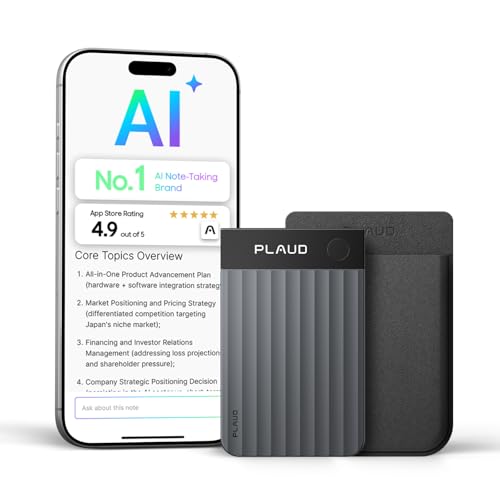
- Records meetings or calls and can transcribe and summarize audio.
- Lets users add typed notes, photos, and highlights for context.
- Includes a Starter Plan with 300 transcription minutes per month.
Best For: People who capture meeting notes or spoken ideas
3. Anker Prime 14-in-1 Docking Station
For a Connected Desk
Anker Prime 14-in-1 Docking Station

- Offers 14-in-1 connectivity, including dual HDMI display outputs.
- Provides up to 160W total output and can charge up to four devices simultaneously.
- Supports USB-C, USB4, and Thunderbolt connections; check laptop and OS compatibility.
Best For: Laptop users building a fixed desk setup
4. TRALT Ergonomic Mesh Office Chair
For Longer Desk Sessions
TRALT Ergonomic Mesh Office Chair
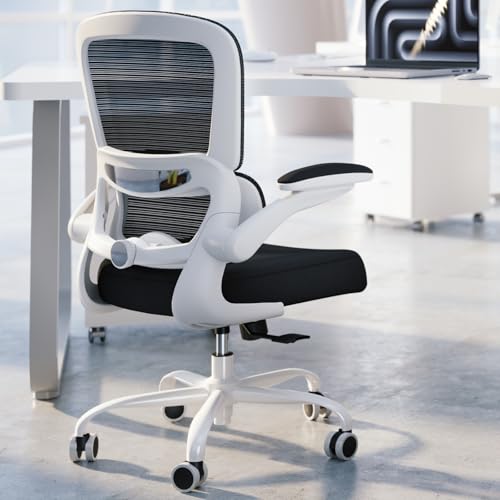
- Features adjustable lumbar support and a breathable mesh backrest.
- Has a molded foam seat and a metal-core reinforced base.
- Seat height adjusts from 17.7 to 21.7 inches.
Best For: Remote workers furnishing a home office
5. FLEXISPOT EN1 Electric Standing Desk
For Sit-Stand Workdays
FLEXISPOT EN1 Electric Standing Desk
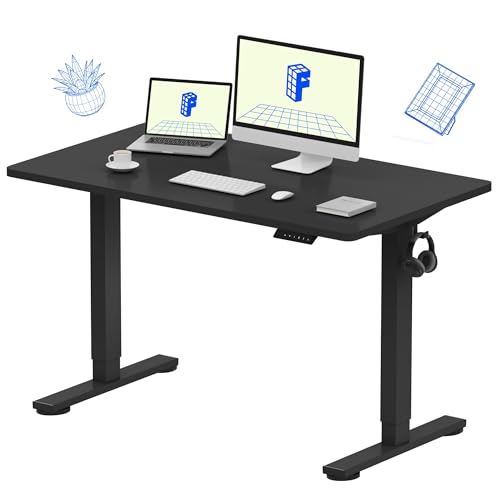
- Electric height adjustment supports seated or standing work.
- Four memory presets save preferred desk heights.
- The 48-by-24-inch desktop is one piece and supports up to 176 pounds.
Best For: People who spend long hours working at a desk
6. THERUN Under-Desk Walking Pad
For Movement Between Tasks
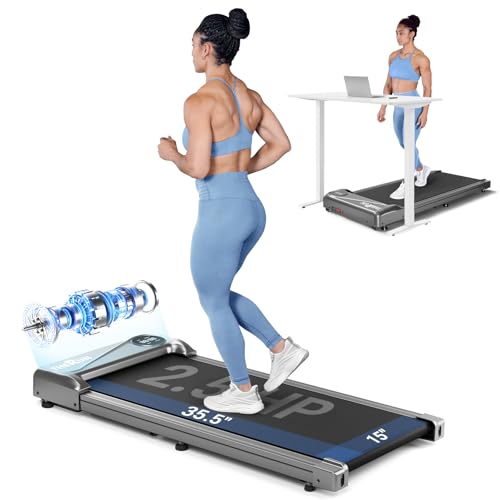
- Offers walking or jogging speeds from 0.6 to 3.8 mph.
- Built-in transport wheels and a compact design support storage between uses.
- The listing describes use under a desk or as a walking pad.
Best For: People who want gentle movement during computer tasks
7. Large Wireless-Charging Desk Mat
For a Tidier Desk
Large Wireless-Charging Desk Mat

- The 31.5-by-15.8-inch mat combines a desk surface with wireless charging areas.
- Includes a magnetic phone stand and a separate AirPods charging area.
- Comes with a USB-C cable and adapter; phone charging requires compatible devices or cases.
Best For: People seeking a functional desk surface with fewer charging cables
8. HUANUO Single Monitor Arm
For a More Flexible Screen Position

- Fits compatible 13-to-32-inch monitors weighing 4.4 to 19.8 pounds.
- Offers tilt, swivel, and rotation adjustments.
- Includes C-clamp and grommet mounting options; check desk and VESA compatibility.
Best For: People who want to adjust a monitor and free desk space
9. FIFINE AM8 USB/XLR Dynamic Microphone
For Clearer Calls and Voice Work
FIFINE AM8 USB/XLR Dynamic Microphone

- Connects by USB or XLR; an XLR cable is sold separately.
- USB mode includes tap-to-mute, headphone monitoring, and a gain control.
- Includes a desktop stand and supports compatible mic stands.
Best For: People who join frequent calls or record voiceovers
10. HUION Keydial Mini Programmable Keypad
For Shortcut-Heavy Work
HUION Keydial Mini Programmable Keypad

- Offers 18 customizable keys and a dial with up to three functions.
- Bluetooth connectivity supports compatible Mac and Windows devices.
- Designed for creative software, editing, gaming, and media control.
Best For: People who repeat shortcuts in design or editing software
11. Suntiko Compact Cross-Cut Paper Shredder
For Paperwork Privacy
Suntiko Compact Cross-Cut Paper Shredder
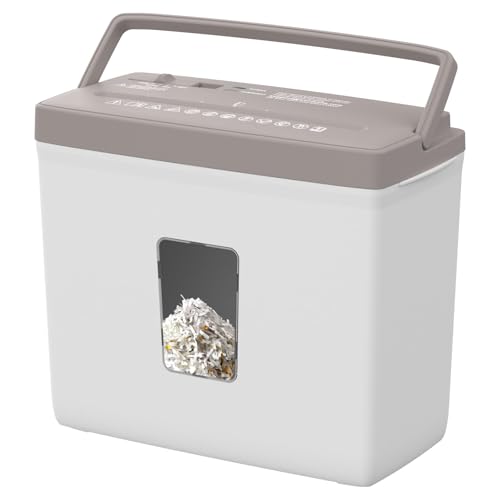
- Shreds up to five sheets at once into cross-cut pieces.
- Four control modes include reverse to help clear paper jams.
- Its compact design has a 2.38-gallon transparent bin.
Best For: People handling sensitive home-office paperwork
12. Nulea M501 Wireless Trackball Mouse
For Compact Cursor Control
Nulea M501 Wireless Trackball Mouse

- A thumb-operated trackball moves the cursor without moving the mouse across the desk.
- Connects to up to three devices by Bluetooth or USB receiver.
- Rechargeable design includes six buttons; the listing says buttons are not programmable.
Best For: People who want precise cursor control in a small workspace
13. LOXP Adjustable Rotating Laptop Stand
For a Flexible Laptop Setup
LOXP Adjustable Rotating Laptop Stand

- Adjusts in height and angle and has a 360-degree rotating base.
- Folds for portability and supports laptops from 10 to 16 inches.
- Non-slip silicone helps hold a laptop in place.
Best For: Laptop users who move between workspaces
14. Dimmable LED Desk Lamp with USB Ports
For Adjustable Task Lighting
Dimmable LED Desk Lamp with USB Ports

- Offers three color temperatures and five brightness levels.
- A flexible gooseneck directs light, with timer settings from 30 to 120 minutes.
- USB-A and USB-C ports provide output, but do not support fast charging.
Best For: People who work or study in changing light conditions
15. Nelko P21 Bluetooth Label Maker
For Organized Shelves and Files
Nelko P21 Bluetooth Label Maker
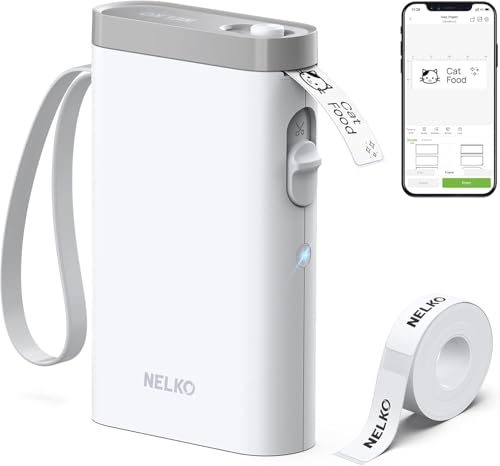
- Connects to compatible iOS and Android phones through the Nelko app.
- Prints monochrome labels using direct thermal technology without ink or toner.
- The app includes templates, icons, and borders; the device does not work with computers.
Best For: People organizing home-office storage or supplies
16. Rotating Productivity Timer Cube
For Focus Sessions and Breaks
Rotating Productivity Timer Cube

- Preset gravity-sensing options include 5, 10, 25, and 50 minutes.
- Supports custom countdowns and stopwatch mode.
- Choose silent vibration, high volume, or low volume alerts.
Best For: People who like structured work periods and short breaks
17. Canon Color imageCLASS MF753Cdw II Printer
For a Home-Office Print Hub
Canon Color imageCLASS MF753Cdw II Printer

- Combines color printing, scanning, copying, and faxing.
- Wireless connectivity includes Wi-Fi, Ethernet, and USB.
- The automatic document feeder supports scanning and copying workflows.
Best For: People who regularly print, scan, or copy at home
18. LG 34-Inch Curved UltraWide Monitor
For Seeing More at Once
LG 34-Inch Curved UltraWide Monitor

- The 21:9, 3440-by-1440 display supports multiple windows on one screen.
- Includes USB-C with up to 65W power delivery, plus HDMI and DisplayPort connections.
- Height and tilt adjustments help position the screen for a desk.
Best For: People who multitask across documents or creative apps
19. SanDisk 2TB Portable SSD
For Work Files on the Move
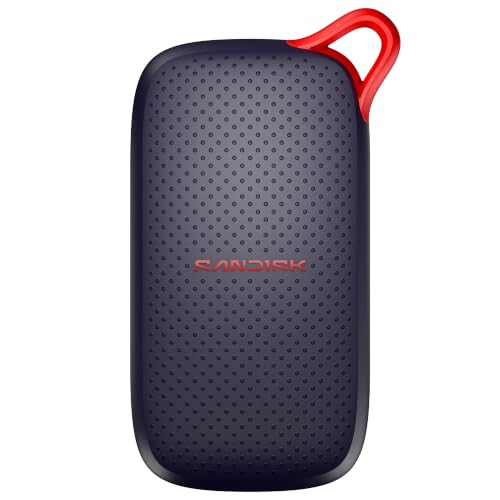
- Provides 2TB of portable storage with USB-C connectivity.
- The listing specifies read speeds up to 1000 MB/s.
- Pocket-sized design includes drop protection up to 2 meters.
Best For: People who move large work files between devices
How to Choose a Productivity Gift
Start with the recipient’s regular friction points. Someone who loses track of meetings may appreciate a voice recorder that can transcribe and summarize audio. A person with too many loose cables could use a dock or a charging desk mat. For long desk sessions, consider a chair, standing desk, monitor arm, or adjustable laptop stand. These gifts solve different problems, so a little observation helps: notice what they repeatedly adjust, search for, or postpone.
Think about the whole setup. A monitor arm only helps if the desk can take its clamp or grommet mount and the monitor matches its supported size, weight, and VESA pattern. A docking station depends on the laptop’s USB-C, USB4, or Thunderbolt capabilities, and its operating system affects display behavior. A wireless charging mat needs a compatible phone and case. Gifts that improve comfort or workflow tend to be more useful when they fit the recipient’s existing equipment and habits.
Set a Budget That Matches the Need
A productivity gift can be a modest desk improvement or a major workspace upgrade. A timer, lamp, label maker, mouse, or keypad offers a focused tool for one task. A docking station, printer, chair, desk, or ultrawide monitor represents a larger purchase and may need more planning around space and compatibility. Compare what the person will use regularly with what the item adds to their setup. For instance, extra ports are valuable to someone who connects several devices, while a label maker makes more sense for a person who routinely organizes supplies or files.
Consider ongoing requirements, too. The Plaud recorder’s included Starter Plan specifies 300 transcription minutes per month, and the label maker uses its phone app and thermal label paper. The printer uses toner. These details affect how the recipient will use a gift over time. You can also make a practical tool feel personal by choosing a color or style that suits their desk, or by pairing it with a short note about the routine you hope it supports.
Check Compatibility and Personalization
Before choosing electronics, identify the recipient’s devices and how they connect. Check monitor inputs, laptop ports, phone charging compatibility, and software requirements. The keypad’s shortcuts need to be configured in its driver and supported by the software. The label maker pairs with iOS or Android phones, while the notes specifically exclude computers and certain Pixel phones running Android 14. A few minutes spent checking the exact model can prevent a gift from becoming another unused desk accessory.
For furniture, check available floor and desktop space, height range, mounting clearance, and the recipient’s preferences. A standing desk needs room to move and a suitable place for monitors and accessories. A chair is personal, so dimensions and adjustable features matter. If you are unsure about fit, choose a smaller accessory tied to a known habit, such as structured focus sessions or tidying up paperwork.
Decide on Timing and Last-Minute Options
For Christmas, allow time to confirm compatibility and consider setup. Larger furniture and office equipment can take more planning for room layout and assembly. A small timer, lamp, keypad, or label maker may be simpler to wrap and introduce, though availability and delivery timing depend on the seller. Check current details before purchasing, especially for products with app setup, required cables, or consumables.
If time is short, choose based on what you can verify: the recipient’s phone type, laptop ports, monitor size, or workspace dimensions. A gift that supports an existing routine is often easier to adopt than one that requires a complete desk overhaul. Keep the note specific—such as “for your weekly planning session” or “to make your work corner easier to organize”—so the practical purpose feels thoughtful.