
If you’re upgrading office, retail, or hospitality Wi‑Fi, a ceiling-mounted design can improve coverage and keep equipment out of sight.
This roundup focuses on Wi‑Fi 7 models that balance speed, mounting flexibility, PoE support, and management features for real-world business use.
Best 10 Ceiling Mount Wi-Fi 7 Access Point Picks for 2026
Business-Ready Pick
Tenda BE5010 ceiling AP with 2.5G PoE+

- Wi‑Fi 7 dual-band BE5010 up to 5010 Mbps
- 2.5G PoE+ uplink plus extra Gigabit LAN port
- CloudFi, web, and local management options
Best For: Small businesses needing a ceiling AP with fast roaming and easy cloud control
Enterprise Favorite
UniFi 7 Pro ceiling AP with 6 GHz

- 6 spatial streams and 6 GHz support
- Ceiling-mounted UniFi Wi‑Fi 7 access point
- Mounting plate and hardware kit included
Best For: Large-scale UniFi deployments needing interference-resistant ceiling coverage
Most Flexible Install
Cudy AP3600 ceiling AP with PoE out

- Wi‑Fi 7 MLO for 5 GHz + 2.4 GHz aggregation
- 2.5GbE PoE in and Gigabit PoE out
- Supports PoE, passive PoE, or 12V DC power
Best For: Installations that need ceiling AP flexibility and downstream PoE support
Slim Premium Option
TP-Link Festa F76 slim tri-band ceiling AP

- Tri-band Wi‑Fi 7 up to 11,000 Mbps
- Ultra-slim ceiling-friendly design
- Free cloud management with zero-touch setup
Best For: Small businesses wanting a discreet tri-band ceiling AP with cloud control
Budget-Friendly Wi-Fi 6 Ceiling Mount
Tenda AX3000 Ceiling Access Point

- Wi-Fi 6 AX3000 up to 3000 Mbps
- Seamless 802.11k/v roaming support
- Coverage up to 400 square meters
Best For: Small offices and homes needing ceiling-mounted coverage on a budget
Midrange Wi-Fi 7 Business Pick

- Wi-Fi 7 BE5000 dual-band performance
- 2.5G port with PoE+ or DC power
- Omada cloud management and ZTP
Best For: Businesses wanting a manageable Wi-Fi 7 ceiling AP with multi-gig uplink
Premium Tri-Band Wi-Fi 7

- Tri-band BE11000 with 6 GHz support
- 320 MHz bandwidth and MLO/Multi-RUs
- PoE+ or DC power with 2.5G port
Best For: Dense business networks needing top-tier Wi-Fi 7 capacity
Best Compact Wi‑Fi 7 Value
Omada EAP723 Dual-Band Business AP

- BE5000 dual-band Wi‑Fi 7 with 2.5G uplink
- Supports Omada mesh, roaming, and centralized management
- Ceiling/wall mounting kit included
Best For: Small offices and business spaces that want affordable Wi‑Fi 7
Best High-Capacity Tri-Band
Omada EAP770 Wi‑Fi 7 Tri-Band AP
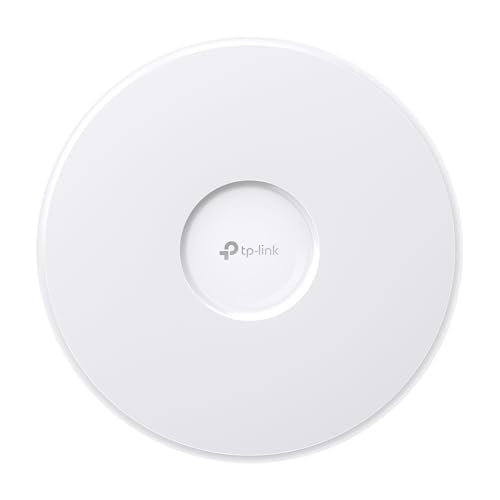
- Tri-band BE11000 with 6 GHz support
- 380+ concurrent devices and 1500 sq.ft. coverage
- 2.5G port plus PoE+ or DC power with adapter included
Best For: Dense business networks that need tri-band Wi‑Fi 7 capacity
Best Wi‑Fi 6 Budget Pick

- Wi‑Fi 6 AX3000 with up to 2976 Mbps
- Free Omada Essentials cloud management
- Slim ceiling/wall-mount design with flexible power options
Best For: Cost-conscious buyers who want managed business Wi‑Fi without Wi‑Fi 7
Business-Ready Pick – Tenda BE5010 ceiling AP with 2.5G PoE+
If you want a ceiling mount Wi-Fi 7 access point for a business network, the Tenda BE5010 is built around practical upgrades like 2.5G PoE+, cloud management, and roaming support. It’s aimed at environments that need fast wireless service, simple deployment, and basic network segmentation without adding a lot of complexity.
Best For: Small businesses that want a ceiling-mounted Wi‑Fi 7 AP with multi-gig uplink, roaming, and cloud control.
Pros:
- Wi‑Fi 7 dual-band BE5010 design with up to 5010 Mbps and 160 MHz bandwidth
- 1× 2.5G PoE+ port plus 1× Gigabit LAN port for flexible wired setup
- Supports 802.11k/v/r fast roaming for smoother device handoffs
- CloudFi app, web dashboard, and local web interface for management
Cons:
- Dual-band design may not suit buyers specifically looking for tri-band hardware
- Business-focused feature set may be more than needed for simple home use
Overall, this Tenda model is a strong fit if you need a ceiling-mounted AP that balances speed, roaming, and straightforward administration. Its WPA3 and VLAN support also make it easier to separate guest, staff, or IoT traffic in a professional setting.
Enterprise Favorite – UniFi 7 Pro ceiling AP with 6 GHz
The Ubiquiti UniFi 7 Pro is a ceiling-mounted WiFi 7 access point designed for larger, more demanding networks. With 6 spatial streams and 6 GHz support, it’s the kind of ceiling mount Wi-Fi 7 access point you choose when interference control and dense deployments matter more than simple consumer features.
Best For: Large-scale environments that want UniFi management and 6 GHz Wi‑Fi 7 performance.
Pros:
- Ceiling-mounted WiFi 7 AP with 6 spatial streams
- 6 GHz support helps reduce interference in busy environments
- UniFi OS ecosystem and app control for centralized management
- Includes mounting plate and hardware kit
Cons:
- PoE+ adapter is not included
- Single 1G port may limit wired throughput relative to multi-gig options
- Coverage listed at 140 m², so it may require multiple units for larger sites
For buyers already invested in UniFi, this is a clean ceiling AP choice with modern Wi‑Fi 7 features and a management experience that fits business deployments. It’s especially appealing where 6 GHz operation and coordinated network control are priorities.
Most Flexible Install – Cudy AP3600 ceiling AP with PoE out
The Cudy AP3600 is a ceiling mount Wi-Fi 7 access point that focuses on deployment flexibility. It combines 2.5GbE PoE in, PoE pass-through out, and multiple power options, making it useful for sites that want to extend wired connectivity from a single ceiling location.
Best For: Small offices and mixed-use spaces that need flexible power options and PoE passthrough.
Pros:
- Wi‑Fi 7 MLO combines 5 GHz and 2.4 GHz for better throughput and latency
- 2.5GbE PoE IN plus Gigabit PoE OUT for downstream devices
- Supports 802.3at/af, passive PoE, or 12V DC input
- OpenWiFi support with app or web dashboard management
Cons:
- Dual-band design instead of tri-band
- Coverage is listed at 1,300 sq ft, which may be modest for larger facilities
- Best suited to buyers comfortable with cloud or app-based management
This model stands out if you need a ceiling-mounted AP that does more than just broadcast Wi‑Fi. The PoE-out port and multiple power choices make it especially practical for installations where cabling is limited or where you want to power another device from the same drop.
Slim Premium Option – TP-Link Festa F76 slim tri-band ceiling AP
The TP-Link Festa F76 is a ceiling mount Wi-Fi 7 access point built for simple deployment and a clean look. It combines tri-band Wi‑Fi 7 speeds, 2.5 Gigabit Ethernet, and free cloud management, so it fits businesses that want fast wireless without a heavy management stack.
Best For: Small businesses, offices, and hospitality spaces that want a slim Wi‑Fi 7 ceiling AP with cloud management.
Pros:
- Tri-band Wi‑Fi 7 with up to 11,000 Mbps and 6 spatial streams
- Ultra-slim design suits modern offices, hotels, classrooms, and cafés
- 2.5GbE port with PoE+ support and 12V/2.5A DC option
- Free cloud management, self-organizing networking, and zero-touch provisioning
Cons:
- Does not work with TP-Link Omada controllers
- Requires Festa Cloud to manage; standalone mode does not apply
- PoE+ adapter or DC adapter may need to be supplied separately depending on setup
Overall, the Festa F76 is a polished choice for buyers who want a discreet ceiling AP with modern Wi‑Fi 7 performance and simplified cloud management. Its strongest appeal is the combination of tri-band capacity, clean design, and easy rollout for smaller business networks.
Budget-Friendly Wi-Fi 6 Ceiling Mount – Tenda AX3000 Ceiling Access Point
If you need a ceiling mount Wi-Fi 7 access point alternative for a simpler, lower-cost deployment, the Tenda i27 is a practical Wi-Fi 6 business/home option. It focuses on broad coverage, roaming, and efficient performance for busy spaces, with dual-band AX3000 speeds and PoE+ or DC power support.
Best For: Homes, small offices, and event spaces that want ceiling-mounted coverage, roaming support, and WPA3 without moving up to Wi-Fi 7.
Pros:
- Wi-Fi 6 AX3000 with 160MHz bandwidth and up to 3000 Mbps
- Supports seamless 802.11k/v roaming for smoother client handoffs
- Coverage up to 400 square meters / about 4000 sq. ft.
- Includes OFDMA, MU-MIMO, TWT, and WPA3 for modern wireless efficiency
Cons:
- Not a Wi-Fi 7 model
- Dual-band only, so it lacks 6 GHz support
- Single Gigabit LAN port limits wired backhaul speed
Overall, this is a strong ceiling-mounted AP for users who value coverage and stable roaming more than the newest wireless standard. It is especially sensible if your network does not yet need Wi-Fi 7 features.
Midrange Wi-Fi 7 Business Pick – Omada EAP720 Ceiling AP
The Omada EAP720 is a ceiling mount Wi-Fi 7 access point built for businesses that want faster wireless, multi-gig wired backhaul, and easy centralized management. With dual-band BE5000 performance, a 2.5G port, and PoE+ or DC power, it is aimed at practical deployments that need modern features without jumping to tri-band hardware.
Best For: Small and midsize businesses that want a Wi-Fi 7 ceiling AP with 2.5G Ethernet, roaming, mesh, and cloud management.
Pros:
- Wi-Fi 7 dual-band BE5000 with up to 5.0 Gbps combined throughput
- 2.5G Ethernet port for faster wired uplink support
- Supports Omada cloud management, ZTP, monitoring, and remote config
- Includes mesh, seamless roaming, airtime fairness, and WPA3 support
Cons:
- Dual-band only, so it does not include a 6 GHz radio
- Coverage is listed at 1500 sq. ft., which may be modest for larger areas
- Power adapter is included, but the feature set is still business-focused rather than home-simple
For buyers who want a ceiling-mounted Wi-Fi 7 AP with strong management tools and a future-ready 2.5G port, the EAP720 hits a very useful middle ground. It is a balanced choice when you need modern performance and controlled rollout.
Premium Tri-Band Wi-Fi 7 – Omada EAP772 Ceiling AP
For buyers seeking a ceiling mount Wi-Fi 7 access point with more headroom, the Omada EAP772 steps up to tri-band BE11000 performance. It adds a dedicated 6 GHz band, 320 MHz bandwidth, and a 2.5G port, making it a better fit for dense business environments that need higher capacity and lower interference.
Best For: High-demand business networks that want tri-band Wi-Fi 7, 6 GHz support, and flexible ceiling-mounted installation.
Pros:
- Tri-band Wi-Fi 7 with up to BE11000 speeds
- Includes 6 GHz support and 320 MHz bandwidth
- Multi-Link Operation and Multi-RUs for lower latency and better efficiency
- Supports PoE+ or DC power and WPA3 with seamless roaming
Cons:
- Power adapter is not included
- Likely overkill for simple home or small-office setups
- Requires compatible multi-gig networking to get the most from the 2.5G port
If your priority is maximum Wi-Fi 7 capacity in a ceiling-mount format, the EAP772 is the most capable option here. Its tri-band design and 6 GHz support make it better suited to crowded, performance-sensitive deployments.
Best Compact Wi‑Fi 7 Value – Omada EAP723 Dual-Band Business AP
If you want a ceiling mount Wi-Fi 7 access point for a smaller business space, the Omada EAP723 keeps the formula simple: dual-band BE5000 performance, a 2.5G port, and support for PoE+ or DC power. It’s aimed at practical deployments where Wi‑Fi 7 features matter, but you still want straightforward coverage, roaming, and centralized management.
Best For: Small offices, shops, or home-business setups that want Wi‑Fi 7 and 2.5G uplink support without overbuying.
Pros:
- Wi‑Fi 7 BE5000 dual-band design with 4324 Mbps on 5 GHz and 688 Mbps on 2.4 GHz
- 1× 2.5G port helps avoid bottlenecks on faster wired backhaul
- Supports centralized management, mesh, and seamless roaming with Omada
- Includes ceiling/wall mounting kit and supports WPA3 security
Cons:
- Dual-band only, so it lacks the 6 GHz band found on tri-band models
- Adapter is not included when using DC power
- Coverage is listed at 1500 square feet, so larger sites may need multiple units
Overall, the EAP723 is a sensible entry point into Wi‑Fi 7 for business users who care more about stable deployment features than maximum spec-sheet speed. It’s a good fit when you need modern wireless, a 2.5G uplink, and Omada management in one ceiling-mountable package.
Best High-Capacity Tri-Band – Omada EAP770 Wi‑Fi 7 Tri-Band AP
The Omada EAP770 is the strongest ceiling mount Wi-Fi 7 access point in this group for higher-demand environments. It adds tri-band BE11000 performance, a 2.5G port, and support for 380+ concurrent devices, making it a better fit when you need more wireless capacity and 6 GHz support.
Best For: Busy offices, shared workspaces, or multi-device business deployments that need tri-band Wi‑Fi 7 and higher client capacity.
Pros:
- Tri-band BE11000 Wi‑Fi 7 with 6 GHz, 5 GHz, and 2.4 GHz support
- Supports 380+ concurrent devices with coverage up to 1500 sq.ft.
- 2.5G port and flexible power options with PoE+ or 12V DC, adapter included
- Omada cloud management adds monitoring, remote configuration, ZTP, and AI features
Cons:
- Still limited to a single 2.5G port, so wired expansion is modest
- Coverage is not larger than the smaller EAP723 despite the higher tier
- Advanced Omada features are tied to the management platform
For buyers who want the most capable option here, the EAP770 stands out for its tri-band design and stronger multi-device support. It makes the most sense where dense client loads and broader Wi‑Fi 7 compatibility matter more than keeping the system simple.
Best Wi‑Fi 6 Budget Pick – Omada EAP650 Dual-Band AP
If you’re comparing a ceiling mount Wi-Fi 7 access point against a more affordable business option, the Omada EAP650 is the value play here. It’s Wi‑Fi 6 rather than Wi‑Fi 7, but it still offers dual-band AX3000 speeds, cloud management, and flexible installation features that work well in everyday business settings.
Best For: Buyers who want dependable managed business Wi‑Fi and don’t need Wi‑Fi 7 yet.
Pros:
- Wi‑Fi 6 AX3000 dual-band speeds up to 2976 Mbps
- Free Omada Essentials cloud management with no additional fees
- Supports mesh, seamless roaming, WPA3, band steering, and load balancing
- Compact, ultra-slim design with ceiling/wall mounting kits included
Cons:
- Uses Wi‑Fi 6, so it lacks Wi‑Fi 7 features like MLO and 6 GHz support
- 1G port is slower than the 2.5G ports on the Wi‑Fi 7 models
- Coverage is described as wide/extended rather than a specific square-foot figure
The EAP650 is a solid alternative if you want proven Omada features and lower cost instead of jumping to Wi‑Fi 7. It’s best treated as the practical choice when the latest wireless standard is less important than easy deployment and cloud management.
How We Picked the Best Ceiling Mount Wi-Fi 7 Access Point
We focused on ceiling mount Wi‑Fi 7 access point models that make sense for business deployments: strong wireless specs, 2.5G or better uplinks where available, PoE or DC power options, and practical management tools like captive portals, mesh, and cloud control. We also considered whether each model fits small offices, multi-room spaces, or higher-density environments.
Quick Comparison
For simpler networks, dual-band Wi‑Fi 7 access points can deliver excellent performance with easier setup and lower cost. Tri-band models are the better choice when you need more capacity, less congestion, and stronger performance in busy areas. If your switching and cabling are still 1G, a premium AP may be bottlenecked, so match the access point to your network backbone.
Key Buying Factors for a Ceiling Mount Wi‑Fi 7 Access Point
Band Configuration
Dual-band models are efficient and affordable, while tri-band options are ideal for high-client environments and heavier wireless loads. Look for 6 GHz support if you want the cleanest spectrum and the best chance at top-end Wi‑Fi 7 speeds.
Uplink Speed and Power
A 2.5G port is a smart baseline for many Wi‑Fi 7 deployments. It helps prevent wired bottlenecks when wireless throughput rises. Also check whether the unit uses PoE+, PoE, or DC power so you can confirm compatibility with your current hardware.
Coverage and Client Capacity
Manufacturer coverage figures are useful, but client density matters just as much. If you expect many phones, laptops, or IoT devices, prioritize models built for larger client counts and smoother roaming.
Management Features
If you run guest Wi‑Fi or multiple APs, features such as captive portal, mesh, roaming support, and cloud management can reduce admin time and improve the user experience.
Who Should Buy Which Ceiling Mount Wi-Fi 7 Access Point?
Choose a dual-band ceiling mount Wi‑Fi 7 access point if you want a cost-conscious upgrade for a small office or branch location. Pick a tri-band model if you need better performance in busy, high-traffic spaces. If you already use a managed ecosystem such as UniFi, Omada, or Festa, staying in that platform often makes deployment, monitoring, and scaling much easier.
For most buyers, the best option is the one that matches your switch, cabling, management preference, and expected device load—not just the highest headline speed.