
If you want your camera to keep you centered without constant adjustment, a webcam with AI auto framing can make meetings and streams feel more polished instantly.
We focused on models that balance image quality, tracking accuracy, microphone quality, and easy setup for PC and Mac users.
Best 10 Webcam with AI Auto Framing Picks for 2026
Premium 4K Creator Pick
Insta360 Link 2C 4K Webcam with AI Tracking

- 4K video with 1/2" sensor and HDR
- AI auto framing plus gesture and phone control
- AI noise-canceling mic and PDAF autofocus
Best For: Streamers and remote workers who want premium 4K framing
Budget-Friendly Meeting Cam
OBSBOT Meet 1080p AI Framing Webcam

- AI auto framing with an 86° wide field of view
- 1080p Full HD video and HDR for meetings
- One-tap background blur plus dual noise-canceling mics
Best For: Everyday conferencing and simple AI framing
Conference Room Pick
WYRESTORM 4K AI Tracking Meeting Webcam

- AI auto framing for group meetings
- Presenter tracking and 120° wide-angle lens
- 4K video with dual noise-canceling mics
Best For: Small meeting rooms and hybrid presentations
High-Fps Streaming Pick
OBSBOT Meet SE 1080p AI Framing Webcam

- AI framing for individuals or groups
- Up to 1080p at 100FPS for smoother video
- Gesture control with Staggered HDR and beauty options
Best For: Streamers and gamers who want smoother AI-framed video
Best for Easy Setup
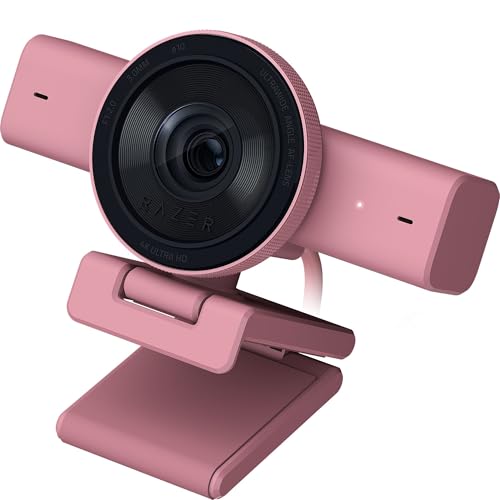
- 4K 30fps with Sony STARVIS sensor
- AI auto-framing with face tracking
- Ultrawide lens and HDR support
Best For: Creators and streamers who want 4K detail plus smart framing
Flexible 4K Conference Choice

- 4K 30fps or 1080p 60fps output
- AI auto-framing with true autofocus
- Adjustable 45°-95° FOV in software
Best For: Meetings, teaching, and streaming with adjustable framing
Smooth 1440p Value Pick
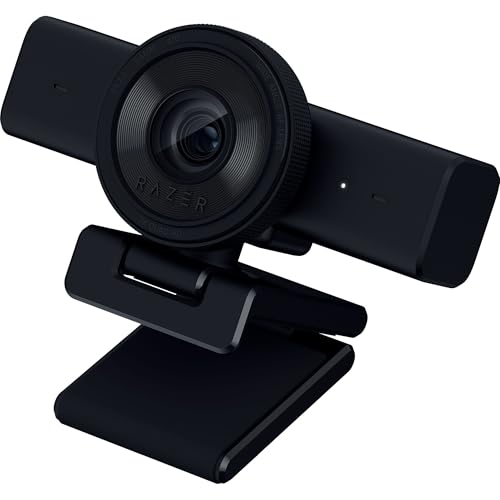
- 1440p at 60fps for smoother video
- AI auto-framing and fast autofocus
- Wide-angle lens with privacy shutter
Best For: Streamers and callers who want smoother 1440p video
Premium AI Framing Webcam
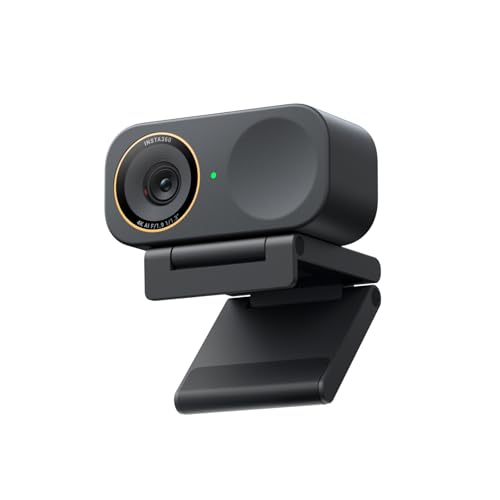
- 4K sensor with strong low-light support
- Auto framing for one person or groups
- DeskView, Whiteboard, and Stream Deck support
Best For: Creators and remote workers who want advanced framing tools
Value 2K Auto-Framing Cam

- 2K video at 60fps
- AI framing for multiple people
- 2-in-1 webcam and document camera
Best For: Meetings and presentations with extra document-sharing flexibility
Premium 4K Creator Pick – Insta360 Link 2C 4K Webcam with AI Tracking
If you want a webcam with AI auto framing that also leans into premium image quality, the Insta360 Link 2C is built for polished video calls, streaming, and creator use. Its 4K output, 1/2″ sensor, HDR, and PDAF autofocus help it deliver a sharper, more consistent picture than basic office webcams.
Best For: Streamers, remote workers, and creators who want 4K video, auto framing, and strong low-light performance.
Pros:
- 4K video with a 1/2″ sensor and HDR for detailed, true-to-life visuals
- Auto framing, gesture control, and smartphone remote control for flexible operation
- AI noise-canceling mic and PDAF autofocus for clear audio and crisp focus
- DeskView, Whiteboard mode, and privacy switch add extra utility
Cons:
- Currently not compatible with ARM-based Windows systems
- Also not compatible with Windows Hello Face Recognition
- May be more webcam than some casual users need
Overall, the Link 2C is a strong pick if you care about image quality and want auto framing that feels tailored to streaming and professional calls. It packs more creator-focused features than a standard conferencing camera.
Budget-Friendly Meeting Cam – OBSBOT Meet 1080p AI Framing Webcam
The OBSBOT Meet is a practical webcam with AI auto framing for everyday conferencing and live streaming. It focuses on delivering 1080p Full HD video, a wide 86° field of view, and simple one-tap background blur, making it a straightforward option for people who want smart framing without stepping up to 4K.
Best For: Office calls, laptop setups, and users who want AI framing with easy background controls.
Pros:
- AI-powered auto framing keeps you centered during calls and group use
- 1080p Full HD with Sony 1/2.8″ sensor for improved low-light capture
- One-tap background blur and app-based customization add privacy control
- Dual noise-canceling mics and HDR support clearer meetings
Cons:
- Maxes out at 1080p rather than 4K
- Some advanced features depend on the companion app
- Digital zoom is limited compared with room-focused cameras
If you mainly need dependable framing for video calls, this model covers the essentials well. It is a sensible pick for users who value simplicity, background blur, and solid conference performance.
Conference Room Pick – WYRESTORM 4K AI Tracking Meeting Webcam
This WYRESTORM model is a webcam with AI auto framing that is clearly aimed at small conference rooms and hybrid meetings. With 4K resolution, a 120° wide-angle lens, and presenter tracking, it is designed to keep groups visible and active speakers properly framed in shared spaces.
Best For: Small conference rooms, boardrooms, and team meetings that need group framing and presenter tracking.
Pros:
- AI auto framing is tuned for group meetings and hybrid collaboration
- Presenter tracking follows the active speaker during presentations
- 120° wide-angle lens helps capture the whole room
- Dual AI noise-canceling mics and privacy cover suit office use
Cons:
- Built more for rooms than personal desk setups
- Larger 6-inch-wide body may be less discreet on a monitor
- Overkill if you only need a simple solo webcam
For teams that meet in smaller rooms, this camera makes more sense than a basic personal webcam. The combination of auto framing, tracking, and wide coverage is what gives it an edge in meeting-room use.
High-Fps Streaming Pick – OBSBOT Meet SE 1080p AI Framing Webcam
The OBSBOT Meet SE is a webcam with AI auto framing that stands out for high frame rates and flexible creator controls. It combines 1080p capture at up to 100FPS with smart group framing, gesture control, and Staggered HDR, making it a strong fit for streamers and users who want smoother motion in their webcam video.
Best For: Streamers, gamers, and users who want fast frame rates with AI framing and gesture control.
Pros:
- AI framing recognizes individuals or groups and adjusts composition in real time
- Up to 1080P@100FPS for smoother motion than standard webcams
- Gesture control makes it easy to toggle framing and zoom
- Staggered HDR and low-light features help maintain image quality
Cons:
- It is still a 1080p webcam, not 4K
- Best 100FPS mode requires using the OBSBOT software options
- More feature-rich than a basic plug-and-play webcam if you only need simple calls
If frame rate matters as much as framing, this model is one of the more interesting options in the category. It blends creator-friendly controls with smart auto framing in a compact desktop design.
Best for Easy Setup – Razer Kiyo V2
If you want a webcam with AI auto framing that feels built for polished streams and video calls, the Razer Kiyo V2 is aimed squarely at creators who want sharp 4K video and flexible framing. Its AI-powered face tracking, ultrawide lens, and low-light image enhancement make it easier to stay centered and look clear without constant tweaking.
Best For: Streamers, remote workers, and creators who want 4K detail with smart framing.
Pros:
- 4K 30fps video with a Sony STARVIS sensor for crisp image quality
- AI-powered auto-framing with intelligent pan, tilt, and zoom effects
- Ultrawide angle lens helps capture more of your setup without edge warping
- Low-light enhancement plus HDR for more balanced-looking footage
Cons:
- Only records at 30fps in 4K, not 60fps
- Software controls may be more than casual users need
- Built-in mic is included, but not the main selling point
The Kiyo V2 is a strong pick if image quality and automated framing matter more than keeping things simple. It looks especially well suited to streaming, collaboration, and content creation setups where a little software control goes a long way.
Flexible 4K Conference Choice – NearStream 4K Webcam
The NearStream 4K Webcam is a practical webcam with AI auto framing for people who want customizable framing, clear video, and easy setup. With true autofocus, adjustable field of view options, and software controls for color tuning, it offers a flexible balance for meetings, livestreams, and everyday content creation.
Best For: Users who want adjustable framing and autofocus for meetings, teaching, and streaming.
Pros:
- 4K at 30fps or 1080p at 60fps for flexible video quality
- AI-powered auto-framing keeps the subject centered in the shot
- True autofocus helps maintain sharp focus as you move
- NearSync software offers adjustable FOV and image tuning controls
Cons:
- Best-known benefits depend on using the companion software
- 4K mode is limited to 30fps
- Design is more utilitarian than premium-looking
Overall, this is a versatile option for buyers who care more about control and adaptability than flashy extras. It stands out if you want a webcam that can be tuned for different platforms, room sizes, and use cases.
Smooth 1440p Value Pick – Razer Kiyo V2 X
If you want a webcam with AI auto framing but don’t need 4K, the Razer Kiyo V2 X focuses on smooth 1440p/60fps video and straightforward setup. It pairs auto focus, a wide-angle lens, and built-in mic support with Razer Synapse customization for users who want a clean, flexible webcam for meetings or streaming.
Best For: Streamers and video callers who want smoother motion at 1440p.
Pros:
- 1440p at 60fps delivers smoother motion than standard 30fps webcams
- AI-powered auto-framing helps keep you positioned in the frame
- Fast auto focus is useful for movement during calls or streams
- Wide-angle lens and privacy shutter add practical everyday flexibility
Cons:
- Lower resolution than the 4K models in this roundup
- Viewing angle is narrower than some ultrawide webcams at 80 degrees
- Built-in mic is handy, but audio-focused users may want more
This model makes sense if you value smoother video and a simpler webcam experience over maximum resolution. It’s a strong middle ground for gaming, calls, and general content creation.
Flagship 4K AI Call Cam – AnkerWork C310
If you want a webcam with AI auto framing that also pushes image quality, the AnkerWork C310 is built for polished meetings and livestreams. Its 4K, 12MP capture, AI autofocus, AI framing, and AI noise-canceling mics make it a strong all-around pick for users who want the camera to do more of the work.
Best For: Professionals and streamers who want high-resolution video with automatic framing and built-in audio cleanup.
Pros:
- 4K resolution and 12MP capture for detailed, true-to-life images
- AI framing, AI autofocus, and dual-mic noise canceling work together in real time
- 1080p@60FPS transmission helps keep calls and streams smooth
- Built-in privacy cover adds a simple security extra after meetings
Cons:
- Focuses on automatic features rather than manual control options
- Best 1080p@60FPS performance relies on USB 3.0 setup
- May be more camera than casual callers need
Overall, the C310 is the most feature-packed option here if you care about high-end video and automated camera behavior. It pairs AI framing with strong resolution and practical privacy features, making it a versatile choice for work and content creation.
Premium AI Framing Webcam – Insta360 Link 2C Pro
The Insta360 Link 2C Pro is a strong webcam with AI auto framing for users who want a premium look with smart tracking. Its 4K sensor, directional noise-canceling mics, and auto framing make it a versatile pick for meetings, streaming, and creator workflows.
Best For: Streamers, presenters, and remote workers who want automatic framing plus advanced software features.
Pros:
- Large 1/1.3″ sensor helps deliver cleaner 4K video and better low-light performance
- Auto framing keeps one person or a group in view
- Directional dual mics are designed to reduce background noise
- Useful extras like DeskView, Whiteboard, portrait mode, and Stream Deck support
Cons:
- Not compatible with ARM-based Windows systems or Windows Hello Face Recognition
- Some features depend on the dedicated Link Controller software
- Premium feature set may be unnecessary for basic video calls
For buyers who want a smarter, more flexible camera setup, the Link 2C Pro stands out. It combines strong image quality with auto framing and creator-focused controls, giving it broader utility than a basic office webcam.
Value 2K Auto-Framing Cam – j5create JVU302
The j5create JVU302 is a practical webcam with AI auto framing for meetings, presentations, and light streaming. It combines 2K resolution, 60fps video, and built-in AI framing with a 2-in-1 webcam and document camera design, making it more flexible than a standard call cam.
Best For: Buyers who want automatic framing, good resolution, and a webcam that can also handle document-style presentations.
Pros:
- 2K resolution at 60fps for smooth, sharp video
- Built-in AI framing automatically adjusts the shot for multiple people
- 2-in-1 design switches from webcam to document camera
- Noise-canceling mic and privacy cover add everyday practicality
Cons:
- Still resolution is modest compared with higher-end 4K models
- Manual focus is available, but it may take more setup than fully automatic use
- Smaller feature set than premium creator-oriented webcams
The JVU302 is a smart buy if you want useful AI framing without moving up to a premium price tier. Its document camera mode gives it extra value for educators, presenters, and anyone who shares physical materials often.
How We Picked the Best Webcam with AI Auto Framing
For this roundup, we prioritized framing consistency, image sharpness, low-light performance, microphone quality, and overall ease of use. A strong Webcam with AI Auto Framing should track natural movement without overcorrecting or cutting off gestures. We also favored models with practical features like privacy covers, adjustable fields of view, HDR, and broad app compatibility.
Quick Comparison
In simple terms, the best choice depends on your use case. Higher-resolution 4K models are better for creators, presenters, and anyone who wants a cleaner on-screen look. Faster 1080p or 2K options can be a smarter buy for everyday meetings, especially if you value smoother motion, lower system demands, and a smaller price tag. If you present standing up or move around a lot, look for stronger tracking and wider angle control.
Key Buying Factors for a Webcam with AI Auto Framing
Framing Behavior
Some webcams only gently recenter your face, while others actively track movement across a wider space. If you tend to lean, gesture, or stand during calls, choose a model with reliable subject tracking and smooth transitions.
Resolution and Frame Rate
4K is ideal for sharp detail and content creation, but 1080p 60fps or 2K 60fps can look excellent for conferencing and live communication. Higher frame rates usually produce more natural motion, which matters if you speak with your hands or move frequently.
Lens, Sensor, and Low-Light Performance
Sensor size and lens quality often matter more than marketing terms. A larger sensor and strong HDR can improve facial detail, reduce harsh shadows, and make the camera more forgiving in home offices with mixed lighting.
Audio and Privacy
Built-in mics are convenient, but noise cancellation quality varies widely. If you take calls in shared or noisy spaces, prioritize webcams with better mic processing. A physical privacy cover is also worth having for everyday peace of mind.
Who Should Buy Which Webcam with AI Auto Framing?
Content creators and streamers should lean toward the best 4K options with stronger auto framing and better optics. Remote workers who mainly need dependable video calls can usually save money with a solid 1080p or 2K Webcam with AI Auto Framing. If you present demos, teach, or move around a room, choose a model with a wider field of view and stronger tracking. If you want a simple upgrade from a built-in laptop camera, pick the most plug-and-play model with clear autofocus, reliable framing, and a good mic.