
If you’re building a compact local AI setup, the right Minisforum mini PC can offer a strong mix of CPU performance, fast storage, modern I/O, and efficient thermals.
This roundup focuses on models that make sense for a minisforum mini pc for ai home lab use, whether you want a light inference box, a homelab server, or a more powerful desktop replacement.
Best 10 Minisforum Mini PC for AI Home Lab Picks for 2026
Best for GPU-Heavy AI Labs
MINISFORUM G1 Pro RTX 5060 Mini PC

- Desktop RTX 5060 accelerates local AI and GPU workloads
- Ryzen 9 8945HX handles demanding multitasking and services
- 5GbE, Wi-Fi 7, and quad 4K output suit advanced home labs
Best For: Home lab builders who need a compact mini PC with real GPU acceleration for local AI and creative work.
Best Budget
MINISFORUM AI X1-255 Ryzen 7 Mini PC
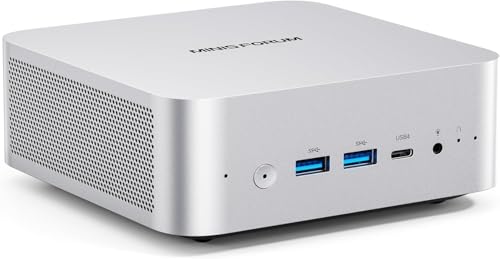
- Ryzen 7 255 with Radeon 780M for strong everyday and lab performance
- Dual PCIe 4.0 SSD slots plus DDR5 support for easy upgrades
- OCuLink, USB4, Wi-Fi 7, and 2.5G LAN for flexible home lab connectivity
Best For: Home lab builders who want a compact AMD mini PC with upgrade headroom and eGPU support.
Best for AI-Ready Budget Power

- 8-core Ryzen 7 6800H handles home lab multitasking well
- 32GB DDR5 and 1TB SSD give a strong starting point
- USB4, Wi-Fi 6E, and 2.5Gb LAN add useful flexibility
Best For: Home lab builders who want a compact mini PC for Docker, virtualization, and light AI work.
Best AI Workhorse

- 86 TOPS Ryzen AI chip for local AI tasks
- OCuLink support for future GPU upgrades
- USB4, Wi-Fi 7, and 2.5GbE for fast connectivity
Best For: AI home lab users who want strong performance and upgrade flexibility in a compact system.
Best for Basic Lab Tasks

- Affordable entry point for light homelab and automation
- 512GB SSD with expandable storage for files and services
- Dual HDMI and multiple ports simplify desktop setups
Best For: Hobbyists who want a budget mini PC for light AI home lab experiments and everyday use.
Best for AI + Expansion
MINISFORUM AI X1 Pro Ryzen AI 9 HX370
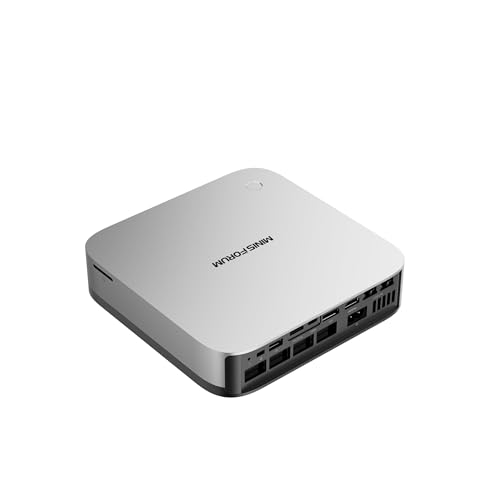
- Ryzen AI 9 HX370 with Radeon 890M for strong performance
- OCuLink, dual USB4, and dual 2.5GbE for lab flexibility
- Supports multiple SSDs and high-capacity DDR5 upgrades
Best For: Enthusiasts building a compact AI home lab who want high performance and room to expand.
Best Value Dual-LAN Pick

- Dual 1GbE networking for lab and firewall-style setups
- 16GB RAM + 512GB NVMe gives a ready-to-use starter config
- Triple 4K display support for desktop and monitoring use
Best For: Home-lab beginners who need a compact, affordable dual-LAN mini PC.
Best GPU-Accelerated Mini PC
MINISFORUM G1 Pro Ryzen 9 8945HX
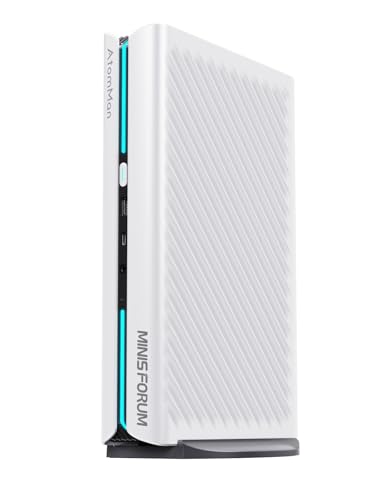
- 16-core Ryzen 9 CPU for demanding multitasking
- RTX 5060 adds CUDA-capable GPU acceleration
- Wi‑Fi 7, 5G LAN, and multiple display outputs
Best For: AI home lab users who want a compact mini PC with a discrete NVIDIA GPU.
Best for AI Features and Expansion
MINISFORUM AI X1 Pro-370 Mini PC

- Strong Ryzen AI 9 HX 370 performance
- Oculink, USB4, and dual 2.5GbE
- Upgradeable RAM and storage for lab growth
Best For: Home lab users who want an AI-capable mini PC with strong expansion and modern connectivity.
Best for AI-Ready Expansion – MINISFORUM AI X1-255 Mini PC
If you want a minisforum mini pc for ai home lab use that can grow with your projects, the AI X1-255 is a strong barebone starting point. It pairs an 8-core Ryzen 7 255 with DDR5, dual PCIe 4.0 SSD slots, dual USB4, and OCuLink support, so it can handle local services, storage, and even an external GPU path later on.
Best For: Home lab builders who want a compact, upgrade-friendly Minisforum system for AI workloads, containers, and light GPU expansion.
Pros:
- Ryzen 7 255 with 8C/16T gives solid CPU headroom for multitasking and local AI tools
- Dual M.2 PCIe 4.0 slots and DDR5 support make it easy to scale storage and memory
- USB4, 2.5G LAN, Wi-Fi 7, and OCuLink add strong networking and expansion options
- Quiet cooling and compact size suit always-on lab setups
Cons:
- Barebone configuration means you must supply your own RAM and SSDs
- Integrated Radeon 780M is capable, but not a replacement for a full discrete GPU
- OCuLink/eGPU use adds cost and extra setup complexity
For a minisforum mini pc for ai home lab projects, this model stands out because it balances CPU performance, fast I/O, and practical upgrade paths in a small chassis. It is especially appealing if you want a quiet base system now and the option to add more capability later.
Best for GPU-Heavy AI Labs – MINISFORUM G1 Pro RTX 5060 Mini PC
If you want a minisforum mini pc for ai home lab work that can also handle serious gaming and creative workloads, the G1 Pro stands out for its desktop RTX 5060, Ryzen 9 8945HX, and 5GbE networking. It’s a strong fit if you need compact size without giving up real GPU acceleration, fast multitasking, or multi-display support.
Best For: Home lab builders who want a compact Windows mini PC with a full-power NVIDIA GPU for local AI, content creation, and high-performance multitasking.
Pros:
- RTX 5060 with 8GB GDDR7 and 614 TOPS AI performance for local GPU-accelerated workloads
- Ryzen 9 8945HX brings 16 cores and 32 threads for heavy multitasking and CPU-bound jobs
- 5GbE, Wi-Fi 7, and up to quad 4K output make it flexible for a serious lab setup
- Expandable memory and dual M.2 storage support help it grow with your projects
Cons:
- More expensive and power-hungry than typical minisforum mini pc for ai home lab options
- 3.8L chassis is compact, but still larger than ultra-small barebones mini PCs
- 8GB of VRAM may limit larger local models compared with higher-VRAM GPUs
This is the kind of minisforum mini pc for ai home lab users should consider when they want a rare mix of compact footprint, desktop-class GPU power, and strong networking for always-on experimentation.
Best Budget – MINISFORUM AI X1-255 Ryzen 7 Mini PC
If you want a minisforum mini pc for ai home lab use, the AI X1-255 stands out for its Ryzen 7 255 performance, fast DDR5 support, dual PCIe 4.0 SSD slots, and OCuLink expansion for an external GPU dock. It’s a practical choice for running local services, light AI workloads, and a compact desktop setup without giving up modern connectivity.
Best For: Home lab builders who want a compact AMD mini PC with strong multitasking, upgrade room, and eGPU options.
Pros:
- 8-core/16-thread Ryzen 7 255 with Radeon 780M graphics handles demanding multitasking well
- Dual M.2 PCIe 4.0 SSD slots and DDR5 support make upgrades straightforward
- OCuLink, USB4, Wi-Fi 7, and 2.5G LAN give it excellent lab connectivity
- Quiet cooling and built-in speakers/mic suit a desk or media setup
Cons:
- 16GB RAM and 512GB SSD may feel small for heavier AI or container workloads
- OCuLink needs compatible hardware and is not hot-swappable
- Not as powerful as a true desktop GPU system for large local models
Overall, this is a strong minisforum mini pc for ai home lab users who want a flexible, network-ready machine that can grow with their projects. It’s especially appealing if you value compact size now and upgrade paths later.
Best for AI-Ready Budget Power – N2 Pro Ryzen 7 6800H Mini PC
If you want a minisforum mini pc for ai home lab tasks without jumping to a full desktop, this Ryzen 7 6800H model is a strong middle ground. It gives you 8 cores, 16 threads, fast DDR5 memory, and dual 2.5GbE-class networking support for container work, light model testing, and always-on services in a compact box.
Best For: Home lab builders who want a compact, responsive mini PC for Docker, virtualization, media services, and light AI experimentation.
Pros:
- Ryzen 7 6800H brings solid 8C/16T performance for multitasking and lab workloads
- 32GB DDR5 and expandable storage make it easier to grow a home server setup
- USB4, Wi-Fi 6E, and 2.5Gb LAN offer flexible, modern connectivity
- Quiet cooling and a small footprint suit desk or shelf deployments
Cons:
- Integrated Radeon graphics are fine for light AI, not heavy GPU training
- The included 1TB SSD may be limiting once multiple VMs and datasets stack up
- Not as easy to explain as a true Minisforum-branded model for brand-first shoppers
For anyone shopping a minisforum mini pc for ai home lab use, this is appealing if you value CPU strength, memory headroom, and connectivity over discrete GPU performance. It is best suited to practical lab work rather than serious local AI training.
Best AI Workhorse – MINISFORUM AI X1 470 Mini PC
If you want a minisforum mini pc for ai home lab work that can handle local models, multitasking, and fast storage without feeling constrained, the AI X1 470 is built for that more demanding lane. Its Ryzen AI 9 HX 470 chip brings strong on-device AI headroom, while the compact footprint keeps it practical for a desk, rack shelf, or lab corner.
Best For: Enthusiasts building a compact AI home lab who want strong CPU/GPU performance, fast I/O, and upgrade room.
Pros:
- Ryzen AI 9 HX 470 with up to 86 TOPS for local AI workloads
- Radeon 890M plus OCuLink support for external GPU expansion
- 32GB DDR5 and 1TB PCIe 4.0 SSD included for immediate use
- USB4, Wi-Fi 7, 2.5GbE, and quad 4K display support
Cons:
- Higher price than entry-level mini PCs
- OCuLink GPU expansion requires an adapter and extra hardware
- May be more power than casual office users need
This is a strong minisforum mini pc for ai home lab builders who want more than basic inference and VM duty. The combination of modern AI acceleration, solid integrated graphics, and broad expansion makes it a flexible base for experimenting now and scaling later.
Best for Basic Lab Tasks – Core i3-5005U Mini PC
If you want a low-cost minisforum mini pc for ai home lab experiments that stay light on resources, this compact Core i3 system is better suited for testing, automation, dashboards, and general server duties than heavy model training. It gives you dual-monitor output, decent storage, and enough expandability for simple homelab use.
Best For: Hobbyists who need an affordable mini PC for basic AI home lab projects, media tasks, and everyday office work.
Pros:
- Compact, quiet-friendly design for small desks and shelf setups
- 512GB SSD plus expandable storage for files, containers, and lightweight services
- Dual HDMI support makes it easy to run two displays for monitoring and multitasking
- Wi-Fi 5, Bluetooth 5.0, and Gigabit Ethernet cover flexible connectivity
Cons:
- Older Core i3-5005U CPU is not ideal for demanding AI workloads
- 8GB RAM is modest if you plan to run multiple services at once
- Pre-installed Windows 10 Pro cannot be upgraded, which limits OS flexibility out of the box
For a minisforum mini pc for ai home lab use, this is a practical entry-level pick when your priority is affordability and basic always-on tasks rather than serious compute power. It makes sense as a starter box for learning, testing, or light-duty automation.
Best for AI + Expansion – MINISFORUM AI X1 Pro Ryzen AI 9 HX370
If you want a minisforum mini pc for ai home lab use that can also handle serious multitasking, the AI X1 Pro is built around the Ryzen AI 9 HX370, fast DDR5 memory, triple SSD expansion, and modern connectivity like USB4, Wi-Fi 7, dual 2.5GbE, and OCuLink. It’s a strong fit if you need a compact machine for local AI tools, development work, media, and light gaming without giving up upgrade headroom.
Best For: Enthusiasts building a compact AI home lab who want high CPU/GPU performance, lots of expansion, and fast networking.
Pros:
- Ryzen AI 9 HX370 with Radeon 890M delivers strong CPU and integrated GPU performance
- OCuLink, dual USB4, dual 2.5GbE, and Wi-Fi 7 make it very flexible for lab setups
- Supports up to three PCIe 4.0 SSDs and large DDR5 memory configurations for growth
- Up to four-display output support is great for dashboards and workstation use
Cons:
- Barebone configuration means you still need to add RAM and storage
- More expensive than simpler mini PCs aimed at basic home-server tasks
- Overkill if you only need a quiet, low-power network appliance
For a minisforum mini pc for ai home lab projects, this model stands out because it blends AI-focused silicon with unusually deep connectivity and upgrade options. If you want one compact box to cover inference, development, networking, and multi-monitor use, it’s one of the more capable choices in this category.
Best Value Dual-LAN Pick – Origimagic C4 Ryzen 5 Mini PC
If you want a low-cost minisforum mini pc for ai home lab duties like dashboards, light container work, downloads, and everyday server management, the Origimagic C4 is a practical entry point. Its Ryzen 5 3550H, 16GB RAM, 512GB NVMe SSD, and dual Gigabit Ethernet make it more capable than a basic office box, though it is still better suited to lighter workloads than serious local AI inference.
Best For: Home-lab beginners who want a compact dual-LAN mini PC for light virtualization, networking tasks, and general-purpose computing.
Pros:
- Dual 1GbE ports are useful for router, firewall, lab, or NAS-adjacent setups.
- 16GB DDR4 and a 512GB NVMe SSD provide a solid starter config.
- Triple 4K display support helps when you want a compact desktop and lab monitor setup.
- Linux support adds flexibility for home-lab operating systems and containers.
Cons:
- Older Ryzen 5 3550H hardware is not ideal for heavier AI workloads.
- Wi-Fi 5 is dated compared with newer mini PCs.
- Not a top choice if you need lots of CPU headroom for multiple VMs.
For buyers comparing a minisforum mini pc for ai home lab use, this model makes sense when networking features and affordability matter more than raw compute. It is a sensible pick for light lab experimentation, but power users will want a newer platform for bigger AI or virtualization projects.
Best GPU-Accelerated Mini PC – MINISFORUM G1 Pro Ryzen 9 8945HX
If you want a minisforum mini pc for ai home lab work that can also handle gaming and creative tasks, the G1 Pro stands out for its Ryzen 9 8945HX CPU and RTX 5060 GPU combo. It’s a compact machine with enough CPU threads, modern graphics support, and fast networking to serve as a strong all-around lab box for experimentation, local inference, media, and multi-display productivity.
Best For: Builders who want a compact AI home lab PC with a real NVIDIA GPU for faster local workloads and multitasking.
Pros:
- Ryzen 9 8945HX delivers 16 cores and 32 threads for heavy multitasking and CPU-bound workloads
- RTX 5060 8GB adds CUDA-capable GPU acceleration for local AI, rendering, and gaming
- Wi‑Fi 7, 5G LAN, and multiple display outputs make it flexible for a lab or workstation setup
- Upgradeable RAM and storage help it grow with your projects
Cons:
- 8GB of VRAM may feel limited for larger local AI models
- More expensive than typical mini PCs without a discrete GPU
- Compact chassis still means less expansion than a full desktop tower
For a minisforum mini pc for ai home lab use, this model makes the most sense when you want GPU acceleration in a small footprint instead of the lowest possible price. It’s a strong pick if your workflow mixes local AI tinkering, remote access, and everyday high-performance computing.
Best for AI Features and Expansion – MINISFORUM AI X1 Pro-370 Mini PC
If you want a minisforum mini pc for ai home lab work that can also double as a capable desktop, the AI X1 Pro-370 is built around AMD’s Ryzen AI 9 HX 370 and packs unusually strong I/O for its size. It’s a solid fit for local AI tools, multitasking, and light content creation, especially if you value fast networking and external GPU support.
Best For: Home lab users who want a compact AI-capable mini PC with strong expansion, modern connectivity, and room to grow.
Pros:
- Ryzen AI 9 HX 370 delivers strong CPU performance for AI-heavy multitasking
- Oculink, dual USB4, and dual 2.5GbE make it highly flexible for home lab setups
- Wi‑Fi 7, Bluetooth 5.4, and support for up to four 4K displays add modern convenience
- Upgrade-friendly design with removable DDR5 memory and expandable SSD storage
Cons:
- Not a low-cost option compared with simpler mini PCs
- Integrated graphics are good, but serious GPU workloads will still benefit from an eGPU
- Preinstalled 32GB/1TB may be enough for many users, but heavy lab builds may want more storage
This is a compelling minisforum mini pc for ai home lab buyers who want top-tier connectivity and upgrade paths in a small chassis. It’s especially attractive if your setup may evolve into external GPU acceleration or multi-display workstation use.
How We Picked the Best Minisforum Mini PC for AI Home Lab
For a Minisforum Mini PC for AI Home Lab, we prioritized CPU headroom, memory and storage expandability, USB4 and display output support, networking options, and overall suitability for always-on workloads. We also considered whether each system is a barebone or a ready-to-run configuration, since that affects both cost and flexibility.
Because AI home labs vary widely, the list includes efficient mainstream options, higher-performance AI-oriented chips, and a GPU-equipped model for users who want more local acceleration.
Quick Comparison
If you want the shortest path to the right choice, think in three buckets: efficient entry-level systems for light services, balanced Ryzen AI models for mixed workloads, and premium HX or discrete-GPU systems for heavier multitasking, local models, or experimentation.
In practice, storage speed, RAM capacity, and cooling matter nearly as much as the processor name. A fast SSD and enough memory can make a modest system feel much more capable for containers, VMs, and inference tasks.
Key Buying Factors for Minisforum Mini PC for AI Home Lab
Processor and NPU/GPU Capability
Choose the strongest CPU you can justify, but pay attention to AI acceleration too. Ryzen AI and Radeon 890M-based systems are better positioned for local inference and mixed productivity, while discrete-GPU options are the best fit for larger models and more demanding workloads.
Memory and Storage Expandability
For home lab use, 32GB RAM is a practical starting point, and 64GB or more is ideal if you plan to run multiple VMs or containers. NVMe storage is strongly preferred, especially if you’ll host datasets, logs, or multiple services.
Networking and I/O
Fast wired networking can matter more than raw benchmark numbers in a home lab. Look for 2.5GbE or better, plus USB4, HDMI, and DisplayPort if you want flexible peripheral and multi-monitor support.
Thermals and Power Efficiency
Always-on systems need stable cooling and sensible power draw. Efficient chips are often a better long-term fit than peak-performance parts if your lab runs continuously and sits near other gear.
Who Should Buy Which Minisforum Mini PC for AI Home Lab?
Pick an entry-level or older mini PC if you mainly want lightweight services, test environments, or low-power network tasks. Choose a Ryzen AI or 8-core-plus Minisforum model if you want the best balance for containers, local apps, and modest AI workflows. Go for the HX or RTX-equipped systems if you plan to push heavier multitasking, frequent VM use, or local model experimentation and want extra performance headroom.
If your goal is a compact, practical Minisforum Mini PC for AI Home Lab use, the best choice is usually the one that gives you enough RAM, the fastest storage you can afford, and the I/O you’ll actually use every day.