
Choosing a beelink mini pc for ai home lab work means balancing CPU power, RAM capacity, storage speed, and connectivity in a very small footprint. The right model can handle local inference, light fine-tuning, containers, media, and always-on services without taking over your desk.
This roundup focuses on practical options for different budgets and workloads, from efficient entry-level systems to more capable machines with faster networking and stronger integrated graphics.
Best 10 Beelink Mini PC for AI Home Lab Picks for 2026
Best for Cloud AI Workflows
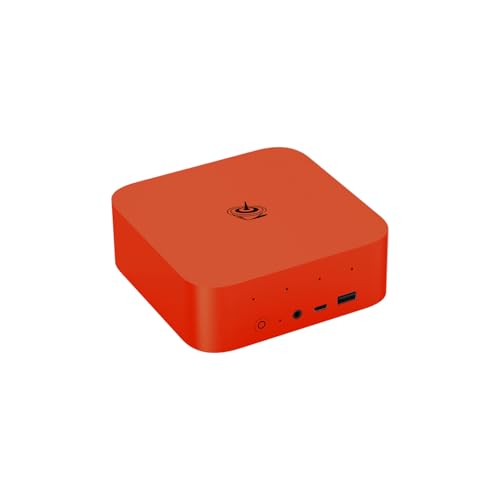
- Ubuntu + OpenClaw for quick AI workflow setup
- Ryzen 7 H 255 with 24GB LPDDR5X for smooth multitasking
- USB4, 2.5GbE, WiFi 6, and triple-display support
Best For: Home lab users who want a compact Ubuntu-based mini PC for cloud AI tools and automation.
Best for Dual-Display AI Homelabs
Beelink EQi12 i5 Mini PC 32GB/1TB

- 10-core Core i5-1235U for light AI and multitasking
- 32GB RAM + 1TB SSD included out of the box
- Dual HDMI, dual LAN, WiFi 6, and Wake-on-LAN
Best For: Users who want a compact, dual-display mini PC for light AI experiments, home services, and office work.
Best for Balanced AI Performance

- 8-core Ryzen 7 6800H with Radeon 680M graphics
- 32GB DDR5 RAM and 1TB NVMe storage
- 2.5GbE, Wi-Fi 6E, USB4, and dual-display support
Best For: Home lab builders who want a compact mini PC for AI tinkering, virtualization, and everyday productivity.
Best for Quiet Dual-Drive Expansion
Beelink EQR6 Ryzen 5 6600U Mini PC

- Ryzen 5 6600U offers efficient 6C/12T performance
- 24GB LPDDR5 + dual M.2 PCIe 4.0 storage support
- Dual HDMI and dual Ethernet suit home lab setups
Best For: Quiet home lab users who want a compact mini PC for lightweight AI tasks and expandability.
Best for Local AI Workloads

- Ryzen AI 9 HX 470 for strong local AI performance
- 10GbE and USB4 suit home lab networking
- Dual PCIe 4.0 SSD slots and high RAM support
Best For: AI hobbyists and home lab builders who want a compact, high-performance mini PC.
Best for Dual-LAN Lab Networking

- Dual 1GbE ports suit home lab networking and segmentation
- 16GB RAM and 512GB NVMe offer a responsive starter setup
- Linux-friendly design works well for light AI and services
Best For: Home lab users who want dual Ethernet and a compact, Linux-friendly mini PC for light AI and server experiments.
Best for AI Voice-Enabled Home Labs
Beelink SER9 Pro Ryzen 7 H255 Mini PC
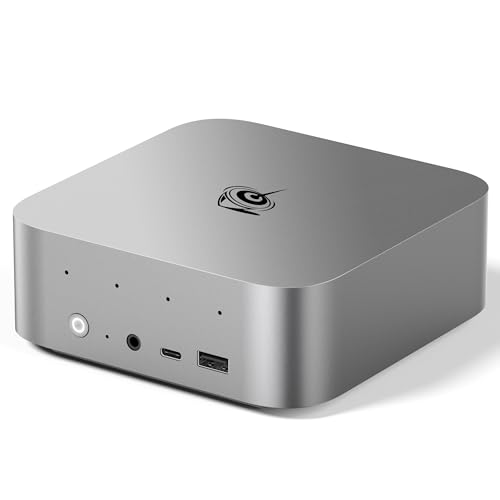
- 8-core Ryzen 7 H255 with Radeon 780M graphics
- 24GB LPDDR5X RAM and 500GB PCIe 4.0 SSD
- Triple 4K display support plus 2.5G LAN and WiFi 6
Best For: Makers and home-lab users who want a compact mini PC with strong CPU performance and built-in voice/audio features.
Best for Local AI Labs
Beelink GTR9 Pro Ryzen AI Max+ 395
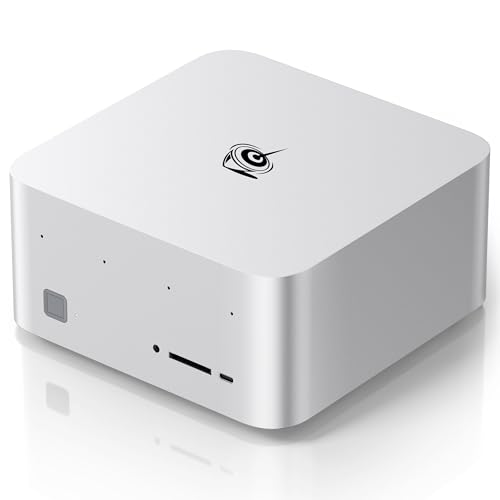
- 126 AI TOPS for demanding local inference
- 128GB RAM and 2TB SSD included
- Dual 10GbE plus WiFi 7 for homelab networking
Best For: Builders who need a compact high-end mini PC for private AI, homelab services, and heavy multitasking.
Best for Easy Setup

- Core i5-13500H provides strong everyday and light AI performance
- 32GB RAM plus dual M.2 slots make expansion straightforward
- Built-in PSU helps reduce cable clutter in small lab spaces
Best For: Home lab users who want a compact, easy-to-manage mini PC for AI experiments and always-on services.
Best for Cloud AI Workflows – Beelink SER9 Pro AI Mini PC
The Beelink SER9 Pro is a strong pick if you want a beelink mini pc for ai home lab use without giving up everyday speed. It pairs a Ryzen 7 H 255 CPU, 24GB LPDDR5X memory, and fast PCIe 4.0 storage with built-in Ubuntu and OpenClaw, so you can experiment with AI-assisted workflows while still using it as a compact desktop PC.
Best For: Home lab users who want a compact Ubuntu-based mini PC for cloud-connected AI tools, automation, and mixed productivity.
Pros:
- Built-in Ubuntu with OpenClaw makes it easy to start AI workflow testing quickly.
- Ryzen 7 H 255 and 24GB LPDDR5X provide solid multitasking and general-purpose performance.
- USB4, 2.5GbE, WiFi 6, and triple-display support give it strong home lab flexibility.
- Quiet cooling and dual speakers make it practical for a desk or living-room setup.
Cons:
- AI computations are cloud-based, so it is not a local inference powerhouse.
- 24GB RAM is good for many tasks, but heavier local model experiments may want more headroom.
For a beelink mini pc for ai home lab projects, this model stands out because it blends a modern AMD platform with ready-to-use Ubuntu software and broad connectivity. If your priority is managing automations, testing AI services, and keeping a small footprint, it is an especially practical choice.
Best for Dual-Display AI Homelabs – Beelink EQi12 i5 Mini PC 32GB/1TB
If you want a practical beelink mini pc for ai home lab use without jumping to a full desktop tower, the Beelink EQi12 is a strong middle-ground option. Its 12th-gen Core i5, 32GB of RAM, and 1TB NVMe SSD give it enough room for light AI tooling, coding, media services, and everyday multitasking while staying compact and power-efficient.
Best For: Users who want a compact, dual-display mini PC for light AI experiments, home services, and office work.
Pros:
- Core i5-1235U with 10 cores/12 threads handles everyday multitasking and light AI workloads well
- 32GB RAM and 1TB NVMe SSD provide a solid out-of-box setup for containers, VMs, and storage
- Dual HDMI with 4K@60Hz support makes it easy to run two monitors for dashboards or admin work
- Dual LAN, WiFi 6, BT5.2, and Wake-on-LAN suit always-on home lab and media server setups
Cons:
- Integrated Intel UHD graphics are fine for light tasks, but not ideal for heavy local AI inference
- Storage and memory are good for the class, but not a substitute for a larger, upgrade-heavy workstation
Overall, this Beelink EQi12 makes sense if you want a beelink mini pc for ai home lab duties that stays quiet, small, and easy to place on a desk or shelf. It is best viewed as a capable entry-to-midrange machine for services, development, and dashboard work rather than a GPU-powered AI box.
Best for Balanced AI Performance – N2 Pro Ryzen 7 6800H Mini PC
If you want a beelink mini pc for ai home lab projects without jumping to a full desktop, this Ryzen 7 6800H system is a strong middle ground. It pairs an 8-core/16-thread CPU with 32GB DDR5, a fast 1TB SSD, Wi-Fi 6E, and 2.5GbE, giving you the speed and connectivity needed for containers, local services, media tasks, and light GPU-accelerated workloads.
Best For: Home lab builders who want a compact, responsive mini PC for AI tinkering, virtualization, and everyday productivity.
Pros:
- Ryzen 7 6800H and Radeon 680M deliver solid CPU and integrated GPU performance for compact workloads.
- 32GB DDR5 and 1TB NVMe storage provide a good starting point for containers, VMs, and datasets.
- 2.5GbE, Wi-Fi 6E, USB4, and dual-display support make it flexible for a home lab setup.
- Quiet cooling and a small footprint help it fit neatly on a desk or shelf.
Cons:
- Integrated graphics are fine for light AI tasks, but not a replacement for a discrete GPU.
- Storage is listed as PCIe 3.0 in the notes, so it is not a top-end SSD configuration.
- Better suited to entry-level or mixed-use AI home lab work than heavy model training.
This is a practical pick if your beelink mini pc for ai home lab needs lean toward compute, networking, and expandability rather than raw GPU power. It offers a lot of capability in a small, easy-to-place machine, which makes it especially appealing for homelab users starting with local AI services, NAS-adjacent tasks, or virtualization.
Best for Quiet Dual-Drive Expansion – Beelink EQR6 Ryzen 5 6600U Mini PC
If you want a practical beelink mini pc for ai home lab use, the Beelink EQR6 is a strong midrange option with a Ryzen 5 6600U, 24GB LPDDR5 memory, and a 500GB PCIe 4.0 SSD. It is a good fit for light local AI workloads, always-on services, and compact lab setups where low noise and simple expansion matter more than raw workstation power.
Best For: Makers who want a quiet, compact mini PC for home lab automation, lightweight AI tasks, and dual-monitor productivity.
Pros:
- 6-core/12-thread Ryzen 5 6600U handles multitasking and small self-hosted services well
- 24GB LPDDR5 memory and dual M.2 PCIe 4.0 slots give it solid headroom for upgrades
- Built-in power supply and compact chassis help reduce cable clutter
- Dual HDMI, dual Ethernet, and Wi‑Fi 6 make it versatile for lab networking
Cons:
- Not a replacement for a discrete-GPU system for heavy local model training
- Fixed LPDDR5 memory limits RAM upgrade flexibility
- Best suited to light-to-moderate AI workloads rather than demanding inference stacks
For a beelink mini pc for ai home lab builds, the EQR6 stands out as a quiet, capable box that balances efficiency, storage expansion, and everyday usability. It is most compelling when you need a small, low-fuss machine for services, testing, and light AI experimentation.
Best Budget Starter – Core i3 Mini PC with 512GB SSD
If you want a low-cost beelink mini pc for ai home lab experiments, this Core i3-5005U model is better suited to lightweight services than serious model training. It has enough storage, dual displays, and basic expansion to serve as a compact always-on box for dashboards, containers, file sharing, or simple automation tasks.
Best For: Beginners who want an affordable mini PC for home lab basics, media, and general-purpose always-on workloads.
Pros:
- 512GB SSD and 8GB RAM give you a usable starting point for home lab setup.
- Dual HDMI output supports two 2.5K displays for multitasking and monitoring.
- Compact size, Wi-Fi, Bluetooth 5.0, and Ethernet make placement flexible.
- Storage expansion options help if you want to add more local files later.
Cons:
- Older dual-core processor is not ideal for demanding AI workloads.
- 8GB RAM may feel limiting for heavier virtualization or multiple containers.
- Pre-installed Windows 10 Pro cannot be upgraded, which may be a drawback for some users.
As a beelink mini pc for ai home lab use, this machine makes sense only if your goals are modest and budget-driven. It is best treated as an entry-level lab node rather than an AI-capable workstation.
Best for Local AI Workloads – Beelink SER10 MAX Mini PC
The Beelink SER10 MAX is a strong beelink mini pc for ai home lab setups if you want desktop-class CPU/GPU power, fast storage, and serious networking in a compact box. With Ryzen AI, Radeon 890M graphics, and 10GbE, it’s built for running local models, light virtualization, and high-speed file transfers without needing a full tower.
Best For: AI hobbyists, home lab builders, and creators who want a compact mini PC with enough performance for local LLMs, multitasking, and fast networked storage.
Pros:
- Ryzen AI 9 HX 470 and Radeon 890M give it plenty of headroom for local AI and productivity.
- 10Gb Ethernet is excellent for NAS access, lab networking, and large file transfers.
- Dual PCIe 4.0 SSD slots and up to 256GB RAM support make it easy to scale.
- Quiet cooling helps it stay practical for desk or server-adjacent use.
Cons:
- Higher price than typical mini PCs, especially if you don’t need the AI focus.
- It’s powerful, but still not a replacement for a discrete-GPU workstation for heavier training.
- Advanced specs may be overkill for simple media or office-only use.
For a beelink mini pc for ai home lab, the SER10 MAX stands out because it blends NPU-driven AI performance with fast networking and expandable storage in a compact chassis. It’s a smart pick if you want one machine that can handle local experimentation, shared services, and everyday computing.
Best for Dual-LAN Lab Networking – C4 Mini PC Ryzen 5 3550H
If you want a practical beelink mini pc for ai home lab projects without paying for higher-end hardware, this Ryzen 5 3550H model is a solid entry point. It gives you dual 1GbE ports, 16GB of RAM, a fast 512GB NVMe SSD, and support for Linux or Ubuntu, which makes it a flexible fit for light container work, network services, and everyday multitasking.
Best For: Home lab users who want dual Ethernet, compact size, and dependable performance for lightweight AI, NAS-adjacent tasks, and general server experiments.
Pros:
- Dual Gigabit LAN is useful for routing, segmentation, and lab networking setups
- 16GB DDR4 and 512GB NVMe SSD provide a responsive baseline out of the box
- Linux and Ubuntu support make it easier to repurpose for home lab software
- Triple 4K display output adds flexibility for desktop and monitoring use
Cons:
- Ryzen 5 3550H is better for light AI and general workloads than demanding model training
- Wi-Fi 5 and 1GbE ports are adequate, but not ideal for higher-speed lab builds
- Integrated graphics are fine for visuals, not serious GPU-accelerated AI
For a beelink mini pc for ai home lab buyers who value networking features more than raw compute, this machine lands in a useful middle ground. It is not a deep-learning powerhouse, but it is well suited to learning, testing, and running modest always-on services.
Best for AI Voice-Enabled Home Labs – Beelink SER9 Pro Ryzen 7 H255 Mini PC
If you want a beelink mini pc for ai home lab work that also pulls double duty as a compact everyday desktop, the SER9 Pro is a strong fit. Its Ryzen 7 H255, fast LPDDR5X memory, PCIe 4.0 SSD, and built-in audio make it easy to run light AI tasks, test services, and keep a clean desk setup.
Best For: Makers and home-lab users who want a small, quiet Windows mini PC with solid CPU performance, triple-display support, and built-in voice/audio features.
Pros:
- 8-core Ryzen 7 H255 with Radeon 780M handles multitasking and light AI workloads well
- 24GB LPDDR5X and a 500GB PCIe 4.0 SSD give it a responsive out-of-box feel
- Triple 4K display output is useful for dashboards, monitoring, and coding setups
- 2.5G LAN, WiFi 6, and USB4 add flexible connectivity for lab gear and peripherals
Cons:
- 24GB RAM is good for many tasks, but heavy AI model work may still want more memory
- 500GB storage can fill quickly if you keep large datasets or model files locally
- Integrated graphics are capable, but not a substitute for a discrete GPU
This is a practical pick if you need a beelink mini pc for ai home lab experiments without giving up everyday usability. It is not a GPU powerhouse, but for compact testing, automation, media, and productivity, it offers a very balanced feature set.
Best for Local AI Labs – Beelink GTR9 Pro Ryzen AI Max+ 395
If you want a beelink mini pc for ai home lab work, this GTR9 Pro is built for heavy local inference, model testing, and multitasking. The Ryzen AI Max+ 395, 126 TOPS NPU, 128GB of RAM, and dual 10GbE make it a strong fit for private AI projects, while the 2TB SSD and dual USB4 ports give you plenty of room to expand.
Best For: Builders who want a compact but seriously capable local AI box for running large models, lab services, and fast networked storage.
Pros:
- Ryzen AI Max+ 395 with 126 AI TOPS is excellent for local AI workloads
- 128GB LPDDR5X RAM and 2TB SSD provide huge headroom out of the box
- Dual 10GbE, WiFi 7, and dual USB4 suit homelab networking and expansion
- Quiet 140W cooling helps it stay usable under sustained load
Cons:
- Very expensive compared with mainstream mini PCs
- Memory is impressive but not user-upgradable in the usual way
- Its power level is overkill if you only need light AI or desktop tasks
This is a serious beelink mini pc for ai home lab users who care more about local performance and connectivity than price. It makes the most sense when you want one compact machine to handle AI inference, network services, and creative workloads without moving to a full tower.
Best for Easy Setup – Beelink EQi13 Pro AI Mini PC
If you want a beelink mini pc for ai home lab projects without dealing with a bulky tower, the Beelink EQi13 Pro is a practical middle-ground pick. Its Core i5-13500H-class performance, 32GB of RAM, and dual NVMe support make it a solid fit for light AI workloads, container stacks, home servers, and everyday desktop use.
Best For: Home lab builders who want a compact, low-hassle mini PC for AI experiments, automation, and always-on services.
Pros:
- 13th Gen Core i5-13500H offers plenty of headroom for multitasking and light AI tasks
- 32GB RAM and dual M.2 SSD slots give you room to scale storage and memory
- Built-in power supply keeps cable clutter down for cleaner desk or shelf setups
- Dual HDMI, Wi‑Fi 6, and 2.5? no, 1GbE networking cover flexible home lab connectivity
Cons:
- Integrated graphics mean it is not ideal for heavy local model training
- Base storage is modest if you plan to host multiple large datasets or VMs
For buyers who mainly need a compact, reliable system to run services, test AI tools, and keep a beelink mini pc for ai home lab tidy, the EQi13 Pro is an easy recommendation. It is more about dependable general-purpose compute than raw accelerator power, but that is often the right tradeoff at this size.
How We Picked the Best Beelink Mini PC for AI Home Lab
For a Beelink Mini PC for AI Home Lab, we prioritized sustained CPU performance, memory capacity and type, NVMe storage, cooling headroom, and networking options. We also considered whether the system is better suited to low-power always-on tasks or heavier local AI workflows that benefit from more cores, faster iGPUs, or higher-bandwidth I/O.
Quick Comparison
In simple terms, lower-end Intel and older Ryzen options are best for lightweight services, dashboards, and container hosts. Midrange Ryzen 5/7 systems are a better fit for broader homelab use with some AI experimentation. Higher-end Ryzen AI models with larger RAM pools, USB4, and faster LAN are the strongest choices when you want the most flexibility for local models, data pipelines, and multi-service setups.
Key Buying Factors for Beelink Mini PC for AI Home Lab
CPU and Sustained Performance
Look beyond peak boost clocks. For homelab work, a chip with enough cores and good cooling is more valuable than short bursts of speed. More threads help when running multiple containers, VMs, indexing jobs, and inference services at once.
Memory Capacity and Upgrade Path
AI home lab builds are memory-hungry. If you expect to run local models, vector databases, or several services together, 32GB is a sensible starting point and 64GB or more is better if the system supports it. Pay attention to whether RAM is soldered or replaceable.
Storage and Expandability
NVMe SSDs matter for boot times, model loading, and scratch space. A 1TB drive is a practical baseline for a Beelink Mini PC for AI Home Lab use, especially if you keep datasets, Docker images, and logs locally. Extra M.2 slots are a plus.
Connectivity
Fast networking is important for NAS access, remote management, and serving workloads across your lab. 2.5GbE is a strong baseline; 10GbE is excellent if you move large files or run centralized storage. USB4 can also help with external high-speed storage or docking.
Graphics and AI Acceleration
Integrated graphics won’t replace a full GPU for large models, but newer Radeon iGPUs and Ryzen AI platforms can improve efficiency for supported workloads. For many home lab users, the best gain still comes from more RAM, faster storage, and stronger CPU throughput.
Who Should Buy Which Beelink Mini PC for AI Home Lab?
If you want a quiet always-on host for light automation, pick an efficient, lower-power model. If you plan to run several containers, a home server stack, and occasional local inference, choose a midrange Ryzen 7 or Intel H-series system with 32GB RAM. If you want the most capable Beelink Mini PC for AI Home Lab setup in this list, go for the highest-memory, fastest-networking options built for heavier multitasking and larger local workloads.