As you explore the best ProArt monitors of 2026, you’ll discover how these advanced displays can transform your creative workspace. With options tailored for graphic design, photography, and videography, each monitor brings unique features to enhance your workflow. From stunning color accuracy to ergonomic designs, these choices are crafted for professionals like you. But which monitor will truly elevate your creativity and productivity? Let’s find out.
ASUS ProArt Display 27” 4K HDR Professional Monitor (PA279CRV)

If you’re a creative professional looking for top-tier color accuracy, the ASUS ProArt Display 27” 4K HDR Professional Monitor (PA279CRV) is your go-to choice. With its stunning 27-inch 4K resolution and wide-view IPS panel, you’ll enjoy vibrant visuals from any angle. Its impressive color gamut covers 99% DCI-P3 and Adobe RGB, ensuring your work appears true to life. Factory pre-calibrated to Delta E < 2, you can trust the accuracy. Plus, with extensive connectivity options, including USB-C and HDMI, you’ll easily connect your devices. Ergonomically designed for comfort, it also comes with a 3-year warranty for peace of mind.
Best For: Creative professionals seeking exceptional color accuracy and detail in their work.
Pros:
- Wide color gamut with 99% DCI-P3 and Adobe RGB coverage for vibrant and true-to-life visuals.
- Factory pre-calibrated to Delta E < 2, ensuring high color accuracy right out of the box.
- Ergonomic design and extensive connectivity options, including USB-C with power delivery, for enhanced usability.
Cons:
- Higher price point compared to standard monitors may not suit budget-conscious consumers.
- Limited built-in speakers may not meet audio quality expectations for some users.
- The monitor’s size may be overwhelming for smaller workspaces or setups.
ASUS ProArt Display 27” 5K HDR Professional Monitor (PA27JCV)

The ASUS ProArt Display 27” 5K HDR Professional Monitor (PA27JCV) is an exceptional choice for creative professionals who demand unparalleled color accuracy and detail in their work. With its stunning 5K resolution (5120 x 2880) and IPS panel, you’ll enjoy a wide viewing angle of 178° and vibrant colors. It boasts a 99% DCI-P3 and 100% sRGB color gamut, factory pre-calibrated to ΔE < 2 for impeccable accuracy. The ambient light and backlight sensors guarantee bright imagery and precise color temperature. Plus, the USB-C PD 96W connectivity simplifies your workspace. With a 3-year warranty and complimentary Adobe Creative Cloud access, it’s a must-have.
Best For: Creative professionals seeking exceptional color accuracy and high-resolution detail in their work.
Pros:
- Factory pre-calibrated to ΔE < 2 for impeccable color accuracy.
- Wide color gamut covering 99% DCI-P3 and 100% sRGB.
- USB-C PD 96W connectivity for simplified power delivery and workspace organization.
Cons:
- Premium price point may not be accessible for all users.
- Limited to 27 inches, which may feel small for some creative tasks.
- Requires additional setup for optimal performance in certain environments.
ASUS ProArt Display PA278QV 27” WQHD Monitor

For creative professionals seeking exceptional color accuracy, the ASUS ProArt Display PA278QV 27” WQHD Monitor stands out with its Delta E < 2 color precision. Its 27-inch WQHD (2560 x 1440) IPS display offers a frameless design and 100% sRGB and Rec. 709 wide color gamut, ensuring vivid visuals. With Calman Verified factory calibration and ASUS-exclusive ProArt Preset and Palette, you can easily adjust color parameters to fit your needs. The monitor features extensive connectivity options, including Mini DisplayPort and HDMI, along with ergonomic adjustments and Eye Care technology, making it an excellent addition to your creative workstation.
Best For: Creative professionals and graphic designers who require exceptional color accuracy and a wide color gamut for their work.
Pros:
- Excellent Delta E < 2 color precision for accurate color representation.
- Extensive connectivity options, including Mini DisplayPort, HDMI, and USB 3.0 ports.
- Ergonomic design with tilt, pivot, swivel, and height adjustments for comfortable viewing.
Cons:
- 27-inch size may be too large for users with limited desk space.
- Higher resolution (WQHD) may require a more powerful graphics card for optimal performance.
- The complimentary Adobe Creative Cloud access is only valid for three months.
ASUS ProArt Display 27” 1440P Professional Monitor (PA278CGV)

Designed with creative professionals in mind, the ASUS ProArt Display 27” 1440P Professional Monitor (PA278CGV) offers exceptional color accuracy and a wide color gamut, making it an ideal choice for graphic designers, photographers, and videographers. With a 27-inch QHD display and a 144Hz refresh rate, you’ll enjoy stunning visuals and smooth performance. Its IPS panel guarantees a 178° wide viewing angle, while the Calman Verified color accuracy with Delta E < 2 assures true-to-life colors. Connect effortlessly using versatile ports, including DP over USB-C with 90W Power Delivery. Plus, you’ll receive a complimentary 3-month Adobe Creative Cloud subscription with your purchase!
Best For: Creative professionals such as graphic designers, photographers, and videographers seeking exceptional color accuracy and performance.
Pros:
- Excellent color accuracy with Delta E < 2 for true-to-life colors.
- 144Hz refresh rate for smooth visuals and enhanced performance.
- Versatile connectivity options, including DP over USB-C with 90W Power Delivery.
Cons:
- Limited to DisplayHDR 400, which may not be sufficient for all HDR content.
- The 27-inch size may be too small for some users who prefer larger displays.
- The complimentary Adobe Creative Cloud subscription is only valid for three months.
ASUS ProArt 24″ Monitor (PA248QV)

Professionals in creative fields will find the ASUS ProArt 24″ Monitor (PA248QV) an exceptional choice, thanks to its impressive color accuracy and fidelity. With a WUXGA resolution of 1920 x 1200 and an IPS panel, you’ll enjoy sharp images and vivid colors that bring your work to life. It covers 100% of the sRGB/Rec.709 color space, ensuring true-to-life hues with a DeltaE of less than 2. Plus, its ergonomic features, like tilt, pivot, and height adjustments, enhance your comfort. Best of all, you’ll get complimentary access to Adobe Creative Cloud for three months when you purchase before August 31, 2026.
Best For: Professionals in creative fields seeking exceptional color accuracy and sharp image quality.
Pros:
- 100% sRGB/Rec.709 coverage ensures true-to-life color representation.
- Ergonomic adjustments allow for comfortable viewing angles with tilt, pivot, swivel, and height options.
- Complimentary 3-month access to Adobe Creative Cloud enhances creative workflow with powerful tools.
Cons:
- Limited resolution compared to higher-end 4K monitors.
- Connectivity options may not include USB-C, which can be a drawback for some users.
- The 24″ size may feel small for users who prefer larger screens for multitasking.
ASUS ProArt Display 27″ Monitor PA278CV

The ASUS ProArt Display 27″ Monitor PA278CV stands out as an ideal choice for creatives seeking exceptional color accuracy and detail. With its 27-inch WQHD resolution and IPS panel, you’ll enjoy vibrant visuals from any angle. The monitor boasts a 75Hz refresh rate with Adaptive-Sync technology, ensuring smooth performance. Plus, it’s Calman Verified, delivering a Delta E < 2 color accuracy across 100% sRGB and Rec. 709 color gamuts. Connectivity is extensive, featuring USB-C, DisplayPort, and HDMI. You’ll appreciate the ergonomic height-adjustable stand and Eye Care technology, reducing strain during long hours. Don’t forget the three-month Adobe Creative Cloud access!
Best For: Creatives and professionals who demand exceptional color accuracy and detail in their work.
Pros:
- Calman Verified with Delta E < 2 color accuracy for precise color reproduction.
- Wide connectivity options including USB-C with 65W Power Delivery, DisplayPort, and HDMI for versatile setups.
- Ergonomic features such as a height-adjustable stand and Eye Care technology to reduce eye strain during prolonged use.
Cons:
- Limited refresh rate of 75Hz may not meet the needs of high-end gamers.
- No built-in speakers, which may require additional audio equipment.
- The 27-inch size might be too large for smaller desk spaces.
ASUS ProArt Display 32” 6K Professional Monitor (PA32QCV)
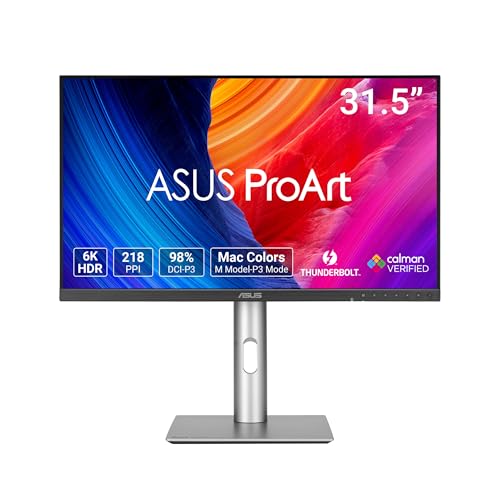
For creatives seeking unparalleled color accuracy and resolution, the ASUS ProArt Display 32” 6K Professional Monitor (PA32QCV) stands out as an exceptional choice. With its stunning 6K resolution and 178° wide viewing angle, you’ll experience vibrant visuals. It covers 98% of the DCI-P3 and 100% sRGB color gamut, boasting Delta E < 2 color accuracy, ensuring your work looks true to life. Connectivity is a breeze with dual Thunderbolt 4 ports, and ergonomic adjustments guarantee comfort during long hours. Plus, the built-in Auto KVM simplifies workflow by allowing you to switch between devices effortlessly. Enjoy a complimentary 3-month Adobe Creative Cloud access too!
Best For: Creative professionals and designers who demand high color accuracy and exceptional resolution for their work.
Pros:
- 98% DCI-P3 and 100% sRGB color gamut for vibrant and accurate color representation.
- Dual Thunderbolt 4 connectivity allows for fast data transfer and daisy-chaining multiple devices.
- Built-in Auto KVM enables seamless switching between two laptops or PCs, enhancing productivity.
Cons:
- Higher price point compared to standard monitors may not be suitable for casual users.
- Size may be cumbersome for small workspaces or limited desk space.
- Limited compatibility with older devices lacking Thunderbolt 4 or HDMI 2.1 ports.
ASUS ProArt Display 32” 4K HDR Monitor (PA329CV)

Designed with creative professionals in mind, the ASUS ProArt Display 32” 4K HDR Monitor (PA329CV) offers exceptional color accuracy that’s essential for tasks like photo editing, video production, and graphic design. With a stunning 32-inch 4K UHD display and an IPS panel providing a 178° viewing angle, you’ll enjoy vibrant visuals from any position. The monitor boasts 100% sRGB and 100% Rec. 709 color gamut coverage, ensuring excellent Delta E < 2 accuracy. Plus, its connectivity options, including USB-C and HDMI, keep your workspace flexible. Don’t forget, you also get a complimentary 3-month Adobe Creative Cloud access with your purchase!
Best For: Creative professionals such as photographers, videographers, and graphic designers who require exceptional color accuracy and high-resolution displays.
Pros:
- 100% sRGB and Rec. 709 color gamut coverage for precise color reproduction.
- Calman Verified with factory calibration ensuring excellent color accuracy.
- Versatile connectivity options including USB-C Power Delivery and HDMI for flexible setup.
Cons:
- Size may be too large for limited desk spaces or smaller workstations.
- Higher price point compared to standard monitors, which may not fit all budgets.
- Limited ergonomic adjustments aside from height adjustment may not suit every user’s preference.
ASUS ProArt Display PA247CV 24-inch Monitor

Creatives seeking exceptional color accuracy will find the ASUS ProArt Display PA247CV 24-inch Monitor an ideal companion. With a Full HD resolution of 1920 x 1080 and an IPS panel offering a 178° wide viewing angle, your visuals will come alive. It boasts 100% sRGB and Rec. 709 color gamut coverage, ensuring precise hues. The extensive connectivity options, including USB-C, HDMI, and DisplayPort, enhance versatility for your setup. Plus, you’ll enjoy a complimentary 3-month Adobe Creative Cloud subscription. With a solid rating of 4.3 stars, this monitor is a reliable addition to elevate your creative workstation.
Best For: Creatives and professionals seeking precise color accuracy and extensive connectivity options for their work.
Pros:
- 100% sRGB and Rec. 709 color gamut coverage for exceptional color fidelity.
- Wide viewing angle of 178° ensures consistent visuals from various positions.
- Complimentary 3-month Adobe Creative Cloud subscription enhances creative capabilities.
Cons:
- Limited to Full HD resolution (1920 x 1080), which may not satisfy those needing higher resolutions.
- Weight of 13.86 pounds may be cumbersome for portable setups.
- Daisy-chain functionality is only available via DisplayPort, limiting options for users with different ports.
ASUS ProArt 27” Professional Monitor (PA278QGV)
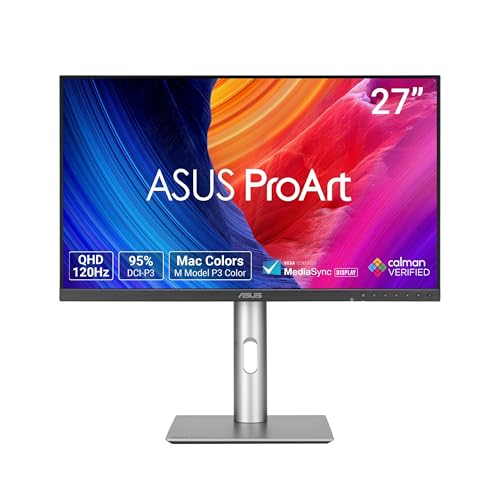
The ASUS ProArt 27” Professional Monitor (PA278QGV) is an excellent choice for professionals seeking unparalleled color accuracy and a stunning visual experience. With its 27-inch QHD display and wide-view IPS panel, you’ll enjoy vibrant visuals from any angle. The monitor boasts a 95% DCI-P3 and 100% sRGB color gamut, ensuring your work looks true to life. Plus, its ergonomic design lets you easily adjust tilt, swivel, and height for maximum comfort. Connectivity is a breeze with multiple options like DisplayPort and HDMI. Don’t forget, you’ll also get a 3-month Adobe Creative Cloud access with your purchase!
Best For: Professionals in creative fields such as graphic design, video editing, and photography who require exceptional color accuracy and clarity in their work.
Pros:
- Excellent color accuracy with a Delta E < 2, ideal for color-critical tasks.
- Ergonomic design with multiple adjustments for comfortable viewing.
- High refresh rate and wide connectivity options for versatile use.
Cons:
- The 27-inch size may be too large for smaller workspaces.
- Higher price point compared to standard monitors.
- Limited features for gaming beyond the refresh rate, as it is primarily designed for professional use.
Factors to Consider When Choosing a Proart Monitor
When you’re choosing a ProArt monitor, consider several key factors that can impact your experience. Display resolution, color accuracy, and connectivity features are essential to guarantee your work looks its best. Don’t forget about ergonomic adjustability and panel technology, as they play a big role in your comfort and productivity.
Display Resolution Options
Choosing the right display resolution for your ProArt monitor can greatly impact your workflow and the quality of your work. ProArt monitors offer a range of resolutions, from Full HD (1920 x 1080) to stunning 5K (5120 x 2880). If you’re into graphic design or video editing, higher resolutions like 4K and 5K enhance detail and clarity, allowing for precise color work. WQHD (2560 x 1440) strikes a balance, providing sharper images without the heavy hardware demand of 4K. Remember, higher resolutions come with increased pixel density, improving visual fidelity, especially on larger screens. Ultimately, choose a resolution that suits your specific tasks, monitor size, and viewing distance for the best experience.
Color Accuracy Standards
High display resolution enhances your visual experience, but color accuracy is equally vital when selecting a ProArt monitor. You should look for monitors with a Delta E value of less than 2, which indicates high fidelity in color reproduction. A wide color gamut, like 99% DCI-P3 or 100% sRGB, allows for a broader range of colors, making it ideal for graphic design and video editing. Monitors with Calman verification guarantee factory-calibrated color accuracy right out of the box. Features like ProArt Preset and ProArt Palette let you fine-tune color parameters for precise adjustments. Regular calibration and adherence to industry standards, such as Rec. 709, are essential for maintaining color accuracy in your professional work.
Connectivity Features
As you evaluate ProArt monitors, extensive connectivity features play an essential role in ensuring compatibility with your devices and peripherals. Look for monitors with USB-C, HDMI, and DisplayPort options to streamline your setup. USB-C ports are particularly valuable, as they enable power delivery, allowing you to charge devices while transmitting video simultaneously. If you prefer a multi-monitor setup, consider models that support daisy-chaining via DisplayPort, which keeps your desk tidy. Built-in USB hubs are also beneficial, letting you easily connect additional peripherals without overloading your computer’s ports. Finally, check for adaptive sync technologies like FreeSync or G-Sync, which enhance your visual experience by minimizing screen tearing during gaming or when viewing high-frame-rate content.
Ergonomic Adjustability
When selecting a ProArt monitor, ergonomic adjustability is an essential factor that directly impacts your comfort and productivity. Look for features like height adjustment, tilt, swivel, and pivot capabilities. A good height adjustment range lets you align the screen with your eye level, promoting better posture. The tilt functionality typically offers angles from -5° to +20°, helping you find the ideal viewing angle and reducing glare. Swivel features allow for a rotation of up to 90° in either direction, accommodating different seating arrangements and collaborative work environments. Additionally, pivot capabilities enable you to switch between landscape and portrait modes, enhancing versatility for tasks like coding or graphic design. Prioritize these features to create a more comfortable workspace.
Panel Technology Types
Creating a comfortable workspace with ergonomic adjustability sets the stage for considering the right panel technology in a ProArt monitor. When evaluating options, think about your needs. IPS (In-Plane Switching) panels offer wide viewing angles and consistent color, making them great for collaborative projects. If deep contrast is what you’re after, VA (Vertical Alignment) panels excel in dark scenes. For gamers, TN (Twisted Nematic) panels provide fast response times but might fall short in color accuracy. OLED (Organic Light Emitting Diode) panels shine with vibrant colors and true blacks, perfect for detailed work. Finally, PLS (Plane-to-Line Switching) panels, similar to IPS, can deliver impressive brightness and color reproduction at a lower cost. Choose wisely based on your creative priorities!
Refresh Rate Considerations
Choosing the right refresh rate for your ProArt monitor is essential, especially if you’re looking to enhance your visual experience. A standard 60Hz refresh rate works for basic tasks, but if you’re into gaming or fast-paced video content, consider 120Hz or 144Hz to enjoy smoother motion and less motion blur. For professional content creation, aim for at least 75Hz, as this can improve the fluidity of animations and scrolling. Additionally, look for monitors with Variable Refresh Rate (VRR) technology like FreeSync, which syncs the monitor’s refresh rate with your graphics card’s frame rate, reducing screen tearing. Higher refresh rates can also alleviate eye strain during long editing sessions, making your work more comfortable and enjoyable.
Warranty and Support
While evaluating a ProArt monitor, it is crucial to take into account the warranty and support options available. Most ProArt monitors offer a standard 3-year warranty, providing peace of mind against defects and malfunctions. This warranty typically covers both parts and labor, ensuring you get support for any necessary repairs or replacements. Many models are Calman Verified and factory pre-calibrated, guaranteeing color accuracy right out of the box, which adds value to your purchase. Make sure to keep your receipt for warranty validation and familiarize yourself with the specific terms and conditions. Additionally, check for support options, such as customer service hotlines or online resources, so you can easily access assistance when needed.
Additional Software Offers
When you’re considering a ProArt monitor, the additional software offers can greatly enhance your overall experience. Many ASUS ProArt monitors come with a complimentary 3-month Adobe Creative Cloud subscription, adding substantial value for creative professionals like you. This offer is available across various models, ensuring you gain access to advanced tools for graphic design, video editing, and photography. Valid until August 31, 2026, you’ll have plenty of time to explore and leverage the software. By including this offer, ASUS supports you in achieving high-quality outputs, taking full advantage of your monitor’s color accuracy and performance. It’s a smart addition to your purchase, providing an extensive creative toolkit alongside the hardware.