
If you’re looking to build your dream gaming setup, the right barebone PC can make all the difference. In 2026, you’ll find impressive options that combine top-tier processors and graphics capabilities for an unparalleled experience. Whether you’re a casual gamer or a hardcore enthusiast, these systems offer the customization you crave. But what factors should you consider to guarantee you choose the best one for your needs? Let’s explore the top contenders.
Reatan X7 AI Oculink Gaming Mini PC

If you’re a gamer or content creator seeking ultimate customization and performance, the Reatan X7 AI Oculink Gaming Mini PC stands out as an ideal choice. With its AMD Ryzen 7 255 processor and Radeon 780M graphics, you’ll experience top-tier gaming and multitasking capabilities. You can expand your memory up to 96GB and install up to 4TB of SSD storage, ensuring you have space for all your games and media. Plus, with Wi-Fi 7 and multiple display outputs, your connectivity and visual experience will be seamless. Enjoy reliable cooling and support, making the X7 a powerful addition to your setup.
Best For: The Reatan X7 AI Oculink Gaming Mini PC is best for gamers and content creators who demand high performance and customization in a compact form factor.
Pros:
- Powerful AMD Ryzen 7 255 processor and Radeon 780M graphics deliver exceptional gaming and multitasking performance.
- Expandable memory up to 96GB and storage capacity of 4TB provide ample space for games, media, and applications.
- Advanced connectivity options with Wi-Fi 7 and multiple display outputs support a seamless and versatile user experience.
Cons:
- As a barebone mini PC, it requires additional components like RAM and storage to be fully functional.
- The compact design may lead to thermal management challenges during intense gaming sessions.
- Limited upgrade options for the graphics card compared to larger gaming desktops.
MINISFORUM 790S7 Mini Gaming PC with AMD Ryzen 9 7940HX
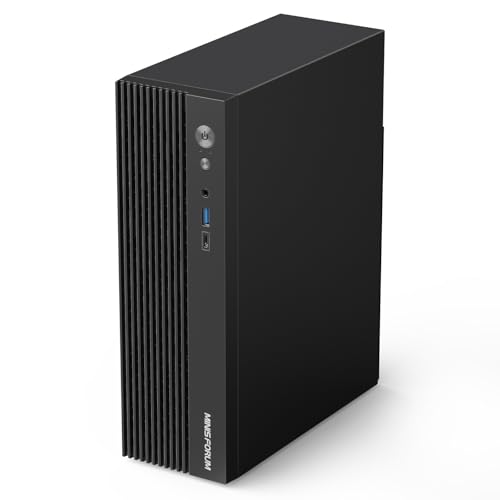
The MINISFORUM 790S7 Mini Gaming PC, powered by the AMD Ryzen 9 7940HX, is ideal for gamers and content creators who crave high performance in a compact form factor. With 16 cores and 32 threads, it handles demanding tasks effortlessly, reaching boost speeds up to 5.2 GHz. The triple video outputs—HDMI, DP, and USB-C—support stunning 4K and 8K resolutions, enhancing your gaming and work experience. You’ll appreciate the flexibility of dual DDR5 slots for up to 64GB of RAM and an M.2 slot for speedy SSD storage. Just keep in mind that WiFi and SSD cooling options aren’t included.
Best For: Gamers and content creators seeking high performance in a compact gaming PC.
Pros:
- Powerful Performance: Features an AMD Ryzen 9 7940HX processor with 16 cores and 32 threads, delivering exceptional multitasking capabilities.
- High-Quality Visuals: Supports triple video outputs including HDMI, DP, and USB-C, enabling stunning 4K and 8K resolutions.
- Upgrade Flexibility: Offers dual DDR5 slots for up to 64GB of RAM and an M.2 slot for fast SSD storage.
Cons:
- No WiFi Card Included: Requires separate purchase of a WiFi card for wireless connectivity.
- Lacks SSD Cooling: SSD cooler is not included, which may affect performance under heavy load.
- Barebone Version: Does not come with RTX 4060 graphics, necessitating additional investment for dedicated graphics.
AOOSTAR GODY AMD R9 7940HX Mini Gaming PC
For gamers and content creators seeking top-tier performance in a compact form, the AOOSTAR GODY AMD R9 7940HX Mini Gaming PC stands out with its powerful AMD R9 7940HX processor and Radeon RX 7600XT graphics. This powerhouse handles 8K video editing and gaming at 1080p or 1440p on high settings effortlessly. With up to 64 GB of DDR5 memory and dual M.2 NVME SSD slots, you can enjoy lightning-fast storage speeds. Its advanced cooling system guarantees stable performance, while extensive connectivity options, including Wi-Fi 7 and dual 2.5GB Ethernet, keep you connected and ready for anything.
Best For: Gamers and content creators who require high-performance hardware in a compact design.
Pros:
- Advanced AMD R9 7940HX processor and Radeon RX 7600XT graphics enable seamless 8K video editing and high-resolution gaming.
- Extensive connectivity options, including Wi-Fi 7 and dual 2.5GB Ethernet, support fast data transfers and low-latency gaming.
- Innovative cooling system ensures stable performance under heavy workloads, maintaining optimal operating temperatures.
Cons:
- Compact design may limit upgrade options compared to larger gaming PCs.
- High-performance components may lead to increased power consumption during intensive tasks.
- Availability and pricing may vary, making it potentially less accessible for some consumers.
MINISFORUM UN1290 Barebone Mini PC with Intel Core i9-12900HK

Packed with an Intel Core i9-12900HK processor, the MINISFORUM UN1290 Barebone Mini PC is a powerhouse tailored for gamers and professionals who demand top-tier performance in a compact form. With 14 cores and 20 threads, it delivers impressive speed up to 5.0 GHz. The Intel Iris Xe Graphics guarantees smooth multitasking and stunning visuals, while UHD 4K output lets you connect up to three displays effortlessly. You’ll appreciate the dual-channel DDR4 memory support and expandable storage options. Ideal for demanding workloads, this mini PC is perfect for anyone seeking a customizable and powerful computing solution.
Best For: The MINISFORUM UN1290 is best for gamers and business professionals seeking high-performance computing in a compact mini PC.
Pros:
- Powerful Performance: Features an Intel Core i9-12900HK with 14 cores and 20 threads, providing exceptional speed for demanding tasks.
- Multiple Display Support: Can connect up to three displays via HDMI, DisplayPort, and USB-C, enhancing multitasking capabilities.
- Customizable Options: Offers personalized customization for business buyers, catering to specific needs and preferences.
Cons:
- Barebone Configuration: As a barebone mini PC, it may require additional components (memory, storage) to be fully operational.
- Price Point: The high-performance specifications may come at a premium price, making it less accessible for budget-conscious users.
- Limited Graphics Performance: While it has Intel Iris Xe Graphics, it may not meet the needs of users requiring dedicated high-end graphics for gaming or professional applications.
BRENUC NUC 11 Extreme Gaming PC Barebone

Tailored for gamers seeking a customizable powerhouse, the BRENUC NUC 11 Extreme Gaming PC Barebone offers an impressive foundation for building your dream setup. With an 11th Gen Intel Core i7-11700B processor and support for up to 64 GB of DDR4-3200 memory, you’ll experience exceptional performance. Its expandable storage options include three M.2 slots for high-speed SSDs. Plus, you’ll enjoy robust connectivity with Thunderbolt 4, HDMI 2.0b, and multiple USB ports. This compact system supports three 4K displays, ensuring vibrant visuals. Weighing just 15.62 pounds, it’s a powerful yet portable choice for any gamer.
Best For: Gamers seeking a customizable and high-performance gaming PC that supports multiple displays and offers extensive upgrade options.
Pros:
- Powerful Performance: Equipped with an 11th Gen Intel Core i7 processor and supports up to 64 GB of DDR4 RAM for exceptional gaming experiences.
- Expandable Storage: Features three M.2 slots for high-speed SSDs, allowing for significant storage customization.
- Robust Connectivity: Offers a variety of ports including Thunderbolt 4 and HDMI 2.0b, supporting multiple 4K displays for immersive visuals.
Cons:
- Barebone Configuration: Does not include RAM, SSD, or an operating system, requiring additional purchases for a complete setup.
- Integrated Graphics: Comes with Intel UHD Integrated Graphics, which may not meet the needs of gamers requiring high-end graphics performance.
- Weight: At 15.62 pounds, it may be less portable compared to other compact gaming options on the market.
Reatan AI Oculink Mini Barebone PC with AMD Ryzen 7 255

The Reatan AI Oculink Mini Barebone PC with AMD Ryzen 7 255 is an ideal choice for gamers and creative professionals seeking a powerful yet compact system. Featuring the robust AMD Ryzen 7 255 processor, it excels in multitasking, making it perfect for video editing, 3D modeling, and gaming. The Radeon 780M graphics card supports stunning 8K UHD output, ensuring immersive experiences. You can expand RAM up to 64GB and customize storage with M.2 PCIe SSDs, making it versatile for your needs. With a solid 3-year warranty and 24/7 customer support, you’ll enjoy peace of mind as you build your ultimate gaming rig.
Best For: Gamers and creative professionals looking for a powerful and compact system for multitasking and high-performance tasks.
Pros:
- Exceptional performance for resource-intensive applications like video editing and gaming.
- Supports stunning 8K UHD display output for an immersive visual experience.
- Expandable RAM and storage options allow for customization based on individual needs.
Cons:
- Does not include SSD, RAM, or OS, requiring additional purchases to fully set up.
- Limited form factor may restrict certain upgrades compared to larger PCs.
- Price may be higher compared to entry-level systems without components included.
KAMRUI Hyper H2 Mini Gaming PC

For gamers and content creators seeking powerful performance in a compact form, the KAMRUI Hyper H2 Mini Gaming PC stands out with its Intel Core i9-11900H processor, which can reach turbo frequencies of up to 4.9 GHz. With 32GB of dual-channel DDR RAM and a 1TB M.2 SSD, you have ample storage and enhanced responsiveness for demanding tasks. Its connectivity options, including six USB 3.2 ports and dual-band WiFi, guarantee seamless multitasking. Plus, you can enjoy stunning visuals with support for triple 4K displays. Compact and VESA mount compatible, it’s perfect for any setup. Lifetime support adds peace of mind.
Best For: Gamers and content creators who demand high performance and multitasking capabilities in a compact PC.
Pros:
- Powerful Performance: Equipped with an Intel Core i9-11900H processor, ensuring excellent speed and efficiency for demanding tasks.
- Ample Storage and Memory: Comes with 32GB of DDR RAM and a 1TB M.2 SSD, expandable up to 4TB, providing significant space for games and media.
- Versatile Connectivity: Multiple USB ports and dual-band WiFi support seamless connections for various devices and smooth online experiences.
Cons:
- Price Point: May be on the higher end compared to entry-level gaming PCs, which could deter budget-conscious buyers.
- Compact Size Limitations: While space-saving, the small form factor may limit upgrade options compared to larger PCs.
- Heat Management: High-performance components may lead to increased heat generation, necessitating good ventilation in the setup.
MINISFORUM AI Mini PC M1-1295 with Intel Core i9-12950HX

Looking for a powerful mini PC that can handle demanding tasks with ease? The MINISFORUM AI Mini PC M1-1295, featuring the Intel Core i9-12950HX, delivers flagship-level performance with its 16 cores and advanced hybrid architecture. You can expand memory up to 96GB and utilize dual M.2 NVME SSD slots for rapid storage options, perfect for gaming and HD video. Its innovative cooling system and compact design guarantee efficient heat management and a sleek look. With multiple connectivity options, including support for three 4K displays, this mini PC is ideal for multitasking and high-performance applications.
Best For: Professionals and gamers seeking a high-performance mini PC capable of handling demanding applications and multitasking effortlessly.
Pros:
- Flagship-level performance with Intel Core i9-12950HX, ensuring smooth operation across various applications.
- Expandable memory and storage options with up to 96GB RAM and dual M.2 NVME SSD slots for rapid data access and large file management.
- Compact and stylish design that occupies minimal desktop space while providing robust connectivity, including support for three 4K displays.
Cons:
- Higher price point compared to standard mini PCs, which may not be suitable for budget-conscious users.
- Potential overkill for casual users who may not require such advanced specifications for everyday tasks.
- Limited upgradeability due to its compact design, which might restrict future hardware enhancements.
CYBERPOWERPC Gamer Master Gaming PC (GMA3100A)

When seeking a powerful yet customizable gaming experience, the CYBERPOWERPC Gamer Master Gaming PC (GMA3100A) stands out with its robust AMD Ryzen 5 5500 processor and 16GB of DDR4 memory. You’ll enjoy fast loading times thanks to the 500GB PCIe Gen4 NVMe SSD. The AMD Radeon RX 6400 graphics card guarantees stunning visuals during gameplay. With multiple connectivity options, including five USB 3.1 ports and WiFi 5, staying connected is a breeze. The stylish tempered side panel and custom RGB lighting enhance your setup’s aesthetics. Plus, you get a one-year warranty and free lifetime tech support for reassurance.
Best For: Gamers looking for a powerful and customizable gaming PC with impressive performance and aesthetics.
Pros:
- Powerful Performance: Equipped with an AMD Ryzen 5 5500 processor and 16GB of DDR4 memory for seamless multitasking and gaming.
- Fast Storage: The 500GB PCIe Gen4 NVMe SSD ensures quick loading times and efficient data access.
- Stylish Design: Features a tempered side panel and custom RGB lighting, enhancing the visual appeal of your gaming setup.
Cons:
- Limited Graphics Memory: The 4GB of the AMD Radeon RX 6400 may not be sufficient for high-end gaming at ultra settings.
- Single Display Output Types: Only one HDMI and one DisplayPort may limit connectivity options for multi-monitor setups.
- 1-Year Warranty: A relatively short warranty period compared to some competitors may leave users wanting more coverage.
wo-we P6 AMD Ryzen 5 Gaming Mini PC
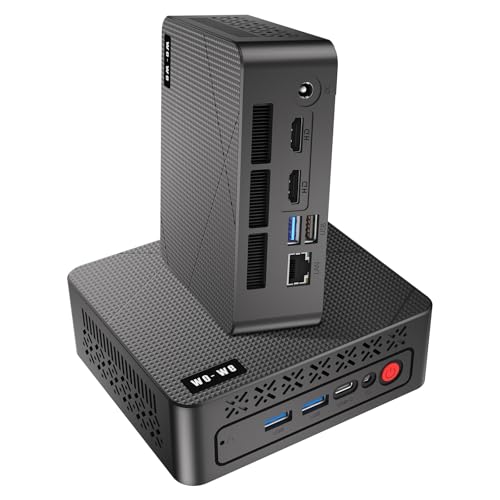
The wo-we P6 AMD Ryzen 5 Gaming Mini PC stands out as an excellent choice for casual gamers and professionals alike, thanks to its impressive AMD Ryzen 5 3550H processor. With 16GB of RAM, upgradeable to 32GB, and a fast 512GB NVMe SSD, you’ll enjoy smooth multitasking and quick data access. The triple-screen support with dual HDMI and USB-C ports lets you maximize your workspace or enhance your gaming experience. Plus, its compact design is wall-mountable and energy-efficient. With 24/7 customer support, any issues you face will be swiftly resolved, ensuring a hassle-free experience.
Best For: Casual gamers and professionals seeking a compact and efficient mini PC for multitasking and multimedia tasks.
Pros:
- High performance: Equipped with an AMD Ryzen 5 3550H processor and 16GB of RAM, supporting multitasking and gaming.
- Triple-screen support: Dual HDMI and USB-C ports enable an enhanced workspace and immersive gaming experience.
- Compact and energy-efficient design: Wall-mountable form factor with built-in cooling solutions for optimal performance.
Cons:
- Limited upgrade options: While RAM can be upgraded to 32GB, other components may not be easily upgradable.
- Casual gaming focus: Not designed for high-end gaming or graphics-intensive tasks.
- Potential noise from cooling fan: Although designed for silent operation, the built-in fan may still produce some noise during heavy usage.
Factors to Consider When Choosing a Gaming Barebone PC
When you’re picking a gaming barebone PC, you’ll want to focus on several key factors. Processor performance, graphics capabilities, and memory options can make or break your gaming experience. Don’t forget to take into account connectivity features and cooling system efficiency for peak performance as well.
Processor Performance Importance
Choosing the right processor is essential for releasing your gaming barebone PC’s full potential. The core count and thread capabilities play a significant role; more cores, like 16C/32T in high-end models, enhance multitasking and performance in demanding games. Additionally, clock speed, expressed in GHz, is critical—higher speeds, up to 5.2 GHz, facilitate quicker game calculations, resulting in smoother gameplay. The processor’s architecture, whether Zen 4 or Intel’s hybrid design, impacts both efficiency and overall performance, influencing frame rates and load times. Don’t forget about integrated graphics, which can allow gaming without a dedicated GPU, perfect for budget builds. Ultimately, a powerful processor also supports tasks beyond gaming, enhancing versatility for content creation and streaming.
Graphics Capabilities Assessment
Graphics capabilities play an essential role in determining your gaming experience with a barebone PC. When evaluating graphics, consider the GPU architecture; newer technologies like RDNA 3 can boost performance and support high resolutions like 8K. Look for systems with dedicated graphics memory—8GB VRAM or more enhances performance in demanding games, ensuring better texture quality and smoother frame rates. Make sure your barebone PC supports multiple display outputs, such as HDMI 2.1 or DisplayPort 2.1, for high refresh rates across monitors. Check the maximum supported resolution and refresh rate; systems capable of 4K@60Hz or 8K@60Hz provide an immersive experience. Finally, verify compatibility with external graphics solutions, like eGPUs via PCIe, to further elevate graphics performance.
Memory and Storage Options
Selecting the right memory and storage options can greatly enhance your gaming experience with a barebone PC. First, check the maximum supported RAM capacity; look for systems that support between 64GB and 96GB for ideal multitasking and high-performance gaming. Dual-channel memory support is a must, as it boosts data transfer speeds and system performance. When it comes to storage, aim for barebone PCs with multiple M.2 PCIe slots, allowing up to 8TB of NVMe SSD storage for fast loading times and plenty of space. Also, evaluate the type of RAM, like DDR4 or DDR5, and consider speed ratings to maximize performance. Finally, verify expandability options for dual SSD installations to manage your game library efficiently.
Connectivity Features Overview
When building a gaming barebone PC, connectivity features play a vital role in maximizing your overall experience. Look for options like HDMI, DisplayPort, and USB-C to support various display configurations and high-resolution gaming. High-speed connectivity is essential, so make certain your barebone PC includes USB 3.2 and USB 4 ports for fast data transfer and peripheral support. Dual Ethernet ports or advanced Wi-Fi standards like Wi-Fi 6E or Wi-Fi 7 will enhance your networking capabilities, reducing latency during online gaming. Additionally, consider systems that support multiple display connections, enabling setups with three or four monitors for immersive multitasking. Finally, verify the availability of audio output options, such as 7.1 multichannel audio, for an enriched sound experience.
Cooling System Efficiency
To guarantee your gaming barebone PC runs smoothly, a well-designed cooling system is essential, as overheating can throttle performance during intense sessions. Look for effective cooling solutions that incorporate multiple heat dissipation methods like heat pipes, finned heatsinks, and dedicated cooling fans. Advanced technologies, such as phase-change materials and large-area vapor chamber designs, greatly enhance heat transfer efficiency, keeping your system stable even under high loads. Consider fans with innovative designs, like aerodynamic vortex grooves, which can improve airflow by up to 25%. Additionally, the choice of cooling system affects noise levels; opting for silent fans or “Silent Mode” settings can provide a quieter gaming experience without sacrificing thermal management. Choose wisely for best performance!
Expandability and Customization Potential
While diving into the world of gaming barebone PCs, expandability and customization potential should be at the forefront of your decision-making process. Start by checking the number of RAM slots and the maximum supported RAM capacity. More RAM enhances multitasking and gaming performance. Look for multiple M.2 slots for SSDs and their PCIe compatibility, as this influences storage speed and capacity—some systems support up to 8TB. Dual-channel memory support can also boost performance. Don’t overlook cooling solutions and the potential to upgrade graphics cards, essential for handling demanding games. Finally, verify you can easily customize components like storage and graphics to extend your setup’s lifespan and maintain top-tier performance over time.