
If you need dependable color for photo, video, design, or client work, a Dell UltraSharp monitor can be a smart place to start. The lineup blends factory-tuned panels, modern USB-C and Thunderbolt connectivity, and productivity-friendly ergonomics.
Below, we focus on the models that make the most sense for color-critical buyers in 2026, from compact 24-inch displays to expansive ultrawide and 4K options.
Best 10 Dell Ultrasharp Monitor for Color Accuracy Picks for 2026
Best for Color-Accurate 4K Productivity
Dell UltraSharp U2725QE 27" 4K IPS Black

- Factory-calibrated with 99% DCI-P3 and Delta E < 1.5
- 120Hz 4K panel for smoother scrolling and multitasking
- Thunderbolt 4 dock with up to 140W power delivery
Best For: Creative professionals and power users who want accurate color plus easy laptop docking.
Best for Wide Creative Workspaces
Dell UltraSharp U4025QW 40" 5K2K Curved Monitor

- 40-inch 5K2K display for expansive editing and multitasking
- USB-C connectivity for a streamlined desk setup
- 600-nit brightness helps in bright workspaces
Best For: Creators and professionals who want a wide UltraSharp display for editing, multitasking, and detailed work.
Best for Color-Accurate 4K Value
Dell 27 Plus 4K USB-C Monitor S2725QC

- 99% sRGB IPS panel for consistent everyday color
- 4K resolution and 27-inch size keep detail sharp
- USB-C with 65W power delivery simplifies setups
Best For: Creators and professionals who want accurate-looking 4K visuals with simple USB-C convenience.
Best for Color-Critical Work
Dell UltraSharp U2724DE 27" WQHD Monitor

- IPS Black panel with strong 2000:1 contrast
- Wide color gamut: 98% DCI-P3, 100% sRGB, 100% BT.709
- Delta E <2 average accuracy for reliable color work
Best For: Designers, editors, and professionals who need accurate color plus USB-C docking.
Best for Fast Everyday Color Work
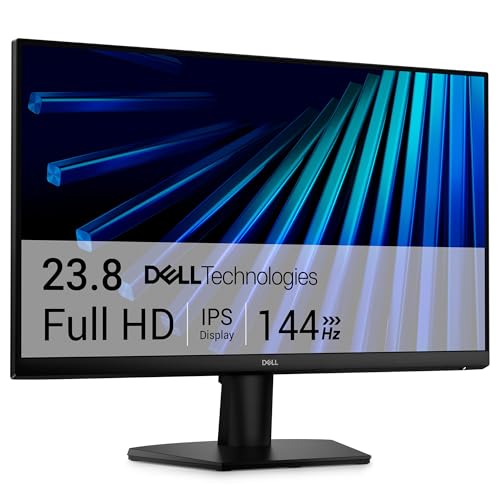
- IPS panel for consistent color and wide viewing angles
- 144Hz refresh rate with 1ms MPRT for smoother motion
- TÜV 3-star certification helps reduce eye strain
Best For: Students, remote workers, and casual creators who want dependable color in a compact, smooth-running monitor.
Best for Color-Accurate Work
Dell UltraSharp 24" Hub Monitor
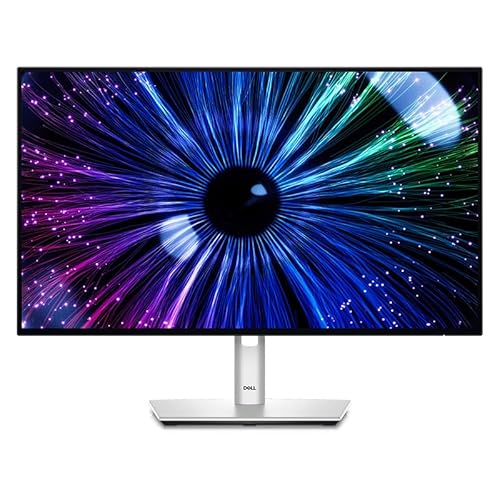
- 100% sRGB with broad DCI-P3/BT.709 coverage
- USB-C hub with power delivery and extra ports
- ComfortView Plus and KVM for easier long sessions
Best For: Creators and professionals who want dependable color accuracy with a tidy USB-C hub setup.
Best for Accurate sRGB Work
Dell UltraSharp U2424H 24" FHD IPS Monitor

- 100% sRGB and BT.709 with Delta E < 2 accuracy
- 120Hz panel for smoother scrolling and motion
- USB-C, DisplayPort, HDMI, and USB hub connectivity
Best For: Creators and professionals who need dependable color accuracy in a compact 24-inch monitor.
Best with Extra Features
Dell UltraSharp U3225QE 32" 4K Monitor

- 32-inch 4K panel with crisp detail for creative work
- IPS Black improves contrast for richer-looking images
- Thunderbolt hub simplifies laptop docking and peripherals
Best For: Designers, editors, and professionals who want a large, color-focused 4K monitor.
Best for Color-Accurate Office Work
Dell UltraSharp U2422H 24" FHD Monitor

- 100% sRGB, Rec.709, and 85% DCI-P3 coverage
- IPS panel for consistent color from wide angles
- Ergonomic stand with height, pivot, swivel, and tilt
Best For: Designers and office professionals who want dependable color accuracy in a compact 24-inch monitor.
Best for Color Accuracy
Dell UltraSharp 24 InfinityEdge Monitor

- 99% sRGB coverage for dependable color work
- InfinityEdge bezels support cleaner multi-monitor setups
- Fully adjustable stand improves day-long comfort
Best For: Creators and professionals who need accurate sRGB color and flexible ergonomics.
Best for Color-Accurate 4K Productivity – Dell UltraSharp U2725QE 27" 4K IPS Black
If you want a dell ultrasharp monitor for color accuracy that still handles everyday productivity, the U2725QE hits a strong balance of precise color, sharp 4K detail, and modern connectivity. It’s a practical fit for creators, editors, and professionals who want a dependable all-in-one display for work.
Best For: Creative professionals, photo/video work, and mixed office setups that need accurate color plus a clean single-cable dock.
Pros:
- Factory-calibrated IPS Black panel with 99% DCI-P3 and Delta E < 1.5
- 120Hz refresh rate makes scrolling and multitasking feel smoother than typical office monitors
- Thunderbolt 4 with up to 140W power delivery simplifies laptop docking
- Strong ergonomic stand plus HDMI 2.1, USB-A, USB-C, and Ethernet ports
Cons:
- Priced above basic 4K office monitors
- Single 27-inch size may be small for users who prefer larger creative canvases
- Color accuracy is excellent, but serious reference workflows may still want a dedicated pro display
Overall, this is a polished dell ultrasharp monitor for color accuracy if you want professional-looking visuals, strong contrast, and docking convenience in one package. It’s especially appealing for users who need a high-quality 4K monitor that can also replace part of a laptop setup.
Best for Wide Creative Workspaces – Dell UltraSharp U4025QW 40" 5K2K Curved Monitor
If you want a dell ultrasharp monitor for color accuracy and a huge amount of screen real estate, the U4025QW is built for demanding creative and productivity work. Its 40-inch 5K2K curved panel gives you room for timelines, side-by-side windows, and detailed editing, while the 600-nit brightness helps it stay visible in brighter offices.
Best For: Creators, designers, and power users who want a wide, high-resolution Dell UltraSharp display for accurate-looking work and multitasking.
Pros:
- Large 40-inch 5K2K canvas is great for editing and multitasking
- USB-C connectivity supports a cleaner single-cable setup
- 600-nit brightness improves usability in well-lit spaces
- Curved 21:9 format feels immersive for work and media
Cons:
- Premium size and class make it overkill for small desks
- Not the most budget-friendly option in the roundup
- May be more monitor than casual users need
Overall, this is a strong pick if you need a dell ultrasharp monitor for color accuracy and prefer a wide, productivity-first layout over a standard 4K display. It leans more toward workspace efficiency and visual clarity than portability or value pricing.
Best for Color-Accurate 4K Value – Dell 27 Plus 4K USB-C Monitor S2725QC
If you want a dell ultrasharp monitor for color accuracy-style experience without paying true pro-monitor pricing, the Dell S2725QC is a strong everyday pick. It combines a 27-inch 4K IPS panel with 99% sRGB coverage, ComfortView Plus, and USB-C convenience for a setup that works well for creative tasks, office work, and mixed-use desks.
Best For: Creators, professionals, and home-office users who want sharp 4K detail, reliable sRGB color, and simple single-cable connectivity.
Pros:
- 99% sRGB and IPS panel deliver vivid, consistent color for general creative work
- 4K resolution on 27 inches gives crisp text and fine detail
- USB-C with up to 65W power delivery helps reduce cable clutter
- ComfortView Plus lowers blue light without sacrificing color accuracy
Cons:
- Not a true wide-gamut or factory-calibrated pro reference display
- Built-in speakers are convenient, but not a substitute for dedicated audio
- 120Hz gaming features are nice, though the focus is still productivity-first
This is a smart middle-ground option if you want a dell ultrasharp monitor for color accuracy-like performance in a cleaner, more affordable package. It is especially appealing for users who value sharp 4K visuals, dependable sRGB color, and easy USB-C docking over specialized color-critical workflow features.
Best for Color-Critical Work – Dell UltraSharp U2724DE 27" WQHD Monitor
If you need a dell ultrasharp monitor for color accuracy, the U2724DE is built around IPS Black contrast, wide gamut coverage, and factory-level calibration targets that make it a strong fit for editing, design, and office work that still needs dependable color.
Best For: Creators, designers, and professionals who want accurate color, a sharp 27-inch QHD workspace, and modern USB-C docking convenience.
Pros:
- IPS Black panel delivers deeper blacks and strong 2000:1 contrast for better tonal detail
- Excellent color coverage with 98% DCI-P3, 98% Display P3, 100% sRGB, and 100% BT.709
- Delta E <2 average color accuracy supports more reliable creative work
- Thunderbolt 4, USB-C, Auto KVM, and Ethernet make it a powerful productivity hub
Cons:
- 2560 x 1440 is sharp, but not ideal if you want 4K detail for heavy photo or video timelines
- Premium connectivity can be more than casual users need
Overall, this is a well-rounded dell ultrasharp monitor for color accuracy when you want dependable color performance without sacrificing comfort or desk-clutter reduction. It’s especially compelling if your workflow benefits from both accurate visuals and a true single-cable setup.
Best for Fast Everyday Color Work – Dell 24 23.8" FHD IPS Monitor
If you want a practical dell ultrasharp monitor for color accuracy without paying for a pro-grade panel, the Dell SE2426H is a smart everyday pick. Its IPS screen delivers wide viewing angles and consistent color, while the 144Hz refresh rate and 1ms MPRT make it more responsive than a typical office display for scrolling, streaming, and light gaming.
Best For: Students, remote workers, and casual creators who want solid IPS color and smoother motion in a compact 24-inch monitor.
Pros:
- IPS panel provides reliable color consistency and wide 178° viewing angles
- 144Hz refresh rate with 1ms MPRT feels noticeably smoother for daily use
- TÜV Rheinland 3-star eye comfort certification helps reduce blue-light strain
- Thin bezels keep the 23.8-inch screen looking clean on a desk or dual-monitor setup
Cons:
- Full HD resolution is good for the size, but not ideal for detailed photo editing
- Not a true professional color-critical monitor with advanced calibration features
- Limited to basic connectivity with 2x HDMI and no USB hub
For buyers comparing a dell ultrasharp monitor for color accuracy, this model stands out more as an affordable IPS all-rounder than a specialist creator display. It’s a strong fit if you value dependable color, smoother motion, and low eye fatigue in a compact package.
Best for Color-Accurate Work – Dell UltraSharp 24" Hub Monitor
If you want a dell ultrasharp monitor for color accuracy that still works well as an everyday productivity display, the Dell UltraSharp 24″ Hub Monitor is a strong fit. Its IPS panel, Full HD resolution, and wide color coverage make it a practical choice for photo editing, design tasks, and office work.
Best For: Creators and professionals who need dependable color consistency plus convenient USB-C hub connectivity.
Pros:
- Wide color support with 100% sRGB, 85% DCI-P3, and 100% BT.709
- USB-C hub design with HDMI, DisplayPort, USB-A, and power delivery
- ComfortView Plus, ambient light sensor, and KVM support add workflow convenience
- IPS panel offers solid viewing angles for collaborative work
Cons:
- Full HD resolution may feel modest for detailed creative timelines
- 60Hz refresh rate is fine for work, but not ideal for fast gaming
Overall, this is a well-rounded dell ultrasharp monitor for color accuracy if you value reliable gamut coverage and desk-friendly connectivity more than high-resolution specs. It is especially appealing for mixed workspaces where one monitor has to handle creative tasks, charging, and peripherals.
Best for Accurate sRGB Work – Dell UltraSharp U2424H 24" FHD IPS Monitor
If you want a dell ultrasharp monitor for color accuracy without moving up to a larger, pricier display, the 24-inch U2424H is built around dependable calibration and broad creator-friendly coverage. Its 100% sRGB and BT.709 support, Delta E < 2 average accuracy, and IPS panel make it a practical fit for everyday photo, design, and office work.
Best For: Creators, editors, and professionals who need reliable color accuracy in a compact 24-inch monitor.
Pros:
- 100% sRGB and 100% BT.709 with Delta E < 2 average for accurate color work
- 120Hz refresh rate gives smoother scrolling and motion than standard office monitors
- USB-C, DisplayPort, HDMI, and extra USB ports make it easy to connect peripherals
- Ambient Light Sensor helps adapt brightness and color temperature to your space
Cons:
- Full HD at 24 inches is sharp, but not as detailed as a QHD or 4K panel
- USB-C downstream charging is limited to 15W
Overall, this is a strong dell ultrasharp monitor for color accuracy if your priority is trustworthy sRGB/BT.709 performance in a compact, everyday-friendly package. It is especially appealing for buyers who want color consistency, better-than-average refresh, and flexible connectivity in one monitor.
Best with Extra Features – Dell UltraSharp U3225QE 32" 4K Monitor
If you want a Dell UltraSharp monitor for color accuracy, the U3225QE is built for creators and professionals who need a sharp 4K canvas, strong contrast from IPS Black technology, and a clean single-cable setup. The 32-inch panel gives you plenty of room for editing, spreadsheet work, and side-by-side windows without feeling cramped.
Best For: Designers, editors, and office users who want a large, color-focused 4K monitor with modern connectivity.
Pros:
- 4K resolution on a 32-inch panel delivers crisp text and fine detail
- IPS Black helps improve contrast for more polished-looking images
- Thunderbolt hub streamlines laptop docking and desk cable management
- 120Hz refresh rate adds smoother scrolling and general responsiveness
Cons:
- Premium pricing may be hard to justify for basic office use
- Large size can overwhelm smaller desks
- Color-focused buyers may still want calibration for critical work
This is a strong pick if you need a Dell UltraSharp monitor for color accuracy and also want a versatile productivity display that can replace a dock. It balances image quality, workspace flexibility, and modern connectivity better than many standard 4K monitors.
Best for Color-Accurate Office Work – Dell UltraSharp U2422H 24" FHD Monitor
If you want a practical dell ultrasharp monitor for color accuracy, the U2422H is a strong fit for everyday creative work, office editing, and multi-monitor setups. It combines a 100% sRGB panel with IPS viewing angles and Dell’s ComfortView Plus, so colors stay consistent while eye strain stays lower during long sessions.
Best For: Designers, editors, and professionals who want reliable color coverage in a compact 24-inch display.
Pros:
- 100% sRGB plus 100% Rec.709 and 85% DCI-P3 for solid color coverage
- IPS panel with wide 178°/178° viewing angles for consistent appearance
- ComfortView Plus helps reduce blue light without extra software changes
- Adjustable stand and InfinityEdge design work well on crowded desks
Cons:
- Full HD resolution is less sharp than 1440p or 4K for detailed creative work
- 8ms response time is fine for productivity, but not ideal for fast gaming
- Renewed condition may not appeal to buyers wanting a brand-new unit
For buyers prioritizing a dependable dell ultrasharp monitor for color accuracy over higher resolution, this model hits a smart middle ground. It is especially appealing if you need accurate-looking visuals, ergonomic adjustment, and a clean setup without paying for a larger premium panel.
Best for Color Accuracy – Dell UltraSharp 24 InfinityEdge Monitor
If you want a dependable dell ultrasharp monitor for color accuracy without moving up to a much pricier professional display, the Dell UltraSharp U2417H is a smart fit. Its IPS panel, 99% sRGB coverage, and wide viewing angles make it a solid choice for photo editing, office design work, and everyday color-critical tasks.
Best For: Creators and professionals who want accurate sRGB color, thin bezels, and a flexible stand for multi-monitor setups.
Pros:
- 99% sRGB coverage helps deliver reliable, vibrant color for web and print-adjacent work
- InfinityEdge thin borders are great for dual-monitor or side-by-side layouts
- IPS panel offers consistent viewing angles for shared work and editing
- Fully adjustable stand adds tilt, swivel, pivot, and height control
Cons:
- Full HD resolution is modest for detailed creative workflows
- 250 cd/m² brightness is fine for most rooms, but not especially bright
- Not aimed at high-refresh gaming or HDR performance
Overall, the U2417H is a practical dell ultrasharp monitor for color accuracy if you value trusted sRGB performance, comfortable ergonomics, and a clean multi-display footprint more than ultra-high resolution or gaming features.
How We Picked the Best Dell Ultrasharp Monitor for Color Accuracy
For a Dell Ultrasharp Monitor for Color Accuracy, we prioritized panel quality, color coverage, resolution, and features that matter in real workflows. That includes IPS or IPS Black technology, strong sRGB and wider-gamut support where applicable, reliable calibration potential, and consistent viewing angles.
We also weighed practical details like screen size, USB-C or Thunderbolt docking, refresh rate, ergonomics, and whether the monitor suits editing, content creation, or general office use. Not every buyer needs a massive 5K2K display; the right match depends on workspace and task.
Quick Comparison
In simple terms: 24-inch and 27-inch models are the easiest fit for most desks and deliver the best balance of sharpness and manageability. 32-inch and 40-inch models are better if you want more timeline space, side-by-side multitasking, or a less crowded high-resolution workspace. If your work is mostly web content, admin, or general productivity, a lower-cost UltraSharp or even a non-UltraSharp Dell display may be enough.
Key Buying Factors for Dell Ultrasharp Monitor for Color Accuracy
Panel Type and Uniformity
Look for IPS or IPS Black if you care about stable color and viewing angles. These panels are usually more dependable for editing than basic office panels, especially when you are judging skin tones, gradients, or print-ready work.
Resolution and Screen Size
Higher resolution improves detail, but only when paired with the right size. A 27-inch 4K monitor is a strong sweet spot for sharp images and clean UI scaling. A 24-inch 1080p display is more budget-friendly, but it is less ideal for fine-grained creative work.
Color Gamut and Calibration
Check for sRGB coverage if you primarily create for the web. If you work in photography, video, or brand design, wider gamut support can help, but it should be paired with good calibration habits and color-managed software. Factory calibration is useful, but it is not a replacement for periodic profiling.
Connectivity and Workflow
USB-C and Thunderbolt make a real difference for laptop users. They can carry video, data, and charging through one cable, which keeps a color-critical desk cleaner and more efficient. Built-in hubs are especially helpful for creators who connect drives, card readers, or peripherals.
Who Should Buy Which Dell Ultrasharp Monitor for Color Accuracy?
If you want the best all-around balance, choose a 27-inch 4K UltraSharp. If you need a wide canvas for editing timelines or spreadsheets, step up to a 32-inch or 40-inch model. If your priority is a compact, affordable workspace, a 24-inch UltraSharp can still deliver solid everyday color performance. For most buyers searching for a Dell Ultrasharp Monitor for Color Accuracy, the best choice is the one that matches your desk space, source device, and the level of color precision your work actually requires.