
A 32-inch all-in-one PC gives you a spacious screen without a separate desktop tower. But screen size alone tells you little about sharpness, speed, or whether the computer suits your work.
These seven options range from 4K Lenovo and HP systems to curved 1080p models. The best choice depends on what you do at your desk—and which specifications you verify before buying.
Best 7 All in One PC 32 Inch Picks for 2026
Creator Workstation
Lenovo Yoga AIO 32i with RTX 4050

- 31.5-inch 4K display
- RTX 4050 and 32GB RAM
- 1TB SSD; seller-upgraded configuration
Best For: Creative work needing dedicated graphics
Video-Call Ready
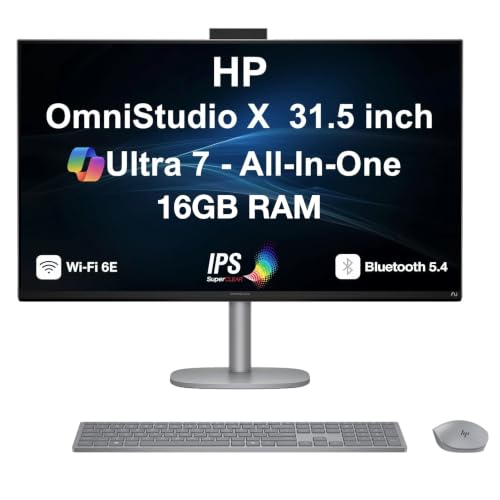
- Bright 4K anti-glare IPS display
- 5MP IR camera and dual microphones
- Adjustable stand and HDMI-in/out
Best For: Home offices and frequent video calls
Factory-Sealed Creative Pick

- 31.5-inch 4K screen and RTX 4050
- 32GB RAM and 1TB Gen4 SSD
- Unopened Lenovo configuration
Best For: Creators wanting factory-sealed packaging
Curved Everyday Display

- 32-inch 3000R curved FHD screen
- 16GB RAM and 512GB SSD
- Older i5 with integrated graphics
Best For: Everyday tasks on a large curved display
Curved Screen Value

- 32-inch curved 1080p IPS display
- 16GB RAM and 512GB SSD
- Verify CPU and DOS setup
Best For: Everyday work on a spacious curved screen
4K Productivity Pick
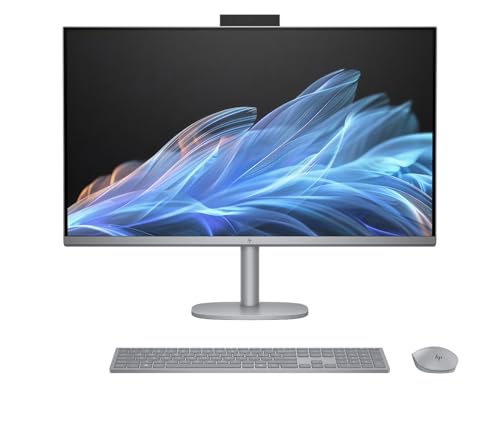
- 31.5-inch 4K anti-glare IPS screen
- 32GB DDR5 RAM and 1TB SSD
- HDMI input and Wi-Fi 7
Best For: Detailed visuals and multitasking
Ready-to-Use Curved Pick

- 32-inch 3000R curved 1080p screen
- 16GB RAM and 1TB NVMe SSD
- Windows 11 Home preinstalled
Best For: Routine computing with curved viewing and ample storage
Creator Workstation – Lenovo Yoga AIO 32i with RTX 4050
If you’re shopping for an all in one pc 32 inch setup for creative work, this Lenovo pairs a 31.5-inch 4K display with an Intel Core Ultra 7 258V, dedicated RTX 4050 graphics, 32GB of RAM, and a 1TB SSD.
Best For: Creators who want dedicated graphics and generous memory in a single desktop.
Pros:
- 31.5-inch 4K display gives editing and multitasking room.
- RTX 4050 with 6GB graphics memory supports more demanding visual work than integrated graphics.
- 32GB RAM, 1TB SSD, and Windows 11 Pro suit busy workflows.
Cons:
- Onboard RAM is listed at its 32GB maximum.
- The seller opened the original seal for upgrades; upgraded RAM and SSD have separate one-year seller coverage.
This is a strong fit when graphics capability matters. Before buying, confirm the seller’s split warranty terms are acceptable.
Video-Call Ready – HP OmniStudio X 31.5-Inch 4K
For an all in one pc 32 inch search focused on work and video calls, the HP OmniStudio X offers a 31.5-inch 4K IPS display, an Intel Core Ultra 7 256V, 16GB of memory, and a listed 1TB SSD configuration.
Best For: Home-office users who prioritize display quality and built-in conferencing equipment.
Pros:
- Anti-glare 4K IPS panel is listed at 550 nits with 95% DCI-P3 coverage.
- 5MP IR webcam, dual microphones, and dual 5W speakers support calls.
- Height-adjustable stand, Ethernet, HDMI-in, and HDMI-out add flexibility.
Cons:
- Integrated Intel Arc graphics are not a substitute for a dedicated GPU if that is your priority.
- The seller opened the seal for upgrades; warranty coverage differs between upgraded components and other hardware.
Its screen and collaboration features make it a practical office pick. Check the selected SSD capacity and warranty details before ordering, since the notes describe multiple storage options.
Factory-Sealed Creative Pick – Lenovo Yoga AIO 32i 4K
If you want an all in one pc 32 inch class display for creating and multitasking, this Lenovo Yoga AIO 32i combines a 31.5-inch 4K screen, Core Ultra 7 258V, 32GB of memory, 1TB Gen4 SSD, and RTX 4050 graphics. This listing specifies unopened retail packaging as configured by Lenovo.
Best For: Buyers seeking a factory-sealed creative desktop with dedicated graphics.
Pros:
- 4K display and RTX 4050 suit visually demanding projects.
- Thunderbolt 4, USB-C, USB-A, and HDMI-out provide useful connections.
- Tilting hinge, IR camera with electric shutter, and wireless device charging add desk-friendly features.
Cons:
- HDMI is listed as output, not input for using the screen with another device.
- The included Lenovo warranty is one year of mail-in service.
Choose this listing over an upgraded configuration if unopened packaging and the stated Lenovo mail-in warranty matter to you.
Curved Everyday Display – Vactioreal 32-Inch AIO
For an all in one pc 32 inch option centered on everyday tasks, this Vactioreal model has a 32-inch 3000R curved Full HD screen, an i5-7400 processor, 16GB of memory, and a 512GB M.2 SSD.
Best For: Browsing, office documents, online classes, and streaming on a large curved screen.
Pros:
- Curved 32-inch display provides a large viewing area.
- 16GB RAM and an SSD cover routine multitasking and storage needs.
- Includes Windows 11 Home and a USB adapter for Wi-Fi 6 and Bluetooth 5.3.
Cons:
- 1920 × 1080 resolution is modest across a 32-inch screen.
- Older i5-7400 and integrated graphics are intended for everyday use, not demanding modern games or graphics work.
Pick it for the curved format rather than high pixel density or graphics performance. Its specifications fit basic home and office computing best.
Curved Screen Value – Suevery 32-Inch All-in-One
If you want an all in one pc 32 inch setup with a curved screen, this Suevery combines a 1080p IPS display, 16GB of RAM, and a 512GB SSD for everyday work and entertainment.
Best For: Home or office users who want a spacious curved display for browsing, documents, and streaming.
Pros:
- 32-inch curved IPS screen offers ample viewing space.
- 16GB RAM and a 512GB SSD support everyday multitasking.
- Wi-Fi 6 and six USB ports provide useful connectivity.
Cons:
- 1080p resolution may look less sharp at 32 inches than a 4K alternative.
- Listing specifies DOS rather than a preinstalled Windows installation.
- Processor details conflict: the title says Core i7, while the specifications also list Core i5.
Consider it for the curved layout and basic productivity, but verify the processor and operating system with the seller before ordering.
For an all in one pc 32 inch shopper who prioritizes image detail, the HP OmniStudio X 32 pairs a 31.5-inch 4K anti-glare display with a Core Ultra 7 258V, 32GB of RAM, and a 1TB SSD.
Best For: Buyers who want a sharp, spacious screen and substantial memory for demanding everyday productivity.
Pros:
- 31.5-inch 4K IPS display offers more detail than the 1080p models here.
- 32GB DDR5 RAM and a 1TB NVMe SSD provide room for multitasking and files.
- HDMI input and output, USB-C ports, Wi-Fi 7, and included wireless peripherals add flexibility.
Cons:
- 31.5-inch screen is slightly smaller than a full 32-inch panel.
- Intel Arc graphics are integrated, not a dedicated graphics card.
This is the strongest fit of the three when display sharpness and a well-equipped Windows 11 setup matter most; check whether the manufacturer’s or seller’s warranty applies to your purchase.
If your all in one pc 32 inch search calls for a curved display and Windows already installed, this Vactioreal offers a 32-inch 3000R screen, 16GB of RAM, and a 1TB NVMe SSD.
Best For: Home and office users who want a roomy curved screen, generous storage, and Windows 11 Home out of the box.
Pros:
- 32-inch 3000R curved display provides a broad workspace.
- 1TB NVMe SSD offers more storage than the Suevery model.
- Windows 11 Home comes preinstalled; Wi-Fi 6 and Bluetooth 5.3 are supplied through a USB adapter.
Cons:
- 1080p resolution limits sharpness on a 32-inch screen.
- Integrated Intel HD Graphics 630 is not intended for graphics-intensive gaming.
- The i7-7700 is an older processor model despite the listing’s 2026 model-year designation.
Its practical appeal is the combination of curved viewing, ample SSD space, and a preinstalled OS. Choose it for routine computing rather than high-end gaming or display-critical work.
How We Picked the Best All in One PC 32 Inch
We compared the seven listed configurations on the specifications that most affect day-to-day use: display resolution and shape, processor generation, graphics, memory, storage, and connectivity. We also considered practical trade-offs, such as whether a larger screen provides enough sharpness for close-up work. Several listings are different configurations of the same model family, so check the exact processor, RAM, SSD, and graphics specifications on the product page before ordering. This is a specification-based comparison, not a claim of hands-on testing.
Quick Comparison
The Lenovo Yoga AIO 32i and HP OmniStudio X options are the clearest starting points if you want a 31.5-inch 4K display. The listed Lenovo configurations include RTX 4050 graphics, which makes them more relevant for graphics-accelerated creative work and some gaming. The HP configurations emphasize a sharp 4K workspace; confirm the graphics specification for the exact version you choose. The two 3000R curved models offer 32-inch 1080p screens, 16GB RAM, and different older Intel processors and SSD capacities. The Suevery listing provides fewer details here, so verify its display resolution, processor generation, and storage before comparing its price.
Key Buying Factors for an All in One PC 32 Inch
Resolution and Screen Shape
At this size, 4K generally makes text and fine details look sharper than 1080p, especially when you sit close to the display. A curved screen may feel more immersive, but curvature does not compensate for lower resolution. Check panel specifications and available display connections if color work or an additional monitor matters.
Processor, Graphics, and Memory
Do not judge speed by an “i7” label alone: an older i7-7700 and a newer Core Ultra chip belong to different generations. Integrated graphics can handle typical office and streaming tasks; a listed RTX 4050 is the more suitable choice for applications that benefit from a dedicated GPU. For heavy multitasking, 32GB RAM offers more breathing room than 16GB, but check whether memory can be upgraded later.
Storage and Everyday Setup
A 512GB SSD can fill quickly with large projects or games; 1TB gives you more local room. Confirm ports, Wi-Fi, webcam, speakers, and included accessories rather than assuming every all-in-one has the same setup. Also check warranty terms and return policies, particularly for lesser-known brands.
Who Should Buy Which All in One PC 32 Inch?
Choose a Lenovo Yoga AIO 32i configuration if you want 4K resolution alongside the listed RTX 4050; compare its exact memory and storage before choosing between the two. Consider an HP OmniStudio X if your priority is a crisp, spacious screen for office work and media rather than a specified dedicated GPU. The curved 1080p models may suit buyers who prioritize screen size and shape at a lower price, provided the lower pixel density and older processors meet their needs. Consider the Suevery only after confirming its missing specifications and support terms.