
Gaming earbuds can free up desk space and feel less bulky than a headset, but the right PC connection matters as much as sound. A 2.4GHz dongle, Bluetooth connection, and 3.5mm plug each come with different trade-offs for latency and compatibility.
These 10 selections span wireless gaming models and wired in-ear monitors. Use the guide below to narrow them down by setup, chat needs, and fit before you buy.
Best 10 Gaming Earbuds for PC Picks for 2026
Low-Latency Wireless Pick

- 2.4GHz dongle plus Bluetooth 5.3
- Advertised 20ms dongle latency
- Up to 32 hours with case
Best For: PC gamers wanting flexible wireless connectivity
Wired Chat Pick
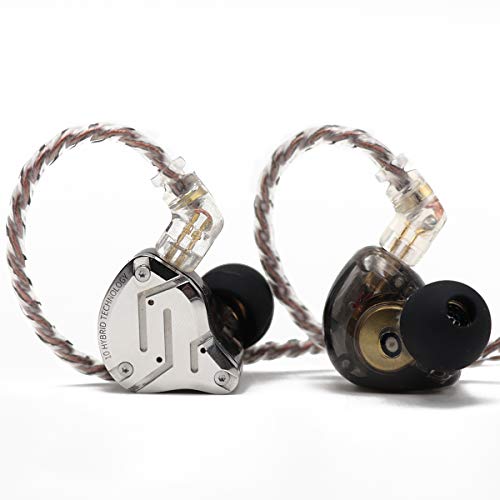
- Five-driver hybrid design
- Included microphone
- Detachable 3.5mm cable
Best For: Wired PC gaming with voice chat
Audio-Only IEM Pick

- Five-driver hybrid design
- Detachable 3.5mm cable
- No included microphone
Best For: PC gamers with a separate mic
Feature-Rich Wireless Pick

- 2.4GHz and Bluetooth multipoint
- Adaptive ANC and AI microphones
- Up to 46 hours in specified Bluetooth mode
Best For: Wireless PC gaming with phone connectivity
Best for Customizable Game Audio

- 2.4GHz wireless and Bluetooth 5.3
- 100 app-based game-audio presets
- ANC and up to 40 hours with case
Best For: PC and PS5 players who want adjustable wireless game audio
Best Wired Pick

- Wired 3.5mm connection
- Four ear-tip sizes included
- Mic and hard-shell case
Best For: Players who prefer simple wired PC audio
Best for Windows Spatial Audio
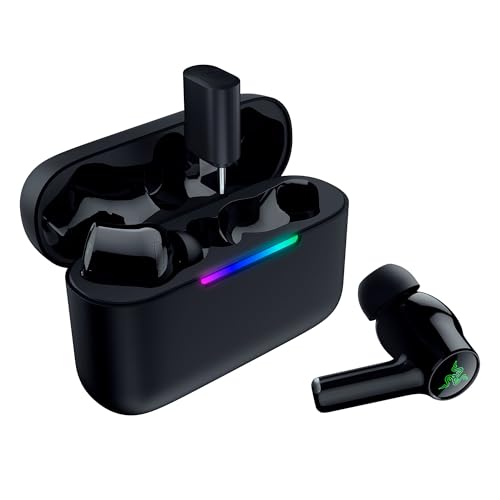
- 2.4GHz dongle and Bluetooth 6.0
- THX Spatial Audio on supported Windows 11 PCs
- Hybrid ANC and up to 40 hours with case
Best For: Windows 11 gamers seeking wireless spatial audio
Hybrid-Driver Detail
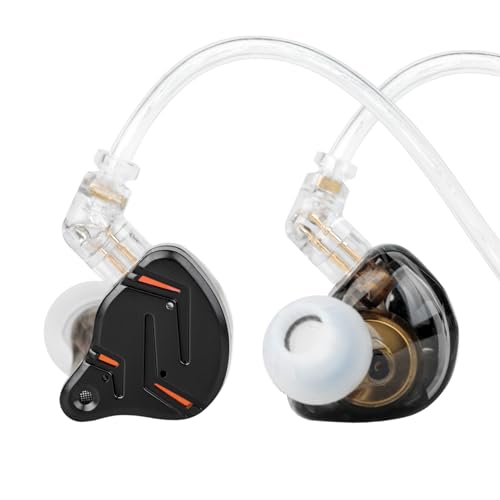
- 1BA + 1DD hybrid drivers
- Detachable over-ear cable
- Listed variant has no mic
Best For: Wired PC gameplay and music without voice chat
Colorful Budget IEM

- 1BA + 1DD hybrid drivers
- Removable 3.5 mm cable
- No microphone on this variant
Best For: Budget PC listening with a separate chat mic
Lightweight Chat Pick

- Inline microphone included
- Ear hooks and fins aid fit
- Non-detachable 3.5 mm cable
Best For: Lightweight PC gaming with voice chat
Low-Latency Wireless Pick – AOC ACT3512
The AOC ACT3512 is a practical wireless option for shoppers looking for gaming earbuds for PC. Its 2.4GHz USB-C dongle includes a USB-A adapter, while Bluetooth 5.3 covers everyday use with compatible devices.
Best For: PC gamers who want dongle-based wireless audio and Bluetooth in the same earbuds.
Pros:
- Advertised 20ms latency when using the 2.4GHz dongle.
- Up to 8 hours per charge and 32 hours with the charging case.
- Includes noise-canceling microphones for voice chat.
Cons:
- Does not support Xbox Series consoles.
- Dongle mode requires an available USB-C or USB-A port.
Choose these if flexible PC connectivity matters more than a wired connection; the included adapter makes the dongle easier to use across different PC ports.
Wired Chat Pick – KZ ZS10 Pro With Mic
The mic-equipped KZ ZS10 Pro suits buyers seeking wired gaming earbuds for PC with a 3.5mm audio connection. Its hybrid design combines four balanced armatures with one dynamic driver in each earpiece.
Best For: PC players who want wired in-ear audio and an included microphone.
Pros:
- Includes a microphone for calls or game chat.
- Detachable cable can be replaced or upgraded.
- Contoured fit provides passive noise isolation.
Cons:
- Requires a compatible 3.5mm connection; some PCs may need an adapter for the mic.
- No wireless mode.
This is the ZS10 Pro variant to consider if voice chat is part of your setup. Check your PC’s jack arrangement before buying to make sure the microphone can connect.
Audio-Only IEM Pick – KZ ZS10 Pro Without Mic
For shoppers comparing wired gaming earbuds for PC, this KZ ZS10 Pro variant offers the same listed four-balanced-armature-plus-one-dynamic-driver configuration without an included microphone. It connects through a 3.5mm audio jack.
Best For: PC gamers who use a separate microphone or do not need voice chat.
Pros:
- Five-driver hybrid configuration with a detachable cable.
- Ergonomic in-ear shape designed for a secure fit.
- Passive isolation helps reduce surrounding noise.
Cons:
- No included microphone for team chat.
- Wired-only design requires a 3.5mm connection.
Pick this version if your microphone is already handled elsewhere. If you need chat directly through the earbuds, choose the mic-equipped ZS10 Pro instead.
Feature-Rich Wireless Pick – ASUS ROG Cetra SpeedNova
The ASUS ROG Cetra True Wireless SpeedNova is a feature-rich choice for gaming earbuds for PC, combining a 2.4GHz dongle with Bluetooth 5.3. Hybrid Multipoint can keep a dongle-connected game and a Bluetooth device connected simultaneously.
Best For: PC gamers who want wireless gaming audio, phone connectivity, and active noise cancellation.
Pros:
- Supports 24-bit/96kHz audio in 2.4GHz mode.
- Adaptive ANC and bone-conduction AI microphones.
- Up to 46 hours of battery life in Bluetooth mode with RGB off.
- Five minutes of in-case charging provides up to an hour of use.
Cons:
- The quoted 46-hour battery figure applies to Bluetooth mode with RGB off, not every usage mode.
- 2.4GHz mode needs the USB-C dongle or included USB-A adapter.
These make the most sense if you will use the extra connectivity and ANC features. For a PC-only setup, decide whether those additions are worth prioritizing over a simpler pair.
Best for Customizable Game Audio – SteelSeries Arctis GameBuds
For shoppers comparing gaming earbuds for pc, the SteelSeries Arctis GameBuds pair 2.4GHz wireless with Bluetooth 5.3 and offer 100 game-audio presets through the Arctis Companion App. They’re a strong fit if you also play on PS5 or a handheld.
Best For: PC and PS5 players who want wireless earbuds with adjustable game sound and active noise cancellation.
Pros:
- Switch between 2.4GHz wireless and Bluetooth 5.3.
- Four-mic hybrid ANC includes a transparency mode.
- Up to 10 hours per charge and 40 hours total with the Qi charging case.
Cons:
- No 3.5mm wired connection.
- Touch controls may not suit players who prefer physical buttons.
The app presets and spatial audio make these especially appealing if you like tailoring sound to different games. Check that the wireless connection suits your PC setup before buying.
Best Wired Pick – HyperX Cloud Earbuds II
If you want gaming earbuds for pc without charging or wireless pairing, the HyperX Cloud Earbuds II use a 3.5mm plug and 14mm drivers. Their angled, low-profile connector is a practical touch for gaming on a laptop or compatible desktop audio jack.
Best For: Players who prefer a wired 3.5mm connection and want earbuds they can also pack for mobile or Switch use.
Pros:
- Four included ear-tip sizes help you find a fit.
- Built-in microphone and multifunction button.
- Hard-shell carrying case protects the earbuds in transit.
Cons:
- No active noise cancellation.
- Requires a compatible 3.5mm jack or adapter.
These keep the setup straightforward: plug them in and play. If your PC has separate headphone and microphone ports, check its input requirements before counting on the built-in mic.
Best for Windows Spatial Audio – Razer Hammerhead V3 Wireless
The Razer Hammerhead V3 Wireless are gaming earbuds for pc users who want 2.4GHz audio plus Bluetooth 6.0 for everyday listening. Their THX Spatial Audio feature works through Razer Synapse on Windows 11 version 23H2 or higher.
Best For: Windows 11 gamers who want wireless earbuds with supported spatial audio, ANC, and cross-platform flexibility.
Pros:
- Removable 2.4GHz dongle supports PC, PS5, Steam Deck, and other listed devices.
- Hybrid ANC helps reduce distractions.
- Up to 10 hours on the earbuds and 40 hours total with the case.
- USB-C passthrough lets you play while charging.
Cons:
- THX Spatial Audio requires Razer Synapse and a supported Windows 11 version.
- No 3.5mm wired connection.
Choose these if their PC-specific spatial-audio support matters to you; otherwise, the dongle, Bluetooth switching, and charging case remain the main practical draws.
Hybrid-Driver Detail – KZ ZST Pro X
For gaming earbuds for pc, the wired KZ ZST Pro X pairs a balanced-armature driver with a dynamic driver. Its 3.5 mm connection works with compatible desktops and laptops, while the over-ear cable helps keep the earbuds in place.
Best For: PC gamers who want a wired IEM with an emphasis on positional detail and bass.
Pros:
- Hybrid drivers are designed to deliver vocal detail alongside full-bodied bass.
- Detachable cable and over-ear fit add day-to-day practicality.
- 3.5 mm plug supports PCs with a compatible audio jack.
Cons:
- This Black Gold variant is listed as without a microphone, despite conflicting microphone language in the supplied notes.
- A PC without a 3.5 mm audio jack will need an adapter.
Choose this version for listening and gameplay audio rather than voice chat; confirm the connector and microphone option before ordering.
The YINYOO KZ ZST is a colorful, wired option among gaming earbuds for pc, with one balanced-armature and one dynamic driver per earbud. Its 3.5 mm L-shaped plug suits a PC or laptop with a standard headphone jack.
Best For: Budget-minded players who want a secure-fitting IEM and do not need an inline microphone.
Pros:
- Hybrid-driver setup is designed for energetic bass, mids, and treble.
- Memory-wire fit helps the earbuds stay in place.
- Removable cable and three pairs of silicone tips are included.
Cons:
- This listed version has no microphone for team chat.
- Requires a compatible 3.5 mm jack or an adapter.
Its removable cable and included tips make it a practical entry-level pick, provided you have another way to handle voice communication.
If you need gaming earbuds for pc with an inline microphone, the wired Piluyaa QKZ ENZO is worth considering. It uses an 11 mm dynamic driver, a 3.5 mm plug, and wrap-around hooks; the supplied notes list each earbud at 2.3 g.
Best For: Players who prioritize lightweight fit and an inline mic for calls or chat.
Pros:
- Inline microphone provides a voice-input option.
- Ear fins, memory hooks, and three tip sizes support a stable fit.
- 3.5 mm plug works with PCs that have a compatible audio jack.
Cons:
- Cable is listed as non-detachable.
- Inline remote does not support volume adjustment.
- Some PCs may require an adapter or splitter for microphone use.
This is the fit-and-chat choice of the three, but check your PC’s audio ports before relying on the inline mic.
How We Picked These Gaming Earbuds for PC
We focused on connection type, PC compatibility, microphone options, fit, and everyday usability. The selection includes gaming-focused wireless models, a wired earbud with an inline microphone, and several wired in-ear monitors (IEMs). Two listings name the KZ ZS10 Pro, so check the seller, package contents, and current price rather than assuming they are different models. Product specifications do not replace hands-on latency or microphone tests; verify the details that matter to your setup before ordering.
Quick Comparison: Which Type Fits Your Setup?
- 2.4GHz wireless: Consider the AOC ACT3512, ASUS ROG Cetra True Wireless SpeedNova, SteelSeries Arctis GameBuds, or Razer Hammerhead V3 Wireless if you want cable-free play. Confirm that the specific package includes a PC-compatible dongle and that you have a suitable port.
- 3.5mm wired earbuds: The HyperX Cloud Earbuds II suit buyers who want a simple plug-in option with an inline microphone, provided their PC has a compatible jack or adapter.
- Wired IEMs: The KZ ZS10 Pro, KZ ZST Pro X, KZ-ZST, and QKZ ENZO-style listing put the emphasis on in-ear listening. Check each listing carefully for plug type and microphone inclusion.
Key Buying Factors for Gaming Earbuds for PC
Connection and Latency
A wired connection avoids wireless pairing and charging. For wireless play, a 2.4GHz dongle is generally the more sensible choice for timing-sensitive games than standard Bluetooth audio. Bluetooth can be convenient for music and casual use, but delay depends on the earbuds, PC adapter, and codec support. Also check whether a USB-C dongle physically fits your PC or needs a USB-A adapter.
Voice Chat and PC Audio Jacks
Do not assume every IEM listing includes a mic. If voice chat matters, confirm the cable or earbuds have one and look for clear PC compatibility. A combined 3.5mm headset plug may need a splitter for a desktop with separate headphone and microphone sockets. If you use a USB audio interface, confirm its jack and mic support too.
Fit, Isolation, and Features
A secure seal helps you hear quieter in-game details and keeps earbuds comfortable during longer sessions; try the supplied ear tips before judging sound. Active noise cancellation can reduce background noise, but it is not a substitute for a good fit. For wireless models, compare earbud battery life separately from total life with the case, and check how charging works while you play.
Who Should Buy Which Gaming Earbuds for PC?
Choose a dongle-based wireless model if you prioritize an uncluttered setup and want to avoid relying on Bluetooth for games. Pick the HyperX wired earbuds if a straightforward 3.5mm connection and built-in mic are higher priorities than wireless features. Consider a wired KZ, YINYOO, or QKZ-style IEM if you mainly need compact listening and are willing to verify microphone support or use a separate mic. Whatever you choose, match the plug to your PC first—an appealing feature list will not help if the connection does not fit your setup.